 ProMapRanker
8 Employee Time Clock Software Options Ranked for 2026


Mobile and deskless teams that require more than a time clock · Pricing starts at: Free (up to 10 users); premium from $29 a month for 30 users
Direct answer
Connecteam leads the list, best for mobile and deskless teams that require more than a time clock. If your case is different, Clockify suits teams that want free time tracking with a kiosk option and Sling suits budget-conscious teams that want free scheduling with optional time tracking. Prices, free plans and limits for all 8 tools follow.
Key takeaways
- Connecteam is the opening pick, best for mobile and deskless teams that require more than a time clock.
- A fair warning about Sling: Time tracking only on premium plans, fewer advanced features than rivals.
- Hubstaff fits remote and field teams needing time plus productivity insight.
- Hubstaff has the lowest monthly starting price in this list: $7 per user per month.
Quick comparison
| Pick | Great for | Pricing starts at | Free tier | |
|---|---|---|---|---|
| Connecteam | Mobile and deskless teams that require more than a time clock | Free (up to 10 users); premium from $29 a month for 30 users | Yes | Visit |
 Clockify | Teams that want free time tracking with a kiosk choice | Free (up to 5 users); premium from $4.99 per user a month | Yes | Visit |
 Sling | Budget-conscious teams that want free scheduling with optional time tracking | Free (up to 30 users); premium from $1.70 per user per month (annual) | Yes | Visit |
 Buddy Punch | Small firms that want verification without complexity | From $19 per month base plus $4.99 per user per month (annual) | No | Visit |
 Homebase | Small firms with hourly teams that want scheduling and time tracking together | Free (Basic, 1 location, up to 10 employees); premium from $30 per location a month | Yes | Visit |
 7shifts | Restaurants that require scheduling, time clock and tip workflows | Free (Comp plan, 1 location); premium from $39.99 per location per month | Yes | Visit |
 QuickBooks Time | Firms already running QuickBooks for payroll or accounting | From $20 a month base plus $10 per user per month | No | Visit |
 Hubstaff | Remote and field teams needing time plus productivity insight | From $7 per user per month | No | Visit |
Employee Time Clock Software, one by one
This ProMapRanker guide covers 8 options for employee time clock software. Each profile lists a starting price, free plan details, strengths and drawbacks, so you can drop poor fits quickly.
Connecteam
Great for: Mobile and deskless teams that require more than a time clock

Connecteam makes the most sense for mobile and deskless teams that require more than a time clock. Connecteam is not just a time clock; it is an employee app for deskless workers with scheduling, communication, forms and training alongside time tracking. On top of that, premium plans start at $29 a month for the first thirty users on annual billing.
On top of that, the free plan spans up to ten users with all features, which makes it one of the most ample free levels here. In daily use, if you only need a time clock, the additional modules are noise. Connecteam cost at the entry level: Free. Connecteam offers a free plan.
The main drawbacks: time clock is one module among plenty of.
- Solid mobile experience
- Free for up to 10 users
- Hub-based pricing can confuse
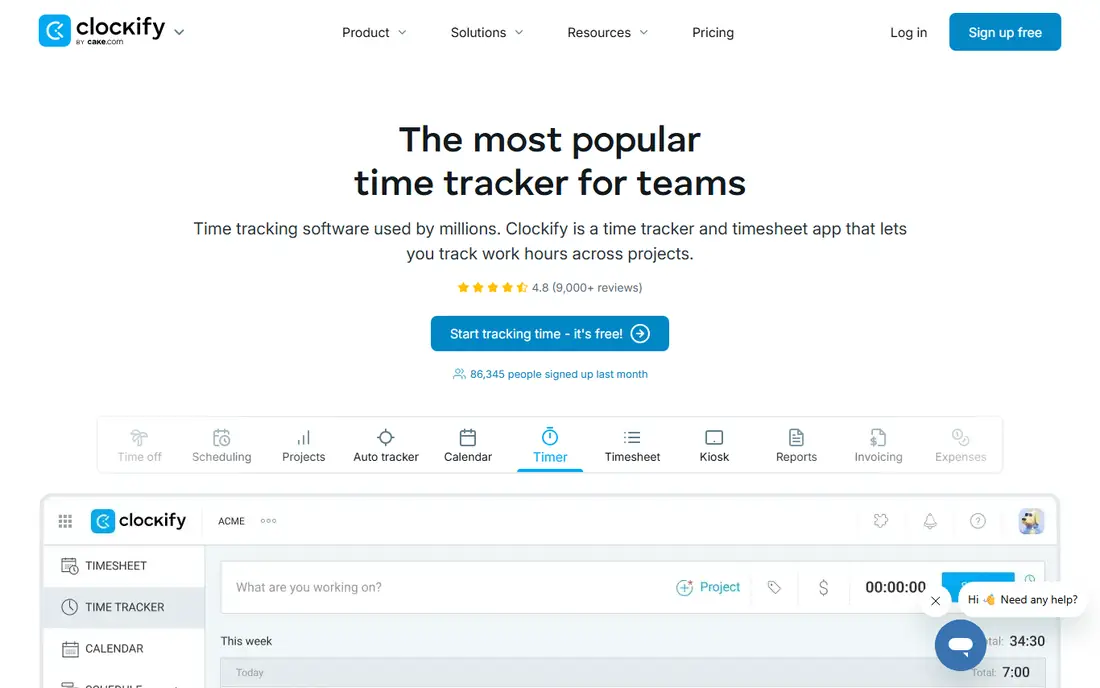
Clockify is designed for teams that want free time tracking with a kiosk choice. Clockify approaches time tracking from the project side instead of the shift side. The free plan spans up to five users with unlimited tracking, timers, timesheets and a kiosk mode that turns a tablet into a shared clock-in station.
premium plans start at $4.99 per user a month and add time off, approvals, scheduling and GPS. As for the details, if your work is organized around projects and clients instead of shifts, Clockify is the natural starting point. For everyday use, note the free cap dropped to five users, so expanding teams should price the jump. Entry price for Clockify: Free. Free access exists with Clockify.
Honest limits: No shift scheduling on free plans.
- Free plan with no time limit
- Kiosk mode for shared devices
- GPS and advanced features need premium levels
Sling
Great for: Budget-conscious teams that want free scheduling with optional time tracking
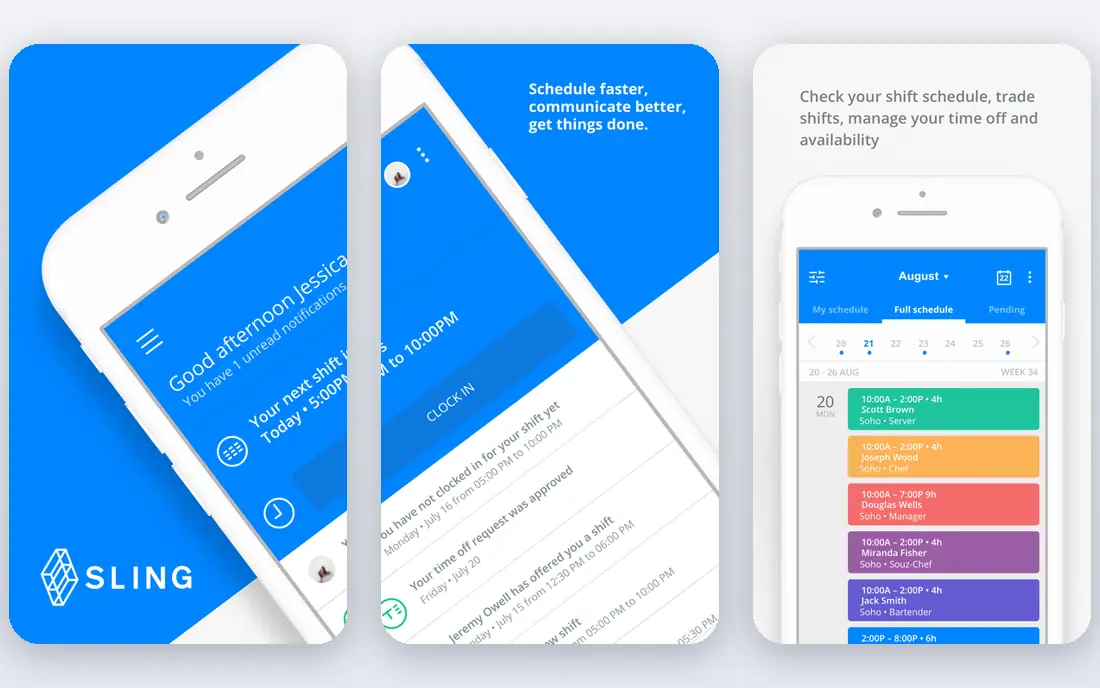
Sling is built with budget-conscious teams that want free scheduling with optional time tracking in mind. The main limit is that time tracking lives on the premium plans, beginning at $1.70 per user a month on annual billing.
On cost, Sling starts like this: Free. You can start on Sling without paying.
Drawbacks to consider: fewer advanced features than rivals.
- Free for up to 30 users
- Very cheap premium plans
- Time tracking only on premium plans
Buddy Punch is designed for small companies that want verification without complexity. Facial recognition on clock-in, GPS location stamps and optional geofencing address buddy punching straight. It links up with more than twenty payroll providers including QuickBooks, ADP and Paychex.
Where it falls short: geofencing needs the higher-priced Pro level.
In daily use, Geofencing sits on the Pro level at $6.99 per user. Pricing opens at $19 a month base plus $4.99 per user a month on annual billing, with a 14-day trial. The starting price for Buddy Punch: From $19 per month base plus $4.99 per user per month. Buddy Punch has no free tier.
- Facial recognition and GPS verification
- 14-day free trial
- No free plan
Homebase
Great for: Small firms with hourly teams that want scheduling and time tracking together
Homebase makes the most sense for small firms with hourly teams that want scheduling and time tracking together. Homebase is made for the exact business in the opening story: restaurants, retailers and service shops with hourly staff.
premium plans charge per location instead of per person, so a fifteen-person team on Essentials pays the same as a six-person team. In daily use, payroll is an add-on at $49 a month plus $6 per employee premium. Starting cost for Homebase: Free. Homebase includes a free tier.
The main drawbacks: Payroll is a premium add-on.
- Per-location pricing stays flat as you hire
- POS time clock choices
- Advanced features need higher levels
7shifts
Great for: Restaurants that require scheduling, time clock and tip workflows
Where 7shifts fits: restaurants that require scheduling, time clock and tip workflows. Non-restaurants should look elsewhere; the whole product assumes food service workflows. 7shifts is the restaurant specialist.
In practice, the free Comp plan handles one location, and premium plans start at $39.99 per location a month on annual billing. Scheduling, time clock, team communication, tip pooling and POS integrations are all designed around how restaurants actually operate. What you pay to start with 7shifts: Free. You can start on 7shifts without paying.
The main drawbacks: premium levels priced per location.
- Free plan for one location
- POS integrations and tip tracking
- Less handy outside food service
QuickBooks Time
Great for: Firms already running QuickBooks for payroll or accounting
Choose QuickBooks Time for firms already running QuickBooks for payroll or accounting. If you are not a QuickBooks shop, that premium buys you little; if you are, the native sync is worth it. For everyday use, the 30-day free trial is ample.
Pricing begins at $20 a month base plus $10 per user a month, with no free plan. Worth adding: a ten-person team pays $120 monthly before QuickBooks itself. What you pay to start with QuickBooks Time: From $20 per month base plus $10 per user per month. QuickBooks Time has no free tier.
Where it is weaker: pricing climbs with headcount.
- Native QuickBooks sync
- GPS tracking and job costing
- Less handy outside QuickBooks
Hubstaff serves remote and field teams needing time plus productivity insight. Hubstaff merges time tracking with optional productivity telemetry: screenshots, activity levels and app usage. Also, for distributed teams that require proof of work, Hubstaff provides it.
From a buyer's view, GPS features and geofenced job sites serve construction and field service well. The monitoring features deserve a thought before you enable them; used transparently they build trust, used secretly they destroy it. For remote teams and field crews where managers cannot see the work happening, that visibility has real value. Starting cost for Hubstaff: From $7 per user per month. No free plan comes with Hubstaff.
Limits to weigh: No free plan.
- Optional activity monitoring
- Payroll integrations
- Monitoring features can feel intrusive to employees
Selection criteria
Each tool was reviewed on what its vendor publishes: price, plan limits, core features and stated drawbacks. We did not run hands-on tests. Where a vendor does not publish a price, the entry says quote. Where a price depends on seats or billing term, the entry says so. The order reflects how well each tool fits the most common buying scenario for employee time clock software, then price clarity, then free plan access. It is a starting point, not a verdict.
Before you commit
- Check the vendor page for the current price: Hubstaff starts at $7 per user per month here, and seats or billing terms can move it.
- Check what the free option really includes: Connecteam, Clockify, Sling and others offer a free plan, and usage caps differ.
- Before choosing Connecteam, weigh its main limit: hub-based pricing can confuse, time clock is one module among numerous.
- Confirm that QuickBooks Time connects to the apps your team already uses, on the plan you would actually buy.
- Ask the daily users to test 7shifts on a live task before you roll it out to everyone.
Frequently asked questions
Do these tools publish their prices?
Yes. Every tool from Connecteam to Hubstaff shows a starting price, though seats, add-ons and billing terms still change the final cost.
Is Connecteam the right pick for everyone comparing employee time clock software?
No single tool suits every team. Connecteam comes first because it fits mobile and deskless teams that need more than a time clock, while Clockify suits teams that want free time tracking with a kiosk option and Sling suits budget-conscious teams that want free scheduling with optional time tracking. Match the tool to your own size, budget and workflow before deciding.
What is the best free employee time clock software?
Start with Connecteam if you need mobile and deskless teams that require more than a time clock. Clockify is the better match for teams that want free time tracking with a kiosk choice, and Sling for budget-conscious teams that want free scheduling with optional time tracking. The best choice depends on budget, team size and workflow.
How are the tools for employee time clock software ordered?
Connecteam sits first and Hubstaff last because the order follows typical fit for employee time clock software, then price clarity and free access. It is a judgement call, so read each profile for fit and limits.
Can time clock software connect with payroll?
Check the specific integration before buying, since the quality ranges from one-click sync to manual CSV export.
Can I try these options before paying?
Often, yes. Connecteam, Clockify, Sling and others have a free plan. Use your own data and a real task during the test, and check what the free tier or trial limits before you rely on it.
Sources
See where you really rank - block by block
ProMapRanker scans Google Maps across a grid of your service area. Simple monthly plans from $19, white-label on every plan.
Start freeKeep reading
 zscaler alternatives
Best Zscaler Alternatives in 2026
Looking for zscaler alternatives? We compare 9 SASE and zero trust platforms on architecture, data protection, pricing, and fit for your network and team.
Read → zapier alternatives free
Best Zapier Alternatives Free in 2026
Nine automation tools for zapier alternatives free in 2026, all with genuinely free tiers, plus free plan limits, starting prices and upgrade paths explained.
Read → which platform is best for online reputation
Which Platform Is Best for Online Reputation in 2026
Wondering which platform is best for online reputation? We compare 8 review, listing, and response tools for small and multi-location businesses and agencies.
Read →