 ProMapRanker
Best Employee Screen Monitoring Software in 2026

Productivity trends without heavy surveillance · Pricing starts at: Free
Key takeaways
- Privacy and consent warning: monitoring laws vary by state and country, tell employees what is monitored, and never present secret monitoring as acceptable.
- ActivTrak and Insightful suit teams that want trends and workload patterns more than screen recordings.
- Teramind and Veriato suit regulated firms that need detailed evidence and controls, but they carry higher cost and trust risk.
- Hubstaff and Time Doctor tie monitoring to time, payroll and field work, which fits remote and agency teams.
- Seat minimums, screenshot settings and data retention can change the real cost and the privacy impact, so check them before buying.
Quick comparison
| Pick | Great for | Pricing starts at | Free tier | |
|---|---|---|---|---|
| ActivTrak | Productivity trends without heavy surveillance | Free | Yes | Visit |
 Teramind | Security and insider-risk control | $14 per seat per month | Free trial | Visit |
 Hubstaff | Remote teams, payroll and field work | $4.99 per user per month | Free trial | Visit |
 Time Doctor | Remote workforce analytics and payroll | $6.67 per user per month | Free trial | Visit |
 Insightful | Midsize monitoring and time tracking | See website | Free trial | Visit |
 DeskTime | Simple automatic time tracking | See website | Free trial | Visit |
 Monitask | Transparent tracking for small teams | See website | Free trial | Visit |
 Controlio | Screen recording and session evidence | See website | Free trial | Visit |
 Veriato | Insider-threat detection for regulated firms | See website | Free trial | Visit |
The best employee screen monitoring software
We compared tools that track app use, activity, screenshots or time, and we judged them on fit, controls and clarity about what is collected. The best employee tracking software for one firm can be a poor fit for another, because a payroll team, a security team and a small agency need different levels of detail. Read the privacy warning in the takeaways first, and treat consent and legal advice as part of setup, not as an afterthought.

ActivTrak suits managers who want to see patterns, such as focus time, app use and workload balance, without building a surveillance archive. It reports on active and idle time, software adoption and team trends, and it can flag burnout risk when workloads stay high. That focus makes it easier to use results for coaching and staffing decisions, rather than for watching one person minute by minute.
The limit is that ActivTrak is not designed as a forensic screen recorder. Teams that need video evidence or detailed content logs will find gaps, and screenshot capture costs extra. For many office teams, that limit is a benefit, because it keeps the tool proportionate to the question being asked. For security teams, it may be a reason to look elsewhere.
- Free plan for up to 3 users
- Team-level productivity and workload views
- Avoids video recording in its core approach
- Screenshot capture is a paid add-on
- Deeper reporting may need higher plans
Teramind is built for firms where data protection matters more than simple productivity charts, such as finance, healthcare, government suppliers and outsourcing firms. It can monitor user actions, flag risky behavior, block certain uploads and create searchable records with masking for sensitive fields. Those controls help security teams respond to insider risk, but they also require strict policy, access limits and legal review.
Pricing starts at $14 per seat per month on annual billing in the plans we found, with a seat minimum that small firms should confirm. That cost reflects the depth of the platform, not only the dashboard. A small team that only wants time tracking will pay for controls it does not need, and may create privacy problems by turning on features it has not justified.
- Detailed user behavior analytics
- Data-loss controls and alerts
- Cloud and on-premises options
- Higher entry price and seat minimums
- Powerful recording features raise privacy and legal risk
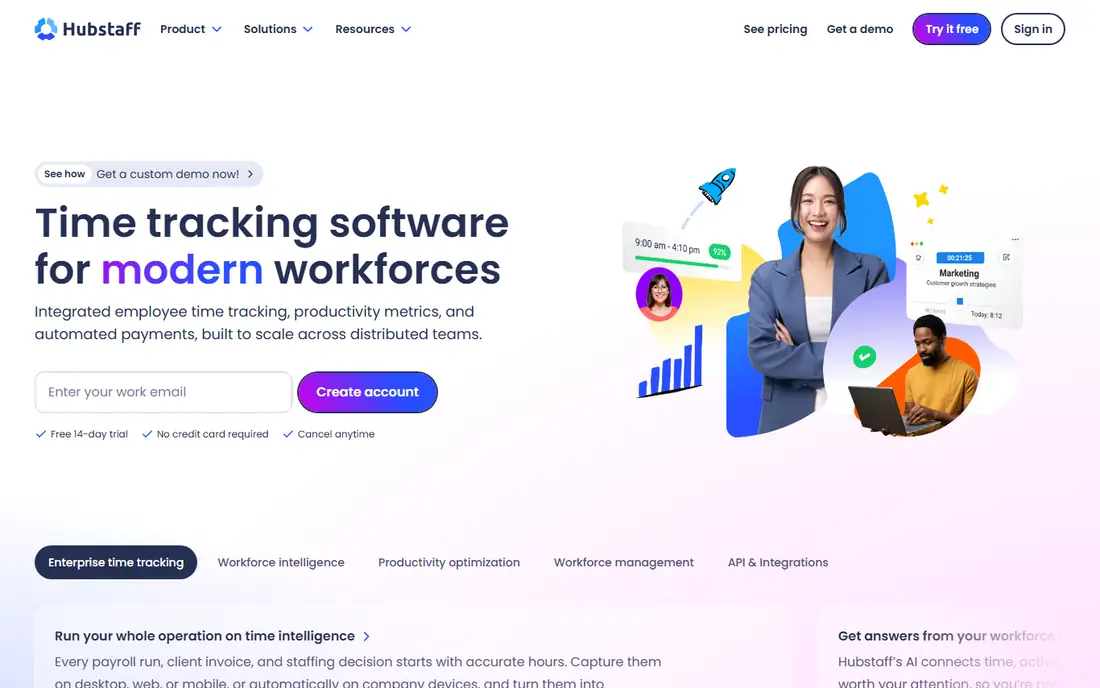
Hubstaff fits agencies, remote teams and field services that need to link time to clients, projects and pay. Staff can track time, log tasks and, where the role justifies it, share screenshots or location data for field work. Managers get timesheets, activity summaries and invoicing data in one place, which reduces manual payroll work. That practical link to pay is why many small firms choose it over a pure analytics tool.
The catch is consent and proportionality. GPS tracking and screenshots are not suitable for every role, and they should never be switched on quietly. Hubstaff works best when staff know exactly what is captured, when it is captured, and how to pause or review it where the plan allows. A written policy should also state that location data is used for work scheduling, not for tracking staff outside work hours.
- Time tracking tied to payroll
- Screenshots and GPS for field roles
- Simple team setup
- Screenshot and GPS features need clear consent
- Less depth for security investigations
Time Doctor suits remote and hybrid teams that need reliable time records for payroll, clients or outsourcing contracts. It tracks work time, app and website use, and idle periods, and it can produce reports by person, project or client. Optional screenshots give managers evidence for disputed hours, but they should be used sparingly and with notice, not as a default check on every worker.
Pricing starts at $6.67 per user per month on annual billing for the basic plan in the plans we found, with higher plans for more analytics and integrations. That price is reasonable for firms that already pay staff by tracked hours, since accurate timesheets can save disputes. It is harder to justify for salaried office teams that do not bill by the hour, where the same features may feel like surveillance without a clear business need.
- Detailed time and activity records
- Payroll and client reporting
- Optional screenshots
- Can feel intrusive if all features are switched on
- Setup needs clear team rules
Insightful, formerly known as Workpuls, fits midsize firms that want monitoring plus time tracking in one dashboard, without buying two tools. It reports on app use, activity and attendance, and it can show how hybrid teams split time across office and remote work. Managers can use those views to spot overload, uneven workloads and process bottlenecks, rather than to rank staff by keystrokes alone.
The main caution is plan detail. Entry pricing and screenshot options differ by tier, and some sources list different starting figures, so we list See website for the current plan. Teams should confirm seat minimums, data retention and whether screenshots are included or added on. That check matters, because a plan that looks cheap can become costly once the features you actually need are added.
- Combined monitoring and time tracking
- Team productivity views
- Hybrid workforce reports
- Pricing varies by plan and seat count
- Screenshot depth varies by tier
DeskTime suits small teams that forget to start timers and want automatic records of app and website use. It builds timesheets from actual computer activity, groups time by project, and shows productivity patterns without requiring staff to log every task by hand. That simplicity is its main strength, especially for teams that want a quick view of where the day goes.
The limit is depth. DeskTime is not a security investigation tool, and it will not give the detailed content records that Teramind or Veriato provide. That is fine for most office teams, but firms in regulated sectors should not rely on it for evidence or data-loss control. Pricing also varies by plan, so check the current site for the tier that includes the reporting and screenshot options you need.
- Automatic time tracking with no manual timers
- Simple project and productivity views
- Less depth for security use
- Optional screenshots still need clear notice
Monitask fits remote teams and freelancers who want visible tracking tied to tasks and projects. It captures screenshots at intervals, records activity levels and builds timesheets that managers and staff can review. That transparency can help when work is billed by the hour or when a client asks for proof of work, provided staff know the settings in advance.
The trade-off is scale and depth. Monitask is simpler than enterprise suites, and it may lack advanced security controls, workforce planning or deep integrations that larger firms need. Pricing varies by billing period and plan, so we list See website rather than a figure that may change with seat count. Small teams should trial it with a few staff first and check screenshot frequency, storage and reporting before rolling it out widely.
- Screenshots and activity views for remote teams
- Project and task tracking
- Simple setup
- Smaller vendor than market leaders
- Feature depth varies by plan
Controlio suits firms that need to review exactly what happened on screen during a work session, such as for training, quality review or incident checks. Its recording and live view features give managers a fuller picture than activity summaries alone. That detail can help resolve disputes or understand a process error, but it also collects far more personal data than a simple timer.
That depth is the main risk. Video records can capture private messages, passwords on screen, health details and other sensitive content, even when the intent is work review. Firms should use masking where available, limit who can view recordings, set short retention periods, and get legal advice before enabling continuous recording. Secret or continuous recording without notice is not acceptable, and in many places it may be unlawful.
- Video-style screen records
- Live session views
- Detailed activity logs
- Recording depth raises privacy and legal risk
- Pricing should be confirmed on the vendor site
Veriato fits security-conscious firms that need to detect insider risk, data misuse or policy breaches, rather than simply measure productivity. It monitors user activity in depth, flags unusual patterns and gives security teams records to investigate incidents. That focus suits firms handling sensitive data, intellectual property or regulated client information, where a breach can cause serious harm.
The downside is cost and trust. Veriato pricing sits above simple time trackers, and its features can feel intrusive if staff are not told what is monitored and why. A firm should only adopt it after a risk assessment, legal review and a written policy that limits access to trained staff. Data retention, masking and audit logs for viewer access should also be set before rollout.
- Detailed user activity monitoring
- Insider-risk alerts
- Options for regulated environments
- Higher cost in the plans we found
- Powerful features need strict governance
How we picked these
We compared official feature and pricing pages, public reviews and comparison sources, and we favored tools that are live in October 2026, fit employee screen monitoring directly, and state what they collect. We excluded tools that could not be verified as current, pure time trackers with no monitoring features, and products that market secret or hidden tracking as a selling point. Where pricing conflicted across sources, we wrote See website rather than repeating an uncertain figure.
We also weighed privacy controls alongside features. A tool that offers masking, scheduled tracking, team-level reporting and short retention is easier to run lawfully and fairly than a tool that records everything by default. That balance shaped the order and the warnings in this guide, because the legal and trust cost of a monitoring rollout can exceed the software cost.
What to check before you buy
Start with law and consent, not with a demo. Monitoring laws vary by state and country, and some places require notice, consent or works council consultation before tracking starts. Get legal advice for each place where staff work, tell employees in plain writing what is monitored, when it is monitored, who can see it and how long it is kept. Never present secret monitoring as acceptable, and never use monitoring data to punish staff for private activity that has no work impact.
Next, choose the lightest setting that answers your question. If the question is workload balance, team-level trends may be enough. If the question is payroll accuracy, time and task records may be enough. Turn on screenshots, keystroke logs or video only for a specific, documented reason, and review whether that feature is still needed each quarter. Staff should be able to see their own records and ask for corrections.
Finally, trial with a small group and publish the results. Run the tool for two to four weeks, share team-level findings, and ask staff what feels fair and what feels intrusive. If a feature causes more distrust than insight, switch it off. A monitoring program that staff accept will give better data than one they try to work around.
Frequently asked questions
What is the best employee tracking software for remote teams?
Hubstaff and Time Doctor suit remote teams that need time, payroll and client reporting, while ActivTrak suits teams that want productivity trends. The best choice depends on whether you bill by the hour, manage field staff, or only need workload patterns. Trial two tools with real staff, with full notice, and compare the reports you actually use each week.
What is in a top 10 employee monitoring software list?
A top list usually mixes productivity analytics, time tracking, screen recording and security tools, but those categories are not interchangeable. A top employee monitoring software list should state what each tool records, whether screenshots or video are included, and what legal and consent steps apply. Use the list to shortlist by need, not as a ranking to buy from in order.
Is employee screen monitoring legal?
It depends on the state or country, the type of data collected, and whether staff were told in advance. Monitoring laws vary, and some places require notice or consent, while others limit certain data types. Get legal advice before rollout, tell employees what is monitored in plain writing, and keep monitoring proportionate to a clear business reason.
Should employees be told about monitoring?
Yes. Tell employees what is monitored, when it happens, who can view the data, and how long it is kept. Secret monitoring damages trust, can be unlawful in many places, and often produces worse data as staff change behavior to avoid the tool. A written policy, shared before tracking starts, is the minimum standard for any tool in this guide.
Can monitoring software track personal activity?
Some tools can capture a wide range of activity, including private messages or personal sites, which is why settings and policy matter. Limit tracking to work devices and work hours where possible, use masking and retention limits, and avoid collecting content that is not needed for the stated purpose. If a tool cannot limit collection, choose a tool that can.
Sources
See where you really rank - block by block
ProMapRanker scans Google Maps across a grid of your service area. Simple monthly plans from $19, white-label on every plan.
Start freeKeep reading
 zoho inventory alternatives
6 Alternatives to Zoho Inventory, Compared on Price and Fit
Zoho Inventory alternatives: 6 tools compared on price, free plans and fit. Katana leads the list for manufacturers. Fit and flaws are laid out for each entry.
Read → zoho crm alternatives
Best Zoho CRM Alternatives (2026)
Need Zoho CRM alternatives? We compare 7 tools on cost, free access and who each suits. Every pick gets a straight assessment. Built for quick decisions.
Read → zelle alternatives
Best Zelle Alternatives in 2026
Compare the best Zelle alternatives for sending money to friends, paying sellers and moving funds abroad, with honest notes on fees, speed and safety in 2026.
Read →