 ProMapRanker
Best Embedded Business Intelligence Software in 2026

Key takeaways
- Power BI Embedded and Metabase offer the lowest-cost entry points, but their pricing models work very differently.
- Looker, Tableau, and Sisense bring deeper BI engines, usually at quoted enterprise prices.
- ThoughtSpot and Qlik suit teams that want search-driven or exploratory analytics inside a product.
- Model costs at 2x and 5x your current customer count, since per-user pricing can rise fast as you grow.
Quick comparison
| Pick | Great for | Pricing starts at | Free tier | |
|---|---|---|---|---|
 Looker | Governed semantic layer | See website | No | Visit |
 Tableau | Deep visual analytics | See website | Free trial | Visit |
 Power BI Embedded | Microsoft-centered products | See website | No | Visit |
 Sisense | Embedded analytics at scale | See website | Free trial | Visit |
 ThoughtSpot | Search-driven analytics | $25 per user per month | Free trial | Visit |
 Metabase | Budget embedding | Free | Yes | Visit |
 Qlik | Exploratory analytics | $30 per user per month | Free trial | Visit |
 GoodData | Multi-tenant SaaS analytics | See website | Free trial | Visit |
 Luzmo | Fast embedded dashboards | See website | Free trial | Visit |
The best embedded business intelligence software
We compared embedding options, white labeling, pricing models, and governance. The best embedded analytics tools are not just good BI tools, they are tools that let your customers see data inside your product without seeing another brand or hitting a confusing login.

Looker suits product teams that need one definition of every metric. Its LookML layer lets analysts define measures once, then reuse them across embedded dashboards, which reduces conflicting numbers. For a SaaS product with many customers, that consistency matters.
The cost is enterprise-level and quoted, and the modeling work is real. Teams without data modeling experience may find the ramp-up slow. If governance and trusted metrics are your top need, Looker is hard to beat.
- Strong LookML modeling layer
- Consistent metrics across dashboards
- Google Cloud integration
- Pricing is quoted
- Setup needs data modeling skill
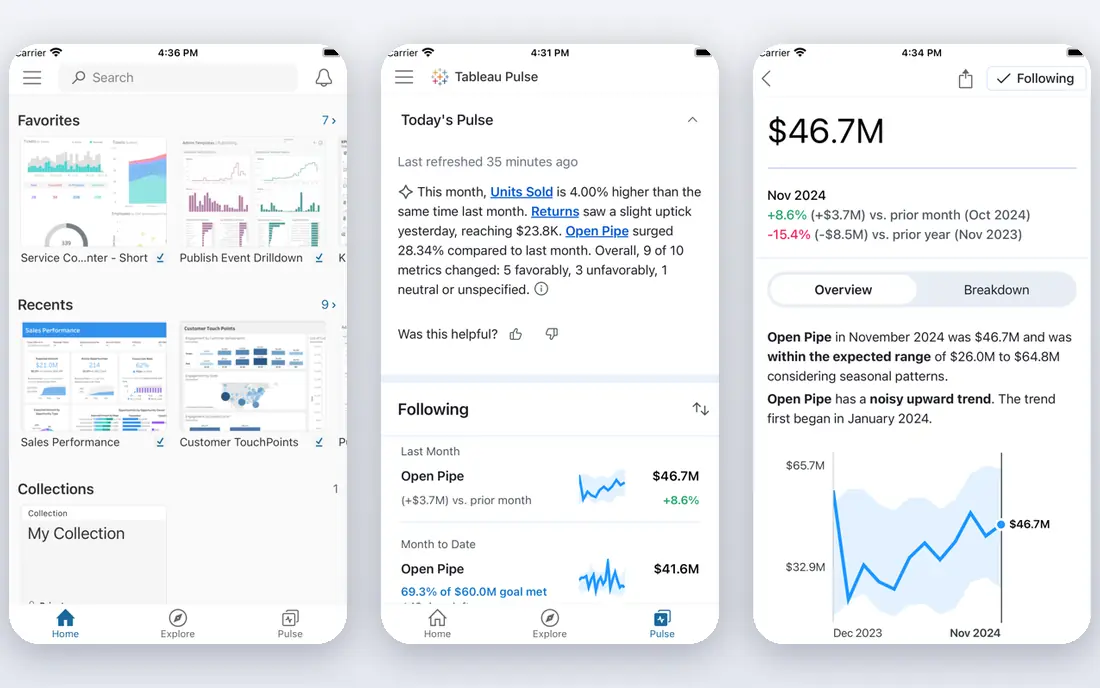
Tableau brings one of the deepest visualization engines to embedded use. Product teams can offer interactive dashboards, filters, and drill-downs that feel polished to end users. Analysts who already know Tableau will also find the authoring experience familiar.
Pricing is the main watch point. Per-user models can become costly when many customers view dashboards, so ask how viewer licensing works for embedded users. With careful planning, Tableau gives a premium embedded experience.
- Rich visualizations
- Large analyst community
- Strong embedding options
- Per-user pricing can grow fast
- Multi-tenant setup needs planning

Power BI Embedded is often the price leader for Microsoft shops. Capacity pricing means you pay for compute, not for each end user, which helps products with many occasional viewers. Teams already using Azure and Microsoft 365 will find the integration smooth.
The catch is capacity sizing. Too little capacity slows dashboards at peak times, while too much wastes money. Plan for busy periods, test with real concurrency, and review capacity as your customer base grows.
- Capacity-based pricing, not per viewer
- Strong Microsoft integration
- Familiar authoring
- Capacity planning takes care
- Best value comes inside the Microsoft stack
Sisense is designed for product teams that embed analytics as a core feature, not an afterthought. It supports white labeling, multi-tenant delivery, and a range of data sources, which helps SaaS vendors serve many customers from one platform. AI features can also help users explore data.
The trade-off is a sales-led buying process and a setup that rewards engineering time. Smaller teams may find it heavy, but larger SaaS vendors often value the control and scale it offers.
- Built for embedded use
- White labeling
- AI-assisted features
- Pricing is quoted
- Full setup can be complex
ThoughtSpot lets end users type a question and get a chart, which suits products where customers want answers without waiting for a report. That search-first style can reduce support requests for custom data pulls. The published entry price also makes early budgeting easier.
Per-user pricing can still add up as your viewer base grows, so model a larger customer count before committing. If your users are comfortable asking questions in plain language, ThoughtSpot gives them real independence.
- Natural-language search
- Published entry price
- Self-service exploration
- Per-user pricing at scale
- Some advanced features need higher tiers
Metabase is the budget pick for teams that want embedded dashboards without an enterprise contract. The open source version can be self-hosted for free, and cloud plans start at a modest level for small teams. Dashboard building is approachable for non-specialists.
Interactive embedding, white labeling, and some permissions sit on paid tiers, so check what your product needs. For an early-stage SaaS product, Metabase is often the fastest way to ship useful analytics.
- Open source self-hosting
- Low-cost cloud plans
- Simple dashboard building
- Interactive embedding needs paid plans
- Enterprise governance is lighter
Qlik suits products where users want to explore data freely, not just view fixed reports. Its associative engine shows how selections relate across fields, which helps users spot patterns they did not plan to look for. That exploration style is a real strength for data-savvy customers.
The authoring experience takes learning, and pricing depends on how you deploy. Teams that invest in training will get more from Qlik, while teams that want simple static dashboards may prefer a lighter tool.
- Associative engine for free exploration
- Strong data handling
- Embedded options
- Learning curve for authors
- Pricing varies by deployment
GoodData is built for SaaS vendors that serve many tenants from one system. Workspaces keep customer data separate, and white labeling lets analytics look like part of your product. That multi-tenant focus saves engineering work compared with adapting a general BI tool.
Pricing for larger deployments is quoted, so early estimates need a sales conversation. Smaller teams can start with a trial, but should confirm workspace and platform fees before planning a full rollout.
- Multi-tenant design
- White labeling
- No per-viewer fee on some models
- Pricing is quoted for larger use
- Platform learning curve
Luzmo focuses on getting embedded dashboards live quickly. Product teams can build, white label, and ship dashboards without a long BI project, which suits startups and mid-size SaaS vendors. The platform is designed around embedded use from the start.
The smaller ecosystem means fewer third-party guides and integrations than the biggest names. If speed matters more than the deepest BI feature set, Luzmo is a strong shortlist candidate.
- Fast time to embedded dashboards
- White labeling
- Usage-based options
- Pricing is quoted for many plans
- Smaller ecosystem than Tableau or Power BI
How we picked these
We compared official pricing and documentation, embedding features, and public reviews, and we favored tools that support customer-facing analytics, not only internal reporting. We checked white labeling, tenant separation, and pricing model, since those factors decide whether a tool works as a product feature. Where pricing was quoted only, we used See website.
What to check before you choose
Start with your pricing model, not your chart types. Per-user pricing, capacity pricing, and flat platform fees behave very differently as you add customers. Build a simple model at your current size, then at twice and five times that size, and ask each vendor which line items change.
Next, test the end-user experience inside your own product. Check single sign-on, loading speed, mobile layout, and whether branding stays consistent. A dashboard that looks like a separate app will confuse customers, even if the charts are good.
Finally, check governance. Confirm row-level security, tenant separation, and audit controls before you embed customer data. A tool that is easy to build with but weak on permissions can create a costly rebuild later.
Before you sign, ask for a named contact on the vendor side and a clear upgrade path. Embedded analytics often starts with one dashboard and grows into a core product feature, so support quality matters as much as the first demo. A vendor that answers pricing and security questions plainly is usually easier to work with later, when usage grows and edge cases appear.
Also test how your customers will actually use the dashboards. Some users only view a monthly summary, while others filter, drill down, and export data every day. Those habits change which pricing model is cheapest and which features matter. A short pilot with a few friendly customers will reveal more than a long feature checklist.
Frequently asked questions
What is the best embedded business intelligence platform for a startup?
Metabase is often the best start, thanks to open source hosting and low-cost cloud plans. Power BI Embedded is also strong if you already use Microsoft tools. Both let you ship dashboards without an enterprise contract.
What are the best embedded analytics tools for multi-tenant SaaS?
GoodData, Sisense, and Luzmo are built with multi-tenant use in mind, with workspace separation and white labeling. Looker and Tableau can also work, but tenant setup needs more planning. Test tenant isolation early in a trial.
How does embedded BI pricing work?
Vendors charge per user, per capacity unit, per workspace, or as a flat platform fee, and some mix those models. Per-user pricing is simple but can rise fast, while capacity pricing is more predictable until you outgrow a tier. Always model growth before signing.
Can embedded dashboards be white labeled?
Most tools on this list support white labeling, though the details and plan level vary. Check whether logos, colors, domains, and login screens can all match your product. Some white labeling features need a paid or enterprise plan.
Do I need engineers to embed analytics?
Some embedding is simple, with code snippets and hosted dashboards, while governed multi-tenant setups need engineering time. Metabase and Luzmo are friendlier for small teams, while Looker and Sisense reward data engineering skill. Budget for both setup and ongoing maintenance.
Sources
See where you really rank - block by block
ProMapRanker scans Google Maps across a grid of your service area. Simple monthly plans from $19, white-label on every plan.
Start freeKeep reading
 zscaler alternatives
Best Zscaler Alternatives in 2026
Looking for zscaler alternatives? We compare 9 SASE and zero trust platforms on architecture, data protection, pricing, and fit for your network and team.
Read → zapier alternatives free
Best Zapier Alternatives Free in 2026
Nine automation tools for zapier alternatives free in 2026, all with genuinely free tiers, plus free plan limits, starting prices and upgrade paths explained.
Read → which platform is best for online reputation
Which Platform Is Best for Online Reputation in 2026
Wondering which platform is best for online reputation? We compare 8 review, listing, and response tools for small and multi-location businesses and agencies.
Read →