 ProMapRanker
Best Email Service in 2026

Key takeaways
- Gmail is the best all round free service for most people, thanks to search, spam filtering, and strong mobile apps.
- Proton Mail and Tuta suit readers who want encryption and privacy first, while Fastmail suits power users who want custom domains and fast search.
- Outlook suits Microsoft users, iCloud Mail suits Apple users, and Zoho Mail suits small businesses on a tight budget.
- Yahoo Mail offers generous free storage, but ads and an older interface are the trade off.
- Free plans are enough for personal mail, while custom domains, larger storage, and business controls usually need a paid plan.
Quick comparison
| Pick | Great for | Pricing starts at | Free tier | |
|---|---|---|---|---|
 Gmail Gmail | Best all round personal and Google users | Free | Yes | Visit |
 Outlook Outlook | Microsoft users and Office households | Free | Yes | Visit |
 Proton Mail Proton Mail | Secure email with end to end encryption | Free | Yes | Visit |
 Fastmail Fastmail | Power users, custom domains, and fast search | $3 per month | No | Visit |
 Yahoo Mail Yahoo Mail | Large free storage for casual personal mail | Free | Yes | Visit |
 iCloud Mail iCloud Mail | Apple users who want mail across devices | Free | Yes | Visit |
 Zoho Mail Zoho Mail | Small businesses on a tight budget | Free | Yes | Visit |
 Tuta Tuta | Low cost encrypted mail | Free | Yes | Visit |
The best email service
Email still runs work and personal life, so the right service is about more than an inbox. Search quality, spam filtering, mobile apps, storage, privacy, and custom domain support all matter, and different services lead on different points. The eight services below cover personal mail, business mail, and privacy focused mail, so you can match the service to how you actually use email.
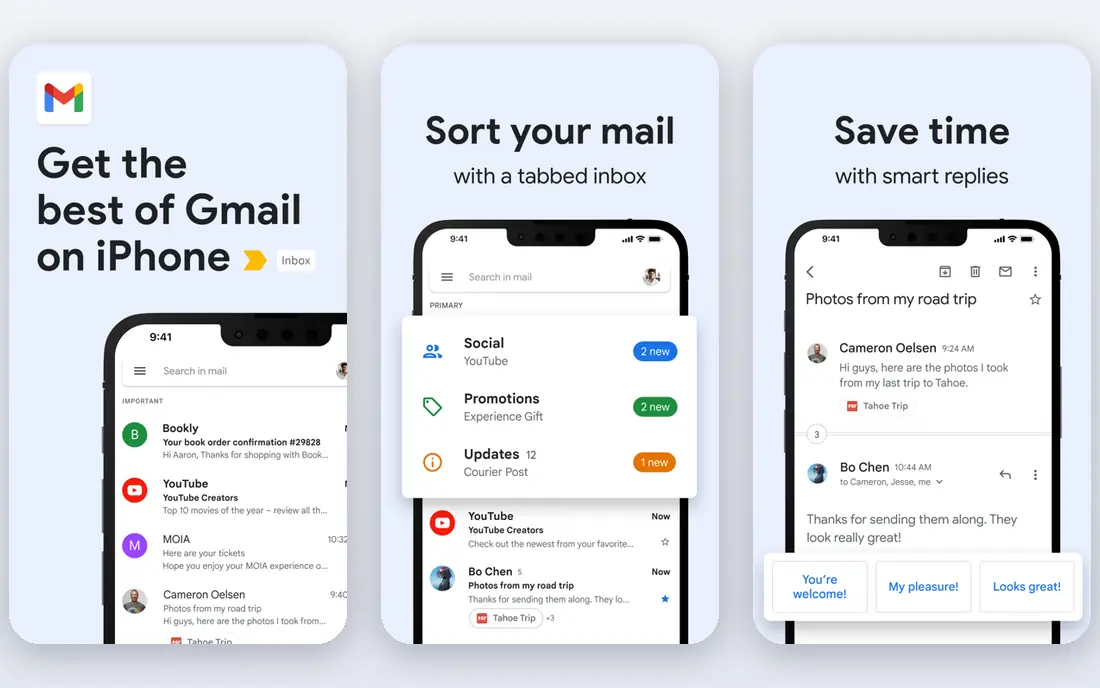
Gmail remains the default for a reason. Search finds old messages fast, spam filtering is among the best in the category, and the mobile apps are polished on iOS and Android. The free plan includes 15 GB shared across Gmail, Drive, and Photos, which is enough for many personal users, though heavy Drive users will hit the limit sooner.
Custom domains require Google Workspace, which is a paid business product, so personal Gmail is best for a Gmail address rather than a branded domain. Privacy is the main objection, since Google scans for spam and security rather than reading mail for ads in the way older policies described, but some users still prefer a privacy first provider. For most readers, Gmail is the safest free starting point.
- Excellent search and spam filtering
- 15 GB shared Google storage on free plan
- Strong mobile apps
- Privacy concerns for some users
- Custom domain needs Google Workspace
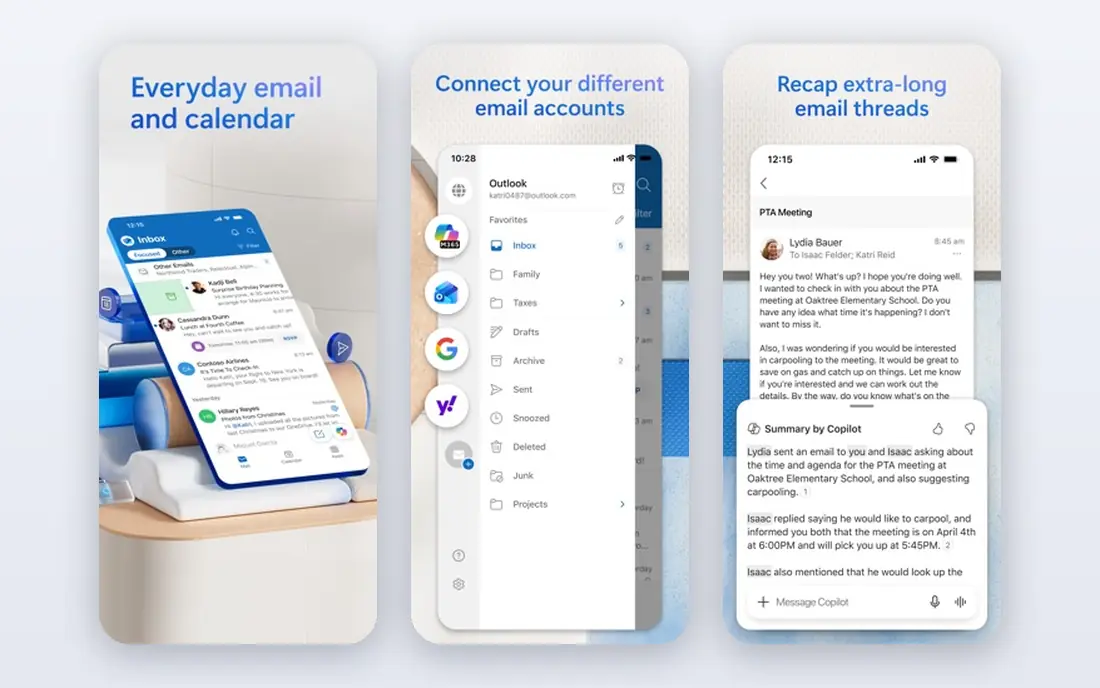
Outlook suits anyone whose work or school life already runs on Microsoft tools. Calendar, tasks, and contacts sit alongside mail, and Microsoft 365 plans add desktop Outlook, OneDrive storage, and custom domain support. The free web and mobile versions cover personal mail well, with 15 GB of mailbox storage.
Ads appear on the free tier, and the interface packs in more features than Gmail, which some readers will find busy. If you use Word, Excel, and Teams daily, Outlook is the natural fit. If you live in Google tools, Gmail will feel smoother, even though Outlook works fine as a standalone mailbox.
- Strong calendar and task integration
- 15 GB free mailbox storage
- Works well with Microsoft 365
- Free tier shows ads
- Interface can feel busy

Proton Mail is the leading privacy first choice. Messages between Proton users are end to end encrypted, the service is based in Switzerland, and there are no ads. That combination appeals to journalists, activists, and anyone who wants mail that is not mined for advertising.
The free plan offers limited storage, and the paid plan, starting at $3.99 per month billed yearly in many listings, adds more storage, custom domains, and Bridge for desktop mail apps. Search and third party app support are more limited than Gmail by design, because encryption restricts server side processing. If privacy matters more than deep integration, Proton Mail is the pick.
- End to end encryption for Proton to Proton mail
- Swiss jurisdiction
- No ads and strong privacy practices
- Free storage is limited
- Full IMAP access needs a paid plan with Bridge
Fastmail is the favourite of email power users for good reason. Webmail is fast, search is instant, custom domains are easy to set up, and masked email addresses help control spam and signups. The service is independent, ad free, and focused on mail rather than a wider suite, which keeps the experience clean.
There is no permanent free plan, only a trial, so Fastmail costs from $3 per month billed yearly for the basic tier in many listings. It does not offer end to end encryption by default, so privacy focused readers should compare it with Proton Mail and Tuta. For a fast, reliable mailbox on your own domain, Fastmail is hard to beat.
- Fast webmail and search
- Custom domains and masked email
- No ads and independent provider
- No free plan, only a trial
- No end to end encryption by default
Yahoo Mail is easy to overlook, but its free storage is a real advantage for readers with large archives. The service offers a large mailbox, a simple webmail interface, and tools for tracking subscriptions and coupons. That makes it a practical choice for a secondary mailbox or a long term personal archive.
Ads appear on the free tier, and the design feels less modern than Gmail or Outlook. Privacy and security history also matter to some readers, so check current account security settings and enable two factor authentication. If storage matters more than polish, Yahoo Mail is worth keeping on the shortlist.
- Generous free storage, listed at 1 TB in many comparisons
- Simple webmail
- Useful subscription and coupon tools
- Ads on free tier
- Interface feels older than Gmail or Outlook
iCloud Mail is the quiet default for Apple households. Mail syncs across iPhone, iPad, and Mac with no extra setup, and iCloud Plus adds Hide My Email for signups, custom domains, and more storage from $0.99 per month. There are no ads, and the interface stays simple.
The free 5 GB shared iCloud storage is the limit, since photos and backups share the same pool. Android and Windows users will find Gmail or Outlook more flexible, because iCloud Mail is best inside Apple tools. For Apple only users who want a clean, ad free mailbox, iCloud Mail is the natural choice.
- Clean integration with iPhone, iPad, and Mac
- Hide My Email with iCloud Plus
- No ads
- 5 GB free shared storage
- Custom domain needs iCloud Plus
Zoho Mail is the budget business pick. A free tier covers a small team on a custom domain, and paid plans start at $1 per user per month billed yearly in many listings. That price undercuts Google Workspace and Microsoft 365 by a wide margin, which matters for startups and small firms.
The ecosystem is smaller, so integrations with outside tools are less deep than Google or Microsoft. The interface also feels dated next to Gmail. For a small business that needs professional addresses without a large per user bill, Zoho Mail is the most practical low cost option here.
- Free tier for small teams
- Custom domain support
- Ad free business mail at low cost
- Smaller ecosystem than Google or Microsoft
- Interface feels dated to some users
Tuta, formerly Tutanota, offers encrypted mail, calendar, and contacts at a lower paid price than Proton Mail in many listings, starting around $3 per month billed yearly. The free plan includes 1 GB of storage, which is enough for light personal use. Clients are open source, and the service is designed around encryption by default.
Third party mail app support is limited by design, because encryption restricts standard IMAP access in the same way as Proton Mail. That trade off is the point for privacy focused users, but it will frustrate readers who want any mail app to work. If you want encrypted mail at the lowest cost, Tuta is a strong alternative to Proton Mail.
- Encrypted mailbox, calendar, and contacts
- Open source clients
- Low paid price
- Smaller ecosystem
- Limited third party app support by design
How we picked these
We compared official feature pages, pricing pages, app store listings, privacy policies, and public reviews, focusing on services that are live in October 2026 and offer a real personal or business mailbox. We weighed storage, spam filtering, search, mobile apps, custom domain support, encryption, free plan limits, and price. We did not claim hands on testing we did not do, and we left out marketing only email platforms, which are a different product from a personal mailbox.
How to choose an email service without regretting it
Start with the ecosystem you already use. Google users will get the most from Gmail, Microsoft users from Outlook, and Apple users from iCloud Mail, because calendar, contacts, and storage all line up. Switching ecosystems for a slightly better inbox rarely pays off, since the friction shows up in calendar invites and file sharing.
Next, decide how much privacy and custom domain support matter. Privacy first readers should shortlist Proton Mail and Tuta, while readers who want a branded address should shortlist Fastmail, Zoho Mail, and Google Workspace. Finally, test the mobile app for a week before moving a main address. Check search speed, spam handling, and how easily you can set up two factor authentication and recovery options, because those details matter more day to day than a feature list.
Frequently asked questions
What is the best email service?
Gmail is the best all round service for most people, thanks to search, spam filtering, and free storage. Outlook suits Microsoft users, iCloud Mail suits Apple users, and Proton Mail suits privacy focused users. The best email service for you depends on your devices, privacy needs, and whether you need a custom domain.
What are the best email services for business?
Google Workspace, Microsoft 365, Zoho Mail, and Fastmail are the strongest business options. Google and Microsoft suit larger teams that need full office suites, while Zoho Mail suits small teams on a budget. Fastmail suits small teams that want fast mail on a custom domain without a full suite.
What is the best secure email service?
Proton Mail and Tuta are the best secure email services on this list, because both offer encryption by default and no ads. Proton Mail has a larger ecosystem and more storage options, while Tuta is cheaper for many paid plans. Enable two factor authentication on any service you choose, since account security matters as much as encryption.
What is the best free email app?
Gmail and Outlook offer the best free email apps for most users, with strong mobile apps and generous free storage. Yahoo Mail offers large free storage, while iCloud Mail offers a clean free app for Apple users. Proton Mail and Tuta offer free encrypted mail, though storage is more limited.
Which email companies offer custom domains?
Fastmail, Zoho Mail, Proton Mail, Tuta, Google Workspace, and Microsoft 365 all support custom domains on paid plans, with Zoho Mail also offering a limited free tier for small teams. Check the current plan details, because custom domain support often starts at a specific tier, not the cheapest personal plan.
What is the best email list service?
A mailing list service is different from a personal mailbox, and tools such as Mailchimp, ConvertKit, and Brevo suit newsletters and marketing lists. For personal mail, Gmail, Outlook, and Fastmail are better choices. Do not confuse a newsletter platform with a mailbox, since they solve different problems.
Sources
See where you really rank - block by block
ProMapRanker scans Google Maps across a grid of your service area. Simple monthly plans from $19, white-label on every plan.
Start freeKeep reading
 youtube alternatives
Best YouTube Alternatives in 2026
Looking for youtube alternatives in 2026? We compare Vimeo, Dailymotion, Twitch, Rumble, and more on price, audience, monetization, control and privacy.
Read → what's the best ai tool for photo editing
What Is the Best AI Tool for Photo Editing in 2026
What is the best AI tool for photo editing? We compare ten tools for 2026, from Photoshop and Lightroom to Luminar, Topaz, Canva and mobile editors today.
Read → twitter alternatives
Best Twitter Alternatives in 2026
Compare the best twitter alternatives for 2026, from Bluesky, Threads, and Mastodon to Reddit, Tumblr, and Micro.blog, with free plans and audience notes.
Read →