 ProMapRanker
Best Electrical Software in 2026


Teams already in AutoCAD · Pricing starts at: $2,095 per year
Key takeaways
- AutoCAD Electrical suits teams already working in AutoCAD, since its Electrical toolset is included with a standard AutoCAD subscription.
- EPLAN Electric P8 and E3.series lead for complex machine, panel, and harness work, while SEE Electrical is an easier entry for smaller teams.
- ETAP and EasyPower are different tools: they analyze power systems, rather than only drawing schematics, so buy them for studies and protection work.
- Electrical design work must follow local codes and be checked by a qualified professional where required, especially for installations and safety studies.
Quick comparison
| Pick | Great for | Pricing starts at | Free tier | |
|---|---|---|---|---|
| AutoCAD Electrical | Teams already in AutoCAD | $2,095 per year | Free trial | Visit |
 EPLAN Electric P8 | Machine and panel builders | See website | No | Visit |
 SEE Electrical | Small firms needing fast schematics | See website | Free trial | Visit |
 SOLIDWORKS Electrical Schematic | Electrical plus mechanical teams | See website | Free trial | Visit |
 E3.series | Harness, cabinet, and fluid design | See website | No | Visit |
 WSCAD ELECTRIX | Full ECAD at a lower price | See website | Free trial | Visit |
 ETAP | Power system studies | See website | No | Visit |
 EasyPower | Industrial facility studies | See website | Free trial | Visit |
 KiCad | Free schematic and PCB design | Free | Yes | Visit |
The best electrical software
Electrical software covers several different jobs, from drawing schematics and panel layouts to simulating power systems and checking protection. A good schematic tool may not run a load-flow study, and a power study tool may not produce panel documentation. We compared tools still offered in October 2026, grouped by job, and we noted where pricing is quoted rather than published. Electrical design work must follow local codes and be checked by a qualified professional where required.
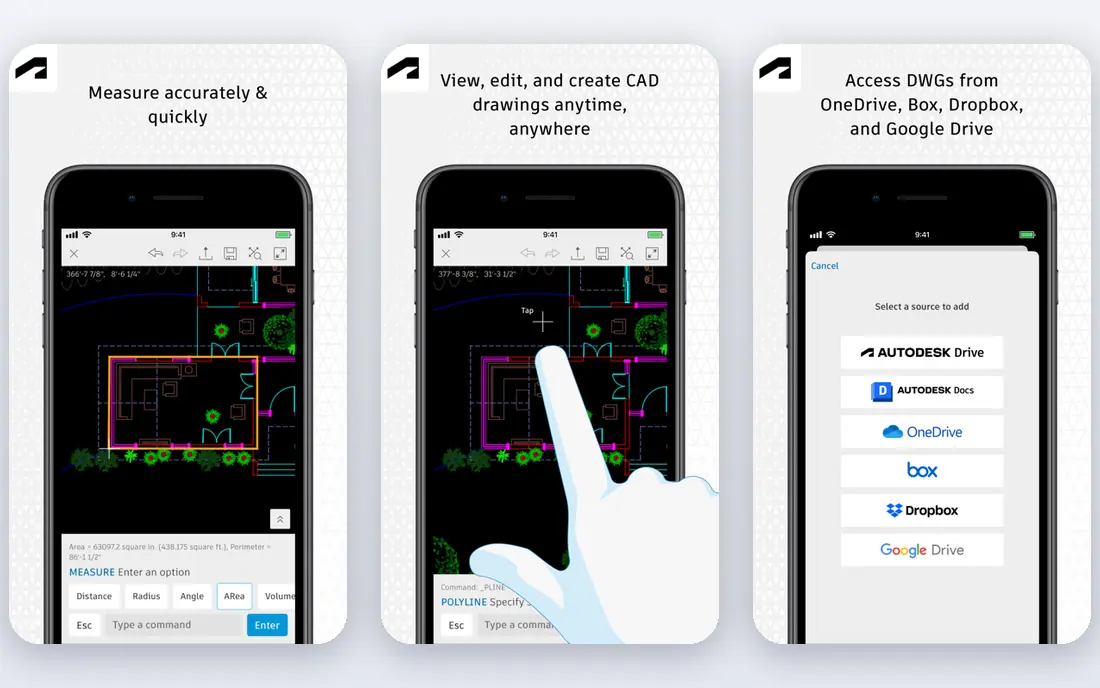
AutoCAD Electrical is the most practical pick for firms that already live in AutoCAD. Its Electrical toolset, now included with a standard AutoCAD subscription, adds automated wire numbering, component tagging, cross-referencing, and report generation to a DWG workflow teams already know. Published guides list AutoCAD from $2,095 per year.
That familiarity is also its limit. AutoCAD Electrical is a drafting and documentation tool first, not a power system simulator, so teams that need load-flow, short-circuit, or arc-flash studies will need ETAP or EasyPower beside it. For schematic and wiring documentation, though, it is a strong default.
- Project-wide wire numbering and cross-referencing
- Familiar DWG workflow
- Symbol libraries and reports
- Included with AutoCAD subscription
- Price is high for a single user
- Learning curve for electrical features
- Analysis depth is limited compared with ETAP

EPLAN Electric P8 is built for disciplined, large-scale electrical documentation. Its project data model keeps schematics, terminal strips, wiring, and reports aligned from shared data, which reduces revision mismatches when a design changes. That consistency matters most for machine builders, panel builders, and OEMs with many similar projects.
EPLAN is not a quick, cheap start. Pricing is quoted, training takes time, and small teams may find its structure heavy for simple schematics. We would shortlist it when a team needs repeatable, rule-based documentation across many projects, not for a single one-off drawing.
- Rule-based project data model
- Consistent terminal and wiring outputs
- Strong for machine and panel work at scale
- Good revision control
- Quote-based pricing
- Steep learning curve
- Implementation needs planning for large teams
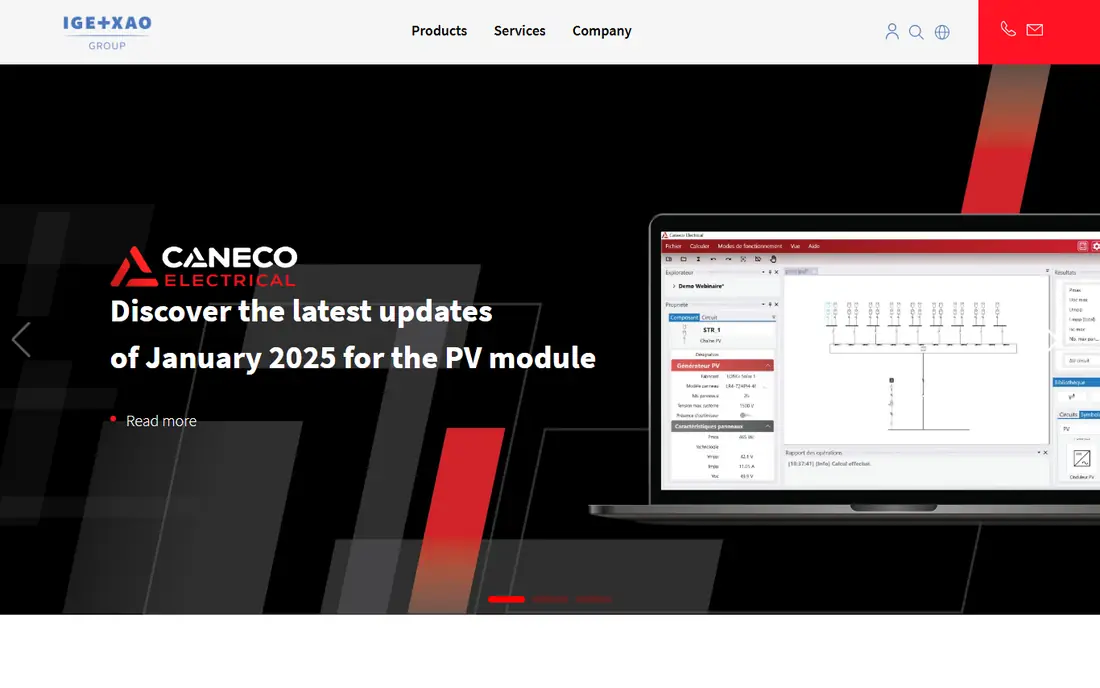
SEE Electrical, from IGE+XAO, is an easier entry point for small firms that need professional schematics without EPLAN complexity. It covers schematic design, wiring, terminal management, and reports, with a workflow that new users can learn faster. Its free trial lets teams test it on a real project before committing.
SEE Electrical will feel thin for very large, rule-driven machine projects, where EPLAN or E3.series offer more control. For small firms, contractors, and panel shops that need fast, clean schematics, it is a practical middle ground between AutoCAD Electrical and enterprise ECAD.
- Fast schematic creation
- Easier learning curve than EPLAN
- Symbol libraries and reports
- Good for small and mid-sized firms
- Pricing is quoted in many cases
- Depth is less than EPLAN for complex projects
- Integration options vary by edition
SOLIDWORKS Electrical Schematic suits product teams that design electrical and mechanical parts together. It links schematic data with 3D panel and enclosure design, so wire, terminal, and component data stay aligned with the physical product. That link reduces errors when a panel layout changes late in a project.
For a team that only draws schematics, SOLIDWORKS Electrical is more system than needed, and its price is quoted. We would pick it when mechanical and electrical design already share a SOLIDWORKS workflow, and we would demo it with a real panel project before buying.
- Combines electrical schematics with mechanical design
- Shared data for panels and enclosures
- Good for product teams
- 3D panel layout options
- Quote-based pricing
- Needs SOLIDWORKS familiarity
- Overkill for schematic-only work
E3.series, from Zuken, is built for complex systems where wiring, harnesses, cabinets, and fluid lines interact. It keeps schematic, panel, and harness data in one project, which helps teams that design vehicles, machines, and industrial systems with many interconnected parts. Its integrated views reduce the risk of a schematic and a harness disagreeing.
E3.series is an enterprise tool, with quoted pricing and a demo-led sales process, so it is not a quick purchase for a small firm. We would shortlist it for harness and cabinet work at scale, and we would compare it directly with EPLAN before choosing.
- Strong harness and cabinet design
- Integrated schematic and panel views
- Fluid system support
- Good for complex systems
- Quote-based pricing
- Learning curve is steep
- Demo-based sales process for many buyers
WSCAD ELECTRIX offers full electrical CAD features, including schematics, panel design, and cabinet layout, at a price point that many mid-sized firms find more accessible than EPLAN. Its free trial lets teams test it on real drawings, and its feature set covers the core ECAD jobs without requiring an enterprise budget.
WSCAD has a smaller partner and library ecosystem than the largest ECAD vendors, so check symbol libraries and export formats for your projects. For firms that want full ECAD depth without enterprise pricing, it is a strong alternative to EPLAN and AutoCAD Electrical.
- Full ECAD features at a lower price point than some rivals
- Schematic, panel, and cabinet tools
- Good for mid-sized firms
- Pricing varies by edition
- Smaller ecosystem than EPLAN
- Training and migration still need planning
ETAP is a different category from the schematic tools above, and that difference matters. It models a power system once, then runs load-flow, short-circuit, protection coordination, and arc-flash studies against that same model, with single-line diagrams that stay aligned to study assumptions. That makes it the benchmark for utilities, industrial plants, and consultants who need defensible study results.
ETAP is expensive, quoted, and needs training to use well, and it is not the right tool for simple panel schematics alone. We would buy ETAP when power studies, protection, and safety analysis drive the work, and we would have results checked by a qualified professional where required.
- Integrated load-flow, short-circuit, and arc-flash studies
- Model-driven single-line diagrams
- Real-time simulation options
- Extensive libraries
- High licensing cost
- Requires training
- Not a general panel schematic tool
EasyPower suits plant engineers and consultants who need power studies for industrial facilities without ETAP complexity. It covers load-flow, short-circuit, arc-flash, and protection coordination, with a workflow that many users find easier to learn. Its free trial lets teams test it on a real facility model.
EasyPower is less suited to large transmission or utility system studies, where ETAP, SKM PowerTools, or PowerWorld may offer more depth. For industrial facilities, though, its balance of study power and usability makes it a practical pick, with results still subject to local codes and professional checking.
- Strong industrial facility studies
- Easier learning curve than ETAP for many users
- Arc-flash and protection tools
- Good plant engineering fit
- Pricing is quoted
- Depth for transmission work is less than some rivals
- Large utility projects may need ETAP or PowerWorld
KiCad is the best free pick for engineers who need CAD-accurate schematics tied to PCB layouts. It offers schematic capture, electrical rule checking, and netlist generation, plus PCB layout in one open source package. That combination suits electronics engineers, students, and small hardware teams who cannot justify a commercial ECAD license.
KiCad is not a substitute for ETAP for power studies, nor for EPLAN for large panel and harness projects. It also needs time to learn, but for schematic and PCB work at no license cost, it is the clearest free choice on this list, with community libraries and documentation to support it.
- Free and open source
- Schematic capture with rule checking
- PCB layout and netlist generation
- Active community and libraries
- Not a power system study tool
- Panel and harness depth is limited
- Interface needs learning for new users
How we picked these
We compared official product pages, documentation, and public guides for schematic, panel, harness, and power study tools still offered in October 2026. We grouped tools by job, rather than ranking a study tool against a drawing tool as if they were the same product. Where vendors quote rather than publish prices, we wrote See website, and we favored tools with clear symbol libraries, export formats, and current support.
How to choose electrical software for your team
Start with the deliverable, not the brand. If the deliverable is a panel schematic, shortlist AutoCAD Electrical, EPLAN, SEE Electrical, and WSCAD. If it is a harness or cabinet system, add E3.series. If it is a power study or arc-flash report, shortlist ETAP and EasyPower. If it is a PCB schematic, KiCad may be enough.
Next, test with a real project, not a demo drawing. Check symbol libraries, wire numbering, terminal outputs, and export formats for the files your clients and contractors actually need. For study tools, run a known facility model and compare results with existing calculations, and confirm how revisions update reports and diagrams.
Finally, plan for codes and checking. Electrical design work must follow local codes and be checked by a qualified professional where required, and software output alone does not replace that review. Budget for training, library setup, and migration, because the cheapest license can become expensive if the team cannot produce clean, checked drawings on time.
Frequently asked questions
What is the best software for electrical design?
AutoCAD Electrical is the best general pick for teams already in AutoCAD, while EPLAN Electric P8 leads for large machine and panel work. ETAP leads for power studies, and KiCad leads for free schematic and PCB work. The best tool depends on whether you need drawings, panels, harnesses, or studies.
What is the best electrical drawing software?
AutoCAD Electrical and EPLAN Electric P8 are the strongest drawing picks, with AutoCAD Electrical offering familiar DWG workflows and EPLAN offering rule-based consistency at scale. SEE Electrical and WSCAD ELECTRIX are easier and often cheaper alternatives for smaller firms. Test symbol libraries and wire numbering on a real project.
What is the best electrical diagram software for beginners?
SEE Electrical and KiCad are the most accessible starts, with SEE Electrical offering a faster schematic workflow and KiCad offering free schematic and PCB tools. AutoCAD Electrical also suits beginners who already know AutoCAD. Avoid enterprise tools like EPLAN until project complexity justifies the learning curve.
What is the best electrical design software for power systems?
ETAP is the best pick for comprehensive power system studies, with load-flow, short-circuit, and arc-flash analysis in one model. EasyPower is a strong alternative for industrial facilities, with an easier learning curve. Both outputs must follow local codes and be checked by a qualified professional where required.
Is KiCad good for electrical design?
KiCad is good for schematic capture and PCB design, with rule checking and netlist generation at no license cost. It is not a power study tool, and it lacks the panel and harness depth of EPLAN or E3.series. For electronics and small hardware projects, it is a strong free choice.
Sources
See where you really rank - block by block
ProMapRanker scans Google Maps across a grid of your service area. Simple monthly plans from $19, white-label on every plan.
Start freeKeep reading
 zoho inventory alternatives
6 Alternatives to Zoho Inventory, Compared on Price and Fit
Zoho Inventory alternatives: 6 tools compared on price, free plans and fit. Katana leads the list for manufacturers. Fit and flaws are laid out for each entry.
Read → zoho crm alternatives
Best Zoho CRM Alternatives (2026)
Need Zoho CRM alternatives? We compare 7 tools on cost, free access and who each suits. Every pick gets a straight assessment. Built for quick decisions.
Read → zelle alternatives
Best Zelle Alternatives in 2026
Compare the best Zelle alternatives for sending money to friends, paying sellers and moving funds abroad, with honest notes on fees, speed and safety in 2026.
Read →