 ProMapRanker
Best Editing Software for Photography in 2026


Large libraries and RAW workflow · Pricing starts at: $11.99 per month
Key takeaways
- Lightroom remains the default RAW workflow for photographers who manage large libraries across desktop and mobile.
- Capture One suits studio work best, with strong tethered shooting and colour tools, at a higher price.
- Affinity, now free under Canva, is the strongest no-cost pixel editor for photographers who want layers and retouching without a subscription.
- DxO PhotoLab, ON1 Photo RAW, and darktable cover RAW quality and organising at very different price points, from free to a one-time purchase.
- Only edit photos you own or have permission to use, and do not use editing to mislead viewers about what a photo shows.
Quick comparison
| Pick | Great for | Pricing starts at | Free tier | |
|---|---|---|---|---|
| Adobe Lightroom | Large libraries and RAW workflow | $11.99 per month | Free trial | Visit |
 Adobe Photoshop | Retouching and compositing | $19.99 per month | Free trial | Visit |
 Capture One | Studio and tethered shooting | $18 per month | Free trial | Visit |
 DxO PhotoLab | Maximum RAW image quality | $149.99 one-time | Free trial | Visit |
 Luminar Neo | Fast assisted editing | See website | Free trial | Visit |
 Affinity Photo | Full pixel editing at no cost | Free | Yes | Visit |
 ON1 Photo RAW | All-in-one organising and editing | $99.99 one-time | Free trial | Visit |
 darktable | Free RAW workflow | Free | Yes | Visit |
 Pixelmator Pro | Mac-native editing | $49.99 one-time | Free trial | Visit |
 Snapseed | Mobile editing on the go | Free | Yes | Visit |
The best editing software for photography
We compared tools on RAW handling, catalogue features, retouching depth, colour tools, platform support, and price. The list mixes workflow tools and pixel editors, because most photographers need one of each at some point.
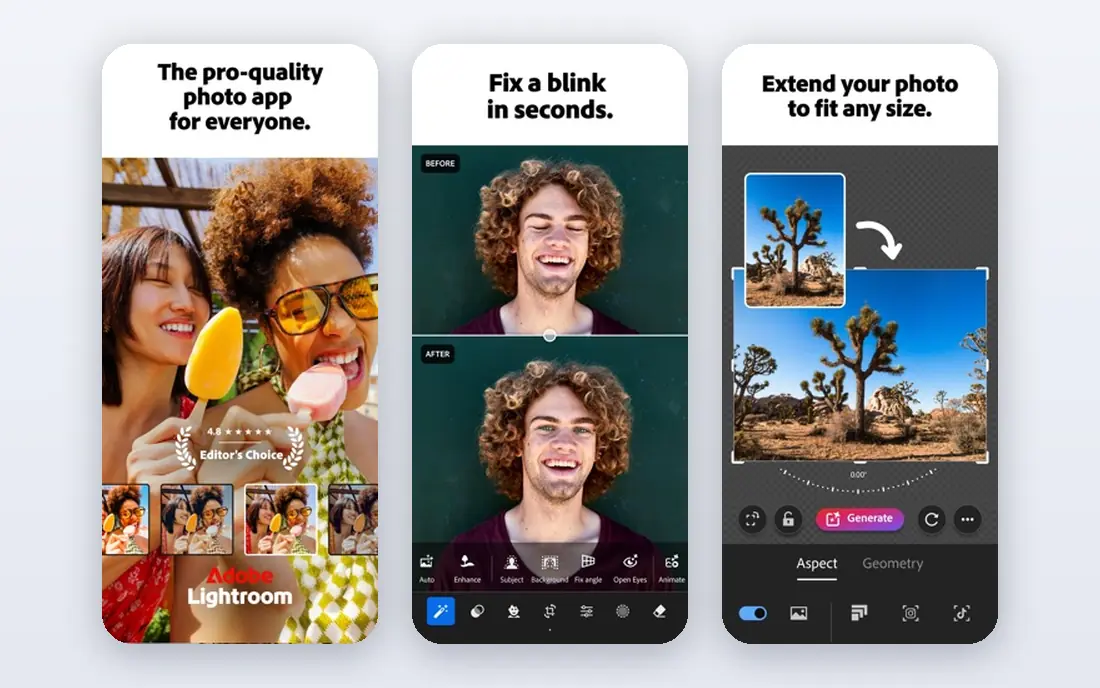
Lightroom is the safe default for photographers who shoot often and need order as much as editing. The catalogue keeps thousands of photos searchable, edits stay non-destructive, and the cloud plan syncs work between phone, tablet, and desktop. Presets, masks, and batch editing make a wedding or event set far faster to finish than editing files one by one.
The cost is ongoing, and that is the main objection. At $11.99 per month for the Lightroom plan in recent roundups, the total over several years passes the price of a one-time editor. Lightroom also stops short of deep compositing, so photographers who composite or retouch heavily will still need Photoshop. For pure RAW workflow, though, few tools match its speed and consistency.
- Strong catalogue and cloud sync
- Broad camera support
- Mobile and desktop editing in one plan
- Subscription only
- Advanced pixel work still needs Photoshop

Photoshop is the tool for work that goes beyond exposure and colour. Layers, masks, frequency separation, compositing, and precise retouching all sit here, and the Photography plan at $19.99 per month in recent roundups pairs it with Lightroom. That pairing is why many professionals keep both: Lightroom for the set, Photoshop for the hero images.
For a photographer who only adjusts RAW files, Photoshop alone is too much tool and too much learning. It also rewards practice, and a beginner can spend a long time finding the right panel for a simple task. Choose it when retouching, compositing, or print preparation is a regular part of your work, not when you only need quick RAW adjustments.
- Deepest layer and retouching tools
- Huge plugin and tutorial base
- Pairs with Lightroom in the Photography plan
- Overkill for simple RAW edits
- Subscription cost adds up
- Learning curve is steep

Capture One earns its place in studios. Tethered shooting shows images on a large screen as they are taken, colour tools give fine control over skin tones and product colour, and session workflows suit shoot days better than a single large catalogue. The Pro subscription is listed at $18 per month on annual billing in recent roundups, with a perpetual licence also offered.
The price and the learning curve are the barriers. Photographers moving from Lightroom need time to relearn catalogues, sessions, and shortcuts, and the subscription is not cheap. For studio, fashion, and product photographers, that cost can pay back in shoot-day control. For casual shooters, Lightroom or a one-time tool is a better value.
- Strong tethered shooting
- Refined colour tools
- Sessions suit studio workflows
- Higher price than Lightroom
- Catalogue habits take time to learn
DxO PhotoLab appeals to photographers who judge an editor by image quality first. Its lens modules are measured for specific camera and lens pairings, correcting distortion, vignetting, and softness for that exact combination. Noise reduction, including DeepPRIME tools, helps high-ISO files stay usable, and the Essential edition starts at $149.99 one-time in recent roundups, with Elite higher.
The trade-off is organisation. PhotoLab covers browsing and basic library work, but it does not match Lightroom for large catalogues, cloud sync, or mobile editing. It suits a photographer who edits on one desktop, values RAW quality above all, and wants to buy once. Pair it with a separate organiser if your library runs into tens of thousands of images.
- Lab-measured lens corrections
- Strong noise reduction
- One-time purchase
- Catalogue tools are lighter than Lightroom
- No mobile companion of the same depth
Luminar Neo suits photographers who want strong results fast. Assisted tools handle sky replacement, portrait clean-up, and common enhancements with a few sliders, and the catalogue keeps projects in order. It also works as a plugin inside Lightroom and Photoshop, so it can sit alongside a main workflow rather than replace it.
Pricing needs care, because Skylum has offered both subscription and one-time routes with changing terms, so check the current page before buying. Assisted edits also need restraint. A sky swap or portrait adjustment that goes too far can look false, and viewers notice. Used lightly, Luminar Neo shortens the path from a flat RAW file to a finished image.
- Assisted sky, portrait, and outdoor tools speed common edits
- Catalogue included
- Works as a plugin too
- Pricing mixes subscription and one-time options, so check current terms
- Heavy assisted edits can look artificial
Affinity Photo, now simply Affinity under Canva, changed this category when it became free in late 2025. It offers layer-based editing, masks, retouching, and compositing at a level close to Photoshop, without a monthly fee. For photographers who need pixel editing but dislike subscriptions, it is now the first tool to try.
It is not a Lightroom replacement. Affinity has no full catalogue of the same depth, and its RAW development, while capable, is thinner for high-volume workflow. The smart pairing is Affinity for retouching plus a RAW workflow tool for organising and batch work. Check the current Affinity site for terms, since the free offer followed the Canva relaunch.
- Full layer-based editing
- Now free under Canva
- No subscription needed
- Catalogue features are limited
- RAW workflow is thinner than Lightroom
ON1 Photo RAW tries to do the whole job in one program: browse, organise, develop RAW files, add layers and effects, and export. Browsing without a forced import step suits photographers who keep files in folders and dislike catalogue lock-in. The perpetual licence at $99.99 in recent roundups makes it a clear buy-once alternative to subscription workflow tools.
The breadth is also the drawback. With so many modules, the interface can feel crowded, and large libraries can tax older machines. Photographers who want one program for everything, and who prefer buying once, will like it most. Those who want the deepest catalogue or the deepest retouching may still pair it with a specialist tool.
- Browsing without a forced import step
- Layers and effects included
- One-time purchase option
- Interface packs in many modules
- Performance varies by machine and library size
darktable is the best free RAW workflow for photographers who do not mind learning a technical tool. It offers non-destructive editing, modules for tone, colour, and noise, and library features for organising shoots. Because it is open source, there is no subscription and no lock-in, and it runs on Linux as well as Windows and Mac.
The interface is the barrier. darktable exposes many modules and options at once, and a beginner can feel lost before the first edit looks right. Tutorials and presets help, but expect a learning period. For photographers on a tight budget, or for Linux users with few RAW options, that effort pays off in a capable free workflow.
- Free and open source
- Non-destructive RAW editing
- Runs on Windows, Mac, and Linux
- Learning curve is steep
- Interface feels technical
- No official mobile app of the same depth
Pixelmator Pro suits Mac photographers who want a fast, native editor without a subscription. It offers layer editing, retouching, and assisted tools built for Apple hardware, and the one-time price of $49.99 in the Mac App Store in recent roundups keeps long-term cost low. It feels at home on a Mac in a way cross-platform tools sometimes do not.
The limit is platform and scope. It runs on Mac only, so Windows photographers must look elsewhere, and its library features do not match Lightroom for large shoots. As a Mac pixel editor paired with a RAW organiser, it is strong value. As a sole workflow tool for a large professional library, it may fall short.
- Fast native Mac performance
- Layer editing and machine learning tools
- One-time purchase
- Mac only
- Catalogue features are lighter than Lightroom
Snapseed remains a useful mobile editor for photographers who edit on a phone. It offers selective adjustments, healing, filters, and fine tune controls in a free app, and it suits quick edits before sharing. Google provides no standalone Snapseed homepage, so we link to Google's official Snapseed support page rather than any unofficial site claiming to be its homepage.
It is not a desktop workflow tool. There is no full catalogue, no tethered shooting, and no deep layer system of the kind Photoshop offers. Use it for mobile edits, social sharing, and quick fixes on the go, and keep a desktop tool for serious RAW work and large libraries.
- Free mobile editor from Google
- Strong selective edits and filters
- Simple to learn
- No desktop version
- No full catalogue for large libraries
How we picked these
We compared official pricing pages, RAW and catalogue features, platform support, and recent roundups of photo editors. We kept only tools that still work in October 2026, cover real photography editing needs, and publish clear pricing or free terms. We used See website where pricing mixes subscription and one-time options and could not be pinned to a single current figure.
How to choose the right editor
Start by separating workflow from pixel work. If you shoot hundreds of RAW files, a workflow tool with a catalogue matters most, so shortlist Lightroom, Capture One, ON1, or darktable. If you retouch single images, a pixel editor such as Photoshop, Affinity, or Pixelmator Pro matters more. Many photographers end up with one of each, and that pairing is often cheaper than forcing one tool to do both jobs badly.
Then weigh price over time. A subscription looks small per month but adds up over years, while a one-time purchase looks large once but stays fixed. Test the free trial or free version with your own files, including high-ISO shots and skin tones, before you pay. Check camera support for your exact model, and confirm export options for print and web, since a tool that cannot export cleanly will slow every delivery.
Frequently asked questions
What is the best pic edit software for beginners?
Lightroom suits beginners who shoot RAW often, while Snapseed suits beginners who edit on a phone. Affinity is a strong free next step when a beginner wants layers and retouching without paying monthly.
What is the best photo editing tool for professionals?
Capture One suits studio professionals, Lightroom suits high-volume professionals, and Photoshop suits retouching professionals. Most working photographers use a workflow tool plus a pixel editor, rather than one tool alone.
Is Affinity really free now?
Affinity became free under Canva in late 2025, according to recent roundups. Check the current Affinity site for terms, since free offers can carry conditions for commercial use or future versions.
Do I need Photoshop if I have Lightroom?
No, for RAW adjustments and batch work Lightroom alone is enough. Add Photoshop, Affinity, or Pixelmator Pro only when you need layers, compositing, or deep retouching on individual images.
Can I edit photos on my phone professionally?
Yes, for social and quick client previews, Snapseed and Lightroom mobile cover many needs. For print work, large libraries, and precise colour, a desktop workflow tool still gives more control and a larger screen.
Sources
See where you really rank - block by block
ProMapRanker scans Google Maps across a grid of your service area. Simple monthly plans from $19, white-label on every plan.
Start freeKeep reading
 zscaler alternatives
Best Zscaler Alternatives in 2026
Looking for zscaler alternatives? We compare 9 SASE and zero trust platforms on architecture, data protection, pricing, and fit for your network and team.
Read → zapier alternatives free
Best Zapier Alternatives Free in 2026
Nine automation tools for zapier alternatives free in 2026, all with genuinely free tiers, plus free plan limits, starting prices and upgrade paths explained.
Read → which platform is best for online reputation
Which Platform Is Best for Online Reputation in 2026
Wondering which platform is best for online reputation? We compare 8 review, listing, and response tools for small and multi-location businesses and agencies.
Read →