 ProMapRanker
Best Ebook Creator Software in 2026

Key takeaways
- Canva and Adobe Express are the easiest picks for short visual ebooks and lead magnets.
- Book Creator and Kotobee lead for classroom and interactive ebooks, with audio, video, and quizzes.
- Pressbooks and Reedsy Book Editor suit text-first books that need clean EPUB and print output.
- Vellum and Atticus suit fiction and nonfiction authors who publish to Amazon and print services.
- Designrr suits marketers who turn blog posts and documents into a formatted ebook quickly.
Quick comparison
| Pick | Great for | Pricing starts at | Free tier | |
|---|---|---|---|---|
 Canva | Visual ebooks and lead magnets | Free | Yes | Visit |
 Book Creator | Classroom multimedia books | Free | Yes | Visit |
 Kotobee | Interactive textbooks and training books | See website | No | Visit |
 Designrr | Turning posts and documents into ebooks | See website | Free trial | Visit |
 Adobe Express | Template-led visual ebooks | Free | Yes | Visit |
 Pressbooks | Textbooks and open educational books | Free | Yes | Visit |
 Vellum | Polished fiction and nonfiction books | See website | Free trial | Visit |
 Atticus | Self-publishing formatting on any computer | See website | No | Visit |
 Reedsy Book Editor | Free manuscript formatting for authors | Free | Yes | Visit |
The best ebook creator software
We compared ebook tools on templates, EPUB and PDF export, interactive features, ease of use, and price. Some tools are design apps that happen to make ebooks, while others are built for publishing. The list below covers both, so you can pick by the book you plan to make.
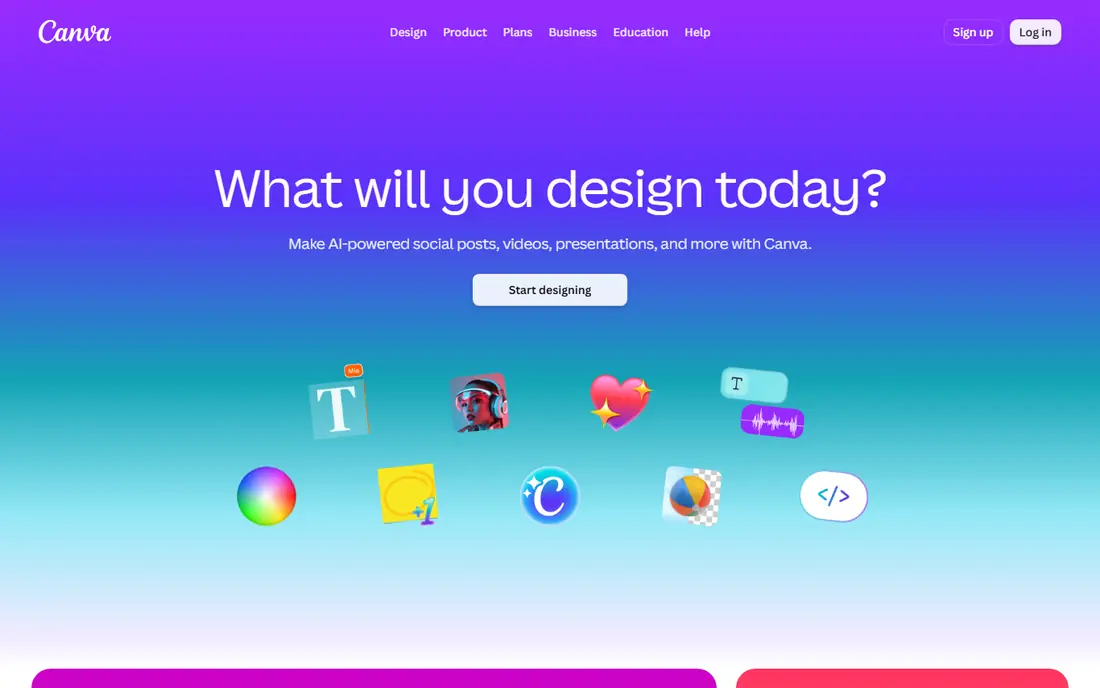
Canva is our pick for short, visual ebooks. You choose a template, drop in text and images, and export a polished PDF in an afternoon. That speed makes it ideal for lead magnets, guides, workbooks, and short reports for a business audience.
Long books are harder here. Canva does not manage chapters, footnotes, or reflowable EPUB structure the way a publishing tool does. Use it for visual documents under about 50 pages, and use a publishing tool for a full book.
- Large template library
- Easy drag-and-drop design
- Brand kit on paid plans
- EPUB export is basic
- Not built for long manuscripts or complex book structure

Book Creator fits teachers and students who want to make a book together. Pages accept text, images, audio narration, video, and drawings, and finished books can be shared by link or exported as EPUB and PDF. That mix makes it useful for student projects and class readers.
It is not the best tool for a commercial novel or a 300-page textbook. Layout stays simple by design, which helps younger learners but limits professional typesetting. For classroom books, that simplicity is a strength.
- Simple page-based editor
- Audio, video, and drawing tools
- Easy sharing with students
- Not built for long professional publishing
- Advanced layout controls are limited
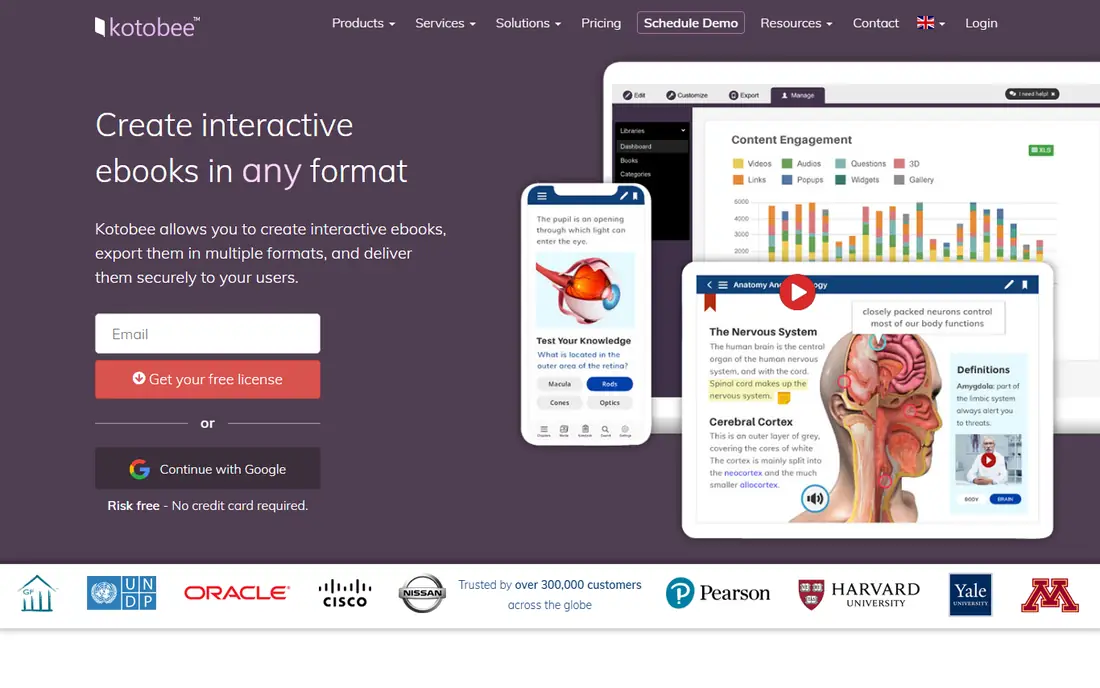
Kotobee Author is built for interactive ebooks, especially for education and training. You can add quizzes, video, audio, image sliders, and widgets, then export EPUB or publish through Kotobee reader apps. That makes it a strong pick for courseware and digital textbooks.
The trade-off is setup time and pricing clarity. Plans and licenses vary, so check the Kotobee site for the current author license and cloud options. If you only need a simple PDF guide, Canva will be faster, but for interactive learning material Kotobee goes much further.
- Quizzes, video, and widgets inside EPUB
- Apps for readers
- Supports many formats
- Pricing needs a quote or plan check
- Learning curve is steeper than Canva
Designrr suits marketers who already have content and need it in ebook form. Paste a blog URL or upload a document, choose a template, and you get a formatted ebook draft to edit. That workflow saves hours compared with rebuilding a document page by page.
The result is a draft, not a finished book. You should still edit text, fix images, and check page breaks before you publish. For repurposing content into lead magnets, that trade is worth it.
- Imports from URLs, Word, and PDF
- Fast template formatting
- Good for lead magnets
- Output needs editing for a polished book
- Pricing varies by plan
Adobe Express is a close alternative to Canva for visual ebooks. It offers templates, stock photos, fonts, and simple design tools in a browser, and the free tier covers many short projects. Teams that already use Adobe tools will find the layout familiar.
Like Canva, it is best for short visual documents rather than long manuscripts. If your ebook needs chapters, a table of contents that updates itself, or reflowable EPUB, use Pressbooks or Reedsy instead.
- Strong template and stock library
- Simple layout tools
- Good brand controls on paid plans
- Not a full book publishing tool
- EPUB support is limited
Pressbooks is built for structured, text-first books. Authors write in a familiar block editor, organize chapters and parts, and export EPUB, print PDF, and a web version from the same manuscript. That makes it a strong pick for textbooks, open books, and course readers.
Design stays within themes, so you will not get the freeform layout of Canva. Pressbooks also stops at export, so selling, DRM, and reader apps are separate jobs. For open and academic publishing, that clean scope is an advantage.
- WordPress-style editor
- Clean EPUB, PDF, and web output
- Good for collaboration
- Design options are theme-based
- No built-in sales or DRM system
Vellum is a favorite among independent authors for a reason. You import a manuscript, choose a book style, and Vellum produces clean EPUB, Kindle, and print files with professional chapter headings and front matter. The result looks like a traditionally published book without manual typesetting.
The main limits are platform and price. Vellum runs on Mac, and its pricing is per book or bundle, so check the current Vellum site before you plan a series. For authors on Windows, Atticus is the closer match.
- Beautiful book formatting
- EPUB, Kindle, and print output
- Simple chapter handling
- Mac only for the main app
- Paid per-book pricing adds up for many titles
Atticus gives Windows and Mac authors a Vellum-style workflow in the browser. You write or import a manuscript, format chapters, and export files for Amazon, IngramSpark, and print. Its themes and preview tools help you see how the book will look before you publish.
It is a paid tool, so it suits authors who publish more than one book or who want a polished result without learning typesetting. For a single short free book, Reedsy Book Editor will do the job at no cost.
- Works in a browser on Mac and Windows
- Print and ebook output
- Chapter and theme tools
- One-time price is higher than a free editor
- Interactive features are limited
Reedsy Book Editor is our pick for authors who want a free, no-fuss way to format a manuscript. You write in chapters, set front and back matter, and export EPUB and print-ready PDF files. The output is clean and suitable for Amazon and other retailers.
Custom design is limited, and there are no quizzes or interactive widgets. That is fine for fiction and standard nonfiction, where clean text matters more than media. If you need interactivity, Kotobee is the better tool.
- Free
- Clean EPUB and PDF export
- Simple chapter and front matter tools
- Design themes are limited
- No interactive ebook features
How we picked these
We compared official feature pages, pricing pages, and export options for ebook tools that are live in October 2026. We kept tools that produce a real ebook file or a readable published book, not just a PDF design app with no book structure, though visual tools earn a place for short ebooks where PDF is the expected format. We left out tools that had closed, that only convert files without editing, or that did not clearly fit ebook creation.
What to check before you choose
Start with the final format. If readers will use Kindle, Apple Books, or a phone reader, you need reflowable EPUB, which points to Pressbooks, Reedsy, Vellum, or Atticus. If readers will download a PDF from your site, Canva, Adobe Express, or Designrr will be faster. If readers need quizzes and video, Kotobee or Book Creator is the right family.
Check the book length and team next. A solo author with a novel needs clean typesetting, while a teacher with a class needs simple sharing and media pages. A marketer with blog posts needs fast import. Picking for the actual book, not the longest feature list, will save you weeks.
For most people, our advice is to test the free tier first. Build five pages in Canva or Reedsy, export the file, and open it on a phone and a reader app. That short test shows more about layout, fonts, and page breaks than any feature page will.
Frequently asked questions
What is the best free ebook creator software?
Canva is the best free pick for short visual ebooks, and Reedsy Book Editor is the best free pick for formatting a full manuscript. Book Creator also offers a free tier for classroom books. Choose Canva for design-led PDFs and Reedsy for text-led EPUB books.
What is the best ebook writing software for authors?
For fiction and nonfiction authors, Vellum on Mac and Atticus on any computer give the most polished print and ebook output. Reedsy Book Editor is a strong free alternative with fewer themes. All three handle chapters and export, so the choice comes down to budget and platform.
Can I create an ebook for free?
Yes. Canva, Adobe Express, Book Creator, Pressbooks, and Reedsy Book Editor all offer free tiers that can produce a finished ebook. Free tiers may limit templates, storage, or export options, so check the current plan details before you start a long book.
What format should my ebook be in?
Use EPUB for most ebook readers, since it reflows text to fit phones, tablets, and e-readers. Use PDF for fixed-layout guides, workbooks, and lead magnets where design must stay exact. Use Kindle format files when you publish directly to Amazon, though most tools export those from the same manuscript.
Is Kotobee good for interactive ebooks?
Yes, Kotobee is one of the strongest tools for interactive ebooks, with quizzes, video, audio, and widgets inside EPUB files. It suits textbooks and training material more than novels. Expect more setup time than a simple design tool, and check current Kotobee pricing first.
How long does it take to make an ebook?
A short lead magnet in Canva or Designrr can take an afternoon if the text is ready. A full manuscript in Reedsy, Vellum, or Atticus takes longer, since editing, formatting, and proofing matter more than the tool itself. An interactive textbook in Kotobee takes the longest, because each quiz and media item needs testing.
Sources
See where you really rank - block by block
ProMapRanker scans Google Maps across a grid of your service area. Simple monthly plans from $19, white-label on every plan.
Start freeKeep reading
 zscaler alternatives
Best Zscaler Alternatives in 2026
Looking for zscaler alternatives? We compare 9 SASE and zero trust platforms on architecture, data protection, pricing, and fit for your network and team.
Read → zapier alternatives free
Best Zapier Alternatives Free in 2026
Nine automation tools for zapier alternatives free in 2026, all with genuinely free tiers, plus free plan limits, starting prices and upgrade paths explained.
Read → which platform is best for online reputation
Which Platform Is Best for Online Reputation in 2026
Wondering which platform is best for online reputation? We compare 8 review, listing, and response tools for small and multi-location businesses and agencies.
Read →