 ProMapRanker
Best Dynamic Security Testing for Cloud Apps in 2026


Manual penetration testing · Pricing starts at: $499 per user per year
Key takeaways
- Burp Suite Professional remains the standard for hands-on testing, while OWASP ZAP is the best free starting point for automated scanning.
- Invicti and Acunetix suit enterprises that need proof-based scanning and lower false positives across many web targets.
- StackHawk, Bright Security, and Beagle Security suit teams that want scanning inside CI pipelines without a large enterprise platform.
- Price by target, user, or scan volume before you choose, since the same tool can be cheap for one team and costly for another.
- Only test systems and cloud accounts you own or have written permission to test, and keep scan scope in writing.
Quick comparison
| Pick | Great for | Pricing starts at | Free tier | |
|---|---|---|---|---|
| Burp Suite Professional | Manual penetration testing | $499 per user per year | Free trial | Visit |
 OWASP ZAP | Free automated scanning | Free | Yes | Visit |
 Invicti | Enterprise proof-based scanning | See website | No | Visit |
 Acunetix | Deep automated web scanning | See website | Free trial | Visit |
 StackHawk | Developer-first CI scanning | $10 per user per month | Free trial | Visit |
 Bright Security | Developer-led DAST in pipelines | See website | Free trial | Visit |
 Beagle Security | Managed web and API testing | $99 per month | Free trial | Visit |
 Detectify | Attack surface and app scanning | $90 per month | Free trial | Visit |
 Qualys WAS | Platform-integrated web scanning | See website | Free trial | Visit |
The best dynamic security testing for cloud apps
Dynamic application security testing, known as DAST, tests a running application from the outside, in the same way a visitor would use it, rather than reading its source code. This article covers only lawful, authorised testing on your own systems or on systems where you hold written consent, including your own cloud accounts and staging environments. We compared official feature pages, pricing pages, and documentation, and we excluded any tool guidance for unauthorised access.
Burp Suite Professional is the practitioner standard for hands-on dynamic testing. Its proxy lets a tester inspect and modify requests, its repeater and intruder tools support manual exploration, and its scanner supports automated checks alongside manual work. That combination is why many penetration testers and security teams keep Burp at the centre of their workflow for authorised assessments.
The learning curve is steep, and $499 per user per year in recent comparisons is a real cost for a large team, with enterprise pricing higher still. It also rewards skill, so teams without testing experience may get more value from a guided scanner first, and bring Burp in when they have testers who can use its manual tools well.
- Industry-standard manual testing tools
- Strong proxy and repeater
- Large extension ecosystem
- Steep learning curve
- Per-user pricing adds up for large teams

OWASP ZAP is the best free starting point for dynamic testing, and it is maintained as an open-source project with a large community. It offers automated scanning, a proxy for manual testing, API scanning support, and many add-ons, and it runs locally, in Docker, or in CI runners. For a small team that needs to start scanning its own staging apps, ZAP removes the budget barrier entirely.
False positives run higher than on proof-based enterprise tools, and authenticated scanning for logged-in areas needs scripting or careful setup. That trade-off is fair at the price, but teams should plan time for triage, and use ZAP alongside manual review for logic flaws that automated scans often miss.
- Free and open source
- Automated and manual scanning
- Extensive add-ons
- Higher false positives than proof-based tools
- Authenticated scanning needs setup
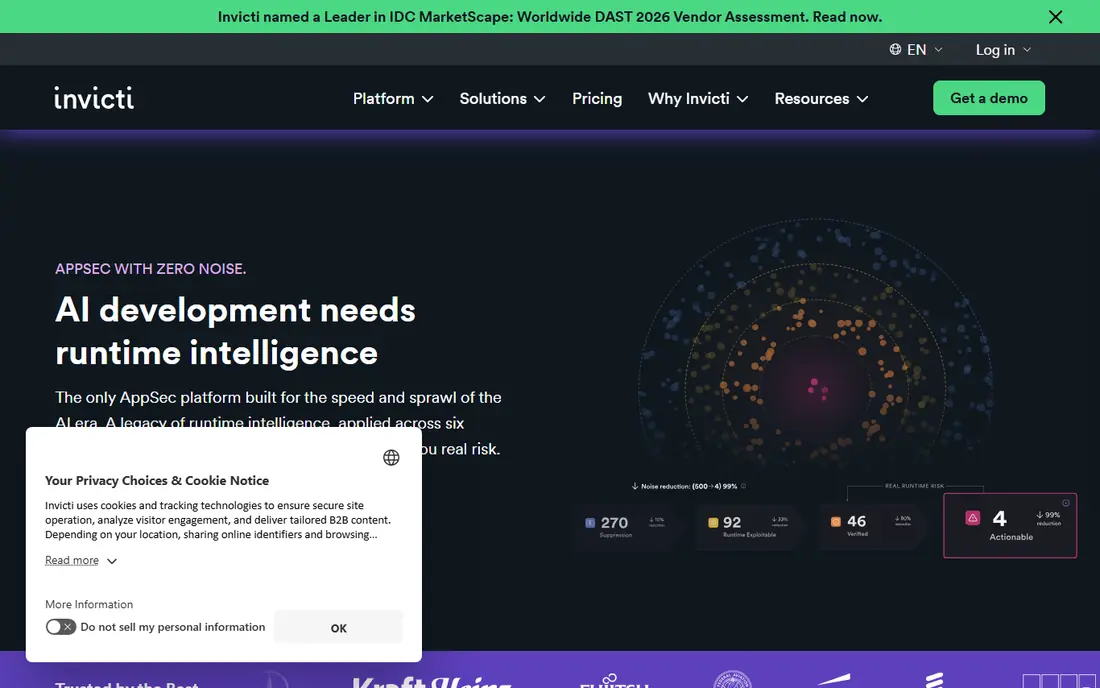
Invicti, which now includes the Acunetix product line, is built for enterprises that scan many web targets and need results they can trust without heavy triage. Its proof-based approach attempts to confirm findings automatically, which lowers false positives, and it supports modern web apps, APIs, and authenticated scanning with a login recorder. Native CI and issue tracker integrations help findings reach developers quickly.
Pricing is by custom quote, and published comparisons note that professional services for setup can be costly, so small teams cannot budget from the website alone. It fits best when you scan many targets, need compliance reporting, and want a guided enterprise platform rather than a practitioner tool.
- Proof-based scanning lowers false positives
- Broad web and API coverage
- CI and issue tracker integrations
- Enterprise pricing by quote only
- Onboarding can need professional services
Acunetix, now part of Invicti, remains listed separately here because many teams still buy and use it as a distinct automated scanner. It offers deep automated crawling and scanning for web applications, predictive risk scoring, and integrations with CI systems and issue trackers, with on-prem or cloud-hosted deployment. For teams that want automated fleet scanning without manual testing tools, it is a strong enterprise choice.
Pricing is custom, and it does not match Burp Suite for hands-on manual testing, so teams that need both should pair it with a practitioner tool or a manual assessment. Request a quote based on your target count, since per-target pricing grows quickly in microservice environments with many small services.
- Deep automated web scanning
- Predictive risk scoring
- CI and issue tracker integrations
- Custom pricing
- Less manual testing depth than Burp Suite
StackHawk is built for developers who want security scanning inside their pipeline, not as a separate end-of-project step. It tests running applications, services, and APIs, surfaces findings in a developer-friendly triage view, and runs in CI so a pull request can be checked before it merges. That workflow helps teams fix issues early, when fixes are cheapest.
Pricing is per developer contributing code to tested applications, with published comparisons citing $10 per user per month on an entry tier and higher tiers for larger teams, plus a free option for open-source projects and single applications. Teams should count contributors carefully, since that number, not just the number of security staff, drives the bill.
- Built for CI pipelines
- Findings triage for developers
- Free tier for open source and single apps
- Pricing by code contributor can grow
- Enterprise features need higher tiers
Bright Security is a developer-centric DAST platform designed to run early and often, from unit testing stages through the full pipeline. Its scans learn from each run and aim to give developers clear, actionable findings they can fix without waiting for a central security team. That developer ownership model suits teams that ship often and want security feedback at the same speed as their releases.
Pricing is by quote in recent comparisons, and per-scan models can produce variable costs in high-frequency pipelines, so teams should model scan frequency before signing. It fits teams with mature CI practices, while teams that scan rarely may get better value from a flat monthly scanner.
- Fast iterative scans in CI
- Developer-owned remediation
- API and web app coverage
- Pricing by quote
- Per-scan costs can vary with pipeline frequency
Beagle Security focuses on attack simulation for web applications, APIs, and GraphQL endpoints, with automated testing that adapts to how an application actually behaves. Its reports are written for developers, with remediation guidance, and its CI integration supports testing on each release or new deployment. Published pricing starts at $99 per month, with higher tiers for advanced features and enterprise needs.
As a newer vendor than Invicti or Qualys, it has a smaller enterprise track record, and teams that need deep compliance attestations should check its reporting against their requirements during a trial. For growing teams that want guided, automated testing without a large platform contract, it is a strong mid-priced option.
- AI-led attack simulation
- REST and GraphQL API testing
- Clear developer-ready reports
- Newer than enterprise rivals
- Advanced tiers cost several times the entry plan
Detectify combines external attack surface monitoring with application scanning, using crowdsourced vulnerability research to update its tests. That combination helps teams find exposed assets they forgot about, as well as flaws in known applications, and it supports authenticated testing and report exports. Published comparisons cite starting prices near $90 per month, with a 14-day trial.
The pricing model needs care, since surface monitoring and application scanning are billed as separate plans, and combined costs can land well above the entry figure depending on asset count. Teams should quote both parts together, and check that asset discovery covers all of their cloud accounts before relying on it for coverage.
- Crowdsourced vulnerability research
- Surface monitoring plus app scanning
- Authenticated testing
- Surface and app scanning billed separately
- No free tier
Qualys Web Application Scanning suits organisations already using Qualys for vulnerability management, since it shares the same platform, asset data, and reporting. It scans web applications at fleet scale, supports authenticated scanning, and produces compliance reports for standards that many regulated firms must meet. That integration removes the need to reconcile assets across two separate systems.
Pricing is by custom quote, and its value drops for teams that do not use Qualys elsewhere, since a standalone scanner may cost less. It fits enterprises with large cloud estates and existing Qualys contracts, while smaller teams will likely prefer ZAP, StackHawk, or Beagle Security.
- Integrated with Qualys vulnerability management
- Scalable fleet scanning
- Compliance reporting
- Custom pricing
- Best value only inside the Qualys platform
How we picked these
We compared official feature pages, pricing pages, and documentation for DAST tools that test running web and cloud applications, including API coverage, authenticated scanning, and CI integration. We kept only tools suitable for lawful, authorised testing on your own or consented systems, and we noted pricing models clearly, since per-target, per-user, and per-scan models produce very different bills. We did not claim hands-on testing, and we did not include tools or guidance for unauthorised access.
How to run authorised DAST safely
Start with written scope. List every target, domain, and cloud account you are allowed to test, the test window, and the contact for the system owner, and keep that permission on file before any scan runs. Test staging environments first, since production scans can create load, trigger alerts, or alter data, and agree with the owner whether production scanning is allowed at all, and at what rate.
Configure authenticated scanning with a dedicated test account that has no access to real customer data, and exclude destructive checks if the tool offers that option. Review findings with developers, confirm exploitable issues before reporting them as critical, and track fixes through your issue tracker. Automated scanners find common flaws quickly, but they miss business logic flaws, so pair scanning with manual review for payment flows, access controls, and multi-step processes.
Frequently asked questions
What is dynamic security testing?
Dynamic testing examines a running application from the outside, sending requests and observing responses, much like a visitor would. It differs from static testing, which reads source code, and it is useful for finding flaws that only appear when the app is actually running.
Can I scan any website with these tools?
No. Only scan systems you own or have written permission to test, including your own cloud accounts and staging environments. Scanning a third-party site without permission can break the law and the tool vendor's terms, even if your intent is research.
What is the best free DAST tool?
OWASP ZAP is the best free option, with automated and manual scanning, API support, and many add-ons. It needs more triage time than proof-based enterprise tools, but it is a strong starting point for small teams.
How is DAST priced?
Pricing varies by vendor. Some charge per target, some per user, and some per scan, so the cheapest tool for a small team can become costly for a team with many microservices or frequent CI runs. Model your target count, contributor count, and scan frequency before you choose.
Do DAST tools find business logic flaws?
Generally no. Automated scanners find common technical flaws well, but they struggle with logic flaws that depend on how your specific application should behave. Pair scanning with manual testing for payment, access control, and multi-step workflows.
Should I test production or staging?
Test staging first, and only test production with written permission, a dedicated test account, and agreed limits on scan rate and destructive checks. Production scans can trigger alerts, create load, and affect real users if run carelessly.
Sources
See where you really rank - block by block
ProMapRanker scans Google Maps across a grid of your service area. Simple monthly plans from $19, white-label on every plan.
Start freeKeep reading
 zyte alternatives
Best Zyte Alternatives in 2026
These zyte alternatives cover managed scraping APIs, proxy networks and no code tools for lawful collection from your own or consented sources only in 2026.
Read → zerto alternatives
Best Zerto Alternatives in 2026
Compare the best zerto alternatives for disaster recovery and replication, with recovery targets, cloud options and honest trade-offs for teams in 2026.
Read → zerofox alternatives
Best ZeroFox Alternatives in 2026
We compared 9 zerofox alternatives for brand protection, phishing takedowns, dark web monitoring, and social impersonation, with clear coverage notes.
Read →