 ProMapRanker
Best Document Workflow Automation Platform in 2026

Key takeaways
- PandaDoc suits sales and service teams that need document creation, approvals, payments, and tracking in one platform, with a free plan to start.
- Docusign suits organisations that need trusted e-signatures, compliance, and audit trails for standard agreements at scale.
- Adobe Acrobat Sign and Dropbox Sign suit teams already using Adobe or Dropbox, with PDF and signing workflows that fit existing file habits.
- airSlate SignNow and Zoho Sign suit budget-conscious teams, with lower entry prices and free tiers for low-volume signing.
- Jotform Sign suits form-led workflows, while Formstack Documents suits teams that generate documents from forms, spreadsheets, and CRM data.
Quick comparison
| Pick | Great for | Pricing starts at | Free tier | |
|---|---|---|---|---|
 PandaDoc PandaDoc | Sales documents and approvals | Free | Yes | Visit |
 Docusign Docusign | Trusted e-signatures at scale | $10 per month | Yes | Visit |
 Adobe Acrobat Sign Adobe Acrobat Sign | PDF workflows in Adobe | See website | No | Visit |
 Dropbox Sign Dropbox Sign | Simple signing with Dropbox | $15 per month | Free trial | Visit |
 airSlate SignNow airSlate SignNow | Budget team signing | $8 per month | Free trial | Visit |
 Jotform Sign Jotform Sign | Form-to-signature workflows | Free | Yes | Visit |
 Zoho Sign Zoho Sign | Zoho users and low cost | Free | Yes | Visit |
 Formstack Documents Formstack Documents | Data-driven document generation | See website | Free trial | Visit |
The best document workflow automation platforms
We compared these platforms on document creation, templates, approval routing, e-signatures, payments, integrations, audit trails, and pricing. The list covers sales documents, standard agreements, PDF workflows, and data-driven generation, so you can match the platform to how your documents start.
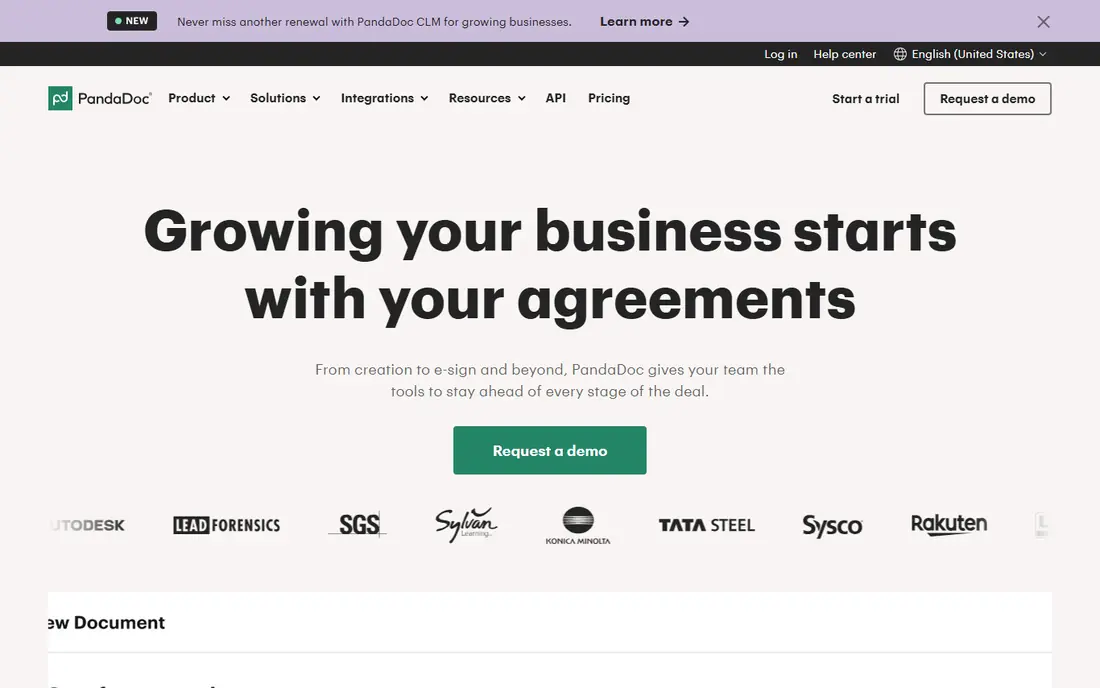
PandaDoc is the best starting point for teams that create client-facing documents, because it covers creation, sending, tracking, approval, payment, and signing in one platform. The drag-and-drop editor, template library, pricing tables, and content library make it faster to build a proposal or quote than starting from a blank document, and real-time tracking shows when a recipient opens, reads, and signs. That visibility helps sales teams follow up at the right time instead of guessing. The free plan includes document creation, tracking, and e-signatures with limits, while paid plans start at $19 per user per month in recent comparisons, with Business at $49 per user per month adding CRM integrations, approval workflows, and branding. Advanced automation, API access, and some integrations may be add-ons depending on the plan, so check the pricing page for the features you need. For sales and service documents, PandaDoc offers the broadest workflow in one tool.
- Free plan with document editor
- Proposals, quotes, and contracts in one tool
- Tracking and analytics
- CRM integrations on paid plans
- Advanced automation and API features need higher plans
- Some features are paid add-ons
- Pricing rises with seats and features
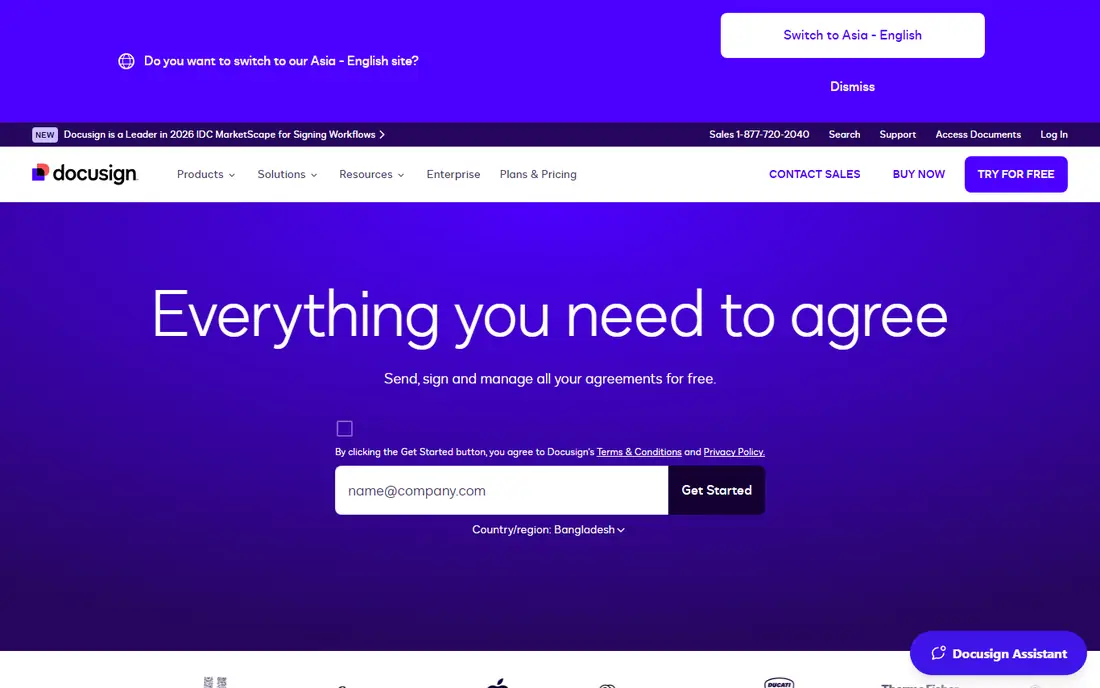
Docusign is the standard choice when the signature itself, and the audit trail behind it, matters most. Recipients can sign from a phone or computer, senders can set signing order, fields, and reminders, and each completed document gets a certificate of completion with an audit trail. That compliance focus suits legal, finance, HR, and procurement teams that need legally valid signatures in many countries. Pricing starts at $10 per month billed annually for the Personal plan in recent comparisons, with Standard and Business Pro plans adding collaboration, bulk sending, and payment collection. Lower plans limit envelopes per month or per year, so check your sending volume before you choose a tier. If your main job is signing standard agreements reliably, Docusign is hard to beat, even if document creation is simpler than PandaDoc.
- Widely recognised e-signature platform
- Strong audit trails and compliance
- Templates and bulk sending on higher plans
- Many integrations
- Envelope limits on lower plans
- Advanced workflow tools are separate products in some cases
- Price rises quickly for teams
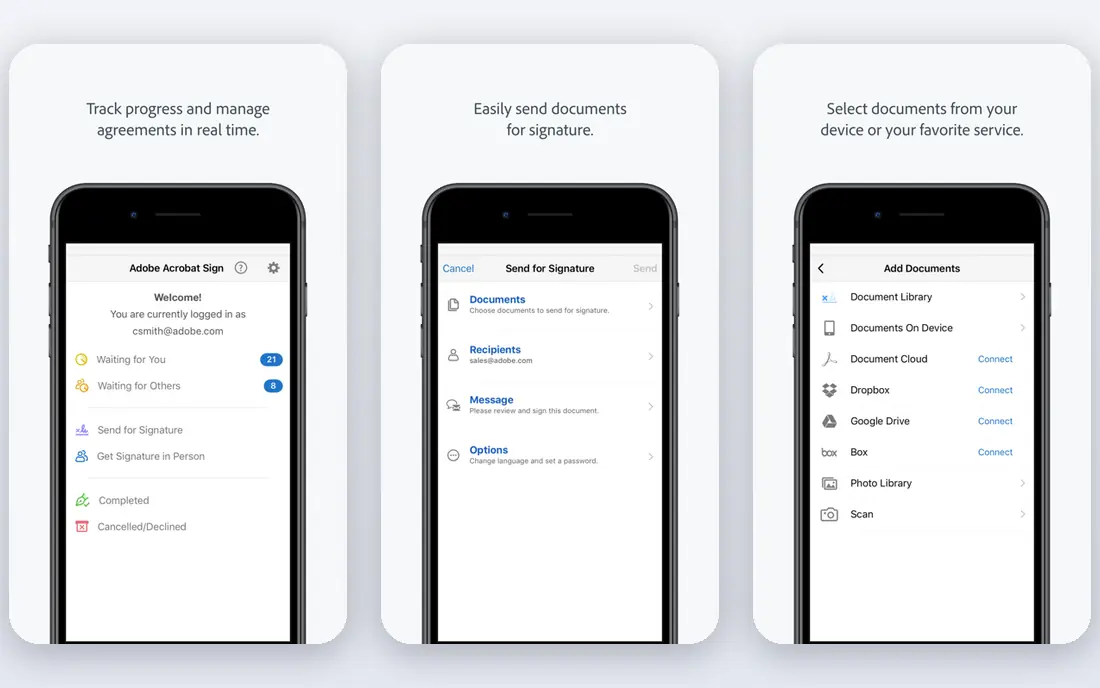
Adobe Acrobat Sign suits teams that already live in PDF files and Adobe apps, because signing is bundled with Acrobat PDF editing rather than sold as a separate document builder. You can prepare a PDF, add fields, route it for signature, track status, and store the signed file in the same workflow, which reduces file conversions and version confusion. That fit matters for teams that handle contracts, forms, and official documents as PDFs every day. Pricing depends on the Acrobat plan, with recent comparisons listing Acrobat Standard from around $17 per month and Acrobat Pro higher, so check the current Adobe pricing page for the tier that includes Sign. There is no permanent free plan for full signing, although trials are available. If your team does not use Acrobat, another platform may be cheaper, but for Adobe-native PDF work, Acrobat Sign keeps the workflow in one place.
- Deep PDF editing with Acrobat
- E-signatures for Adobe-native teams
- Templates and routing
- Strong compliance options
- Best value only with an Acrobat plan
- Signing features vary by Acrobat tier
- Less sales-document focus than PandaDoc
Dropbox Sign, formerly HelloSign, is a straightforward signing tool for teams that want clean sending, templates, and an audit trail without a complex document builder. The interface is easy to learn, recipients sign without creating an account, and Dropbox storage integration keeps signed files with the rest of your team files. An embedded signing API also suits product teams that want signing inside their own app or website. Pricing in recent comparisons lists Essentials at $15 per month, with higher plans adding bulk sending, team features, and API limits. A free trial lets you test sending and templates, but there is no permanent free plan for ongoing use. If your documents are already prepared as PDFs or Word files and you mainly need reliable signing, Dropbox Sign is a simple, well-priced option.
- Simple signing flow
- Embedded signing API
- Templates
- Dropbox storage integration
- Good for small teams
- No permanent free plan
- Document creation is simpler than PandaDoc
- Advanced workflow features need higher plans
airSlate SignNow is the budget choice for teams that sign often but do not need a full sales document platform. The Business plan is listed from $8 per user per month billed annually in recent comparisons, which is lower than Docusign and PandaDoc entry prices, and some plans allow unlimited users, which helps larger teams. Templates, bulk sending, payments, and an API cover most small team signing needs. The limits to check are invite caps, because lower plans cap signature invites per year, and branding, SMS delivery, and advanced features that need higher tiers. A free trial is available, but there is no permanent free plan. If price per user is your main filter and your documents are already prepared, SignNow gives strong signing value for the cost.
- Low annual entry price
- Unlimited users on some plans
- Templates, bulk send, and payments
- API available
- Signature invites are capped on lower plans
- Branding and SMS need higher plans
- Free trial only, no permanent free plan
Jotform Sign suits teams whose documents start as a form, such as intake forms, applications, consent forms, and service agreements. You can build a form, turn responses into a signed document, collect signatures in order, and store results in Jotform Tables without exporting data between tools. That form-first flow saves time for HR, healthcare, education, and service businesses that collect the same information repeatedly. The free plan covers a small number of signed documents per month, with paid plans from $34 per month in recent comparisons adding more documents and features. That makes Jotform Sign a good low-cost start for small teams, but a poor fit for high-volume contract work that needs clause libraries, redlining, and lifecycle management. If forms are your starting point, Jotform Sign closes the gap between data collection and signature.
- Free plan for low-volume signing
- Signing built into form builder
- Templates for common documents
- Automation with Jotform Tables
- Free plan limits signed documents per month
- Advanced workflow features need paid plans
- Less suited to complex contract lifecycle work
Zoho Sign is the natural signing choice for teams already using Zoho CRM, Zoho Books, or other Zoho apps, because documents, contacts, and records stay in one ecosystem. The free plan includes a small number of envelopes per month, and paid plans are listed from $10 per user per month for Standard, with Professional and Enterprise adding more envelopes and features. Certificate-based signing and mobile apps support teams that need stronger identity checks. The limits to check are envelope caps on Standard, and paid credits for SMS delivery, ID verification, and API use on some plans. Zoho Sign does not offer the same sales proposal, pricing table, and analytics depth as PandaDoc, so it is best for straightforward agreements, approvals, and HR documents. For Zoho users and budget teams, it offers strong value for routine signing.
- Free plan with monthly envelopes
- Low paid prices
- Deep Zoho CRM integration
- Certificate-based signing and mobile apps
- Standard plan caps envelopes per user
- SMS, ID checks, and API use may need credits
- Less sales-document depth than PandaDoc
Formstack Documents solves a different problem from signing-only tools: generating many similar documents from data. Connect a form, spreadsheet, or CRM, map fields into a template, and generate contracts, quotes, reports, or certificates automatically, with conditional logic that changes content based on the data. That automation suits teams that produce the same document type repeatedly with different names, prices, or terms. Pricing is quoted from $83 per month in some comparisons for Documents, with Suite plans higher, so check the current Formstack pricing page and whether signing is included in your plan or added through an integration. Setup takes planning, because templates, field mapping, and approval steps must be designed before automation saves time. If your bottleneck is creating documents, not just signing them, Formstack Documents is the strongest generation tool on this list.
- Merges data from forms, spreadsheets, and CRMs into documents
- Conditional logic
- Templates for contracts and reports
- Automation triggers
- No permanent free plan
- Signing is via Suite or integrations
- Pricing is higher than simple signing tools
- Setup takes planning
How we picked these
We compared official feature pages, pricing pages, and public reviews for document workflow platforms operating in October 2026. We kept platforms that offer templates, approval or routing, e-signatures or signing integrations, audit trails, and published pricing or a free tier or trial. We left out developer-only APIs with no business interface, tools that only store files with no workflow, and platforms whose pricing and signing limits could not be verified.
We also considered how documents start in real teams. Some teams start with a sales proposal, some with a standard agreement, some with a PDF, and some with form data, so the list covers each starting point rather than ranking signing tools alone. Price was checked from vendor pages and recent comparisons, and where prices conflicted across sources we used See website rather than publishing a figure that might be out of date.
What to check before you choose
Document creation, routing, and approvals
Check whether you need to create documents in the platform, generate them from data, or only sign prepared files. PandaDoc and Formstack Documents suit creation and generation, Docusign and SignNow suit signing, and Jotform Sign suits form-led work. Test approval routing with a real document, including signing order, reminders, and what happens if an approver rejects or requests changes.
Signatures, compliance, and audit trails
Check e-signature legality in your countries, audit trail detail, certificate of completion, authentication options, and data storage location. Regulated teams should also check HIPAA, SOC 2, GDPR, and industry rules that apply to their documents. A platform that cannot explain its audit trail and compliance clearly is a risk for contracts and HR records.
Integrations, limits, and total cost
Check CRM, storage, payment, and automation integrations, plus envelope, document, seat, and API limits on each plan. A low entry price can rise quickly with seats, add-ons, or overage fees, so model your monthly document volume and user count before you choose. Test the recipient signing experience on mobile, because a confusing signing flow delays deals even when the sender workflow is good.
Frequently asked questions
What is the best document workflow automation platform for small businesses?
PandaDoc is a strong small business choice because its free plan covers basic document creation and signing, while paid plans add proposals, tracking, and approvals. Zoho Sign and airSlate SignNow are cheaper for signing-only work, and Jotform Sign suits form-led small businesses. Choose by whether you need creation, signing, or form automation most, then compare the free or low paid tier that covers your monthly volume.
Is PandaDoc better than Docusign?
PandaDoc is better for creating sales documents, proposals, and quotes with tracking, pricing tables, and payments, while Docusign is better for trusted, compliant signing of standard agreements at scale. Many teams use PandaDoc to build and track a proposal, then Docusign for final legal agreements, but most small teams only need one platform. Pick PandaDoc for document creation and Docusign for signature compliance.
What is the best automation software for document workflows?
The best automation software depends on your workflow: Formstack Documents is best for generating documents from forms, spreadsheets, and CRM data, PandaDoc is best for sales document automation with approvals and payments, and Docusign is best for agreement workflows with signing and audit trails. Map your document types, data sources, and approval steps first, then choose the platform that automates the step that costs you the most time.
Do document workflow platforms offer a free plan?
Yes, PandaDoc, Jotform Sign, and Zoho Sign offer free plans with limits on documents or envelopes per month, while Docusign offers a limited free sending option. Dropbox Sign, airSlate SignNow, and Formstack Documents offer free trials rather than permanent free plans. Check the free limit against your monthly volume, because a free plan that covers five documents is not enough for a team that sends fifty.
How do document approvals work in these platforms?
Approvals usually work by setting a signing order, adding approvers before signers, and sending reminders when a document waits too long. PandaDoc and Docusign let you define roles, fields, and routing, while Formstack Documents can trigger generation and approval from form or CRM data. Test the full flow with a sample document, including rejection, changes, and re-approval, before you roll the platform out to a whole team.
What should I check for e-signature compliance?
Check that the platform supports e-signature laws in your countries, such as ESIGN and UETA in the US and eIDAS in Europe, and that it provides a full audit trail and certificate of completion. Check authentication options, data encryption, storage location, and whether the platform meets standards such as SOC 2 or GDPR where relevant. For regulated documents, ask the vendor for compliance documentation and confirm with your legal team before you sign at scale.
Sources
See where you really rank - block by block
ProMapRanker scans Google Maps across a grid of your service area. Simple monthly plans from $19, white-label on every plan.
Start freeKeep reading
 zendesk alternatives
Best Zendesk Alternatives in 2026
Compare the best Zendesk alternatives in 2026, from budget help desks to AI-first support tools, with current pricing, free plans, and honest trade-offs.
Read → wordpress alternatives
Best WordPress Alternatives in 2026
Looking for the best WordPress alternatives? We compare 8 free and paid options for blogs, business sites, stores, and developer-led projects in 2026.
Read → which real estate company has the best training
Best Real Estate Company Training in 2026
Compare which real estate company has the best training, from Keller Williams and eXp to Compass and Coldwell Banker, by program, mentor, and fit in 2026.
Read →