 ProMapRanker
Best Document Management Software for Law Firms in 2026


Cloud-native governance for mid-size and large firms · Pricing starts at: See website
Key takeaways
- NetDocuments and iManage Work are the strongest dedicated choices for mid-size and large firms that need governance, permissions and audit trails.
- Clio Manage, MyCase and PracticePanther suit small firms that want documents inside a practice system, with billing and client tools included.
- LexWorkplace is a strong dedicated pick for small firms that already have practice software and only need documents done well.
- Filevine, Smokeball and CARET Legal suit firms that want documents tied closely to cases, workflows or billing.
Quick comparison
| Pick | Great for | Pricing starts at | Free tier | |
|---|---|---|---|---|
| NetDocuments | Cloud-native governance for mid-size and large firms | See website | No | Visit |
 iManage Work | Enterprise governance for large firms | See website | No | Visit |
 Clio Manage | All-in-one practice and document system | See website | Free trial | Visit |
 MyCase | Value all-in-one system for small firms | See website | Free trial | Visit |
 LexWorkplace | Dedicated DMS for small firms | See website | Free trial | Visit |
 PracticePanther | Documents with CRM for high-volume practices | See website | Free trial | Visit |
 Filevine | Case-led documents and workflows | See website | No | Visit |
 Smokeball | Documents with automated assembly for small firms | See website | No | Visit |
 CARET Legal | All-in-one system with documents and billing | See website | Free trial | Visit |
The best document management software for law firms
A law firm document system is not just storage. It must file by matter, control who can see what, keep versions straight and find a document fast under pressure. We compared dedicated legal systems and practice tools with strong document features, so firms of different sizes can shortlist sensibly.
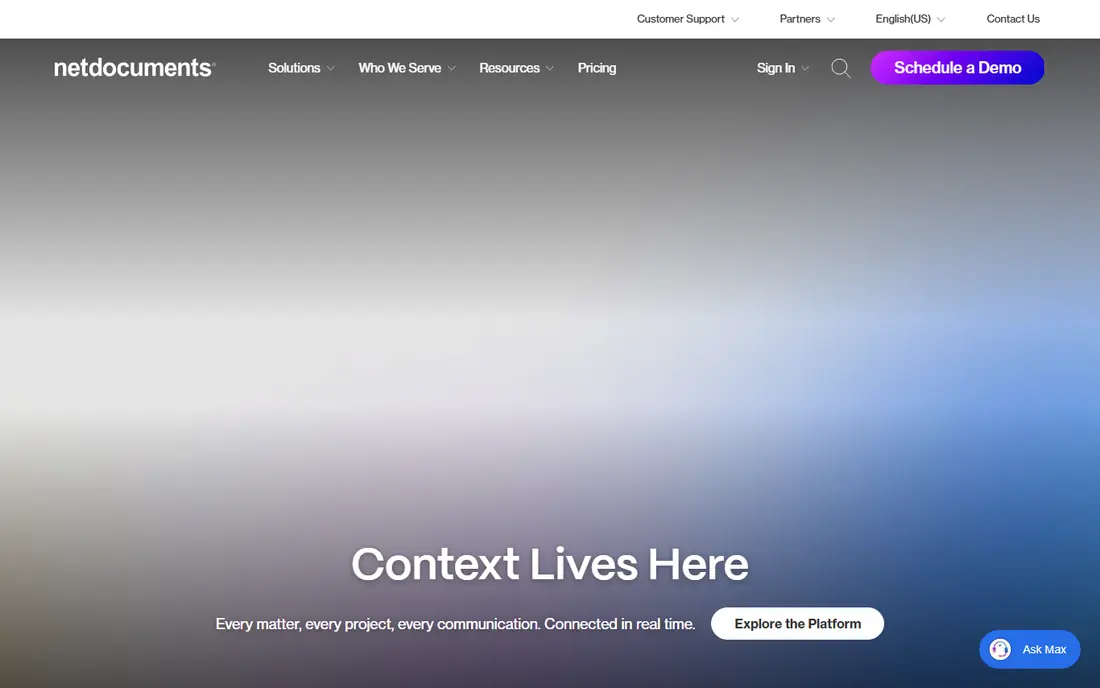
For many readers, NetDocuments is the first name to check. It fits mid-size and large firms that want cloud governance. Cloud-native filing with strong governance controls, and that is why it earns a place here. We compared it on official feature pages, pricing pages and public comparisons, not on a claim of hands-on use, so check the current plan details before you commit.
The honest catch is that quote-based pricing and Windows-focused Office tools need checking. That does not rule it out, but it does change who should pick it first. If that catch touches your main need, compare the next option before you decide. Ask for a trial or a demo where one is offered, and test it with a real example from your own work before you move a whole team or library to it.
- Cloud-native matter filing
- Strong permissions, versioning and audit controls
- Many integrations
- Pricing is usually by quote
- Desktop Office integration is Windows-focused in comparisons

iManage Work takes a different route. It fits large firms with complex governance needs. Enterprise governance and search at scale. We compared it on official feature pages, pricing pages and public comparisons, not on a claim of hands-on use, so check the current plan details before you commit.
The catch to weigh is that complexity and cost make it heavy for small firms. For readers where that matters less, the strengths above may still win. For readers where it matters more, a different pick in this list will fit better. Ask for a trial or a demo where one is offered, and test it with a real example from your own work before you move a whole team or library to it.
- Enterprise-grade governance, search and classification
- Cloud, on-premise and hybrid options
- Deep legal adoption
- Complex implementation
- Pricing only on request
- Needs IT support to get full value

If small and mid-size firms that want one system is your priority, Clio Manage deserves a close look. One system for matters, documents, billing and clients. We compared it on official feature pages, pricing pages and public comparisons, not on a claim of hands-on use, so check the current plan details before you commit.
Watch out, though, because firms that only need documents may pay for practice features they do not use. Put that against your own priorities, and the choice becomes clearer. A tool can be excellent overall and still be wrong for one specific setup. Ask for a trial or a demo where one is offered, and test it with a real example from your own work before you move a whole team or library to it.
- Documents tied to matters, billing and client work in one system
- Wide adoption among small and mid-size firms
- Document features sit inside a practice system, so dedicated DMS depth is thinner
MyCase is a practical pick. It fits small firms that want value and a client portal, and Value pricing with a client portal included. We compared it on official feature pages, pricing pages and public comparisons, not on a claim of hands-on use, so check the current plan details before you commit.
The honest catch is that higher-tier document features cost more, so check the plan. That does not rule it out, but it does change who should pick it first. If that catch touches your main need, compare the next option before you decide. Ask for a trial or a demo where one is offered, and test it with a real example from your own work before you move a whole team or library to it.
- Published per-user pricing in comparisons
- Client portal, e-signatures and billing alongside documents
- Advanced document features such as OCR and desktop sync sit on higher tiers in comparisons
Consider LexWorkplace when you want small firms that want a dedicated system without practice bloat. A focused, legal-only document system at a published price. We compared it on official feature pages, pricing pages and public comparisons, not on a claim of hands-on use, so check the current plan details before you commit.
The catch to weigh is that missing co-editing and portal features may matter for some firms. For readers where that matters less, the strengths above may still win. For readers where it matters more, a different pick in this list will fit better. Ask for a trial or a demo where one is offered, and test it with a real example from your own work before you move a whole team or library to it.
- Legal-only dedicated system
- Published plan for three users in comparisons
- Mac and Windows support
- Outlook filing
- No co-editing or client upload portal in comparisons
- Smaller vendor than enterprise rivals
PracticePanther stands out for a clear reason. It fits high-volume practices that need CRM plus documents. Document templates plus client management in one flow. We compared it on official feature pages, pricing pages and public comparisons, not on a claim of hands-on use, so check the current plan details before you commit.
Watch out, though, because it is a practice system first, not a pure dedicated DMS. Put that against your own priorities, and the choice becomes clearer. A tool can be excellent overall and still be wrong for one specific setup. Ask for a trial or a demo where one is offered, and test it with a real example from your own work before you move a whole team or library to it.
- Template-based document creation
- CRM alongside documents
- Suits bankruptcy, personal injury and criminal defence work
- Document depth is tied to a practice system
- Pricing and tiers need checking for your team size
For firms that manage cases and documents as one workflow, Filevine is worth shortlisting. Case-led workflows that keep documents near the work. We compared it on official feature pages, pricing pages and public comparisons, not on a claim of hands-on use, so check the current plan details before you commit.
The honest catch is that quote pricing and platform breadth may be more than a documents-only firm needs. That does not rule it out, but it does change who should pick it first. If that catch touches your main need, compare the next option before you decide. Ask for a trial or a demo where one is offered, and test it with a real example from your own work before you move a whole team or library to it.
- Documents tied closely to case workflows and tasks
- Collaboration and automation around cases
- Pricing is by quote in most cases
- Document features are part of a wider case platform
Smokeball is not the flashiest pick, but it is a useful one. It fits small Windows firms that want assembly and time capture. Document assembly that saves drafting time. We compared it on official feature pages, pricing pages and public comparisons, not on a claim of hands-on use, so check the current plan details before you commit.
The catch to weigh is that Mac support and quote pricing need checking before you commit. For readers where that matters less, the strengths above may still win. For readers where it matters more, a different pick in this list will fit better. Ask for a trial or a demo where one is offered, and test it with a real example from your own work before you move a whole team or library to it.
- Automated document assembly
- Automatic time capture
- Practice features alongside documents
- Pricing is by quote
- Desktop app support is Windows-focused in comparisons
Start with CARET Legal if firms that want documents, billing and practice work together matters most to you. A single system for documents and billing. We compared it on official feature pages, pricing pages and public comparisons, not on a claim of hands-on use, so check the current plan details before you commit.
Watch out, though, because dedicated DMS depth is thinner than in pure document systems. Put that against your own priorities, and the choice becomes clearer. A tool can be excellent overall and still be wrong for one specific setup. Ask for a trial or a demo where one is offered, and test it with a real example from your own work before you move a whole team or library to it.
- Documents tied to billing and practice work
- Published starting price in comparisons
- All-in-one scope
- Document depth is inside a practice system
- Smaller dedicated DMS community than NetDocuments or iManage
How we picked these
We compared official feature pages, pricing pages, app store listings where relevant, and public comparisons from 2026. We only included products that exist and work now and that truly fit the topic, and we left prices as See website where we could not verify a current figure from the vendor. We did not claim hands-on testing, and we did not invent ratings, counts or awards. We also weighed fit for different readers, not just popularity. A well-known product can still be a poor pick for a small team, a single device, or a tight budget, so each write-up notes who it fits and where it falls short. That trade-off view is what turns a long list into a useful shortlist.
How to choose document software for a law firm
Start with matter filing. The system should file documents and emails by matter without extra manual work, and it should make the right folder the easy choice. If staff must remember complex rules to file correctly, adoption will drop and the library will drift.
Next, test permissions and audit trails. Legal work needs ethical walls, client confidentiality and a record of who opened or changed a file. Ask how permissions work for a new matter, how conflicts are handled, and what the audit log actually shows.
Check email and Office integration. Much legal work starts in Outlook and Word, so filing from Outlook, editing in Word and version control inside the system matter more than a long feature list. Test these flows with a real matter, not a demo file.
Finally, plan migration and training. Moving years of documents takes time, and a system that staff avoid will not help. Pilot with one practice group, migrate in stages, and keep the old system read-only until the new library is trusted.
Frequently asked questions
What is the best law firm document management software?
For mid-size and large firms, NetDocuments and iManage Work lead on governance and scale. For small firms, Clio Manage and LexWorkplace are strong picks, depending on whether you want practice tools bundled in or a dedicated system.
What is the best document management software for a small law firm?
Clio Manage suits small firms that want one system for matters, billing and documents. LexWorkplace suits small firms that already have practice software and want a dedicated, legal-only document system.
Is NetDocuments better than iManage for law firms?
Both are strong, but they fit different firms. NetDocuments is cloud-native and suits firms that want cloud filing and governance without on-premise servers. iManage suits large firms with complex governance and hybrid deployment needs.
Do law firms need a dedicated document system?
Not always. Small firms can manage with a practice tool that includes documents, plus good naming and folder rules. Larger firms, or firms with strict compliance needs, gain more from a dedicated system with permissions and audit trails.
How much does law firm document software cost?
Prices vary widely, from published per-user plans for small-firm tools to custom quotes for enterprise systems. LexWorkplace publishes a plan for three users, while NetDocuments and iManage usually quote by firm size, so request a quote for your user count.
Sources
See where you really rank - block by block
ProMapRanker scans Google Maps across a grid of your service area. Simple monthly plans from $19, white-label on every plan.
Start freeKeep reading
 outreach alternatives
Outreach Alternatives in 2026
Compare outreach alternatives for 2026, from Salesloft and Apollo to HubSpot and Lemlist, with pricing, channels, features, limits, and honest trade-offs.
Read → best web conference tools
Best Web Conference Tools in 2026
Compare the best web conference tools for meetings, webinars and team calls, with current pricing, free plans and honest limits for each option here today.
Read → best voice cloning tools
Best Voice Cloning Tools in 2026
Compare the best voice cloning tools in 2026, from ElevenLabs and Descript to Resemble and Cartesia, with consent rules, pricing, licenses, and limits.
Read →