 ProMapRanker
Best Document Data Extraction Companies in 2026


High-volume invoice and transactional documents · Pricing starts at: See website
Key takeaways
- The best extraction tool depends on document type, since invoice tools, contract tools and developer APIs solve different problems.
- Rossum, ABBYY Vantage and Hyperscience suit high-volume or regulated work, while Nanonets and Docsumo suit smaller teams and custom fields.
- Developer APIs from Google and Microsoft suit teams that will build their own review screen, while packaged tools include one ready to use.
- Always test extraction on your own documents, since accuracy on vendor samples does not guarantee accuracy on your layouts.
Quick comparison
| Pick | Great for | Pricing starts at | Free tier | |
|---|---|---|---|---|
| Rossum | High-volume invoice and transactional documents | See website | Free trial | Visit |
 ABBYY Vantage | Regulated enterprise documents | See website | No | Visit |
 Nanonets | Custom extraction for smaller teams | See website | Yes | Visit |
 Hyperscience | High-accuracy enterprise processing | See website | No | Visit |
 UiPath Document Understanding | Automation teams using UiPath | See website | Free trial | Visit |
 Automation Anywhere Document Automation | Automation teams using Automation Anywhere | See website | Yes | Visit |
 Docsumo | Mid-market finance and API users | See website | Free trial | Visit |
 Instabase AI Hub | General documents with generative models | See website | Yes | Visit |
The best document data extraction companies
We compared official product pages, pricing pages, model lists and public reviews. Extraction pricing varies by pages, documents, users or consumption units, so we list starting price as See website where a single figure would mislead, except where a vendor publishes a clear entry price. All companies below were actively offering document extraction in October 2026.

Rossum is built for finance and operations teams processing large numbers of invoices, purchase orders and logistics documents. Its validation screen flags uncertain fields for human review, with the document region highlighted, and the system learns from corrections over time. That review loop matters, because even good extraction needs a check before data enters an accounting system.
Cost is the main barrier. Recent comparisons report a Starter plan from $18,000 a year with a one-year minimum, which puts Rossum out of reach for very small teams. Its strength is also narrower than general document platforms, since it focuses on transactional paperwork. For high-volume invoice teams, the accuracy and review workflow justify a trial on real invoices.
- Validation screen for human review
- Learns from corrections
- Strong invoice, order and logistics coverage
- Entry pricing is high for small firms
- Focus is transactional documents rather than every document type

ABBYY Vantage suits enterprises and regulated teams that need extraction across invoices, receipts, purchase orders, delivery notes and identity documents, with deployment control. Its low-code designer lets automation teams build and adjust skills, and its 2026 updates added large language model support for harder documents. Cloud, on-premises and private cloud options help firms with data residency rules.
The trade-off is effort and cost. Vantage is an annual subscription priced by page volume on quote, and building skills well takes trained staff or a partner. Smaller teams may find a simpler tool faster to deploy. For regulated enterprises that need audit trails, deployment choice and broad document coverage, ABBYY remains a leading option.
- Pre-trained skills for common documents
- Low-code designer
- Cloud or on-premises deployment
- Pricing is quote based
- Setup needs staff time and expertise
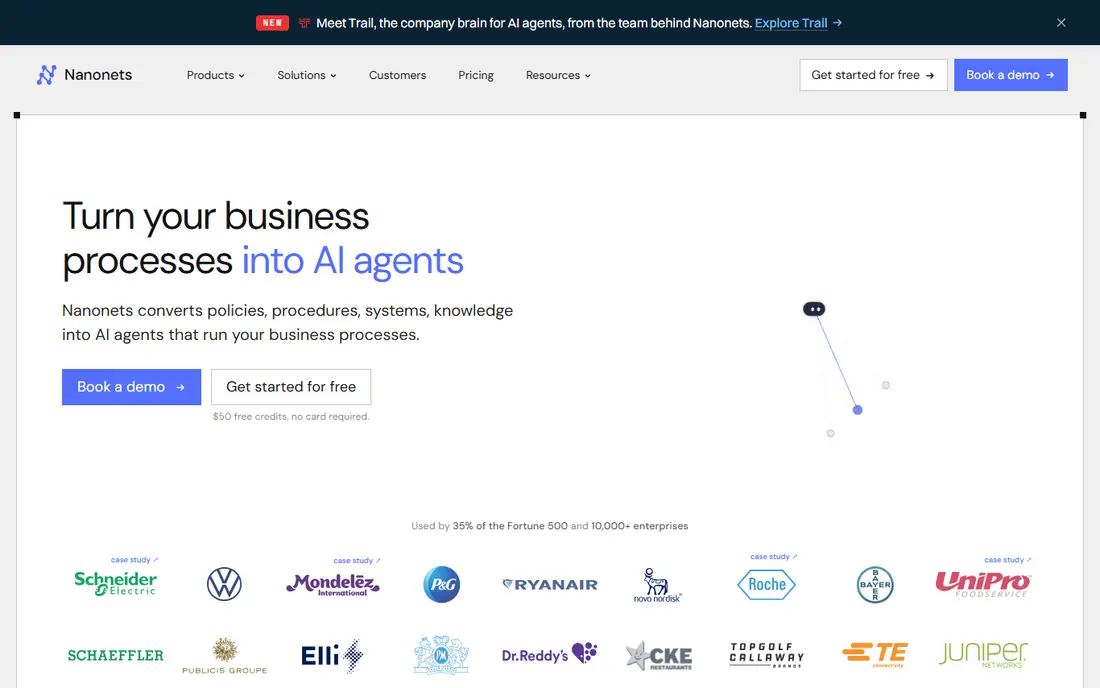
Nanonets fits teams that need custom fields from varied documents but do not want an enterprise contract to start. Pre-trained models cover invoices, receipts, purchase orders, bank statements and identity documents, and custom models can be trained from sample documents. A visual workflow builder adds validation, approvals and integrations without writing code for every step.
Pricing needs attention, since costs scale with pages and workflows, and multi-page documents add up quickly. Nanonets is also stronger on extraction than on full accounts payable workflow, so finance teams may still need an approval and payment system alongside it. For operations teams with custom document needs, the balance of flexibility and price is attractive.
- Custom model training without heavy coding
- Visual workflow builder
- Pre-trained models for common documents
- Per-page or per-workflow pricing needs tracking
- Post-extraction workflow is thinner than full AP platforms
Hyperscience targets enterprises and government agencies that need high accuracy on forms, invoices, contracts and handwriting, including cursive. Its platform combines its own models with human review for exceptions, and deployment options include fully air-gapped setups for firms that cannot send documents to a shared cloud. That combination suits regulated work where accuracy and control outweigh speed of setup.
Smaller teams will find the sales and implementation process heavy, and pricing is quoted by page volume rather than published. Hyperscience is not a quick self-serve trial for a handful of documents. For large organisations processing sensitive documents at volume, the accuracy focus and deployment choice are the reasons to shortlist it.
- Human review built in
- Handles handwriting including cursive
- SaaS, private cloud or on-premises deployment
- Pricing is quote based
- Implementation suits larger teams with dedicated staff
UiPath Document Understanding suits teams that already run UiPath automation and want documents to feed robots, approvals and systems in one flow. Prebuilt models cover invoices, receipts, purchase orders and identity documents, with custom extraction for other types. Documents can be processed in UiPath cloud or in Automation Suite on premises, depending on the setup.
Standalone buyers should think carefully, since the value is greatest inside a UiPath estate. Pricing runs through UiPath consumption units inside a UiPath licence, so a team without UiPath will face a larger purchase. For existing UiPath customers, adding document understanding is usually more efficient than buying a separate platform and wiring the two together.
- Prebuilt models for common documents
- Fits UiPath automation flows
- Cloud or on-premises options
- Value depends on a UiPath licence
- Per-page consumption pricing adds up at volume
Automation Anywhere Document Automation
Great for: Automation teams using Automation Anywhere
Automation Anywhere Document Automation fits teams that already automate with Automation Anywhere and want extraction inside the same platform. Prebuilt models handle invoices and other common documents, while generative extraction helps with less structured layouts. A free Community Edition, reported up to 100 pages a month, lets small teams test the approach before buying.
As with UiPath, the strongest case is for existing customers. A team with no Automation Anywhere footprint may prefer a standalone extraction tool with a simpler purchase. Enterprise pricing is quoted, so request a figure based on your page volume. For Automation Anywhere users, the integrated workflow and community trial make it an easy test.
- Prebuilt models plus generative extraction
- Free Community Edition up to a page limit
- Fits Automation Anywhere flows
- Enterprise pricing is quote based
- Best value inside an Automation Anywhere estate
Docsumo suits mid-market finance teams and developers who need document extraction through an API, with workflow features around it. Its models cover invoices, bank statements, identity documents and other finance paperwork, and custom training helps with company-specific layouts. Approval routing and system integrations help teams move extracted data into accounting and lending systems without manual retyping.
Pricing transparency is thinner than Nanonets, with many plans quoted rather than published, so request a written quote on your document volume. Brand recognition is also lower than ABBYY or Hyperscience, which may matter for enterprise procurement. For teams that want API access plus a usable review workflow, Docsumo is a practical middle option.
- API-first extraction
- Custom models for finance documents
- Workflow and approval features
- Pricing is quote based for many plans
- Smaller brand than the largest enterprise vendors
Instabase AI Hub suits teams with varied, general documents that do not fit a single invoice or form template. Its generative models can extract and summarise across document types, and users build workflows in AI Hub rather than relying only on prebuilt templates. A free community tier lets teams test the approach, while paid plans add consumption units for larger volumes.
Consumption pricing needs careful modelling, since usage scales with documents and model calls. Teams without technical staff may also find the platform more open-ended than a packaged invoice tool. For product and operations teams that need flexible extraction across many document types, Instabase offers breadth that narrower tools lack.
- General document handling through generative models
- Free community tier
- Enterprise deployments available
- Paid plans use consumption units that need modelling
- Setup suits teams with technical staff
How we picked these
We compared official product pages, pricing disclosures, model coverage and public reviews, and we kept only companies actively offering document data extraction in October 2026. We favoured tools with a human review step, clear model coverage, integrations or APIs, and a route to production, not just a demo. We left out tools whose extraction service could not be confirmed, or that only offer generic OCR with no field extraction.
How to test extraction before you buy
Gather 50 to 100 real documents that cover your hardest cases, including scanned pages, varied layouts, handwritten notes and multi-page files. Run the same set through each shortlisted tool and measure field accuracy, not just overall page accuracy, since one wrong total or date matters more than a minor text error. Check how the review screen handles corrections, and whether corrected data improves future results.
Next, test integrations with your accounting, ERP or CRM system, and confirm how exceptions, duplicates and low-confidence fields are routed. Ask about data retention, security certifications and deployment options if you handle sensitive documents. Finally, model total cost on your real page and document counts, including review time, since a cheap per-page price with heavy manual review can cost more than a higher-priced accurate tool.
Frequently asked questions
What is document data extraction?
Document data extraction uses software to read fields, tables and values from documents such as invoices, forms and contracts, and turn them into structured data for other systems. Good tools combine OCR, machine learning and human review, rather than relying on OCR alone.
How accurate is document extraction?
Accuracy varies by document quality, layout variety and whether human review is used. Clean, consistent invoices score higher than scanned, handwritten or highly varied forms. Always test on your own documents and measure field accuracy for the fields that matter most.
Do I need human review with extraction software?
For most finance and compliance uses, yes. Human review catches low-confidence fields before data enters accounting or lending systems, and corrections often improve the model over time. Fully automated extraction without review suits only low-risk, high-volume cases with tolerance for errors.
Can extraction tools handle handwritten documents?
Some can, including Hyperscience and ABBYY, which report handwriting support, but accuracy depends on handwriting clarity and document type. Test handwritten samples specifically, since printed-document accuracy does not predict handwriting results.
Is an API or a packaged tool better?
An API suits developers who will build their own review screen and workflow, while a packaged tool suits operations teams who want a ready review screen, approvals and integrations. Some vendors offer both, so choose based on who will operate the system day to day.
Sources
See where you really rank - block by block
ProMapRanker scans Google Maps across a grid of your service area. Simple monthly plans from $19, white-label on every plan.
Start freeKeep reading
 worlds best local seo company
8 Worlds Best Local SEO Companies for Map Pack Growth in 2026
Compare the worlds best local seo company options for Google Business Profile work, citations, reviews, and multi-location rankings and reporting in 2026.
Read → world's best web hosting company
World's Best Web Hosting Company in 2026
Searching for the world's best web hosting company? We compared 10 hosts on price, renewal rates, speed, and support to help you choose well today in 2026.
Read → who's got the best nanny tax services
Who's Got the Best Nanny Tax Services in 2026
We answer who's got the best nanny tax services, comparing full filing, back taxes, software, and pricing so families can handle nanny taxes correctly.
Read →