 ProMapRanker
Best Digital Work Instructions Software in 2026

Key takeaways
- The best digital work instruction software replaces paper binders with visual, version controlled steps that operators can open on a tablet or phone.
- Poka, Dozuki, and VKS are strong starting points for most factories, while Tulip suits teams that want work instructions inside wider frontline apps.
- Version control and approvals matter more than fancy media: an old instruction on the floor is a quality risk, not just an inconvenience.
- SafetyCulture and Azumuta are useful when checklists, inspections, and training need to sit next to instructions.
- Most pricing in this category is quote based, so shortlist two or three tools and run a pilot on one real workstation.
Quick comparison
| Pick | Great for | Pricing starts at | Free tier | |
|---|---|---|---|---|
 Poka | Connected frontline workers | See website | No | Visit |
 Dozuki | Controlled SOPs and training | See website | No | Visit |
 SwipeGuide | Visual mobile instructions | See website | No | Visit |
 VKS | Guided assembly with traceability | See website | Yes | Visit |
 Augmentir | AI assisted frontline guidance | See website | No | Visit |
 Tulip | Work instructions inside custom apps | $100 per month per interface | No | Visit |
 Azumuta | Visual instructions with training | See website | No | Visit |
 Operations1 | Frontline checklists and collaboration | See website | No | Visit |
 SafetyCulture | Checklists and inspections | $24 per seat per month | Yes | Visit |
The best digital work instructions software
We focused on tools that publish digital work instructions for manufacturing and field work, with step by step guidance, media, and control over revisions. General document tools did not make the list unless they are built for shop floor execution.

Poka is a connected worker platform, and work instructions are one part of a wider system that also covers knowledge sharing, skills, and problem solving. Operators can open visual instructions, watch short videos, and follow checklists, while managers can see which content is used and where workers get stuck. That mix helps factories that want instructions to double as training material.
The breadth is also the main caution. A small team that only needs controlled instructions may find Poka larger than necessary, and pricing is handled through sales. Ask for a pilot on a single line, and check how content approval, translation, and offline access work on the devices your operators actually use.
- Multimedia instructions with video and checklists
- Skills management and troubleshooting content
- Usage tracking and analytics
- Pricing is not published
- Broad platform may be more than a small team needs at first
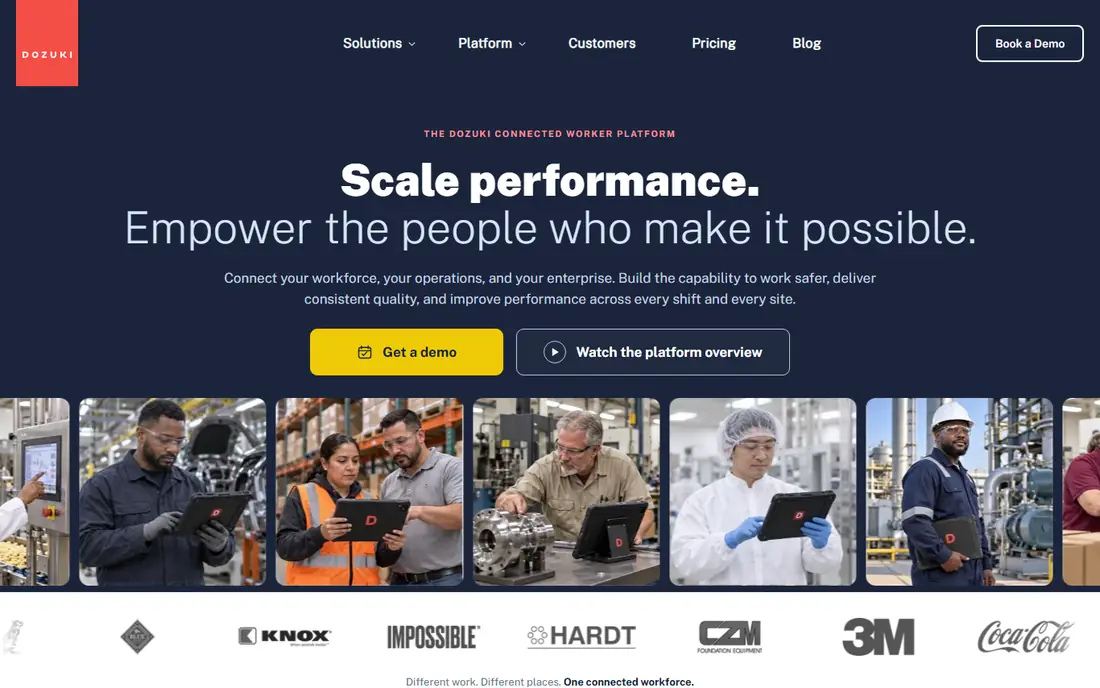
Dozuki is a strong pick when control matters most. Its versioning and approval workflows help regulated teams prove that operators saw the current revision, not an old printout, and training records link people to the procedures they have completed. The authoring interface is clear, with images, video, and structured steps that are easy to update.
It is less of a real time operations platform than Tulip or VKS, so teams that want instructions driven by machine data or quality checks may need integrations. Pricing is quote based. For quality focused teams, the control and audit trail are worth a demo, especially if you currently manage SOPs in shared folders.
- Strong version control and approval workflows
- Clean step by step authoring
- Training records tied to procedures
- Pricing is not published
- Less focused on real time machine data than some rivals
SwipeGuide is built around simple, visual instructions that operators can swipe through on a phone or tablet. QR codes on a workstation let a worker open the right instruction without searching, and templates help authors keep a consistent format across lines. Multilingual support is useful for mixed language teams, and skills tracking links instructions to worker capability.
Public listings have shown monthly pricing in the hundreds of euros for annual plans, but we list See website here because the vendor does not publish a single current starting price on its main site. The mobile focus is a strength on the floor, but check desktop authoring and approval depth if your quality team needs strict revision control.
- Mobile first visual instructions
- QR code access on the floor
- Templates, translations, and skills tracking
- Pricing is not published on the main site
- Advanced analytics may need a higher tier
VKS, short for Visual Knowledge Share, is designed for guided assembly and shop floor execution. Operators follow visual steps, complete in process checks, and generate a record of what was done, which supports traceability and quality follow up. A free Lite tier lets small teams test the core idea before talking to sales about Pro or Enterprise plans.
The product shines where assembly is complex and errors are costly, since guided steps reduce reliance on memory. The trade off is implementation effort: complex products need careful authoring and testing. Run a pilot on one station, measure defect and training time changes, and only then roll out more widely.
- Guided steps with images and video
- In process quality checks
- Traceability and reporting for assembly work
- Full pricing is quote based
- Setup takes care for complex assemblies
Augmentir positions itself as an AI native connected worker platform, with tools to create and deliver work instructions, capture frontline data, and track skills. The appeal is speed: AI assistance can help turn expert knowledge into structured instructions faster than starting from a blank page, and connected workflows can link instructions to tasks and data.
Human review remains essential, since an AI drafted step that is wrong could cause a quality or safety problem. Treat AI output as a draft, keep approvals in place, and test instructions on the floor before publishing. Pricing is quote based, so compare total cost with Poka and Dozuki on the same pilot scope.
- AI assisted instruction creation and guidance
- Connected worker workflows
- Skills and performance insights
- Pricing is not published
- AI features need human review before use on the floor
Tulip is different from the other tools here because it is a platform for building frontline apps, and work instructions are one kind of app you can build. That flexibility helps teams whose work does not fit a fixed template, since instructions can respond to operator input, device data, and quality checks in real time. Analytics and integrations support wider operations use.
Flexibility has a cost in effort. Someone on your team needs to design, test, and maintain the apps, and the per interface pricing means a large rollout needs careful budgeting. Tulip is the right pick when you want instructions as part of a wider digital factory, and less ideal when you want a ready made instruction library with minimal setup.
- No code apps that combine instructions, data capture, and devices
- Flexible for varied frontline work
- Strong analytics
- Needs app building effort
- Starting price is per interface, so costs rise with stations
Azumuta focuses on visual, interactive work instructions with training and dashboards built in. Authors can add video and images, publish instructions for QR access, and track use across teams. The training links help new hires learn a task in context, rather than reading a separate manual and then guessing on the floor.
It is a practical mid sized option for factories that want a focused instruction tool without building apps. Pricing is quote based, and support coverage should be checked for your region and languages. Ask for a demo with your own procedure, including a revision change, to see how updates reach operators.
- Visual and interactive instructions with multimedia
- Multilingual and QR access
- Dashboards and training links
- Pricing is not published
- Smaller vendor footprint than Poka or Tulip in some markets
Operations1 combines digital work instructions with checklists, inspection reports, and audits, which suits teams that want one frontline tool for several jobs. The drag and drop editor lowers the barrier for authors, and real time collaboration helps teams update procedures without long delays. IoT device links are described for teams that want shop floor data in the same workflow.
The main caution is scale and references. It is less widely known than Poka or Dozuki, so ask for customers in a similar sector and test support response during a pilot. Pricing is quote based. For teams that want instructions plus audits in one place, it is worth a shortlist spot.
- Digital checklists and instructions with images and video
- Drag and drop editor
- Real time collaboration and audits
- Pricing is not published
- Less known than larger rivals, so check references in your sector
SafetyCulture is best known for inspections and checklists, and it works as digital work instruction software when the job is a structured checklist with photos, issues, and sign off. Teams can build custom checklists, report issues in real time, and keep training and asset content nearby. A free tier makes it easy to test with a small team.
It is not a guided assembly tool in the VKS sense, so complex step by step builds with traceability may need a different product. The published premium starting price is $24 per seat per month, with a free tier for basic use. For field service, quality checks, and simple procedures, it is a practical and affordable pick.
- Free tier for small teams
- Strong checklists, inspections, and issue reporting
- Large template library
- Instructions are checklist led rather than guided assembly
- Premium features sit on paid tiers
How we picked these
We compared official product pages, manufacturing roundups, and public pricing pages for tools that publish digital work instructions for operators. We kept tools that support visual steps, version control or approvals, and shop floor access, and we excluded generic document tools that are not built for execution. We did not claim hands on testing. Where pricing was not published by the vendor, we wrote See website.
What to check before you buy
Pilot on one workstation with real operators, not just managers. Watch how fast a new hire can follow the instruction, how a revision reaches the floor, and what happens when a device loses connection. Check approval workflows, translation, and audit trails if you work in a regulated sector, and confirm how instructions link to training records.
Also check authoring effort. A tool that looks simple in a demo can still need a lot of media preparation, so count the hours to convert your top ten procedures. Ask about integrations with quality, ERP, or MES systems, and about data export, so your instructions remain portable if you switch vendors.
Rolling out without disrupting production
Start with a high volume or high error task where the benefit is easy to see, and keep paper as a backup until the digital version is proven. Train authors first, then operators, and collect feedback after the first week. A short feedback loop will catch unclear steps faster than a long rollout plan.
Frequently asked questions
What is the best software for digital work instructions?
There is no single winner for every factory. Poka and Dozuki suit controlled, training linked instructions, VKS suits guided assembly, and Tulip suits teams that want instructions inside custom frontline apps. Choose based on control, assembly complexity, and authoring effort.
What is the best digital work instruction software for small manufacturers?
SafetyCulture and VKS Lite are practical starting points because they offer free tiers and lower setup effort. Start with one line, prove the benefit, and move to a paid tier only when you need deeper control or reporting.
How do digital work instructions help with training?
They give new hires visual, step by step guidance at the workstation, with video and checks, instead of a paper manual kept elsewhere. Linked skills tracking and training records also help managers see who is qualified for each task.
Can digital work instructions work offline?
Some tools support offline or cached access, but coverage varies by product and device. Confirm offline behavior in a pilot, especially for areas with weak connectivity, and test what happens when a revision is published while a device is offline.
How much does digital work instruction software cost?
Prices range from free tiers to quote based enterprise plans, with published examples including SafetyCulture from $24 per seat per month and Tulip from $100 per month per interface. Ask for a quote tied to your number of authors, operators, and stations.
Sources
- https://www.poka.io
- https://www.dozuki.com
- https://www.swipeguide.com
- https://www.vksapp.com
- https://www.augmentir.com
- https://tulip.co
- https://www.azumuta.com
- https://www.operations1.com
- https://safetyculture.com
- https://processnavigation.com/insights/best-work-instruction-software/
- https://www.guideflow.com/blog/work-instruction-software
See where you really rank - block by block
ProMapRanker scans Google Maps across a grid of your service area. Simple monthly plans from $19, white-label on every plan.
Start freeKeep reading
 zscaler alternatives
Best Zscaler Alternatives in 2026
Looking for zscaler alternatives? We compare 9 SASE and zero trust platforms on architecture, data protection, pricing, and fit for your network and team.
Read → zapier alternatives free
Best Zapier Alternatives Free in 2026
Nine automation tools for zapier alternatives free in 2026, all with genuinely free tiers, plus free plan limits, starting prices and upgrade paths explained.
Read → which platform is best for online reputation
Which Platform Is Best for Online Reputation in 2026
Wondering which platform is best for online reputation? We compare 8 review, listing, and response tools for small and multi-location businesses and agencies.
Read →