 ProMapRanker
Best Digital Twin Software in 2026


Cloud twin graphs for connected environments · Pricing starts at: Pay as you go
Key takeaways
- Most digital twin platforms price by quote, so budget talks matter more than a published plan page.
- Azure Digital Twins is the clearest option for teams that want published consumption pricing and a cloud graph model.
- Physics-based twins suit Ansys and Siemens, while Bentley and Autodesk Tandem suit buildings and infrastructure.
- A twin is only as useful as its live data, so check sensor, CAD, and system connections before you buy.
- Start with one asset or one building, prove the model, then expand to a wider portfolio.
Quick comparison
| Pick | Great for | Pricing starts at | Free tier | |
|---|---|---|---|---|
| Azure Digital Twins | Cloud twin graphs for connected environments | Pay as you go | Free trial | Visit |
 Siemens Xcelerator | End to end industrial product and factory twins | See website | No | Visit |
 PTC ThingWorx | Industrial IoT asset twins | See website | No | Visit |
 Ansys Twin Builder | Physics based engineering twins | See website | Free trial | Visit |
 Dassault 3DEXPERIENCE | Product lifecycle virtual twins | See website | No | Visit |
 NVIDIA Omniverse | Visual, physically based facility twins | Free | Yes | Visit |
 Autodesk Tandem | Building and facility digital twins | See website | No | Visit |
 Bentley iTwin | Infrastructure digital twins | See website | No | Visit |
 GE Vernova | Energy and grid asset twins | See website | No | Visit |
The best digital twin software
We compared platforms for factories, buildings, energy systems, and product design, and we focused on live data, modelling depth, and the cost of getting started.
Azure Digital Twins
Great for: Cloud twin graphs for connected environments

Azure Digital Twins suits teams that already run on Microsoft cloud services and want to model whole environments, not just single machines. You define twins for spaces, equipment, and processes, then link them in a graph that reflects how they relate in the real world. Live sensor data can update that graph, and queries can surface patterns across a site or a portfolio. That structure works well for smart buildings, factories, and large campuses where relationships matter as much as readings.
The trade off is effort. This is a platform for building twin applications, not a finished app you open and use on day one. Your team, or a partner, will need to design models, connect data sources, and build the views users actually see. If you have that skill in house, the published pricing and open modelling language give you control and room to grow. If you need a finished product view quickly, a building or industry specific tool on this list may fit better.
- Published consumption pricing
- Open Digital Twins Definition Language models
- Strong links to Azure IoT, data, and analytics services
- Needs development work
- No ready made building viewer for every use case
- Costs rise with message and query volume
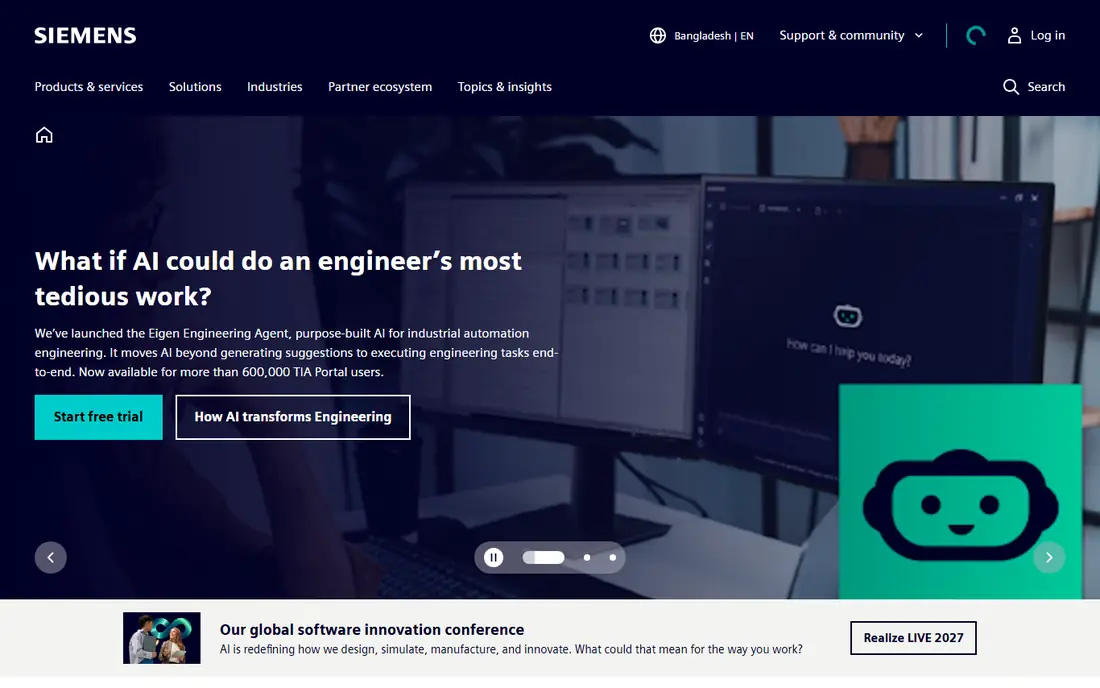
Siemens Xcelerator is a portfolio rather than one narrow tool, and that breadth is its main appeal for manufacturers. Teamcenter covers product lifecycle data, while factory simulation tools help teams test production layouts and processes before they change a real line. When those pieces share one digital thread, a design change, a simulation result, and shop floor data stay connected instead of living in separate files.
That breadth also sets the bar for adoption. Smaller firms may find the scope and the sales process heavy for a single pilot, and pricing is quoted rather than published. For a larger manufacturer with several plants, though, the ability to follow a product from early engineering through production and service is hard to match with a point tool. Ask for a pilot scope tied to one product line before you commit to a wide rollout.
- Broad portfolio from design to production
- Digital thread links engineering, simulation, and operations
- Strong factory simulation tools
- Quote based enterprise pricing
- Large implementation scope
- Best value for larger manufacturers

PTC ThingWorx is built around connected things, and it shows in how it models assets. A machine is not just a record; it carries properties, sensor feeds, and relationships to other equipment and to service records. That model helps operations teams track condition, plan maintenance, and support connected products that report back from the field. It also fits manufacturers that already use PTC design and lifecycle tools.
The honest catch is that ThingWorx rewards planning. You need clean asset data, a clear sensor strategy, and a view of which systems should feed the twin. Teams that skip that groundwork can end up with a model that looks complete but reflects messy source data. With that groundwork done, it is a solid choice for industrial IoT twins at scale, especially where service and operations share the same asset view.
- Strong industrial IoT modelling
- Links machines, sensors, and business systems
- Useful for connected product and service use cases
- Quote based pricing
- Needs integration planning
- Interface depth can slow new users
Ansys Twin Builder stands apart because it starts with physics. Instead of only charting sensor readings, it builds reduced order models from detailed simulation, so a twin can estimate how an asset should behave under load, heat, or other stresses. That matters for equipment where failure is costly, testing is hard, or live data alone cannot explain why a reading changed. Engineers can run what if cases and compare predicted behaviour with real readings.
This strength also narrows its audience. Teams without simulation experience will need training or partner help, and the tool is not the fastest route to a simple monitoring screen. For engineering led firms, though, the mix of simulation depth and live data is the point. Use it where prediction and design insight matter more than a quick visual dashboard.
- Physics based reduced order models
- Strong simulation heritage
- Useful for predicting behaviour under conditions you cannot test live
- Needs simulation skill
- Quote based pricing for full use
- Less suited to simple dashboard style twins
Dassault 3DEXPERIENCE treats the virtual twin as a living product record, from early design through simulation, manufacturing, and use. That lifecycle view helps teams that design complex products, such as vehicles, aircraft parts, or industrial equipment, where a change in one area affects many others. Design data, simulation results, and operational feedback can sit in one shared environment instead of passing between disconnected tools.
The cost of that depth is complexity. This is an enterprise platform with a broad set of apps, and buyers should expect a structured rollout and quoted pricing. It is not a light tool for a single building or a small fleet. For product companies that already design in Dassault tools, however, the twin becomes a natural extension of work they already do, rather than a separate project.
- Deep product design and lifecycle coverage
- Virtual twin concept spans design, simulation, and operations
- Strong for complex products
- Enterprise pricing by quote
- Broad platform can feel heavy
- Implementation takes time
NVIDIA Omniverse is the visual twin option on this list. It uses OpenUSD as a shared scene format, so teams can bring together models from different design tools and view them in one physically based scene. That is useful for factories, warehouses, and facilities where layout, lighting, and movement matter, and where a realistic view helps teams spot problems before they happen on site.
Omniverse is free for development and production use under terms published in 2026, with paid enterprise support available, which lowers the barrier to trying it. The catch is that a polished twin still needs modelling, data, and often developer work, plus hardware that can handle large scenes. If your goal is a shared visual model that many disciplines can walk through, Omniverse is a strong pick. If you only need charts and alerts, a simpler IoT platform will be faster.
- OpenUSD based collaboration
- High quality visual simulation
- Free for development and production use in recent terms
- Needs capable graphics hardware for heavy scenes
- Developer effort for custom apps
- Enterprise support is paid
Autodesk Tandem is aimed at building owners and facility managers rather than factory engineers. It takes building information models and pairs them with operational data, so a team can move from a static design model to a living record of a building in use. That helps with maintenance planning, space decisions, and handover from construction to operations, because the model carries history and asset detail forward.
The fit depends on your starting point. Teams with good BIM data will get more from Tandem quickly, while teams with only paper records or scattered spreadsheets will need a data cleanup step first. Pricing is quoted, so ask what a single building pilot includes. For portfolios of offices, hospitals, or campuses, Tandem gives facility teams a twin shaped around buildings, not adapted from a factory tool.
- Built for buildings and facilities
- Links BIM data with live operational data
- Useful for owners and facility teams
- Pricing by quote
- Best value when BIM data already exists
- Narrower than general industrial platforms
Bentley iTwin is the infrastructure pick. It is designed for assets such as bridges, roads, water systems, and industrial plants, where engineering models, inspections, and sensor data must stay linked over a long asset life. The platform and its APIs let teams build views for engineers, operators, and owners from the same underlying model, rather than rebuilding the twin for each audience.
That engineering focus is both a strength and a limit. Teams that already manage infrastructure models will find the approach familiar, while general business users may need help to read and use the twin. Pricing for production use is quoted, so scope a pilot around one asset class, such as bridges or a single plant, and agree on which inspections and data feeds must be live before you judge the result.
- Built for roads, bridges, plants, and utilities
- Open platform and APIs
- Strong engineering model handling
- Quote based pricing for production use
- Needs engineering data discipline
- Learning curve for non engineering users
GE Vernova focuses on the energy world, where twins cover single assets, whole networks, and the processes that run across them. For a utility or a large energy operator, that sector focus matters: grid equipment, generation assets, and network behaviour have rules and failure modes that a general platform may not model well. The twin can support monitoring, simulation, and control decisions across that system.
Outside energy, this is not the right first pick. The platform is enterprise grade, pricing is quoted, and its value comes from energy specific models and integrations. Inside energy, though, it is one of the few options that treats asset, network, and process twins as parts of one picture. Buyers should ask how the twin links to their existing grid and asset systems before they sign.
- Deep energy and grid focus
- Asset, network, and process twin views
- Useful for utilities and large energy operators
- Enterprise pricing by quote
- Sector specific
- Less suited outside energy and grid use cases
How we picked these
We compared official product pages, pricing pages where published, documentation, and public reviews, and we kept only platforms that are live in October 2026 and that truly build digital twins rather than simple dashboards. We favoured a mix of industrial, building, infrastructure, and energy options, because a twin for a factory and a twin for a bridge are different jobs. Where a vendor does not publish a price, we say so instead of guessing.
What to check before you buy
Start with the data you already have. A twin needs reliable sensor feeds, asset records, and model files, and gaps in those sources will show up fast. Ask each vendor to map your top three data sources, and ask who owns cleanup when a feed is incomplete or out of date.
Match the twin type to the job
Physics twins suit engineering prediction, IoT twins suit live monitoring, and visual twins suit layout and collaboration. A tool that excels at one may be weak at another, so write down the main decision the twin must support before you compare features.
Plan for the pilot, not just the platform
Agree on one asset, one building, or one product line, plus the measures that will prove value, such as downtime avoided, inspection time saved, or handover errors reduced. A narrow pilot with live data tells you more than a broad demo with sample data.
Count the full cost
Licence or consumption fees are only part of the bill. Add integration work, model cleanup, training, and support, and ask whether support, hosting, and data storage are included. Quote based tools can still be good value, but only when the scope is clear in writing.
Frequently asked questions
What is the best digital twin software platform for a small team?
Start with Azure Digital Twins or NVIDIA Omniverse for a low cost pilot, because both let you test without a large enterprise contract. A small team should still pick one asset and one clear use case, such as monitoring or layout planning, rather than trying to twin a whole site at once.
What is the best digital twin software for manufacturing?
Siemens Xcelerator and PTC ThingWorx are strong manufacturing picks, with Ansys Twin Builder ahead when physics prediction matters most. Siemens suits end to end product and factory coverage, while ThingWorx suits connected asset and service use cases.
Do digital twin platforms offer free plans?
Some do, in limited form. Omniverse is free for development and production use under current terms, Azure offers a free account and trial credits, and Ansys offers a trial. Most enterprise platforms, by contrast, price by quote and do not offer a standing free plan.
How much does digital twin software cost?
Costs vary widely, from free or pay as you go pilots to large enterprise contracts. Published consumption pricing makes Azure easier to estimate at small scale, while Siemens, PTC, Dassault, Bentley, and GE Vernova require a quote tied to scope, users, and data volume.
Is a digital twin the same as a 3D model?
No. A 3D model shows shape, while a digital twin links that model to live data, history, and behaviour. Without live feeds and a model that updates, you have a visualisation, not a twin that can support monitoring, prediction, or planning.
How long does a digital twin pilot take?
A focused pilot with clean data can show results in weeks, while a wide rollout across plants or infrastructure can take months. Data quality, integration work, and user training are usually the longest steps, not the software install itself.
Sources
See where you really rank - block by block
ProMapRanker scans Google Maps across a grid of your service area. Simple monthly plans from $19, white-label on every plan.
Start freeKeep reading
 zscaler alternatives
Best Zscaler Alternatives in 2026
Looking for zscaler alternatives? We compare 9 SASE and zero trust platforms on architecture, data protection, pricing, and fit for your network and team.
Read → zapier alternatives free
Best Zapier Alternatives Free in 2026
Nine automation tools for zapier alternatives free in 2026, all with genuinely free tiers, plus free plan limits, starting prices and upgrade paths explained.
Read → which platform is best for online reputation
Which Platform Is Best for Online Reputation in 2026
Wondering which platform is best for online reputation? We compare 8 review, listing, and response tools for small and multi-location businesses and agencies.
Read →