 ProMapRanker
Best Digital To-Do List Apps in 2026

Key takeaways
- Todoist suits most people, while TickTick suits users who want calendar, habits and a timer in one app.
- Microsoft To Do and Google Tasks are the best free options for users already inside Microsoft or Google systems.
- Things 3 suits Apple-only users who prefer a one-time purchase, while Superlist and Notion suit shared lists and wider workspaces.
- The best app is the one that makes capture fast, since a task list only works if tasks actually get entered.
Quick comparison
| Pick | Great for | Pricing starts at | Free tier | |
|---|---|---|---|---|
 Todoist | Most people | Free | Yes | Visit |
 TickTick | Calendar plus tasks and habits | Free | Yes | Visit |
 Microsoft To Do | Microsoft 365 users | Free | Yes | Visit |
 Things 3 | Apple users who want design | $9.99 one-time | Free trial | Visit |
 Any.do | Daily planning prompts | Free | Yes | Visit |
 Google Tasks | Gmail and Calendar users | Free | Yes | Visit |
 Superlist | Shared lists and teams | Free | Yes | Visit |
 Notion | Tasks inside notes and docs | Free | Yes | Visit |
 Habitica | Gamified task motivation | Free | Yes | Visit |
The best digital to-do list apps
A good to-do app does three jobs well: capture a task in seconds, show what is due today clearly, and remind you at the right time. We compared official feature pages, pricing pages and app store listings for apps that are available now, and we favoured apps with fast capture, reliable sync and a usable free tier or one-time price.
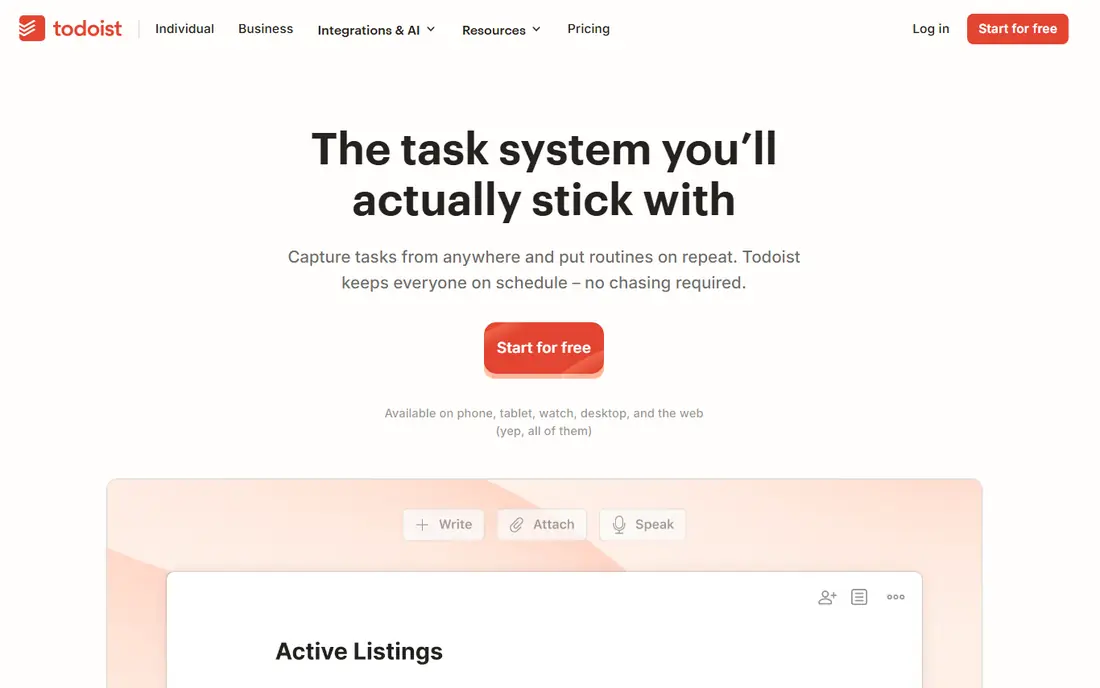
Todoist remains the default recommendation because capture is so fast. Typing a sentence with a date in it creates a scheduled task correctly, and that behaviour works the same on phone, desktop and web. Projects, labels, priorities and filters help larger lists stay organised without turning the app into a full project management tool.
The free tier caps personal projects and omits reminders, so users who rely on timed alerts will need Pro, priced from around $4 to $7 per month depending on billing in recent listings. Todoist also lacks a built-in calendar view as rich as TickTick, although calendar integrations help. For most solo users, Todoist balance of speed and power is hard to beat.
- Fast natural-language task capture
- Works consistently across platforms
- Filters, labels and priorities for larger lists
- Free tier caps projects and omits reminders
- Advanced filters need the paid plan
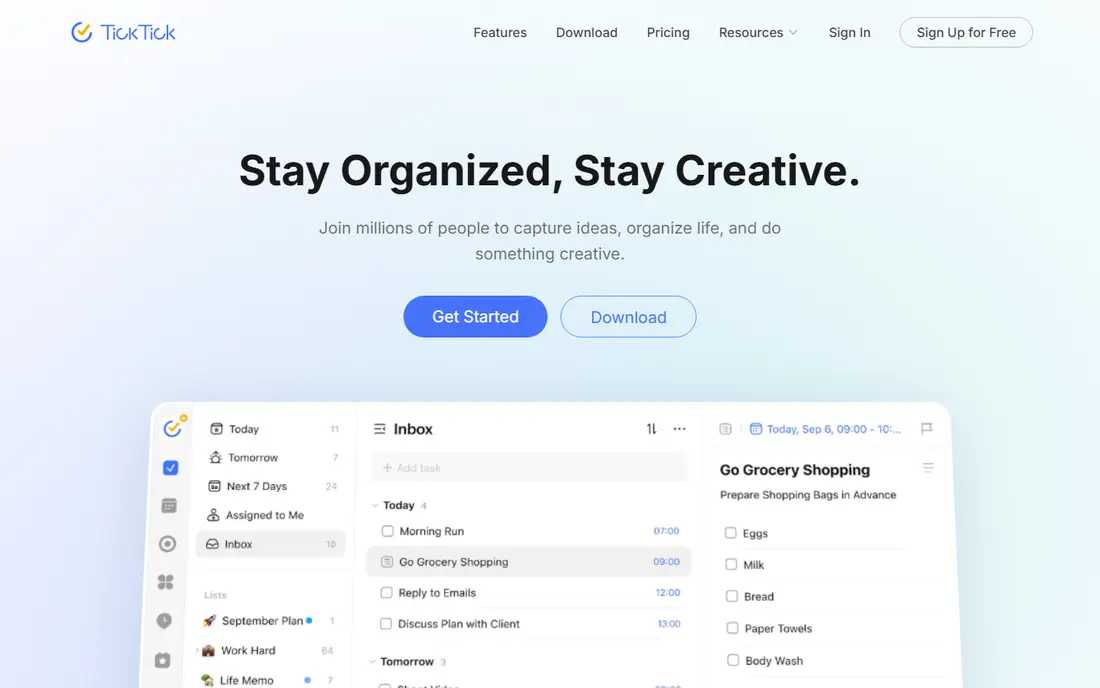
TickTick bundles tasks with a calendar view, habit tracking and a Pomodoro timer, which can replace two or three separate apps for many users. Tasks can be dragged onto a calendar, habits can be checked daily, and focus sessions can run from the same workspace. That breadth makes TickTick good value, especially since the free tier covers many core features.
The interface can feel busier than Todoist or Things, because so many features share the same screens. Paid Premium, at $35.99 to $49.99 per year in recent listings, adds fuller calendar, habit and collaboration features. Users who want one app for tasks, time and habits will find TickTick the most complete option here.
- Calendar view, habit tracking and Pomodoro timer in one app
- Generous free tier
- Fast task capture
- Interface can feel busy
- Some users report occasional sync delays
Microsoft To Do is free, simple and deeply connected to Outlook and Microsoft 365. Flagged emails can become tasks, Teams tasks sync to the same lists, and the My Day view helps users pick a focused set of tasks each morning. For workplaces already on Microsoft 365, that integration removes friction that other apps cannot match.
The limit is depth. Projects, custom filters and recurring rules are more basic than Todoist or TickTick, so power users may outgrow it. Microsoft To Do also depends on a Microsoft account for full sync. For straightforward lists inside a Microsoft workflow, it is free, reliable and easy to adopt.
- Free with a Microsoft account
- My Day planning view
- Outlook and Teams task sync
- Project and filtering depth is limited
- Recurring task rules are basic
Things 3 is the best-designed task app on Apple platforms, with Today, Upcoming and project views that make planning feel calm rather than cluttered. Tasks, checklists, deadlines and tags are handled with care, and the app is fast on iPhone, iPad and Mac. The one-time purchase model also appeals to users who dislike subscriptions.
The trade-off is platform lock-in. Things 3 works only on Apple devices, and iPhone, iPad and Mac versions are bought separately, starting at $9.99 for iPhone in recent listings. There is no real-time team collaboration, so shared household or work lists need another tool. Apple-only users who value design will find Things 3 worth the price.
- Beautiful, fast Apple-native design
- One-time purchase per platform
- Today and Upcoming views that aid planning
- Apple only
- Each platform is bought separately
- No real-time collaboration
Any.do helps people who forget to check their task list by prompting a daily Plan My Day review. Users review, schedule and clear tasks each morning, which turns a growing list into a realistic day plan. Calendar integration, reminders and clean list views support that routine without adding project complexity.
Premium, at around $4.99 to $7.99 per month depending on billing in recent listings, adds more reminders, themes and integrations. Free sharing is also more limited than dedicated shared-list apps, so families who share many lists may prefer Superlist. Any.do suits users who need a daily nudge to use their list at all.
- Plan My Day daily review prompt
- Calendar integration
- Clean task and list views
- Premium pricing varies by billing
- Free sharing is limited compared with Superlist
Google Tasks is the simplest app here, and that simplicity is its strength for Google users. Tasks can be created from Gmail, shown beside Calendar, and checked off on phone or web without learning a new system. For users who already live in Gmail and Calendar, Google Tasks adds task handling with no new account or cost.
The limit is scope. Google Tasks has no list sharing, limited priorities and no rich project views, so teams and power users will outgrow it quickly. It also lacks habits, timers and advanced filters. For personal, simple lists inside Google Workspace, Google Tasks is free and frictionless.
- Free with a Google account
- Tasks created from Gmail
- Calendar integration
- No list sharing
- Features are minimal compared with Todoist or TickTick
Superlist is built for shared lists, whether for households, couples or small teams. Free sharing with several people, clean list design and combined tasks and notes make it easy for a group to track chores, shopping, work tasks and plans without a heavy project tool. The modern interface also makes shared lists feel pleasant rather than administrative.
Paid plans, starting at around $8 per user per month in recent listings, add team features that solo users may not need. Superlist also has a smaller integration ecosystem than Todoist, so users with complex automation needs should check connections first. For shared everyday lists, Superlist is one of the friendliest options available.
- Free sharing with several people
- Modern list design
- Tasks, notes and lists in one place
- Paid features start higher than simpler apps
- Smaller ecosystem than Todoist
Notion suits users who want tasks beside notes, docs, meeting pages and project databases. Tasks can live in boards, calendars, timelines or simple lists, and templates help teams build a workspace that matches their workflow. The free personal plan is generous, and paid Plus plans start at $10 per user per month in recent listings.
The drawback is speed. Capturing a quick task in Notion takes more steps than Todoist or TickTick, and building the perfect workspace can distract from doing the work itself. Notion fits users who already use it for notes or docs and want tasks in the same place, not users who only need a fast list.
- Tasks, notes, docs and databases in one workspace
- Flexible views including boards and calendars
- Generous free personal plan
- Task capture is slower than Todoist
- Setup can become a project of its own
Habitica turns daily tasks into a game, with a character that gains experience and rewards for completing habits, dailies and to-dos, and loses health for missed dailies. Parties let friends or family hold each other accountable, which helps users who struggle with motivation more than organisation. The core app is free, with group plans for larger teams.
The game layer is also the weakness. Users who want a clean professional list may find avatars, quests and rewards distracting, and task features are simpler than Todoist or TickTick. Habitica suits students, families and anyone who needs motivation to start tasks, rather than power users managing complex projects.
- Turns tasks, habits and dailies into a role-playing game
- Parties and accountability for groups
- Free core features
- Game layer can distract from work
- Task features are simpler than Todoist
How we picked these
We compared official feature pages, pricing pages and app store listings for task apps that are available now and genuinely built for to-do lists. We kept apps with fast capture, reliable sync, reminders or planning views, and a usable free tier, trial or one-time price. We left out full project suites unless their task handling is central to the product, and we noted where pricing varies by billing period.
How to pick the right list for you
Start with capture speed. Add ten real tasks, including one with a date, one recurring task and one task with a subtask, then see which app makes that fastest. An app that slows capture will be abandoned, no matter how many features it offers. Also check sync: a task added on a phone should appear on desktop and web without manual refresh.
Next, decide how much structure you need. Simple lists suit Google Tasks or Microsoft To Do, daily planning suits Any.do, calendar plus habits suit TickTick, and shared household lists suit Superlist. Power users who manage many projects should shortlist Todoist, while Apple-only design fans should try Things 3. Picking by structure prevents paying for features that never get used.
Finally, test reminders and sharing for a week before committing. Set a timed reminder, share a list with one other person, and complete tasks from a widget or watch if you use one. Those real-world tests reveal sync delays, reminder limits and sharing friction that a feature list hides. Keep the app that survives a busy week, not the one that looks best on day one.
Frequently asked questions
What is the best to-do list app for most people?
Todoist is the best starting point for most people, thanks to fast capture and cross-platform consistency. TickTick is a close alternative for users who also want calendar, habits and a timer in one app.
Which to-do app is completely free?
Microsoft To Do and Google Tasks are free with their respective accounts, while Todoist, TickTick, Any.do, Superlist, Notion and Habitica offer free tiers with limits. Free tiers suit simple lists, while reminders, sharing and advanced features may need paid plans.
Is Things 3 worth paying for?
Things 3 is worth it for Apple-only users who value design, speed and a one-time purchase over a subscription. Users on Android or Windows, or users who need team sharing, should choose Todoist, TickTick or Superlist instead.
Can I share to-do lists with family?
Yes, Superlist, Todoist, TickTick, Microsoft To Do and Habitica support shared lists or parties, although free sharing limits vary. Google Tasks does not offer list sharing, so families should avoid it for shared chores or shopping.
Do to-do apps work without the internet?
Most apps cache tasks for offline viewing and sync when reconnected, but offline creation and reminder reliability vary by app and device. Check offline behaviour on your phone before relying on an app for travel or low-signal work.
How do I stop my to-do list from growing out of control?
Review the list daily, keep today to a realistic number of tasks, and move the rest to later dates or a someday list. Delete or delegate tasks that no longer matter, since a list that only grows becomes a source of guilt rather than a planning tool.
Sources
See where you really rank - block by block
ProMapRanker scans Google Maps across a grid of your service area. Simple monthly plans from $19, white-label on every plan.
Start freeKeep reading
 zyte alternatives
Best Zyte Alternatives in 2026
These zyte alternatives cover managed scraping APIs, proxy networks and no code tools for lawful collection from your own or consented sources only in 2026.
Read → zerto alternatives
Best Zerto Alternatives in 2026
Compare the best zerto alternatives for disaster recovery and replication, with recovery targets, cloud options and honest trade-offs for teams in 2026.
Read → zerofox alternatives
Best ZeroFox Alternatives in 2026
We compared 9 zerofox alternatives for brand protection, phishing takedowns, dark web monitoring, and social impersonation, with clear coverage notes.
Read →