 ProMapRanker
Best Digital Planner App in 2026


iPad planners who write by hand · Pricing starts at: $11.99 per year
Key takeaways
- Goodnotes is our pick for most iPad planners, with strong handwriting, PDF planners and cross-platform access.
- Notability is best when audio notes matter, since recordings link back to the exact note you were writing.
- Noteshelf, CollaNote and Penbook are strong lower cost options, with CollaNote offering a generous free tier.
- Sunsama, Structured and Motion suit planners who prefer typed tasks and calendars over handwritten pages.
- Check device support first, since several of the best handwriting apps are Apple focused.
Quick comparison
| Pick | Great for | Pricing starts at | Free tier | |
|---|---|---|---|---|
| Goodnotes | iPad planners who write by hand | $11.99 per year | Yes | Visit |
 Notability | Audio notes with planning | $14.99 per year | Yes | Visit |
 Noteshelf | Low cost handwriting planner | $9.99 one-time | Free trial | Visit |
 CollaNote | Free handwriting planning | Free | Yes | Visit |
 ZoomNotes | Flexible notebooks and planners | See website | Free trial | Visit |
 Penbook | Clean handwriting and calendars | See website | Free trial | Visit |
 Sunsama | Guided daily planning | See website | Free trial | Visit |
 Structured | Simple visual daily planner | Free | Yes | Visit |
 Motion | AI assisted daily scheduling | See website | Free trial | Visit |
The best digital planner apps
A digital planner can mean two different things: a handwritten planner on a tablet, or a typed daily planner that turns tasks into a calendar. This list covers both, so you can pick the style that matches how you actually plan.
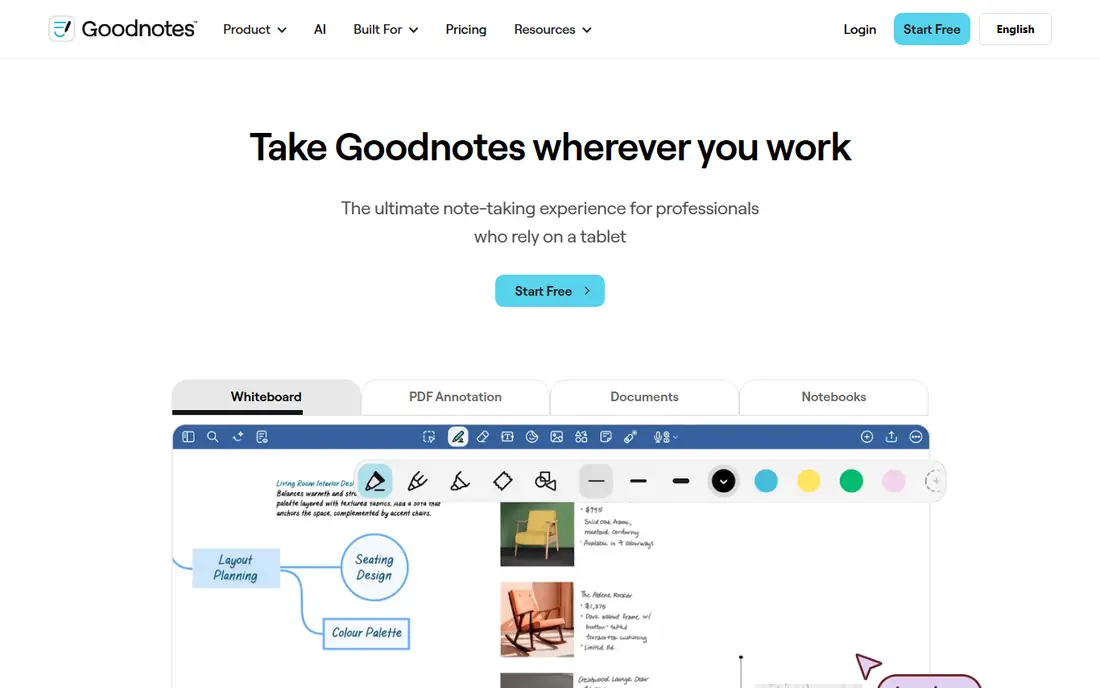
Goodnotes is the default choice for most digital planners, and for good reason. It handles imported PDF planners well, with tappable links for daily, weekly and monthly pages, and its handwriting feels natural with an Apple Pencil. Folders, search and cross-device sync keep a full year of planning in one place, without a pile of paper notebooks.
The free plan covers a limited number of notebooks, so casual planners can test it before paying. The Essential plan at $11.99 per year adds unlimited notebooks and core paid tools, while Pro adds collaboration and advanced AI features. The main limit is device feel: Goodnotes now works beyond Apple, but the iPad version remains the most polished. If you plan on iPad, start here.
- Excellent handwriting and PDF planners
- Folders and searchable notes
- Works on Apple, Android and Windows
- Best experience is still on iPad
- Advanced AI features need higher plans

Notability suits planners who attend meetings, lectures or calls and want to revisit what was said. You can record audio while you write, then tap a word later to hear that moment of the recording. That feature alone makes it a strong planner for students and professionals who need notes they can trust after the fact.
The free Starter plan covers a small number of notes, and Lite at $14.99 per year adds unlimited notes. Higher Plus and Pro plans add transcription and AI study tools, but their prices rise sharply, so most planners will not need them. Notability is Apple focused, so Android and Windows users should choose Goodnotes or Noteshelf instead.
- Audio recording linked to notes
- Handwriting to text
- Simple, fast interface
- Apple focused
- Higher tiers rise sharply in price
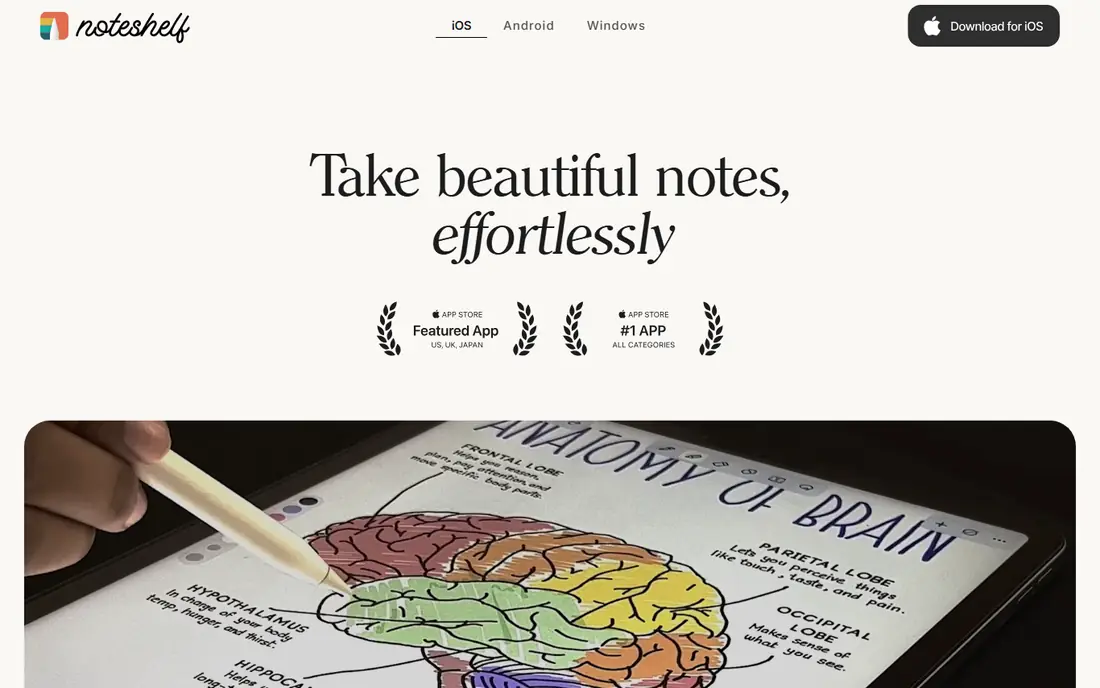
Noteshelf is a calm, low cost alternative to subscription planners. It offers notebooks, PDF planners, handwriting tools and templates, with a one-time purchase model that appeals to buyers who dislike yearly fees. For a planner who wants a paper-like page without ongoing cost, Noteshelf is hard to beat on value.
The trade is depth. Noteshelf has fewer collaboration and AI features than Goodnotes Pro or Notability Pro, and sync across devices needs a little setup. That matters less for a personal planner, and more for a team that shares pages. If you plan alone and want to pay once, Noteshelf is our value pick.
- One-time purchase option
- Good handwriting and templates
- Works on Apple and Android
- Fewer collaboration features
- Sync setup needs care across devices
CollaNote is the best free handwriting planner we found for iPad users. It offers notebooks, PDF planners, handwriting tools and a range of templates without forcing a subscription for basic planning. Students and casual planners can run a full daily system on the free tier, which is rare in this category.
The limits are platform and polish. CollaNote is Apple only, so Android users need another app, and it lacks the business collaboration tools of Goodnotes Pro. For personal planning, those limits rarely matter. If you want to try digital planning without paying, CollaNote is the first app to test.
- Generous free tier
- Handwriting, PDF annotation and planners
- Active template community
- IPad and iPhone only
- Fewer business features than paid rivals
ZoomNotes suits planners who want more freedom than a fixed PDF template. Pages can hold sub-pages, large canvases, images and handwritten notes, which works well for project planners, visual thinkers and people who mix notes, sketches and calendars. It is a flexible tool, and that flexibility is its main appeal.
The downside is learning time. ZoomNotes has many options, and new users may take a few sessions to find a comfortable setup. Pricing varies by platform, so we list it as See website. For planners who felt boxed in by a standard daily template, ZoomNotes is worth the extra setup effort.
- Large canvas and sub-pages
- PDF and image planning
- Flexible layout options
- Interface takes longer to learn
- Pricing varies by platform
Penbook focuses on a clean writing experience. The app offers planner and calendar templates, smooth handwriting and a simple library, without the clutter of a full note-taking suite. That focus suits planners who want to open the app, write the day plan, and close it again.
The trade is range. Penbook has a smaller template library than Goodnotes, and it lacks some of the search, collaboration and AI features of larger apps. For a daily planner that feels like paper, that simplicity is a strength. For a planner who needs deep search or team sharing, Goodnotes or Notability will fit better.
- Clean, paper-like writing
- Calendar and planner templates
- Works on Apple and Windows
- Smaller template library than Goodnotes
- Fewer advanced features
Sunsama takes a different approach to planning. Instead of a blank page, it guides you through a daily flow: pull in tasks from your tools, choose what fits today, timebox each task on your calendar, and review at the end of the day. That structure helps people who struggle with long task lists and endless priorities.
The cost is higher than a handwriting app, and there is no pen mode, so Sunsama suits typed planners who work on a computer. It integrates with calendars and task tools, which makes it strong for work planning. If your problem is choosing what to do today, rather than writing it down neatly, Sunsama is the best fit on this list.
- Guided daily planning flow
- Calendar and task integration
- Good for work planning
- Subscription cost is higher than handwriting apps
- No handwriting mode
Structured turns a day into a visual timeline, with tasks shown as blocks in order. That view makes it easy to see gaps, overlaps and free time, and it suits people who plan by time rather than by list. The free tier covers basic daily planning, and the app works on Apple, Android and Windows.
The limit is depth. Structured is a daily planner, not a project manager, so large projects with many subtasks will need another tool. Paid features add more calendars and tools, but the core value is already free. For students, shift workers and anyone building a daily routine, Structured is a simple and effective choice.
- Visual timeline for the day
- Simple and fast
- Good for routine building
- Limited project planning
- Advanced features need a paid plan
Motion uses automation to place tasks on your calendar around meetings and deadlines. When a meeting moves, tasks shift with it, which saves the daily replanning that eats time for busy professionals. It also offers project views and team features, so it works as a planner and a light project tool in one.
The downside is cost and setup. Motion is priced as a productivity suite, not a simple planner, and it takes time to set priorities, deadlines and working hours correctly. For a solo planner with a simple day, Structured or Goodnotes will be cheaper and faster. For a busy professional with a packed calendar, Motion can earn its price by keeping the plan realistic.
- Auto-schedules tasks around meetings
- Calendar and project views
- Good for busy teams
- Higher price than simple planners
- Setup takes time to get right
How we picked these
We compared official pricing pages, app store listings and feature pages for digital planner apps that are live in October 2026, and we kept only apps that support daily or weekly planning with templates, tasks or calendars. We favored a mix of handwriting apps and typed planners, free tiers and paid options, and Apple, Android and desktop support where possible. Where pricing varied by platform or promotion, we wrote See website rather than guessing.
What to look for in a digital planner
Start with how you plan, not with the app store rating. Handwriting planners suit people who remember better by writing, and who like a paper-like page. Typed planners suit people who need calendar sync, reminders and task automation. Trying both styles for a week will tell you more than any feature list.
Templates, sync and reminders
Check that the app supports the planner layout you like, such as daily, weekly, monthly or a custom PDF. Check sync across the devices you actually use, and check reminders for tasks and appointments. A planner that only works on one device will fail on the days you need it most.
Keep the system simple
A digital planner should reduce decisions, not add them. Pick one daily page, one task list and one calendar view, and use them for two weeks before adding templates or integrations. The best planner is the one you open every morning, even when the day is busy.
Frequently asked questions
What is the best app for digital planning?
Goodnotes is our pick for most people, especially iPad users who write by hand. Notability is better for audio notes, CollaNote is the best free handwriting option, and Structured is the best simple typed planner. The right choice depends on device and planning style.
Can I use a digital planner on Android?
Yes. Goodnotes, Noteshelf, Structured and Motion support Android, and CollaNote is Apple only. Check the app store listing for your exact device before buying a paid plan, since features can differ by platform.
Is Goodnotes or Notability better for planning?
Goodnotes is better for most planners, with stronger organization, PDF planner support and cross-platform access. Notability is better when audio recording matters, since recordings link to your notes. Both offer free tiers, so try both for a week before paying.
Do digital planners work without an iPad?
Yes. Sunsama, Structured and Motion work on desktop and mobile without a tablet, and Goodnotes and Noteshelf work on Android tablets and phones. Handwriting quality is best with a stylus, but typed planners need no special hardware at all.
Are digital planners free?
Some are. CollaNote and Structured offer useful free tiers, and Goodnotes and Notability offer limited free plans. Paid plans usually add unlimited notebooks, sync, templates and advanced features. Start free, then pay only when a limit blocks your daily use.
What is the best digital planner app for work?
Sunsama is best for guided work planning, with timeboxing and calendar integration. Motion is best for busy calendars that change often, since it reschedules tasks automatically. Goodnotes is best for handwritten work planners who like a daily page and meeting notes in one place.
Sources
See where you really rank - block by block
ProMapRanker scans Google Maps across a grid of your service area. Simple monthly plans from $19, white-label on every plan.
Start freeKeep reading
 zscaler alternatives
Best Zscaler Alternatives in 2026
Looking for zscaler alternatives? We compare 9 SASE and zero trust platforms on architecture, data protection, pricing, and fit for your network and team.
Read → zapier alternatives free
Best Zapier Alternatives Free in 2026
Nine automation tools for zapier alternatives free in 2026, all with genuinely free tiers, plus free plan limits, starting prices and upgrade paths explained.
Read → which platform is best for online reputation
Which Platform Is Best for Online Reputation in 2026
Wondering which platform is best for online reputation? We compare 8 review, listing, and response tools for small and multi-location businesses and agencies.
Read →