 ProMapRanker
Best Digital Adoption Platform in 2026


Enterprise onboarding and simulation training · Pricing starts at: See website
Key takeaways
- Whatfix and WalkMe suit large enterprises rolling out complex systems, while UserGuiding and Userpilot suit product teams that need faster setup.
- Pendo is the strongest choice when product analytics matter as much as in-app guidance.
- Most enterprise digital adoption platforms price by quote and by monthly active users, so model your real user count before comparing.
- Apty and Userlane help teams that need governed, role-based guidance inside business applications.
- Chameleon and Appcues suit design-led product teams that want polished in-app experiences without heavy implementation.
Quick comparison
| Pick | Great for | Pricing starts at | Free tier | |
|---|---|---|---|---|
| Whatfix | Enterprise onboarding and simulation training | See website | Free trial | Visit |
 WalkMe | Large enterprise multi-app workflows | See website | No | Visit |
 Pendo | Product analytics plus in-app guides | See website | Yes | Visit |
 Userpilot | Activation-focused product onboarding | $299 per month | Free trial | Visit |
 UserGuiding | Budget-friendly product tours | See website | Free trial | Visit |
 Appcues | Cross-channel product experiences | See website | No | Visit |
 Chameleon | Customised in-app experiences | $279 per month | Free trial | Visit |
 Userlane | Guided employee workflows | See website | No | Visit |
 Apty | Process compliance in business apps | See website | Free trial | Visit |
The best digital adoption platforms
A digital adoption platform adds guidance inside the software people already use, through walkthroughs, tooltips, checklists, and self-help. We compared official feature pages, pricing pages, and public reviews, and we focused on whether each tool serves employees, customers, or both.
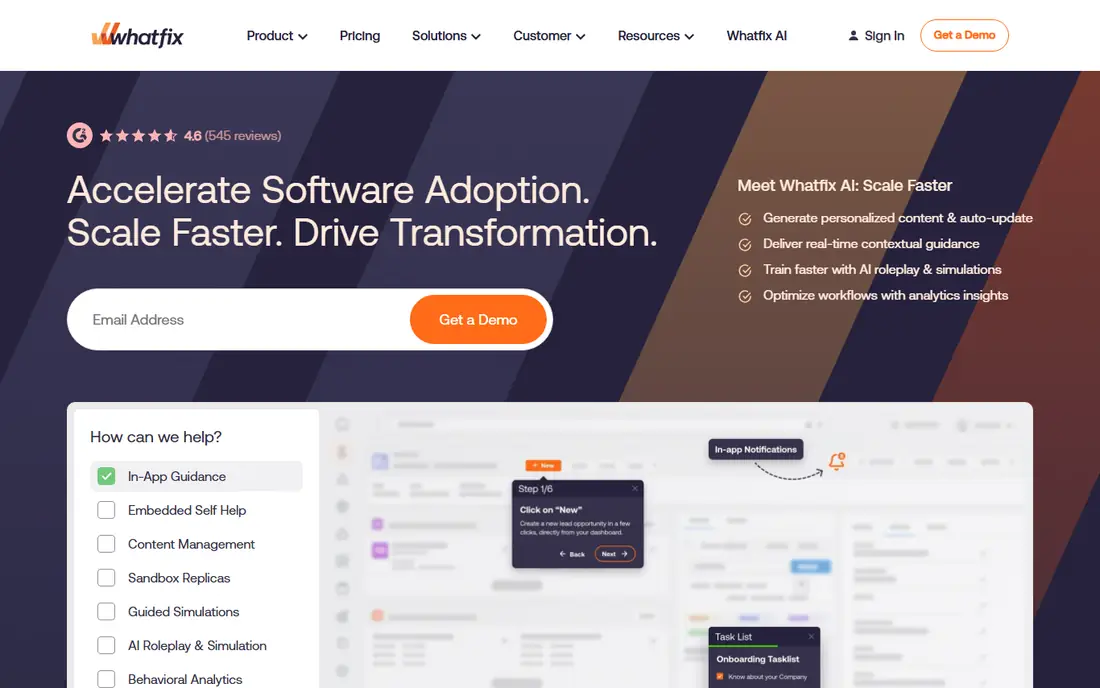
Whatfix is built for enterprises that need one adoption layer across many applications, from CRM and ERP systems to internal tools. Its in-app walkthroughs, tooltips, and self-help widgets sit inside the workflow, so employees get help at the moment they need it rather than searching a separate manual. Simulation training is a useful addition, because staff can practise in a safe copy of a system before working with live data.
The cost and setup reflect that breadth. Pricing is by quote, and larger deployments often need content governance and analytics planning to stay organised. Whatfix fits regulated or multi-app environments where consistency matters more than a quick product tour. Smaller SaaS teams may find it more platform than they need.
- Guidance across web, desktop, and mobile apps
- Simulation training
- Adoption analytics
- Quote-only pricing
- Implementation can be complex

WalkMe is the long-established enterprise choice for guiding employees through complex, multi-step processes. It can automate parts of a workflow, surface contextual help, and track where users struggle, which helps large organisations support system changes at scale. Its strength in SAP environments is a reason many large enterprises shortlist it first.
WalkMe is not a light tool. Content creation and maintenance need trained staff, and pricing is custom, so total cost depends on scope and user count. Teams that want a simple onboarding tour for a single SaaS product will find faster, cheaper options below. Choose WalkMe when the problem is enterprise-wide adoption across several business systems.
- Deep workflow automation across apps
- Strong enterprise controls
- SAP ecosystem support
- Quote-only pricing
- Steep learning curve for content teams
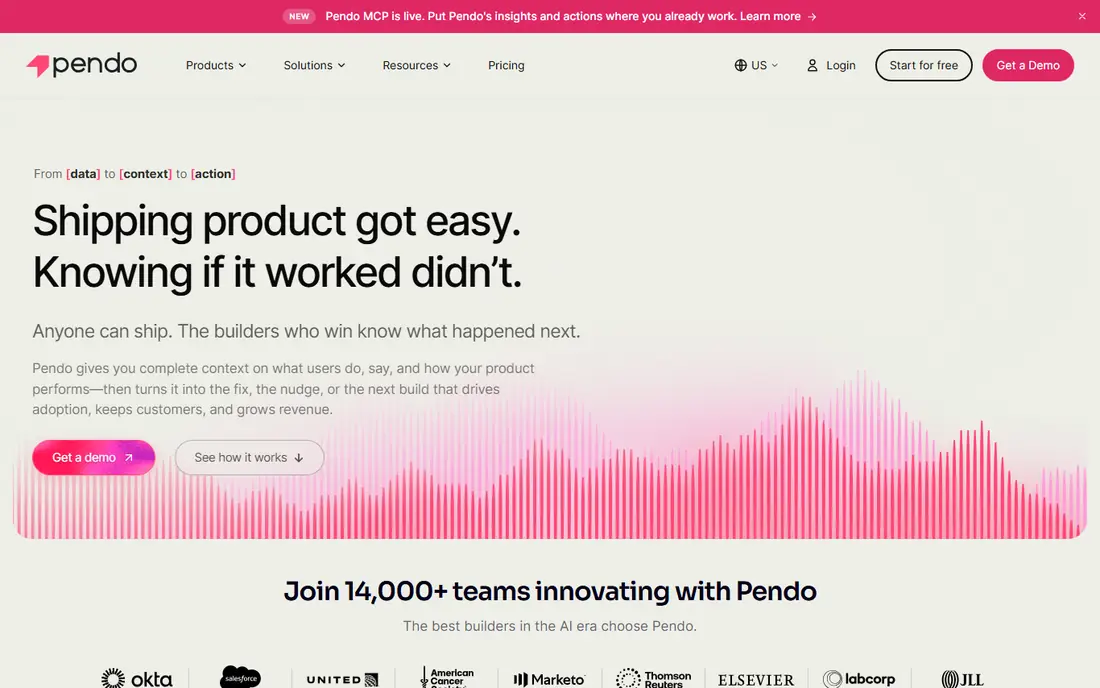
Pendo pairs in-app guides with analytics that show how users actually move through a product. Product teams can see which features are adopted, where users drop off, and which guides help, then adjust onboarding based on evidence rather than guesswork. Feedback tools and roadmaps add context, so guidance decisions connect to product planning.
The free tier helps small products start, but paid plans are quote-based and the full suite can feel large if you only need tours. Pendo fits product-led companies that already value analytics and want guidance driven by usage data. Teams that only need a simple walkthrough may prefer UserGuiding or Userpilot.
- Deep product analytics
- In-app guides and feedback
- Free tier up to 500 monthly active users
- Paid pricing is quote-based
- Suite can feel heavy for small teams
Userpilot helps product teams build onboarding flows, checklists, tooltips, and surveys without writing code for each experience. Segmentation lets teams show different guidance to new users, returning users, and specific account types, which keeps onboarding relevant. Analytics show completion and activation, so teams can see whether a flow actually moves users toward value.
Pricing starts at $299 per month for the Starter plan, and costs grow with monthly active users, so model your audience before signing. Some advanced analytics features require higher tiers. Userpilot is a strong middle ground for SaaS teams that want both guidance and measurement without an enterprise implementation project.
- No-code flow builder
- Analytics and segmentation
- Web, mobile, and email support
- Entry price rises with monthly active users
- Advanced analytics sit on higher tiers
UserGuiding is designed for teams that need good onboarding quickly and at a lower entry cost than enterprise platforms. Its builder covers product tours, checklists, tooltips, hotspots, and a resource centre, so users can find help without leaving the product. Setup is genuinely fast for standard web apps, which matters for small teams without a dedicated adoption specialist.
Analytics stay simpler than those in Pendo or Userpilot, and pricing scales with monthly active users, so a growing product should check the next tier early. UserGuiding is our pick for most early-stage and mid-size SaaS teams that want a complete onboarding toolkit without enterprise complexity.
- Easy no-code builder
- Guides, surveys, and resource centre in one tool
- Fast setup
- Analytics are more basic than Pendo
- Pricing varies by monthly active users
Appcues stands out when onboarding does not stop inside the product. Teams can combine in-app flows with email and push messages, so a user who stalls in a tour can get a helpful follow-up elsewhere. Native mobile support also helps products with iOS and Android apps, where web-only tools fall short.
Pricing has moved to a quote-based model, so entry cost is less transparent than it once was. Appcues fits product teams that run multi-channel onboarding and need mobile coverage. If your main need is deep product analytics, pair it with a dedicated analytics tool or choose Pendo instead.
- In-app, email, and mobile push in one platform
- Mature flow builder
- Native mobile support
- Pricing is now quote-based
- Analytics are less deep than dedicated analytics tools
Chameleon gives design-conscious teams more control over how tours, tooltips, and surveys look and behave. Custom styling, targeting, and A/B testing help teams refine onboarding without rebuilding flows from scratch. The builder feels polished, and the result can match a product brand more closely than a generic tour widget.
Chameleon is primarily web-focused, and its analytics are not as deep as Pendo, so teams that need detailed funnel analysis should plan for a separate tool. Starting at $279 per month, it suits SaaS teams that care about presentation and experimentation. It is less suited to employee adoption inside desktop business systems.
- Highly customisable tours and tooltips
- A/B testing
- Clean builder for design-led teams
- Web-focused
- Built-in analytics are limited
Userlane focuses on employees learning business software, with interactive guides that walk staff through real tasks inside the application. Role-based segmentation means finance, sales, and operations staff can see guidance matched to their jobs, rather than one generic tour. Analytics show completion and friction points, which helps training teams improve content over time.
Pricing is by quote, and Userlane is not designed as a customer marketing tool, so product-led SaaS teams should look elsewhere. Choose Userlane when your audience is employees, your systems are complex, and you need governed, repeatable guidance that survives staff turnover and system updates.
- Step-by-step guidance inside business apps
- Segmentation by role
- Analytics for adoption
- Quote-only pricing
- Less suited to customer-facing product marketing
Apty helps organisations make sure employees follow the right process inside systems such as CRM tools. Its guidance, validation, and analytics focus on completion and compliance, not just whether a user saw a tooltip. That makes it useful for sales operations and other teams where skipped steps create bad data or missed follow-up.
Apty is less of a general product-tour tool, and its feature set is narrower for customer onboarding or marketing flows. Pricing requires a quote, so budget planning needs a sales conversation. Pick Apty when process adherence, data quality, and measurable adoption inside business applications are the main goals.
- Strong analytics for process adherence
- Guidance inside browser-based business apps
- CRM focus
- Quote-only pricing
- Narrower marketing and product-tour features
How we picked these
We compared official feature and pricing pages, public reviews, and vendor documentation, and we kept only platforms that are live in October 2026 and that provide in-app guidance as a core function. We did not claim hands-on testing. Where pricing was quote-based or varied by monthly active users, we wrote See website rather than presenting a third-party estimate as a vendor price.
How to choose the right platform
Decide who you are guiding
Employee adoption and customer onboarding are different jobs. Employee tools such as Whatfix, WalkMe, Userlane, and Apty focus on business systems, compliance, and training. Customer tools such as Pendo, Userpilot, UserGuiding, Appcues, and Chameleon focus on activation, retention, and product experience. A tool that does both often does one better, so name your primary audience first.
Model pricing by monthly active users
Many digital adoption tools charge by monthly active users, not by seats, so a small team with a large user base can face a large bill. Ask vendors to price your current monthly active users, your expected count in twelve months, and the cost of exceeding a tier. Also ask whether guides pause, overage charges apply, or users are simply billed at the next tier.
Plan who maintains the content
Walkthroughs break when a product interface changes, so adoption is an ongoing content job, not a one-time project. Check how easy it is to update a flow, test it before publishing, and assign ownership by team or system. A platform with a simple builder and clear version control will stay accurate longer than a powerful tool nobody has time to maintain.
Start with one workflow, not the whole system
Pick one high-friction workflow, such as new hire setup, CRM data entry, or first-run onboarding, and measure completion and support tickets before expanding. A focused pilot shows whether guidance helps, and it gives you evidence for a wider rollout. Expanding too fast often creates many shallow tours instead of a few useful ones.
Frequently asked questions
What is the best digital adoption platform?
The best digital adoption platform depends on your audience. Whatfix and WalkMe suit large enterprises, Pendo suits product teams that need analytics, and UserGuiding suits smaller SaaS teams. Start with employee or customer use, then compare pricing by monthly active users.
What are the best digital adoption tools for small SaaS teams?
UserGuiding, Userpilot, and Chameleon are strong for small and mid-size SaaS teams, because they offer no-code builders and faster setup than enterprise platforms. Pendo also offers a free tier for up to 500 monthly active users, which helps early products test guidance before paying.
What is the best digital adoption platform software for enterprises?
Whatfix and WalkMe are the most common enterprise choices, with Userlane and Apty as strong options for employee workflows and process compliance. Enterprises should run a pilot on one system, check governance and analytics, and confirm implementation support before a company-wide rollout.
How much does a digital adoption platform cost?
Entry prices vary widely. Userpilot starts at $299 per month and Chameleon at $279 per month, while Whatfix, WalkMe, Pendo paid plans, Appcues, Userlane, and Apty price by quote. Most costs scale with monthly active users, so ask for a quote at your real user count.
Do digital adoption platforms work for customer onboarding and employee training?
Yes, but different tools lean different ways. Pendo, Userpilot, UserGuiding, Appcues, and Chameleon lean toward customer onboarding, while Whatfix, WalkMe, Userlane, and Apty lean toward employee training and business system adoption. Some platforms cover both, so check which use case the vendor supports best.
Sources
- https://www.whatfix.com
- https://www.walkme.com
- https://www.pendo.io
- https://www.userpilot.com
- https://www.userguiding.com
- https://www.appcues.com
- https://www.chameleon.io
- https://www.userlane.com
- https://www.apty.io
- https://learn.g2.com/best-digital-adoption-platform
- https://rankite.com/blog/best-product-tour-software
See where you really rank - block by block
ProMapRanker scans Google Maps across a grid of your service area. Simple monthly plans from $19, white-label on every plan.
Start freeKeep reading
 zscaler alternatives
Best Zscaler Alternatives in 2026
Looking for zscaler alternatives? We compare 9 SASE and zero trust platforms on architecture, data protection, pricing, and fit for your network and team.
Read → zapier alternatives free
Best Zapier Alternatives Free in 2026
Nine automation tools for zapier alternatives free in 2026, all with genuinely free tiers, plus free plan limits, starting prices and upgrade paths explained.
Read → which platform is best for online reputation
Which Platform Is Best for Online Reputation in 2026
Wondering which platform is best for online reputation? We compare 8 review, listing, and response tools for small and multi-location businesses and agencies.
Read →