 ProMapRanker
Best Diagram Software in 2026


Professional team diagrams · Pricing starts at: $7.95 per user per month
Key takeaways
- diagrams.net is the best free diagram tool for most people, while Lucidchart is the best paid tool for professional team diagrams.
- Miro suits freeform workshops and whiteboards, but it is not a direct replacement for a structured diagram tool.
- Microsoft Visio is the right choice inside a Microsoft 365 organisation, even though it costs more and feels less modern than web rivals.
- Check export formats, shape libraries and collaboration limits before paying, because a diagram locked in one tool is hard to reuse later.
Quick comparison
| Pick | Great for | Pricing starts at | Free tier | |
|---|---|---|---|---|
| Lucidchart | Professional team diagrams | $7.95 per user per month | Yes | Visit |
 diagrams.net | Free diagramming | Free | Yes | Visit |
 Miro | Whiteboards and workshops | $8 per member per month | Yes | Visit |
 Microsoft Visio | Microsoft 365 diagrams | $5 per user per month | No | Visit |
 Whimsical | Fast clean diagrams | $10 per user per month | Yes | Visit |
 Creately | Diagrams plus workflows | $5 per user per month | Yes | Visit |
 SmartDraw | Automated business diagrams | $5 per user per month | Free trial | Visit |
 Gliffy | Atlassian teams | $8 per user per month | Free trial | Visit |
 EdrawMax | Technical diagram types | $8.25 per user per month | Free trial | Visit |
The best diagram software
We compared diagram tools for flowcharts, org charts, network diagrams, UML and process maps, looking at price, templates, collaboration and export options. Our pick for most people is diagrams.net for free use and Lucidchart for paid team work. The nine below cover free, web based and enterprise options, so you can match the tool to how formal your diagrams need to be.

Lucidchart is the most complete web based diagram tool for teams that produce formal diagrams regularly. It covers flowcharts, org charts, UML, network diagrams and process maps, with a large template library and integrations for Google Workspace, Microsoft 365, Confluence and Jira. Real time collaboration, comments and version history help teams review a diagram without exporting it to another tool.
The free tier is limited, at 3 editable documents with 60 shapes per document in recent listings, so real work needs a paid plan. Individual plans start near $7.95 per month billed annually, with team plans higher and a minimum user count in listings. For teams that need polished, shared diagrams, Lucidchart is worth that cost. For occasional personal diagrams, a free tool will do.
- Large template and shape library
- Real time collaboration
- Many integrations
- Free tier limits documents and shapes
- Team costs add up at scale
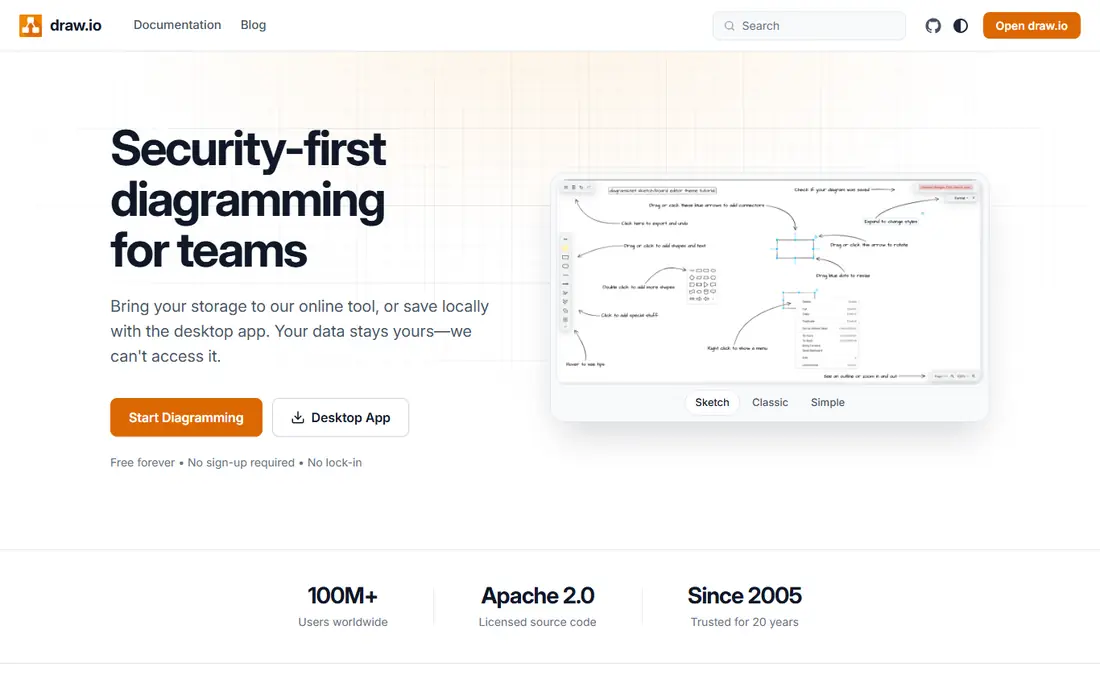
diagrams.net, formerly draw.io, is the best free diagram software in this guide. The web and desktop apps are free, with full shape libraries, export formats and integrations for Google Drive, OneDrive and Confluence. You can work offline, store files where you choose, and avoid per seat fees entirely, which makes it ideal for individuals, developers and small teams.
The trade off is workflow. diagrams.net does not offer the same built in review, approval and team management features as Lucidchart, and its interface feels more technical than Whimsical or Miro. For a single diagram maker or a team that already manages files in Drive or Git, those limits rarely matter. For formal team review processes, a paid tool may fit better.
- Fully free core tool
- Offline desktop app
- Stores files in your own cloud storage
- No built in team review workflows
- Interface is more technical than rivals

Miro is a visual collaboration whiteboard that also handles diagrams, which makes it ideal for workshops, brainstorming and remote team sessions. Its infinite canvas, sticky notes, voting, timers and templates help a group move from ideas to a shared picture quickly. Flowcharts, mind maps and org charts are all possible, with many integrations for other work tools.
Miro is not a structured diagram tool in the same way as Lucidchart or diagrams.net. Technical diagrams with strict shapes, data linking and version control feel less natural on a whiteboard canvas, and very large boards can slow down. Use Miro when the diagram starts as a group discussion. Use a dedicated diagram tool when the diagram must become formal documentation.
- Infinite canvas
- Strong workshop tools
- Many templates and integrations
- Not a structured diagram tool first
- Large boards can slow down
Microsoft Visio is the standard diagram tool inside many Microsoft 365 organisations. It offers flowcharts, network diagrams, org charts and floor plans, with data linking from Excel and integration across Teams and SharePoint. For regulated or formal documentation, Visio diagrams fit neatly into existing Microsoft governance and file controls.
The limits are platform and collaboration. The full desktop version is Windows focused, web plans vary by Microsoft 365 tier, and real time collaboration is weaker than on Lucidchart or Miro. Starting prices near $5 per user per month apply to web plans in listings, with higher tiers for desktop features. For a Microsoft shop, Visio is the natural choice. For a mixed platform team, a web tool may be easier.
- Deep Microsoft 365 integration
- Data linked diagrams
- Large shape library
- Desktop version is Windows focused
- Collaboration is weaker than web rivals
Whimsical suits product teams and startups that want clean diagrams quickly. Its interface is minimal, shapes snap into place easily, and flowcharts, wireframes, mind maps and docs can live in one workspace. That speed makes it easy to document a process or a product flow without learning a heavy diagram tool.
The range is narrower than Lucidchart or EdrawMax. Complex network diagrams, detailed UML and technical schematics are not Whimsical's strength, and paid plans start near $10 per user per month in listings. For fast, readable diagrams that a whole team can understand at a glance, Whimsical is excellent. For deep technical work, choose a broader tool.
- Very fast and clean interface
- Flowcharts, wireframes and mind maps
- Easy sharing
- Fewer diagram types than Lucidchart
- Less suited to complex technical diagrams
Creately combines diagramming with project and workflow tools, which suits business teams that want a diagram to connect to tasks and processes. It covers flowcharts, org charts, timelines and wireframes, with templates that help a team start quickly. Desktop and web apps, plus collaboration features, make it practical for small and mid sized teams.
The interface can feel busy compared with Whimsical, and some advanced features sit on higher plans, so the starting price near $5 per user per month in listings does not include everything. For teams that want diagrams and workflow in one place, Creately is a good value option. For pure diagramming, Lucidchart or diagrams.net may feel cleaner.
- Diagrams plus project workflows
- Large template library
- Desktop and web apps
- Interface can feel busy
- Advanced features sit on higher plans
SmartDraw is built for business users who want diagrams that format themselves. Its intelligent formatting arranges shapes and connectors as you add them, which speeds up org charts, floor plans, flowcharts and project visuals. A large template library covers business, engineering and office layouts, and desktop and web versions are available.
The interface feels older than Lucidchart, Miro or Whimsical, and real time collaboration is thinner. Starting prices near $5 per user per month appear in listings, with higher tiers for team features. For a business user who wants fast, well formatted diagrams without learning a new design tool, SmartDraw is a practical choice.
- Intelligent formatting
- Many business templates
- Desktop and web versions
- Interface feels older than web rivals
- Collaboration is thinner than Lucidchart
Gliffy is the best diagram choice for teams that already live in Confluence and Jira. Diagrams can be created and edited inside Confluence pages and Jira issues, which keeps documentation and diagrams together instead of scattered across tools. The editor is simple, and technical teams use it for network diagrams, flowcharts and wireframes.
Outside Atlassian, Gliffy is less compelling. Its template range is smaller than Lucidchart, and standalone pricing near $8 per user per month in listings buys less breadth than rivals. For an Atlassian team, the integration alone can justify Gliffy. For a team without Confluence or Jira, choose a broader diagram tool first.
- Built in Confluence and Jira integration
- Simple editor
- Good for technical teams
- Smaller template range than Lucidchart
- Standalone use is less compelling
EdrawMax suits technical users who need many diagram types in one tool. Listings cite more than 280 diagram types, covering flowcharts, network diagrams, UML, floor plans, electrical diagrams and more, with web, Windows and Mac apps. That breadth makes it a good choice for engineers, IT teams and technical writers who switch between diagram kinds.
The interface can feel crowded, because so many templates and shapes compete for attention, and free trial limits should be checked before buying. Starting prices near $8.25 per user per month appear in listings. For a team that needs one tool for almost any technical diagram, EdrawMax offers strong value. For simple flowcharts, a lighter tool will be faster.
- More than 280 diagram types in listings
- Web, Windows and Mac apps
- Large template library
- Interface can feel crowded
- Free trial limits need checking before buying
How we picked these
We compared official feature and pricing pages and recent 2026 diagram tool listings for software that creates flowcharts, org charts and technical diagrams. We kept tools that are live, offer real diagram editing and export, and fit at least one clear use case, from free personal use to enterprise documentation. We left out pure whiteboard tools with no structured diagram support, except Miro, which is widely used for diagrams alongside workshops.
We weighted price, free tier limits, shape and template libraries, collaboration, integrations and export formats. A tool scored well when a user could start quickly, produce a readable diagram, share it with a team and export it in a useful format. Where pricing varied across listings, we used the most recent figure and advised confirming it before buying.
How to choose diagram software
Start with the diagram you make most often. A flowchart for a process needs different shapes from a network diagram for IT, and a workshop map needs a whiteboard, not a formal tool. List your top three diagram types, then check that the tool covers them well, rather than counting total templates.
Next, check collaboration and export. If a team must review and approve diagrams, choose a tool with comments, version history and shared workspaces. If diagrams must live in Confluence, Jira or Microsoft 365, pick the tool that integrates there. Check export to PNG, SVG, PDF and editable formats, because a diagram you cannot export is trapped. Finally, try the free tier with a real diagram from your work, not a sample, before paying for a team plan.
Frequently asked questions
What is the best diagram tool?
diagrams.net is the best free diagram tool, and Lucidchart is the best paid tool for professional team diagrams. Miro suits workshops, Visio suits Microsoft 365 organisations, and Whimsical suits fast, clean product diagrams. The best tool depends on whether you need free use, team review or technical depth.
What is the best software for diagrams for beginners?
diagrams.net and Whimsical are good starting points for beginners, because they are easy to learn and offer templates for common diagrams. diagrams.net is free, while Whimsical is faster and cleaner but paid for full use. Start with a template, then adjust shapes and connectors rather than drawing from scratch.
Is there a free diagram tool?
Yes, diagrams.net is fully free for its core web and desktop apps, with no seat fees. Lucidchart, Miro, Whimsical and Creately offer limited free tiers, usually capped by documents or boards. Check free limits against how many diagrams you will make each month before relying on a free tier.
What diagram software do professionals use?
Professionals use Lucidchart, Microsoft Visio and diagrams.net most often, depending on their organisation. Lucidchart suits web based team work, Visio suits Microsoft 365 governance, and diagrams.net suits developers and teams that want free, file based diagrams. EdrawMax and SmartDraw are also common for technical and business diagrams.
Can I collaborate on diagrams in real time?
Yes, Lucidchart, Miro, Whimsical, Creately and Gliffy support real time or shared editing, with comments and version history on paid plans. diagrams.net supports collaboration through shared cloud files, but it lacks the same built in review workflows. Check guest access and permission controls before sharing diagrams outside your team.
Which diagram tool works best with Confluence and Jira?
Gliffy is built for Confluence and Jira, with diagrams created inside pages and issues. Lucidchart also integrates with Confluence and Jira, plus Google Workspace and Microsoft 365, which suits teams that use several platforms. diagrams.net offers Confluence and Jira plugins as well, with a free tier for small teams in listings.
Sources
- https://www.lucidchart.com
- https://www.diagrams.net
- https://miro.com
- https://www.microsoft.com/microsoft-365/visio
- https://whimsical.com
- https://creately.com
- https://www.smartdraw.com
- https://www.gliffy.com
- https://www.edrawmax.com
- https://diagrams.so/blog/drawio-vs-lucidchart-vs-miro
- https://kurums.com/best-diagram-software-2026-comparison/?v=653f5ac96a69
See where you really rank - block by block
ProMapRanker scans Google Maps across a grid of your service area. Simple monthly plans from $19, white-label on every plan.
Start freeKeep reading
 zscaler alternatives
Best Zscaler Alternatives in 2026
Looking for zscaler alternatives? We compare 9 SASE and zero trust platforms on architecture, data protection, pricing, and fit for your network and team.
Read → zapier alternatives free
Best Zapier Alternatives Free in 2026
Nine automation tools for zapier alternatives free in 2026, all with genuinely free tiers, plus free plan limits, starting prices and upgrade paths explained.
Read → which platform is best for online reputation
Which Platform Is Best for Online Reputation in 2026
Wondering which platform is best for online reputation? We compare 8 review, listing, and response tools for small and multi-location businesses and agencies.
Read →