 ProMapRanker
Best Desktop In-App Messaging Solutions in 2026


Chat-led support and product messages · Pricing starts at: $29 per seat per month
Key takeaways
- Intercom suits chat-led support and product messages in one platform, with per-seat pricing plus AI outcome charges.
- Sendbird and Stream suit teams building custom chat into an app with APIs and UI kits, with usage-based pricing.
- Crisp and Tawk.to cover small teams well, with Crisp offering a free plan and Tawk.to offering a free live chat widget.
- Desktop here means the agent and user experience on computers, so check web widget, Mac and Windows apps, and admin tools before buying.
Quick comparison
| Pick | Great for | Pricing starts at | Free tier | |
|---|---|---|---|---|
| Intercom | Chat-led support and product messages | $29 per seat per month | Free trial | Visit |
 Zendesk | Structured omnichannel support | $19 per agent per month | Free trial | Visit |
 Sendbird | Custom in-app chat APIs | See website | Free trial | Visit |
 Stream | Developer-friendly chat APIs | See website | Free trial | Visit |
 CometChat | Fast chat with UI kits | See website | Free trial | Visit |
 Crisp | Small-team shared inbox | Free | Yes | Visit |
 Tawk.to | Free live chat widget | Free | Yes | Visit |
 Freshchat | Mid-size team support chat | Free | Yes | Visit |
The best desktop in-app messaging solutions
We compared official pricing pages, feature pages, and recent messaging comparisons, and we kept only tools that offer in-app or on-site messaging with a desktop agent experience in 2026. Some picks are full support platforms, while others are chat APIs for building messaging into your own app. The right pick depends on that split, plus your team size and pricing model.

Intercom suits teams that want support and product messaging in one place. The Messenger widget works on desktop web, while agents reply from a desktop inbox with automation, help center articles, and AI assistance. Proactive messages, banners, and tooltips help teams guide users inside the product, not just answer tickets.
Pricing starts at $29 per seat per month billed yearly for Essential, with Advanced at $85 and Expert at $132 per seat per month on recent checks. AI resolutions through Fin cost $0.99 per outcome, which adds a second meter to watch. Chats, banners, and tooltips sit on every plan, which keeps basic messaging simple.
The catch is add-ons and cost growth. Product tours, checklists, surveys, and posts need the Proactive Support Plus add-on at $99 per month, with 500 messages included and extra messages charged per message. For chat-led teams that can justify per-seat pricing, Intercom is polished and complete. For tiny teams, Crisp or Tawk.to may fit better.
- Messenger, inbox, help center, and automation in one platform
- Proactive messages, banners, and tours
- AI assistant for common questions
- No free plan, only a 14-day trial
- Tours and surveys need a paid add-on with message limits
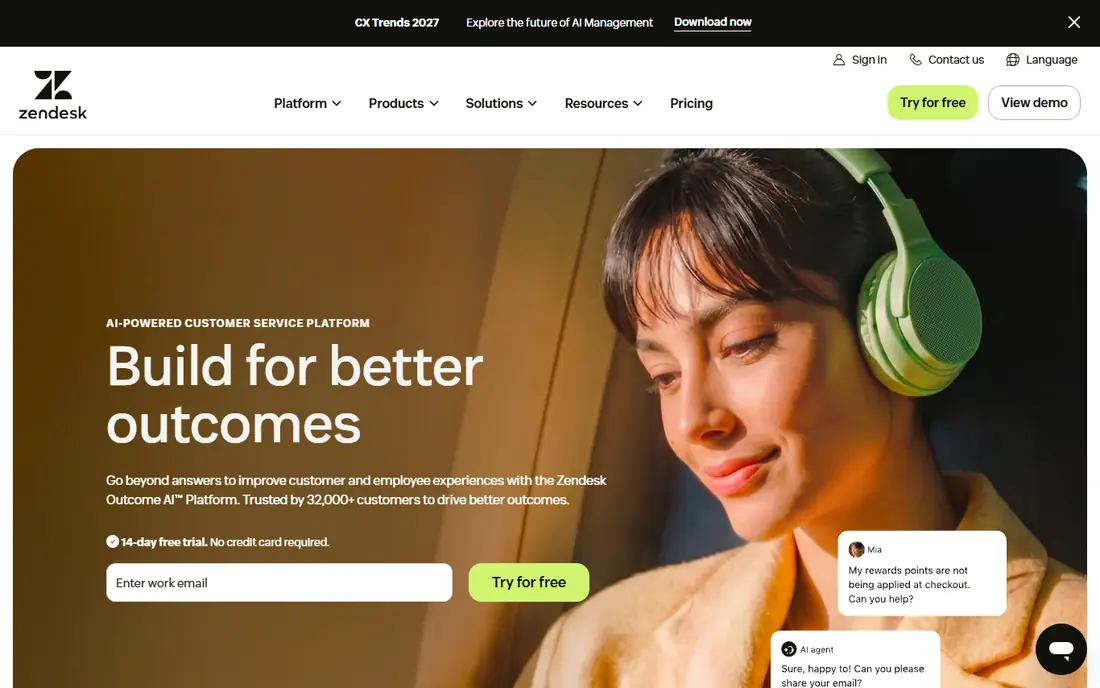
Zendesk suits larger support teams that need structure beyond a chat widget. Tickets, live chat, email, phone, and social messages flow into one agent workspace, with routing, macros, and reporting to manage volume. That structure helps when support spans many channels and many agents.
The desktop agent experience is the core strength, with a web workspace that works on Mac and Windows computers. Workforce planning, quality tools, and telephony extend the platform for teams that run a full service operation. Integrations cover CRMs, commerce tools, and internal systems.
The trade-off is price and complexity. Entry pricing is listed at $19 per agent per month in recent comparisons, with higher tiers and AI add-ons raising the bill. Small teams may find the setup heavier than Crisp or Tawk.to. For structured, omnichannel support at scale, Zendesk remains a safe, proven choice.
- Strong ticketing and omnichannel routing
- Telephony and workforce tools
- Broad integrations
- Per-agent pricing rises fast for large teams
- AI features often need add-ons

Sendbird suits product teams building chat directly into their own desktop or mobile app. APIs and UI kits cover one-to-one chat, group chat, and channels, with moderation, push notifications, and file sharing. That toolkit lets a team ship in-app messaging without building chat infrastructure from scratch.
The platform also covers AI agents for support, with handoff to human agents when needed. Integrations with Zendesk, Salesforce, Shopify, and Intercom help teams connect chat to existing support workflows. Desktop web support means users on computers get the same chat experience as mobile users.
The catch is pricing at scale. Sendbird prices by monthly active users, so a growing user base raises the bill even if only some users chat. Moderation and other add-ons can cost extra, so confirm the full stack before committing. For custom in-app chat with scale, it is a strong, feature-rich choice.
- Chat, voice, and video APIs for custom apps
- Moderation and push tools
- Integrations with Zendesk and Salesforce
- Usage-based pricing can rise with active users
- Some add-ons like moderation cost extra
Stream, also known as GetStream, suits developers who want to build chat quickly with clear documentation. SDKs cover React, React Native, iOS, Android, and Flutter, with ready UI components that cut build time. Desktop web chat works through the same APIs, so a team can ship one chat system across platforms.
The developer experience is the main draw, with docs, examples, and support that help small teams move fast. Features cover messaging, reactions, threads, file sharing, and moderation, with activity feeds available as a separate product. That breadth helps when chat sits inside a social or community product.
The limit is cost growth. Pricing rises with users and usage, which can surprise teams after a launch spike. Check the pricing model against a 10-times user estimate before you commit, and confirm which features sit on each tier. For developer-friendly chat APIs, Stream is a top pick.
- Clear docs and SDKs for web, iOS, Android, and Flutter
- Ready UI components
- Fast to prototype
- Pricing can climb with user growth
- Some advanced features need higher tiers
CometChat suits teams that want to ship chat fast without building a custom interface. Ready UI kits for web and mobile cover chat, calls, and moderation, with customization for branding. That speed matters for startups that need messaging in weeks, not months.
Pricing is often lower than Sendbird or Stream for similar user counts, which helps smaller teams. Voice and video calling options extend chat into live conversations, which suits telehealth, tutoring, and marketplace products. Desktop web support keeps computer users in the same chat system.
The trade-off is ecosystem size. CometChat has less independent coverage than Sendbird or Stream, so test support and docs during a trial. Enterprise features and higher limits sit on higher tiers, so confirm the plan that covers your user count. For fast, affordable in-app chat, it is worth a trial.
- Ready UI kits for fast shipping
- Lower cost than some rivals
- Voice and video calling options
- Less brand recognition than Sendbird or Stream
- Enterprise features need higher tiers
Crisp suits small teams that want a simple shared inbox without a large bill. The free plan covers live chat and a shared inbox, with a desktop web workspace for agents. Setup is quick: add a widget to a site or app, invite teammates, and start replying.
Paid plans add automation, knowledge base tools, and AI features, with entry pricing listed at $25 per month in recent comparisons. That ladder lets a team start free and pay only when volume or features demand it. The interface stays clean, which helps teams without a dedicated support lead.
The limit is depth. Advanced automation, reporting, and AI tools sit on paid plans, and larger teams may outgrow the simple inbox. For a small team that needs reliable desktop messaging at low cost, Crisp is a practical, friendly choice.
- Free plan for small teams
- Shared inbox with live chat
- Simple setup on desktop web
- Advanced automation and AI need paid plans
- Pricing rises with team size
Tawk.to suits small businesses that need free live chat without a trial clock. The core widget is free, with a desktop agent experience on web, Mac, and Windows, plus mobile apps for agents on the move. Ticketing and a knowledge base sit in the same free product, which is generous.
The free model has no seat limit on core chat, which helps teams that cannot justify per-agent pricing yet. Paid add-ons cover AI assist, video chat, and removal of branding, so teams can add features only when needed. That flexibility suits solo founders and small shops.
The trade-off is polish. The widget and agent interface feel plainer than Intercom or Crisp, and advanced automation is lighter. Support is community and documentation-led for free users. For free, dependable desktop live chat, Tawk.to is hard to beat.
- Free live chat with no catch on core features
- Desktop and mobile agent apps
- Ticketing and knowledge base included
- AI and advanced features are paid add-ons
- Design is plainer than Intercom or Crisp
Freshchat, from Freshworks, suits mid-size teams that want chat inside a wider support suite. The free plan covers live chat for up to 10 agents in recent comparisons, with a shared inbox and basic automation. Desktop web agents can reply, assign, and track conversations in one workspace.
The Freshworks link is a plus for teams already using Freshdesk or Freshsales, since data and workflows can connect. Paid plans add AI bots, advanced automation, and deeper reporting, with entry pricing that varies by tier. That ladder suits growing teams that need more structure over time.
The catch is tier clarity. AI sessions and advanced features sit on paid plans with separate metering, so confirm the full cost before buying. For a mid-size team that wants a free start and a path to a full suite, Freshchat is a solid option.
- Free plan for small teams
- Shared inbox with automation
- Part of the Freshworks suite
- Some AI features need paid plans
- Pricing and feature tiers can confuse new buyers
How we picked these
We compared official pricing pages, feature pages, and recent messaging comparisons, and we kept only tools that offer in-app or on-site messaging with a desktop agent experience in 2026. We mixed full support platforms with chat APIs, since readers use the phrase for both jobs. We checked pricing models, free plans, and whether each tool suits a small team, a large team, or a product team building chat.
How to choose a desktop in-app messaging solution
Start by naming the job. If you need support chat on your site or app, pick Intercom, Zendesk, Crisp, Tawk.to, or Freshchat. If you need chat inside your own product, with custom screens and data, pick Sendbird, Stream, or CometChat. Mixing these jobs up is the most common costly mistake.
Next, model the price at 10 times your current size. Per-seat pricing grows with your team, while usage pricing grows with your users, and AI pricing grows with resolutions. A tool that looks cheap at 100 users can look very different at 10,000 users or 20 agents. Ask each vendor for a quote at your next milestone, not just today.
Then test the desktop experience. Agents spend hours in the inbox, so check keyboard shortcuts, assignment, macros, search, and reporting on a real computer. For user-facing chat, test the widget on desktop web, including load time, accessibility, and mobile fallback. A pretty widget with a slow inbox will frustrate your team.
Finally, check data, privacy, and exit options. Confirm where data is stored, how long messages are kept, and how you export conversations if you leave. Check moderation, spam controls, and compliance needs for your industry. A messaging tool holds customer conversations, so those answers matter as much as features.
Frequently asked questions
What is a desktop in-app messaging solution?
It is a tool that lets users message you inside your app or on your website, with agents replying from a desktop inbox or web workspace. Some tools are full support platforms, while others are APIs that developers use to build chat into their own app. The desktop part refers to the agent and user experience on computers.
Which in-app messaging tool is best for a small team?
Crisp and Tawk.to are the best small-team picks here, with free plans and simple setup. Freshchat also offers a free plan for small teams. Intercom and Zendesk suit larger teams with bigger budgets and more complex workflows.
How is in-app messaging priced?
Pricing varies: Intercom and Zendesk charge per seat or agent, Sendbird and Stream charge by users and usage, and Crisp, Tawk.to, and Freshchat offer free plans with paid upgrades. AI resolutions often cost extra per outcome or session, so model the full bill before buying.
Can I build custom chat into my own app?
Yes. Sendbird, Stream, and CometChat offer APIs and UI kits for custom chat in web, iOS, Android, and desktop web apps. They handle messaging infrastructure, moderation, and push, so your team focuses on the product experience rather than chat servers.
Do these tools work on Mac and Windows?
Yes, through web agent workspaces that run on both systems, with some tools also offering desktop apps. Tawk.to offers desktop agent apps, while Intercom, Zendesk, Crisp, and Freshchat run as web workspaces. Check the exact app options for the tool you choose.
What should I check before switching messaging tools?
Check message history export, user data migration, widget setup time, and pricing at your next growth milestone. Test the agent inbox with your real team, not just a demo, and confirm moderation, privacy, and compliance needs. A trial with real conversations tells you more than a feature list.
Sources
- https://www.gleap.ai/blog/best-in-app-messaging-tools-saas-2026
- https://botpress.com/blog/botpress-vs-sendbird
- https://discuss.huggingface.co/t/what-are-the-best-chat-api-providers-for-adding-real-time-messaging/190947
- https://botpress.com/blog/live-chat-software
- https://www.helpdocs.io/knowledge-base-comparison/intercom-alternative/
See where you really rank - block by block
ProMapRanker scans Google Maps across a grid of your service area. Simple monthly plans from $19, white-label on every plan.
Start freeKeep reading
 zyte alternatives
Best Zyte Alternatives in 2026
These zyte alternatives cover managed scraping APIs, proxy networks and no code tools for lawful collection from your own or consented sources only in 2026.
Read → zerto alternatives
Best Zerto Alternatives in 2026
Compare the best zerto alternatives for disaster recovery and replication, with recovery targets, cloud options and honest trade-offs for teams in 2026.
Read → zerofox alternatives
Best ZeroFox Alternatives in 2026
We compared 9 zerofox alternatives for brand protection, phishing takedowns, dark web monitoring, and social impersonation, with clear coverage notes.
Read →