 ProMapRanker
Best Design Feedback Tools in 2026

Key takeaways
- Figma suits UI and prototype feedback where comments sit directly on the design file.
- Filestage, Ziflow, and PageProof suit formal approval workflows with versions, audit trails, and sign off.
- Frame.io suits video feedback, while Markup.io and BugHerd suit live website feedback.
- The best design feedback tool depends on file type, reviewer count, and whether approval must be auditable.
- Free reviewer access matters: tools that charge for every reviewer can become costly fast on client work.
Quick comparison
| Pick | Great for | Pricing starts at | Free tier | |
|---|---|---|---|---|
 Figma | UI prototype feedback | $15 per editor per month | Yes | Visit |
 Frame.io | Video review | $15 per user per month | Yes | Visit |
 Filestage | Marketing approvals | $199 per month | Yes | Visit |
 Ziflow | Enterprise proofing | $199 per month | Yes | Visit |
 Pastel | Simple web feedback | See website | Yes | Visit |
 Markup.io | Live website markup | $79 per month | No | Visit |
 ReviewStudio | Simple creative review | $12 per user per month | Yes | Visit |
 GoVisually | Small team proofing | $16 per user per month | No | Visit |
 PageProof | Secure brand proofing | See website | No | Visit |
The best design feedback tools
Design feedback fails when comments live in email, chat, and screenshots that no one can trace to a version. The tools below put comments on the work itself, track versions, and record approvals. Some focus on UI design, others on video, print, packaging, or live websites. We compared official pricing and feature pages, and we focused on annotation precision, reviewer access, version control, and approval workflows.
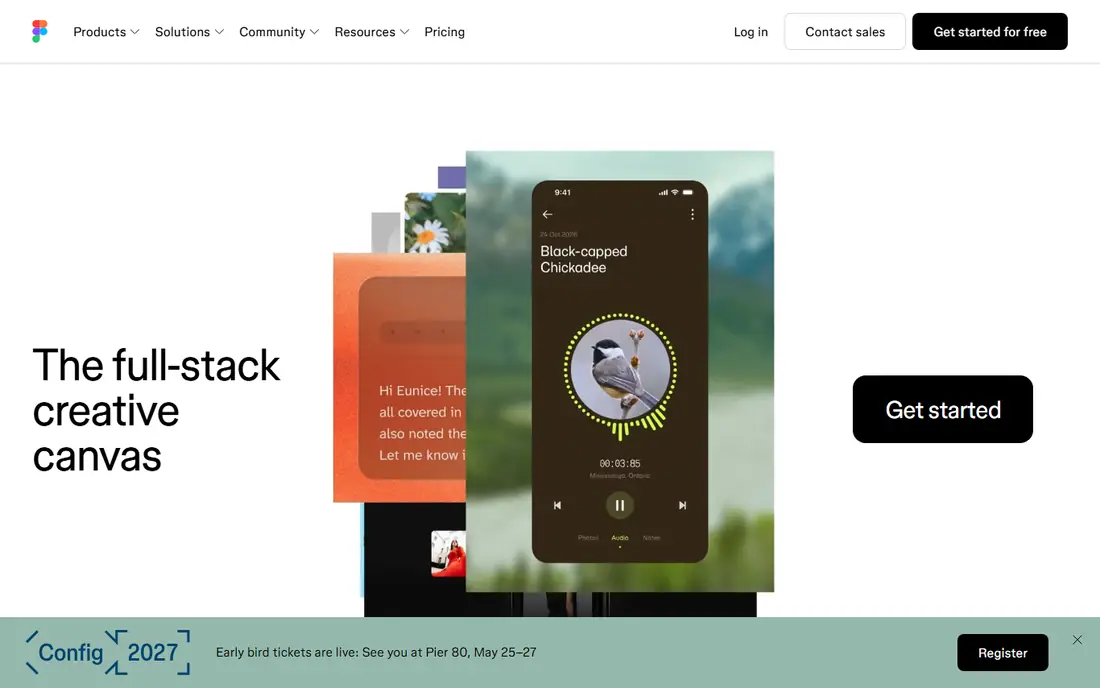
Figma is the natural home for UI and UX feedback, because comments sit on the exact frame, component, or prototype screen under review. Stakeholders can reply in threads, resolve comments, and see changes in the same file, which reduces the confusion of screenshot based feedback. Version history helps teams trace what changed between review rounds.
Figma is less suited to formal proofing of video, packaging, or print files, where dedicated proofing tools offer better comparison and approval controls. It also works best when reviewers are comfortable opening a design file, even in view only mode. For product and design teams that already work in Figma, it is the simplest and most direct feedback option.
- Comments directly on frames and prototypes
- Real time collaboration
- Strong version history and sharing controls
- Reviewers need familiarity with Figma
- Proofing for video and print is limited
- Editor pricing applies to contributors
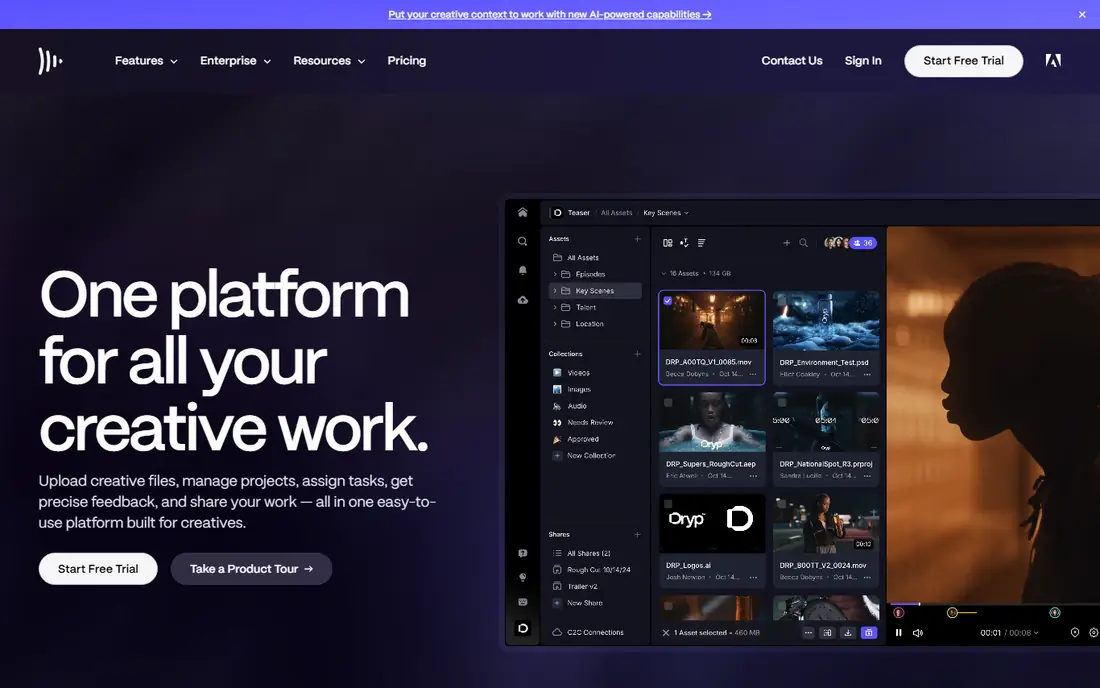
Frame.io suits video teams because comments attach to a timecode, so a reviewer can point to an exact frame rather than describing a moment in words. Drawings and annotations on video help directors and editors understand requested changes quickly. Adobe integration helps teams that edit in Premiere Pro or After Effects.
The limit is scope. Frame.io is not a general proofing tool for print, packaging, or web pages, and storage allowances matter for teams with large video libraries. Reviewer access through share links helps keep costs down, because not every reviewer needs a paid seat. For video heavy teams, Frame.io remains a strong specialist choice.
- Time coded video comments
- Adobe integration
- Share links for reviewers without seats
- Focused on video, not general design proofing
- Storage limits vary by plan
- Higher tiers needed for advanced security
Filestage suits marketing teams and agencies that need a clear approval trail for campaigns. Reviewers can annotate files, request changes, and approve versions in one place, while managers see who has reviewed and what is still pending. Automated reminders reduce chasing, and version comparison helps teams see what changed between rounds.
The monthly entry price makes Filestage a poor fit for a single freelancer or a very small team. It pays off when a team handles many assets, many reviewers, and formal sign off. Teams should test the workflow with a real campaign, because approval steps that look good on paper can feel heavy if they do not match how clients actually respond.
- Structured review and approval workflows
- Supports many file types
- Version comparison and automated reminders
- Monthly price is high for small teams
- Setup takes time for complex workflows
- Some features need higher tiers
Ziflow suits large marketing departments and enterprises that need controlled, auditable approvals. It routes proofs through stages, records decisions, and supports a very wide range of file types, from video to packaging artwork. That control helps regulated teams and large brands that cannot afford an unapproved version to slip through.
Small teams will find Ziflow heavy and costly. The platform rewards organizations with defined approval stages and many stakeholders. For a large team that needs compliance, audit trails, and automated routing, Ziflow is one of the most complete proofing tools on this list.
- Multi stage approval routing
- Audit trail and compliance features
- Supports over a thousand file types
- High entry price for small teams
- Setup can be complex
- Reviewer seats and limits vary by plan
Pastel suits freelancers and small agencies that need fast feedback on websites and PDFs without a complex system. A client opens a link, clicks on a page element, and leaves a comment in place. That simplicity reduces the back and forth of annotated screenshots and long email threads.
Pastel is not a full enterprise proofing platform. It lacks the deep approval routing and audit features of Filestage or Ziflow, and it is less suited to video or packaging workflows. For web design feedback where speed and client ease matter most, Pastel is a practical and low friction choice.
- Simple link sharing for website feedback
- Pin comments on live pages
- Easy for clients with no training
- Less suited to formal print or video proofing
- Advanced workflow features are limited
- Pricing varies by plan
Markup.io suits web design teams that review live sites rather than static files. Reviewers can annotate a live page, and comments stay tied to the element and screen context, which helps developers fix issues without guessing. The browser extension makes capture fast during a review session.
The weakness is scope and price. Markup.io is not a general proofing tool for video, print, or packaging, and there is no free plan for casual use. Teams that review websites every week will get value from the focused workflow. Teams that only review a site occasionally may prefer a simpler tool with a free tier.
- Annotates live websites directly
- Browser extension for quick capture
- Comment threads tied to page elements
- No free plan
- Focused on web, not general file proofing
- Pricing can be high for occasional use
ReviewStudio suits creative teams that want simple proofing without enterprise cost or complexity. Reviewers can mark up images, video, and PDFs, leave threaded comments, and track versions and approvals. The free plan helps small teams test real client work before paying.
Enterprise teams that need complex routing, compliance controls, or deep automation may find ReviewStudio light. For freelancers, small studios, and marketing teams with straightforward approval needs, that simplicity is a strength. It keeps feedback in one place without forcing clients to learn a heavy system.
- Free plan with broad reviewer access
- Simple markup for images, video, and PDFs
- Version and approval tracking
- Interface is simpler than enterprise tools
- Advanced automation is limited
- Some integrations need higher tiers
GoVisually suits freelancers and small design teams that need affordable proofing for common file types. Point and click annotations on images, video, and PDFs make feedback clear, and approval tracking keeps revisions organized. The price point is accessible for small teams that cannot justify enterprise proofing costs.
The trade off is depth. GoVisually lacks the advanced routing, automation, and compliance features of larger platforms. Teams with complex approval chains or regulated work should look at Filestage, Ziflow, or PageProof instead. For straightforward client proofing, GoVisually offers good value.
- Low cost proofing for images, video, and PDFs
- Point and click annotations
- Simple approval workflow
- No free plan
- Feature depth below Filestage and Ziflow
- Smaller integration range
PageProof suits design teams with high security needs, including brand, packaging, and regulated work. It emphasizes encryption and controlled sharing, while still supporting markup, version control, and approvals across many file types. Unlimited reviewers on suitable plans help when many stakeholders must comment without adding seat costs.
PageProof is less suited to casual or very small teams, because there is no free plan and pricing varies by plan. The workflow feels more formal than Pastel or ReviewStudio, which is a benefit for compliance heavy work and a drawback for quick informal reviews. For teams where security and audit matter, PageProof is a strong specialist choice.
- Strong security and encryption focus
- Supports many file types
- Unlimited reviewers on suitable plans
- No free plan
- Pricing varies by plan
- Interface can feel formal for casual feedback
How we picked these
We compared official pricing and feature pages for tools that collect design feedback on the work itself, not just in chat or email. We looked for annotation precision, version control, approval workflows, reviewer access models, and file type support. We favored tools with a current free plan or trial where offered, and we excluded tools that had shut down or were limited to a single file type with no approval tracking. Prices are starting prices checked in October 2026, and where pricing varies we wrote See website rather than guessing.
What to check before you buy
The best design feedback tool is the one reviewers will actually use, with a record you can trust when a version is approved.
Match the tool to the file type
UI teams need Figma style frame comments. Video teams need timecoded comments. Print and packaging teams need precise comparison and approval controls. Web teams need live page markup. A tool that excels at one file type may handle others poorly, so test your main file type first.
Check reviewer costs
Some tools charge per seat for every reviewer, while others allow free reviewers through share links. For client work, that difference can decide the total cost. Count external reviewers, not just internal team members, when you compare plans.
Test version comparison
Upload two versions of the same file and check whether reviewers can see what changed. Good comparison tools prevent comments on an old version and reduce duplicate feedback. Poor version control is a common cause of rework in design teams.
Confirm the approval record
If approval matters for compliance or client sign off, check that the tool records who approved, when, and which version. A comment thread alone is not an approval record. For formal work, that audit trail is as important as the annotation tools themselves.
Frequently asked questions
What are the 10 best design feedback tools?
This list covers nine strong options, from Figma for UI work to Frame.io for video and Filestage for formal approvals. A tenth option depends on your niche: BugHerd suits website bug feedback, while Krock.io suits multi format creative review. The best design feedback tool for you depends on file type and approval needs, not on a single ranking.
What is the best design feedback tool for small teams?
ReviewStudio, GoVisually, and Pastel suit small teams because they are simple, affordable, and easy for clients to use. Figma also suits small product teams that already design in Figma. Larger teams with formal approvals should look at Filestage, Ziflow, or PageProof.
Can clients leave feedback without a paid account?
Yes, on many tools reviewers can comment through a share link without a paid seat. Figma allows view only reviewers, Frame.io allows share link reviewers, and PageProof offers unlimited reviewers on suitable plans. Check the reviewer model for your chosen plan, because it affects cost on client heavy work.
Do design feedback tools support video?
Yes, Frame.io specializes in video with timecoded comments, while Filestage, Ziflow, ReviewStudio, GoVisually, and PageProof also support video proofing to varying degrees. Figma and Markup.io are less suited to video, because they focus on UI files and live websites.
How do design feedback tools handle versions?
Most tools on this list track versions, show version history, and let reviewers comment on a specific version. Filestage, Ziflow, and PageProof add stronger approval and audit controls. Always confirm that comments on an old version do not carry over confusingly to a new version.
Sources
See where you really rank - block by block
ProMapRanker scans Google Maps across a grid of your service area. Simple monthly plans from $19, white-label on every plan.
Start freeKeep reading
 zoro.to alternatives
Best Zoro.to Alternatives in 2026
We compare the best zoro.to alternatives in 2026, listing only legal licensed anime streaming services, from Crunchyroll to free options for fans today.
Read → zip alternatives
Best Zip Alternatives in 2026
We compare the best zip alternatives for buy now, pay later in 2026, covering pay-in-4 plans, fees, spending limits, and credit reporting options today.
Read → yesware alternatives
Best Yesware Alternatives in 2026
Compare the best yesware alternatives for sales email tracking, templates, and sequences, with current pricing and honest tradeoffs for small sales teams.
Read →