 ProMapRanker
6 Best Deck Design Software for Contractors for 2026

Direct answer
RoomSketcher leads the list, best for quick 2D/3D visuals. Alternatives: TimberTech Deck Designer for TimberTech composite deck projects, and Simpson Strong-Tie Deck Planner for structural planning and permits. Details, prices and limits for the rest of the 6 tools are below.
Key takeaways
- RoomSketcher takes the first slot, best suited to fast 2D/3D visuals.
- For RoomSketcher and Chief Architect, you have to request a quote because no starting price is shown.
- Chief Architect suits professional residential design.
- A fair warning about Simpson Strong-Tie Deck Planner: desktop browsers only, no mobile.
Quick comparison
| Pick | Great for | Pricing starts at | Free tier | |
|---|---|---|---|---|
 RoomSketcher | Fast 2D/3D visuals | See website | Yes | Visit |
 TimberTech Deck Designer | TimberTech composite deck projects | Free | Yes | Visit |
 Simpson Strong-Tie Deck Planner | Structural planning and permits | Free | Yes | Visit |
 Trex Deck Designer | Designing with Trex materials | Free | Yes | Visit |
 Decks.com Deck Designer | Free plans plus design tool | Free | Yes | Visit |
 Chief Architect | Professional residential design | See website | Free trial | Visit |
6 deck design software for contractors in detail
ProMapRanker compared 6 deck design software for contractors. The goal is a practical shortlist: published prices, free plan facts, best-fit use cases and honest limits for every entry.

Pick RoomSketcher if this describes you: fast 2D/3D visuals. RoomSketcher is a simple floor plan and visualization tool with a free level that needs no credit card. It is built more for interiors and real estate than decks, so contractors will work around its focus.
The main drawbacks: Advanced features need premium Pro or Team plans.
But for fast client visuals, site context, and presentation polish at low cost, it is a capable addition to a deck contractor's toolkit. On top of that, Pro and Team plans add measurements, branding, and higher-volume work. No starting price is listed for RoomSketcher here; confirm pricing on the vendor site. Free access exists with RoomSketcher.
- AI converts blueprints to editable plans
- Free account with no credit card
- Interior-focused instead of deck-specific

Choose TimberTech Deck Designer for TimberTech composite deck projects. TimberTech's free deck designer spans custom deck shapes and sizes with choices for colors, materials, stairs, railings, and lighting, plus 3D previews.
For everyday use, contractors loyal to the brand get a refined, free design experience that feeds straight into quoting. TimberTech Deck Designer cost at the entry level: Free. TimberTech Deck Designer includes a free tier.
Where it falls short: Depth of contractor features is restricted.
- Free tool with real project cost references
- Broad range of deck shapes with stairs, railings, lighting
- Tied to the TimberTech product line
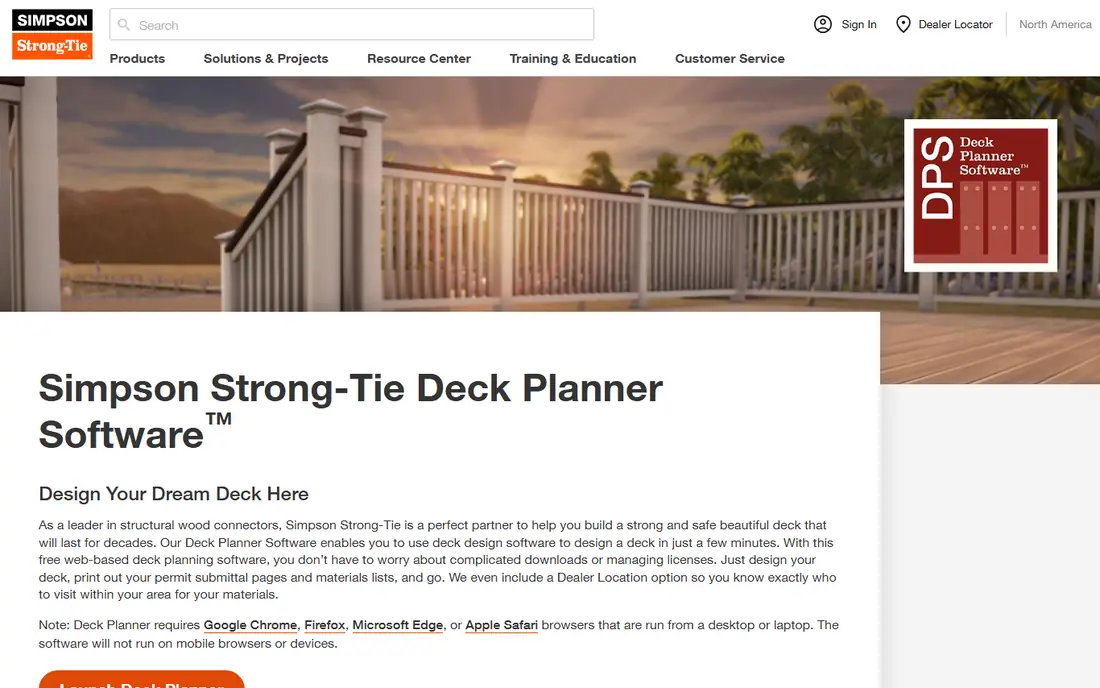
Simpson Strong-Tie Deck Planner is a good fit for structural planning and permits. The standout feature is the permit submittal output: design the deck, print the submittal pages, and go.
Limits to weigh: Desktop browsers only, no mobile.
It runs on desktop browsers only. The starting price for Simpson Strong-Tie Deck Planner: Free. Simpson Strong-Tie Deck Planner has a free plan.
- Fully free with no licenses to run
- Generates permit submittal pages and a full bill of materials
- Centred on structure rather than pretty visuals
Trex Deck Designer works best for designing with Trex materials. Trex's free Deck Design Tool lets users design decks in minutes, compare materials and colors across the Trex portfolio, and see the lead to 3D.
From a buyer's view, if you sell Trex, that is a feature; if you sell several brands, it is not. Trex Deck Designer cost at the entry level: Free. A free plan is available with Trex Deck Designer.
Drawbacks to consider: Designs use Trex products only.
- Free with 3D previews and multi-level layouts
- Built on 30 years of decking expertise
- Aimed partly at homeowners instead of contractors
Where Decks.com Deck Designer fits: free plans plus design tool. The designer uses a drag-and-drop interface with 2D and 3D views, and the generated designs come with real build guidance.
For contractors, the plans library and estimator content are as valuable as the designer itself: ready-made plans for typical jobs and educational content to share with clients. Entry price for Decks.com Deck Designer: Free. You can start on Decks.com Deck Designer without paying.
What to check first: Ad-supported ecosystem with brand partnerships.
- 80-plus professional deck plans included
- Free virtual deck designer with a drag-and-drop interface
- Less refined than premium tools
For professional residential design, Chief Architect is a natural candidate. A trial is available. Pricing is not published.
Watch-outs: More software than a deck job needs.
Upsides: 3D Viewer app shares models with clients. It is overkill if you only build decks, but for design-build contractors who do additions, remodels, and outdoor living, it is the professional standard. As for the details, smart building technology draws walls and creates the 3D model simultaneously, with automatic roofs, foundations, framing, dimensions, and materials lists that update as the design changes. On top of that, the 3D Viewer app lets clients explore the model, and the software produces construction drawings, elevations, and site plans. This comparison lists no price for Chief Architect; ask the vendor. As for free access: Free trial.
- Purpose-built for residential design with automatic roofs, framing
- Professional construction drawings
- Premium with no published pricing on the page reviewed
How we compared the tools
ProMapRanker used vendor pricing pages and product documentation as the base, then compared plans, free access and documented limits for 6 tools. Seat minimums, billing terms and add-ons can move the real cost, so the starting prices here are a guide and not a quote. The ranking is editorial: typical fit first, then clear pricing, then free access. If your needs are unusual, read the profiles rather than relying on position.
Questions to settle before buying
- Get a written quote from RoomSketcher and Chief Architect; the list shows no starting price for them.
- Read the fine print on the free plans from RoomSketcher, TimberTech Deck Designer, Simpson Strong-Tie Deck Planner and others; seat, project and feature caps differ.
- Run a trial of Chief Architect with real work before paying for a year; your own workflow is the best test.
- Before choosing RoomSketcher, weigh its main limit: Interior-focused instead of deck-specific.
- List the apps you already depend on and check that Simpson Strong-Tie Deck Planner supports each one on the plan you would buy.
- Run a one or two week pilot of RoomSketcher with the people who will use it every day.
Frequently asked questions
Can I try these tools before paying?
Often, yes. RoomSketcher, TimberTech Deck Designer, Simpson Strong-Tie Deck Planner and others have a free plan and Chief Architect offers a free trial. Use your own data and a real task during the test, and check what the free tier or trial limits before you rely on it.
Do I need permits to build a deck?
In most US jurisdictions, yes, particularly for raised or attached decks. Requirements vary by locality. Always check with your local building department.
How are the tools for deck design software for contractors ordered?
RoomSketcher sits first and Chief Architect last because the order follows typical fit for deck design software for contractors, then price clarity and free access. It is a judgement call, so read each profile for fit and limits.
Is RoomSketcher the right pick for everyone comparing deck design software for contractors?
No single tool suits every team. RoomSketcher comes first because it fits quick 2D/3D visuals, while TimberTech Deck Designer suits TimberTech composite deck projects and Simpson Strong-Tie Deck Planner suits structural planning and permits. Match the tool to your own size, budget and workflow before deciding.
Do these tools publish their prices?
Not all of them. RoomSketcher and Chief Architect publish no starting price, so expect a quote request for those. The rest, TimberTech Deck Designer included, show a starting price, though seats and billing terms still change the final cost.
Sources
See where you really rank - block by block
ProMapRanker scans Google Maps across a grid of your service area. Simple monthly plans from $19, white-label on every plan.
Start freeKeep reading
 zscaler alternatives
Best Zscaler Alternatives in 2026
Looking for zscaler alternatives? We compare 9 SASE and zero trust platforms on architecture, data protection, pricing, and fit for your network and team.
Read → zapier alternatives free
Best Zapier Alternatives Free in 2026
Nine automation tools for zapier alternatives free in 2026, all with genuinely free tiers, plus free plan limits, starting prices and upgrade paths explained.
Read → which platform is best for online reputation
Which Platform Is Best for Online Reputation in 2026
Wondering which platform is best for online reputation? We compare 8 review, listing, and response tools for small and multi-location businesses and agencies.
Read →