 ProMapRanker
Best Daycare Apps for Parents in 2026

Key takeaways
- Brightwheel is the best starting point for many small to mid size centers, with a free basic plan and strong parent communication.
- Procare suits larger centers and multi site groups that need payroll, billing, and central administration in one system.
- Lillio, formerly HiMama, suits programs that want learning portfolios and educator focused daily reports.
- Famly and Playground suit centers that want simple pricing and clear daily updates for parents.
- Children's data needs extra care, so check each app privacy policy, photo sharing controls, and who can view your child records before you enroll.
Quick comparison
| Pick | Great for | Pricing starts at | Free tier | |
|---|---|---|---|---|
 Brightwheel | Small to mid size centers | Free | Yes | Visit |
 Procare | Large centers and groups | See website | No | Visit |
 Lillio | Learning portfolios | See website | No | Visit |
 Famly | Clear daily updates | See website | Free trial | Visit |
 Playground | Simple center management | See website | Free trial | Visit |
 Kangarootime | All in one center operations | See website | Free trial | Visit |
 Daily Connect | Simple parent updates | Free | Yes | Visit |
 illumine | Global centers on a budget | See website | Free trial | Visit |
The best daycare apps for parents
Daycare apps help parents see daily updates, photos, meals, naps, and billing in one place, instead of relying on paper notes and scattered texts. The apps below are legitimate parent and daycare communication and management tools used by real centers. We compared them on parent updates, check in, billing, lesson and portfolio tools, and privacy controls for children's data.

Brightwheel is one of the most widely used daycare apps in the United States, and its free basic plan makes it easy for small and home based programs to start. Parents receive daily reports, photos, messages, and check in updates in the app, while centers can send tuition invoices and collect payments in the same place. That combination explains why many parents first meet a daycare app through Brightwheel.
The free plan covers core communication and billing basics, but lesson planning, advanced reporting, and some integrations need a paid premium plan. Parents should also check photo sharing settings with their center, so they know who can view and download images of their child. For most small to mid size centers, Brightwheel is a strong first choice.
- Free basic plan for small programs
- Clear daily reports and photos
- Tuition invoicing included
- Premium features need a paid plan
- Advanced analytics sit on higher tiers

Procare is a long established childcare management system built for larger centers, franchises, and multi site groups. It covers attendance, billing, payroll, staff scheduling, and parent communication, with central reporting across locations. Parents using a Procare center get updates, billing statements, and messages through the parent app, while administrators get deeper control behind the scenes.
That depth comes with cost and complexity. Procare is usually more expensive than Brightwheel or Playground, and staff training takes longer. For a large center that needs payroll and multi site finance, that trade off makes sense. For a small single classroom program, a simpler app may be a better fit.
- Deep administration for large centers
- Payroll and multi site tools
- Detailed reporting
- Higher cost and learning curve
- Can feel complex for a small single site center
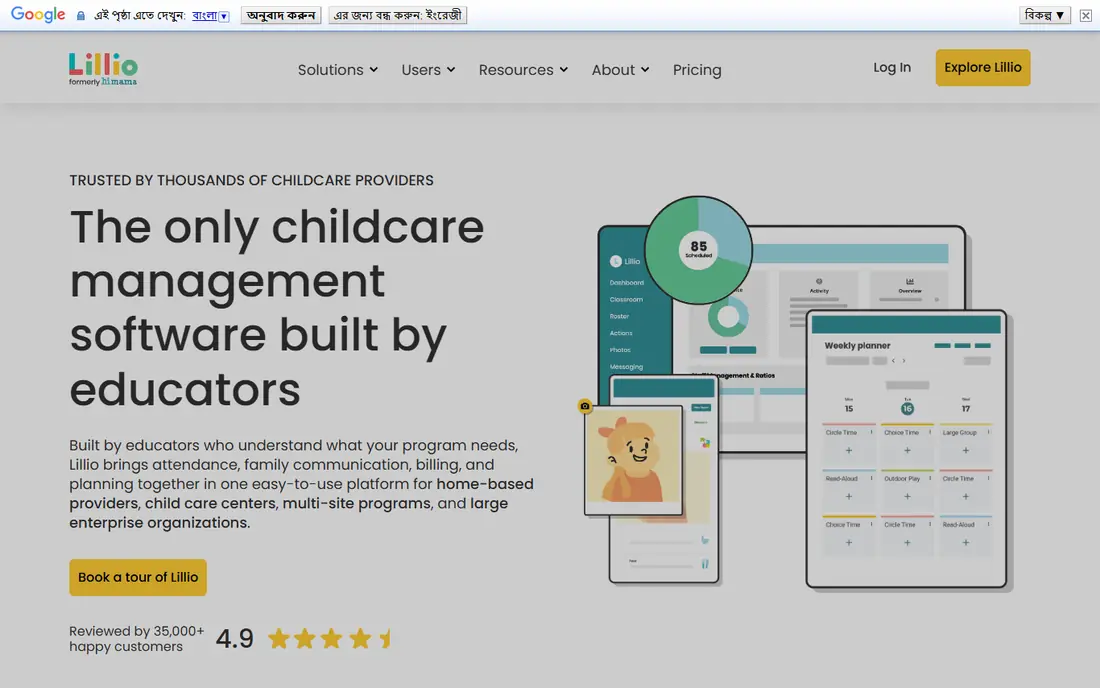
Lillio, formerly known as HiMama, focuses on educator observations and learning portfolios alongside daily parent updates. Teachers can record observations, link them to developmental goals, and build a portfolio that parents can follow over time. That learning focus suits programs that want to show progress, not just meals and naps.
Pricing is quote based, so centers need to ask for a plan that matches their size and features. Billing tools are present but simpler than Procare deep finance system. Parents who value learning updates and portfolio records will find Lillio a strong choice, especially in programs with a clear curriculum.
- Educator focused observations
- Learning portfolios
- Parent messaging and newsletters
- Pricing is quote based
- Billing tools are simpler than Procare
Famly is a childcare platform used by many centers in Europe and internationally, with a clean parent app for daily logs, photos, messages, and invoicing. Its design is easy for parents to read at a glance, which helps busy families check updates during the day. It also includes admissions and invoicing tools for centers.
Availability and support vary by region, so US parents should confirm that their center uses Famly as its main system and that local support is available. Pricing is also region dependent. For centers that use Famly well, parents get a clear, tidy daily view without a cluttered interface.
- Clean parent app design
- Invoicing and admissions tools
- Multi language support in many regions
- Stronger in Europe than in some US regions
- Pricing varies by region and size
Playground is a childcare management app that aims to keep pricing and setup simple for centers. Parents receive daily reports, photos, and messages, while centers handle enrollment, billing, and attendance in one dashboard. Its onboarding is generally straightforward, which helps centers get parents into the app quickly.
It does not match Procare on deep multi site administration or Lillio on learning portfolios, but many centers do not need that depth. If your center uses Playground, expect a clear daily feed, simple billing, and a parent app that is easy to learn.
- Simple pricing for many centers
- Daily reports and billing
- Easy parent onboarding
- Fewer deep enterprise features than Procare
- Lesson tools are simpler than Lillio
Kangarootime combines childcare operations with a parent app, covering enrollment, billing, attendance, classroom management, and parent communication. That all in one scope suits centers that want to replace several separate tools with one system. Parents get updates and billing in the same app they use to message the center.
Pricing is quote based, and the full scope can be more than a very small program needs. Centers should check which modules are included in their plan, so parents are not promised features the center has not turned on. For mid size centers, Kangarootime is a practical all in one option.
- Combined operations and parent app
- Billing and enrollment tools
- Classroom management
- Pricing is quote based
- Smaller centers may not need the full scope
Daily Connect is a simple parent communication app that focuses on daily reports, photos, meals, naps, and messages. It suits small centers, home daycares, and nannies who want to share updates without a full management system. Its free tier makes it easy to test, and paid plans add more children, staff, and features.
It is not a full billing and payroll system, so larger centers will need another tool for finance and administration. For parents, though, the appeal is simplicity: one feed of daily updates that is easy to check. Ask your center which plan it uses, so you know whether billing and enrollment are also in the app.
- Free tier for basic use
- Simple daily reports
- Easy for small centers and nannies
- Management and billing tools are thinner than full center systems
- Paid plans needed for more features
illumine is a childcare management app used by centers in many countries, with parent communication, billing, lesson planning, and enrollment tools. Its per student pricing model can work out lower than flat monthly plans for small centers, which is why it appears on many budget shortlists. Parents receive real time updates, photos, and messages through the app.
Support and feature availability vary by region, so parents should confirm with their center how illumine is used day to day. Privacy terms also matter, especially for centers outside your home country, so check where data is stored and who can access it. For global and budget focused centers, illumine is a legitimate option to consider.
- Low per student pricing in many plans
- Real time parent updates
- Billing and lesson tools
- Availability and support vary by region
- Some features depend on the plan chosen
How we picked these
We compared official vendor pages, pricing pages, and public documentation to check that each app is still available in October 2026. We included only legitimate parent and daycare communication and management apps, and we avoided apps that are mainly general school tools without daycare specific features. Where a vendor uses quote based or per student pricing that varies by size, we wrote See website rather than quoting a single figure. Parents should always confirm privacy, photo, and data retention terms with their own center, because center settings control much of what parents see.
Choosing the right daycare app
In most cases, parents do not choose the app alone. The center chooses it, and parents use the parent app that center provides. That means the best question is not only which app is best in general, but which app your shortlisted centers actually use well. Visit the center, ask to see a sample daily report, and check how quickly staff reply to messages in the app.
Privacy notes for children's data
Children's photos, names, attendance, and health notes are sensitive. Ask your center who can view photos, whether photos can be downloaded or shared outside the app, how long records are kept, and whether you can request deletion when your child leaves. Check the app privacy policy as well, and prefer centers that limit photo access to authorized staff and parents of that child.
Check billing and communication in one place
A good daycare app should show daily updates, billing, and messages without forcing parents into email, text, and paper at the same time. If billing lives elsewhere, ask how statements are sent and how payment problems are handled. Clear billing in the app reduces missed payments and confusion at enrollment time.
Frequently asked questions
Do parents choose the daycare app, or does the center?
The center usually chooses the management system, and parents use the parent app for that system. When comparing centers, ask which app each center uses and request a sample daily report before you enroll.
Which daycare app is free for parents?
Parent apps are usually free for parents to download and use, because the center pays for the system. Brightwheel also offers a free basic plan for centers, and Daily Connect offers a free tier for basic use. Check with your center, because center plans control parent features.
Which app is best for small daycare centers?
Brightwheel is often best for small centers, thanks to its free basic plan and simple parent communication. Playground and Daily Connect also suit small programs that want simple daily updates without a complex system.
How do these apps protect children's privacy?
Reputable apps use account controls, encrypted connections, and role based access so only authorized staff and parents see a child records. Centers also set photo and sharing rules, so parents should ask their center about photo access, download controls, and data retention.
Can I see billing and payments in the same app?
In many cases yes. Brightwheel, Procare, Playground, Kangarootime, Famly, and illumine include billing or invoicing tools, though the exact features depend on the center plan. Daily Connect is more focused on updates than full billing.
Sources
See where you really rank - block by block
ProMapRanker scans Google Maps across a grid of your service area. Simple monthly plans from $19, white-label on every plan.
Start freeKeep reading
 zoho inventory alternatives
6 Alternatives to Zoho Inventory, Compared on Price and Fit
Zoho Inventory alternatives: 6 tools compared on price, free plans and fit. Katana leads the list for manufacturers. Fit and flaws are laid out for each entry.
Read → zoho crm alternatives
Best Zoho CRM Alternatives (2026)
Need Zoho CRM alternatives? We compare 7 tools on cost, free access and who each suits. Every pick gets a straight assessment. Built for quick decisions.
Read → zelle alternatives
Best Zelle Alternatives in 2026
Compare the best Zelle alternatives for sending money to friends, paying sellers and moving funds abroad, with honest notes on fees, speed and safety in 2026.
Read →