 ProMapRanker
Best Data Modeling Tools in 2026


Governed enterprise modelling · Pricing starts at: See website
Key takeaways
- erwin and ER/Studio remain the enterprise choices for governed modelling across many databases, while dbt leads for SQL-first warehouse transformation.
- SqlDBM and dbdiagram suit cloud warehouse and fast schema work, while Lucidchart suits explaining a model to non-technical stakeholders.
- Oracle SQL Developer Data Modeler is free and strong for Oracle teams, while DbSchema offers a low-cost desktop option for many databases.
- Prices range from free for Oracle and Lucidchart free plans to $2,687 per user per year for ER/Studio, with several enterprise tools priced by quote.
- Our pick for most modern data teams is dbt for transformation plus SqlDBM or dbdiagram for visual modelling, with erwin for governed enterprise work.
Quick comparison
| Pick | Great for | Pricing starts at | Free tier | |
|---|---|---|---|---|
| erwin Data Modeler | Governed enterprise modelling | See website | Free trial | Visit |
 ER/Studio | Enterprise architecture | $2,687 per year | Free trial | Visit |
 SqlDBM | Cloud warehouse modelling | See website | Yes | Visit |
 dbt | SQL warehouse transformation | $100 per month | Yes | Visit |
 Lucidchart | Visual diagrams for teams | $9 per month | Yes | Visit |
 DbSchema | Budget desktop modelling | $19.60 per month | Yes | Visit |
 dbdiagram.io | Fast schema sketches | $8 per month | Yes | Visit |
 Oracle SQL Developer Data Modeler | Free Oracle modelling | Free | Yes | Visit |
 Hackolade | NoSQL and polyglot modelling | See website | Free trial | Visit |
The best data modeling tools
Data modelling covers different jobs: drawing entity-relationship diagrams, designing logical and physical schemas, transforming data in a warehouse, and governing models across teams. No single tool does all of those jobs equally well, so we compared tools by modelling layer, database support and team workflow. We used official pricing pages, feature pages and public reviews for tools that exist and work in October 2026.
erwin Data Modeler, now from Quest, is a long-established enterprise modeller for teams that need governed models across many databases. It covers conceptual, logical and physical layers, supports forward and reverse engineering across Snowflake, Databricks, Oracle, SQL Server and many other systems, and links to data catalogues and governance tools. That breadth suits banks, healthcare groups and telecom teams with strict standards.
The trade-off is modern workflow fit. erwin is a Windows desktop application with no cloud-native browser experience, and Git-based CI/CD integration is weaker than dbt or SqlDBM. Pricing is quote-based, with perpetual and subscription options reported. For governed enterprise modelling, erwin remains a credible first choice despite its older workflow.
- Conceptual, logical and physical modelling
- Forward and reverse engineering
- Broad database support
- Governance and catalogue links
- Quote-based pricing
- Windows desktop focus
- Less suited to pull-request-driven warehouse workflows
ER/Studio from IDERA is another enterprise modeller built for architecture and governance. It covers the full lifecycle from conceptual to physical models, offers a repository with check-in and check-out, and syncs with Microsoft Purview and Collibra for governance. Team Server gives business users a portal to view models without needing the desktop tool.
Price is the main barrier. Data Architect starts at $2,687 per user per year, with Pro higher and Enterprise by quote, plus a 14-day trial. Small teams will find that hard to justify. For a large organisation that needs governed models, glossaries and metadata sync across systems, ER/Studio offers depth that lighter diagram tools cannot match.
- Conceptual to physical lifecycle
- Repository and team server
- Purview and Collibra sync
- Strong governance features
- High $2,687 per user per year starting price
- Enterprise setup
- Less suited to small warehouse teams
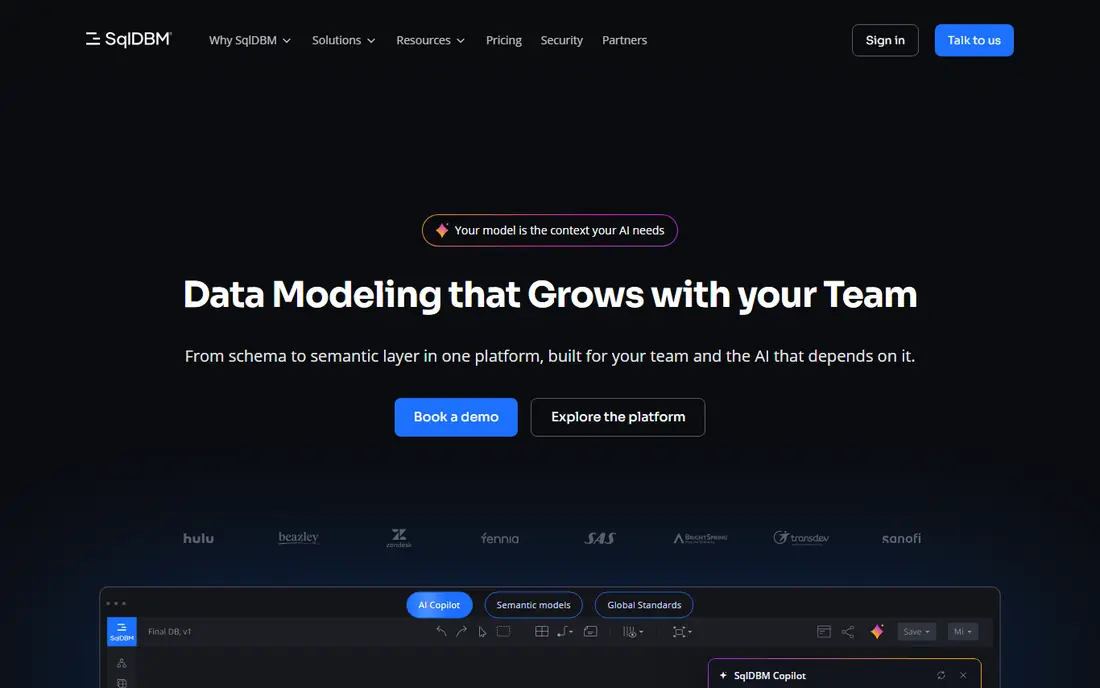
SqlDBM is a browser-based modeller built for cloud warehouse teams working with Snowflake, Databricks and similar platforms. Teams can design logical and physical models together, comment, approve changes and reverse engineer existing schemas, without installing desktop software. AI assistance on newer plans helps draft models and documentation, which speeds up early design work.
Pricing is quote-based, so teams must request a quote based on users and needs, and AI credits may cost extra. SqlDBM is less suited to teams that need offline desktop modelling or deep enterprise governance. For a cloud warehouse team that wants collaborative, browser-based modelling, SqlDBM is a strong modern choice.
- Browser-based cloud warehouse modelling
- Concurrent editing and approvals
- Reverse engineering
- AI assistance on some plans
- Pricing is quote-based on the main site
- Cloud warehouse focus suits some teams less
- AI credits are extra on some plans
dbt is not a diagram tool, but it is central to modern data modelling in the warehouse. Teams write models as SQL, test them, document them and version them in Git, turning raw warehouse tables into clean, trusted models for BI tools. dbt Core is free and open source, dbt Cloud Developer is free for one seat, and Starter starts at $100 per user per month with seats included.
The limit is visual work. dbt does not draw ER diagrams or reverse engineer a database into a visual model, so teams often pair it with SqlDBM, dbdiagram or Lucidchart. Warehouse compute costs are also separate and can exceed the dbt subscription. For SQL-first warehouse modelling, dbt is close to essential for modern data teams.
- SQL-native transformation
- Built-in testing and documentation
- Git version control
- Free Core and Developer options
- Not a visual ERD tool
- Warehouse compute costs are separate
- Starter at $100 per user per month adds up for large teams
Lucidchart is the best tool in this list for explaining a model to people who do not write SQL. Drag-and-drop ER diagrams, real-time co-editing, comments and revision history help product, business and data teams agree on a design before building it. Individual pricing starts at $9 per month billed annually, with a free plan covering 3 editable documents.
Lucidchart stops at the database engineering line. It cannot forward or reverse engineer a live database, generate DDL or enforce naming standards, so it cannot run a production modelling workflow on its own. For discovery, stakeholder review and documentation, Lucidchart is excellent. For production schema work, pair it with dbt, SqlDBM or a database-specific modeller.
- Easy drag-and-drop ER diagrams
- Real-time collaboration
- Huge template library
- Free plan with 3 documents
- No forward or reverse engineering to a live database
- No DDL generation
- No governance or naming standards enforcement
DbSchema offers a low-cost desktop option for developers who need visual schema design across relational and NoSQL databases. It supports reverse engineering, schema synchronisation, a query builder and HTML and PDF documentation, with offline-first use that suits developers who work without constant cloud access. Pro Personal is listed at $19.60 per month or $196 perpetual, with a Community edition after a trial.
Team collaboration is thinner than SqlDBM or Lucidchart, since DbSchema is primarily a desktop tool with schema files in Git. For a solo developer or small team that wants affordable, cross-database modelling without a subscription-heavy cloud platform, DbSchema offers strong value.
- Visual schema design for SQL and NoSQL
- Schema sync and query builder
- Offline-first
- Low-cost perpetual option
- Physical modelling focus
- Team features are thinner than cloud tools
- Interface feels functional rather than modern
dbdiagram.io is the fastest tool in this list for sketching a schema. Write tables in a simple DSL or import SQL, and the tool draws a clean ER diagram that can be exported as DDL or shared with a team. Personal Pro costs $8 per month billed annually, with a free plan covering 10 diagrams and Team plans for shared workspaces.
The scope is narrow by design. dbdiagram covers physical diagrams, not conceptual or logical modelling, governance or complex enterprise workflows. For a developer who needs a quick, accurate schema diagram for a feature, a review or documentation, dbdiagram is hard to beat on speed and price.
- Schema-as-code diagrams
- Fast DDL import and export
- Free plan with 10 diagrams
- Simple sharing
- Physical diagrams only
- No conceptual or logical layers
- Limited governance and collaboration on free plan
Oracle SQL Developer Data Modeler is a free standalone tool for teams centred on Oracle databases. It covers logical, relational, physical and multidimensional modelling, with forward and reverse engineering for Oracle systems and support for other databases in a more limited way. For an Oracle shop, it offers serious modelling capability at no licence cost.
The limit is focus. Non-Oracle teams will find broader tools such as erwin, ER/Studio or DbSchema more flexible, and the desktop interface takes time to learn. For an Oracle-centric team that wants free, capable modelling without a new subscription, this tool is an obvious first choice.
- Free standalone tool
- Logical, relational and physical modelling
- Oracle-focused
- Subversion support
- Oracle-centric
- Less polished for non-Oracle databases
- Desktop setup and learning curve
Hackolade fills a gap most SQL modellers miss: NoSQL and polyglot data. It designs schemas for document databases such as MongoDB, plus relational and mixed stores, with visual modelling and documentation export that help teams agree on flexible schemas. That makes it useful for product teams that mix SQL, document and event data in one system.
Pricing is higher than DbSchema or dbdiagram in some listings, starting around 175 euros per month in third-party summaries, so owners should confirm current pricing on the vendor site, which we list as See website. For a pure SQL team, Hackolade is unnecessary. For a polyglot team, it is the most versatile modeller in this list.
- NoSQL and relational schema design
- Polyglot support for document and mixed stores
- Documentation export
- Visual modelling
- Pricing starts at a higher monthly rate in some listings
- Enterprise features need higher tiers
- Less suited to pure SQL teams
How we picked these
We compared official pricing pages, feature pages and public reviews for data modelling tools that exist and work in October 2026. We kept only tools that cover a real modelling layer, from visual diagrams to warehouse transformation and enterprise governance, and that support at least one major database or warehouse. Where a vendor did not publish a price, we wrote See website rather than repeating a third-party estimate.
What to check before you buy
Start with your modelling layer. If you need to agree on a design with business stakeholders, Lucidchart or dbdiagram will be fastest. If you need to transform data in a warehouse, dbt is the core tool. If you need governed models across many databases, erwin or ER/Studio fits, and if you work with NoSQL, Hackolade fills that gap.
Next, test reverse engineering and forward generation on your own schema. Import a real database, change a table, and generate the DDL or migration script. Check how naming standards, data types and relationships survive the round trip, since a tool that loses detail in import will create manual work. Test collaboration too: concurrent editing, comments, approvals and Git history matter once more than one person owns a model.
Finally, price for the team and the lifecycle. Enterprise tools charge per user per year, cloud tools charge per user per month, and dbt adds warehouse compute costs on top. Check trial terms, support hours and export options, so you can move models out if you change tools. Choose the tool that matches how your team actually builds data products, not the tool with the longest database list.
Frequently asked questions
What is the best data modeling tool?
For modern warehouse teams, dbt is the best transformation tool, paired with SqlDBM or dbdiagram for visual modelling. For governed enterprise modelling, erwin and ER/Studio lead. For explaining models to non-technical teams, Lucidchart is the best visual choice.
What is the best data modeling tool for beginners?
dbdiagram.io and Lucidchart are the easiest starting points, since both offer free plans and simple diagram workflows. dbt is also accessible for SQL users, but it requires warehouse access and Git skills to use well.
Is dbt a data modeling tool?
Yes, in the warehouse sense. dbt models data as SQL transformations with tests and documentation, versioned in Git. It does not draw visual ER diagrams, so teams often pair dbt with a visual modeller for diagrams and stakeholder review.
How much do data modeling tools cost?
Prices range from free for Oracle SQL Developer Data Modeler and free plans for Lucidchart and dbdiagram, to $8 per month for dbdiagram Pro, $9 per month for Lucidchart Individual, $100 per user per month for dbt Starter, and $2,687 per user per year for ER/Studio. Enterprise tools such as erwin and SqlDBM price by quote.
What is the difference between conceptual, logical and physical modeling?
Conceptual modelling defines business entities and relationships at a high level, logical modelling adds attributes and keys without database specifics, and physical modelling defines tables, types and indexes for a specific database. Enterprise tools cover all three layers, while diagram tools often cover only one or two.
Sources
See where you really rank - block by block
ProMapRanker scans Google Maps across a grid of your service area. Simple monthly plans from $19, white-label on every plan.
Start freeKeep reading
 zscaler alternatives
Best Zscaler Alternatives in 2026
Looking for zscaler alternatives? We compare 9 SASE and zero trust platforms on architecture, data protection, pricing, and fit for your network and team.
Read → zapier alternatives free
Best Zapier Alternatives Free in 2026
Nine automation tools for zapier alternatives free in 2026, all with genuinely free tiers, plus free plan limits, starting prices and upgrade paths explained.
Read → which platform is best for online reputation
Which Platform Is Best for Online Reputation in 2026
Wondering which platform is best for online reputation? We compare 8 review, listing, and response tools for small and multi-location businesses and agencies.
Read →