 ProMapRanker
Best Customer Journey Mapping Tools in 2026


Dedicated journey mapping for most teams · Pricing starts at: $36 per user per month
Key takeaways
- UXPressia is our pick for most teams, with a dedicated journey builder, personas and presentation-ready exports.
- Smaply suits CX and service design teams that manage a portfolio of journeys across departments.
- TheyDo is the strongest choice for teams that want journey management tied to product delivery and prioritization.
- Miro, Lucidchart and FigJam are good lower-cost options for teams that already use a whiteboard or diagramming tool.
- Free tiers from UXPressia, Smaply and Custellence let small teams start mapping before they pay.
Quick comparison
| Pick | Great for | Pricing starts at | Free tier | |
|---|---|---|---|---|
| UXPressia | Dedicated journey mapping for most teams | $36 per user per month | Yes | Visit |
 Smaply | Portfolio journey management | $59 per editor per month | Yes | Visit |
 TheyDo | Journey management tied to delivery | $25 per month | No | Visit |
 Custellence | Fast presentation-ready maps | $199 per month | Yes | Visit |
 Miro | Whiteboard mapping with teams | $10 per user per month | Yes | Visit |
 Lucidchart | Diagramming with journey templates | $9 per user per month | Yes | Visit |
 FigJam | Lightweight mapping inside Figma | $5 per editor per month | Yes | Visit |
 Milkymap | Simple low-cost journey maps | See website | Yes | Visit |
 QuestionPro CJM | Journey management with live feedback | $99 per month | Yes | Visit |
The best customer journey mapping tools
We compared journey mapping tools on map building, personas, service blueprints, collaboration, research links and pricing. Dedicated tools and general whiteboards serve different needs, so this list includes both, with each pick labeled for the job it does best. A journey map is only useful if the team keeps it updated, so favor the tool your team will actually open after the first workshop.

UXPressia is the tool most CX teams picture when they hear journey mapping. The column-based builder covers stages, actions, emotions, channels, pain points and opportunities in swimlanes, with linked persona and impact map builders alongside. Exports to PDF, PNG and PowerPoint make it easy to share maps with stakeholders who never open the tool.
The free plan covers 3 journey maps, 3 personas and a monthly AI allowance, while Pro starts at $36 per user per month and Business at $95 per user per month. The limit is depth: portfolio-level prioritization and research synthesis are lighter here than in Smaply or TheyDo. For teams that need strong, presentation-ready maps without a heavy setup, UXPressia is the best starting point.
- Dedicated journey, persona and impact map builders
- Polished exports
- AI drafting help
- Portfolio management is lighter than Smaply or TheyDo
- Free tier limits maps and sharing
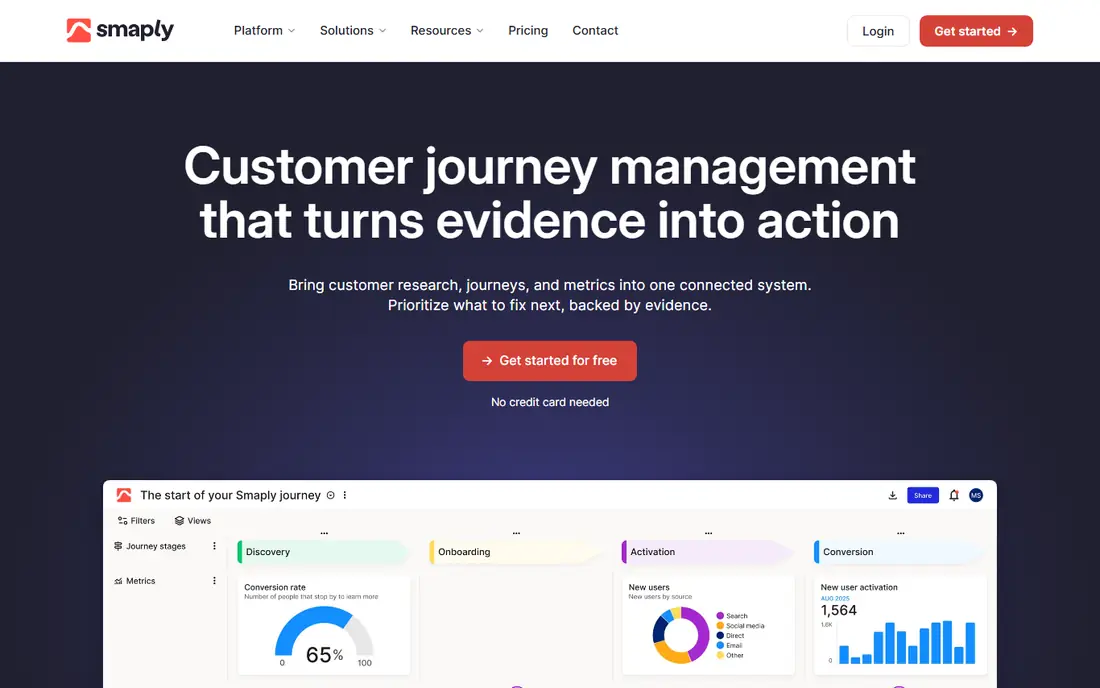
Smaply treats journey mapping as an ongoing practice rather than a one-off deliverable. Its journey hierarchy lets teams nest sub-journeys under a master journey, which matters when a single buying journey contains many smaller flows. Persona and stakeholder map builders sit beside journey maps, and higher plans add a research hub for attaching interview findings to specific map cells.
The free plan covers 10 maps and 10 personas, while paid plans start at $59 per editor per month for Repository, rising to $99 and $139 for Framework and Governance. Per-editor pricing can climb quickly once many people need write access. For CX and service design teams managing a portfolio of journeys, Smaply is the most structured choice here.
- Journey hierarchy for nested journeys
- Persona and stakeholder maps
- Research hub on higher plans
- Per-editor pricing rises fast with large teams
- Learning curve for new users
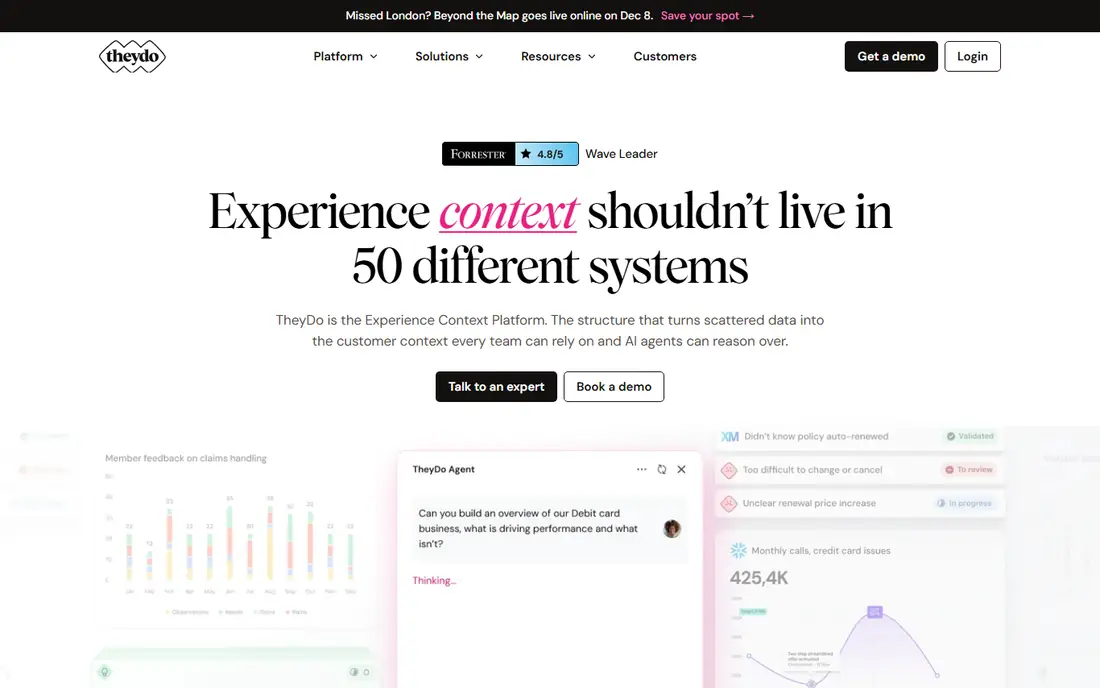
TheyDo connects journey maps to the work that fixes them. Journeys link to opportunities, insights and delivery items, so a pain point on a map can become a prioritized item with an owner, rather than a note that fades after a workshop. That link to delivery is why product and design teams favor TheyDo over a pure diagramming tool.
Plans start at $25 per month, with no free tier, and higher tiers add team and enterprise features. Teams that only need a single presentation map may find TheyDo heavier than UXPressia or Miro. Teams that want journey work to drive roadmaps and prioritization will find TheyDo the most useful tool in this list.
- Journeys linked to opportunities and delivery work
- Strong prioritization views
- Good for product teams
- No free tier
- More system than a team that only needs one map
Custellence suits service designers who need a polished map quickly. The lane-based interface builds journey maps, service blueprints and employee journey maps with a clean layout, and the output looks ready for a client or executive meeting without extra design work. A free tier lets small teams start mapping before they pay.
Paid plans start at $199 per month, which is high for a small team that only maps occasionally. Custellence also offers fewer third-party integrations than Miro or Lucidchart. For consultants and service design teams that produce maps as deliverables, the speed and polish justify the price.
- Fast lane-based map building
- Clean presentation output
- Service blueprint support
- Higher starting price for paid plans
- Fewer integrations than whiteboard tools
Miro is the whiteboard option for teams that already collaborate there. Journey mapping templates give a starting structure, and live workshops with voting, timers and sticky notes work well in Miro. Integrations with Teams, Zoom, Slack, Google Workspace and many other tools mean maps can sit close to where the team already works.
Miro is not a dedicated journey tool, so maps lack the built-in lanes, personas and research links of UXPressia or Smaply unless the team builds them manually. That freedom suits workshops and early-stage mapping, but maps can drift without upkeep. Paid plans start at $10 per user per month, with a free tier for small teams.
- Flexible whiteboard for workshops
- Strong collaboration
- Many templates and integrations
- Not a dedicated journey tool
- Maps need manual structure and upkeep
Lucidchart suits teams that already use it for diagrams and want journey maps in the same place. Journey templates provide a starting layout, and the diagramming engine handles flowcharts, funnels and process maps with precision. Integrations with Google Workspace, Atlassian and other tools keep maps close to project work.
The journey support is template-based rather than dedicated, so teams miss the persona links, emotion lanes and research features of UXPressia and Smaply. Paid plans start at $9 per user per month, with a free tier for basic use. For teams that map journeys alongside many other diagrams, Lucidchart is a practical choice.
- Strong diagramming with journey templates
- Good for flowcharts and funnels
- Wide integrations
- Journey features are template-based, not dedicated
- Collaboration is lighter than Miro
FigJam is the lightweight pick for design teams already in Figma. It offers a fast collaborative whiteboard with journey templates, sticky notes and voting, and maps share easily with designers working in Figma itself. Paid plans start at $5 per editor per month, with a free tier for starters.
FigJam does not offer dedicated journey management, personas or research links, so it suits early maps and workshops rather than a managed journey portfolio. Teams outside Figma will get more from Miro or UXPressia. For Figma teams that need a quick, cheap mapping surface, FigJam is hard to beat.
- Very low cost for Figma teams
- Fast collaborative whiteboard
- Easy sharing with designers
- Limited dedicated journey features
- Tied to the Figma ecosystem
Milkymap is a small, focused journey mapping tool for teams that find the leaders too heavy or too costly. It covers the core job: stages, touchpoints, emotions and pain points on a clean map, with a free tier for small teams. That focus suits educators, small UX teams and solo consultants who need a map, not a platform.
The trade is scope. Milkymap lacks the portfolio management of Smaply, the delivery links of TheyDo and the template range of Miro. Pricing varies by plan and currency, so check the current page for your region. For simple maps at low cost, Milkymap is a solid pick.
- Simple focused journey builder
- Low cost
- Free tier for small teams
- Smaller feature set than leaders
- Fewer integrations and templates
QuestionPro CJM pairs journey mapping with live customer feedback. Maps can link to survey data and experience metrics, so a pain point on a map can be checked against what customers actually report, rather than what a workshop assumed. That link suits CX programs that already run surveys through QuestionPro.
Paid plans start at $99 per month, with a free tier for basic use, which makes QuestionPro CJM costlier than UXPressia for mapping alone. Teams that do not need survey tools will find better value elsewhere. Teams that run CX measurement and journey work together will value the combined view.
- Journey maps linked to live survey feedback
- Experience management features
- Good for CX programs
- Higher starting price than dedicated mappers
- Survey focus may outweigh mapping for some teams
How we picked these
We compared vendor pricing pages, feature pages and recent independent comparisons for journey mapping tools live in October 2026. We weighed map building, persona support, service blueprints, collaboration, research links, delivery connections and pricing, and we favored tools with a clear journey mapping role, whether dedicated, whiteboard-based or survey-linked. Where pricing varies by region or plan, we wrote See website rather than repeating an outdated figure.
What to check before you choose a journey mapping tool
Start with how the map will be used after the workshop. If the map is a one-off presentation, UXPressia, Custellence or a whiteboard such as Miro will serve well. If the map must stay live, drive prioritization and link to research, Smaply or TheyDo will serve better. A beautiful map that nobody updates is worse than a simple map the team revisits monthly.
Check personas, research and export needs early. Teams that interview customers need a way to attach findings to map cells, which favors Smaply and QuestionPro CJM. Teams that present to executives need polished exports, which favors UXPressia and Custellence. Teams that run workshops need live collaboration, which favors Miro and FigJam. Match the tool to the workflow, not to the feature count.
Trial with a real journey, not a template. Map one actual customer journey with real stages, pain points and evidence, then share it with stakeholders and try to update it a week later. That test reveals whether the tool fits your team's habits. Most tools here offer a free tier or trial, so run that test before you pay for a team plan.
Frequently asked questions
What are the best customer journey mapping tools?
UXPressia leads for dedicated mapping, Smaply leads for portfolio management, and TheyDo leads for linking journeys to delivery work. Miro, Lucidchart and FigJam are strong lower-cost whiteboard options, while Custellence suits consultants who need presentation-ready maps fast.
What is the best customer journey mapping software for a small team?
UXPressia is the best starting point for a small team, with a free tier and Pro at $36 per user per month. Smaply also offers a free tier with 10 maps, and Miro offers a free tier for workshop-style mapping. Start free, map one real journey, and upgrade only when the team outgrows the free limits.
What tools are best for customer journey mapping in a large company?
Smaply and TheyDo suit large companies best, since both handle portfolios of journeys, shared insights and cross-team work. QuestionPro CJM also suits large CX programs that link maps to survey feedback. UXPressia works for large teams too, but its portfolio features are lighter than Smaply or TheyDo.
What is the best tool for mapping customer journeys with personas?
UXPressia and Smaply both offer linked persona builders alongside journey maps, so personas and journeys stay connected. Smaply adds stakeholder maps for service design work, while UXPressia adds impact maps for planning. Choose Smaply for portfolio work and UXPressia for presentation-ready maps.
Can I map customer journeys for free?
Yes, UXPressia, Smaply, Custellence, Miro, Lucidchart, FigJam, Milkymap and QuestionPro CJM all offer free tiers, though map counts, sharing and features are limited. Free tiers suit a first map or a small team. Teams that need many maps, many editors or research features will need a paid plan.
How is journey mapping different from process mapping?
Journey mapping follows the customer's experience across stages, emotions, channels and pain points, while process mapping follows internal steps and handoffs. A journey map shows what the customer feels and does, and a service blueprint adds the internal processes behind each step. Tools such as Smaply and Custellence support both views in one map.
Sources
See where you really rank - block by block
ProMapRanker scans Google Maps across a grid of your service area. Simple monthly plans from $19, white-label on every plan.
Start freeKeep reading
 who has the best home internet service
Who Has the Best Home Internet Service in 2026
Who has the best home internet service in 2026? Compare fiber, cable, and 5G providers on speed, price, data caps, and availability at your address today.
Read → visio alternatives
Best Visio Alternatives in 2026
Compare 9 Visio alternatives for flowcharts, org charts, and network diagrams, with free plans, pricing, and the best pick for teams and solo users in 2026.
Read → top 10 logistics software
Top 10 Logistics Software in 2026
We compared the top 10 logistics software tools for transport, warehousing, visibility and shipping, for shippers, carriers and 3PL teams in 2026 today.
Read →