 ProMapRanker
Best Cross Platform Mobile App Development in 2026

Key takeaways
- Flutter and React Native remain the two dominant choices for most new consumer and business apps in 2026.
- Kotlin Multiplatform suits teams that want shared business logic with native user interfaces on each platform.
- .NET MAUI suits Microsoft and C# teams, while Ionic and Capacitor suit web teams that need a fast mobile route.
- NativeScript and Expo fill useful niches for native API access and fast React Native development in turn.
- Choose by your existing team skills first, since hiring and maintenance costs matter more than a small performance gap.
Quick comparison
| Pick | Great for | Pricing starts at | Free tier | |
|---|---|---|---|---|
 Flutter | Design-led consumer apps | Free | Yes | Visit |
 React Native | React teams and large ecosystems | Free | Yes | Visit |
 Kotlin Multiplatform | Shared logic with native UI | Free | Yes | Visit |
 .NET MAUI | Microsoft and C# teams | Free | Yes | Visit |
 Ionic | Web teams and fast MVPs | Free | Yes | Visit |
 Capacitor | Web apps as native apps | Free | Yes | Visit |
 NativeScript | Native API access with JavaScript | Free | Yes | Visit |
 Expo | Fast React Native development | Free | Yes | Visit |
 Apache Cordova | Simple hybrid apps | Free | Yes | Visit |
The best cross platform mobile app development frameworks
These are the best cross platform app development frameworks for building iOS and Android apps from shared code. All nine are open source or free to use, though commercial support, hosting, and developer time still cost money. We compare language, performance profile, and team fit for each framework.
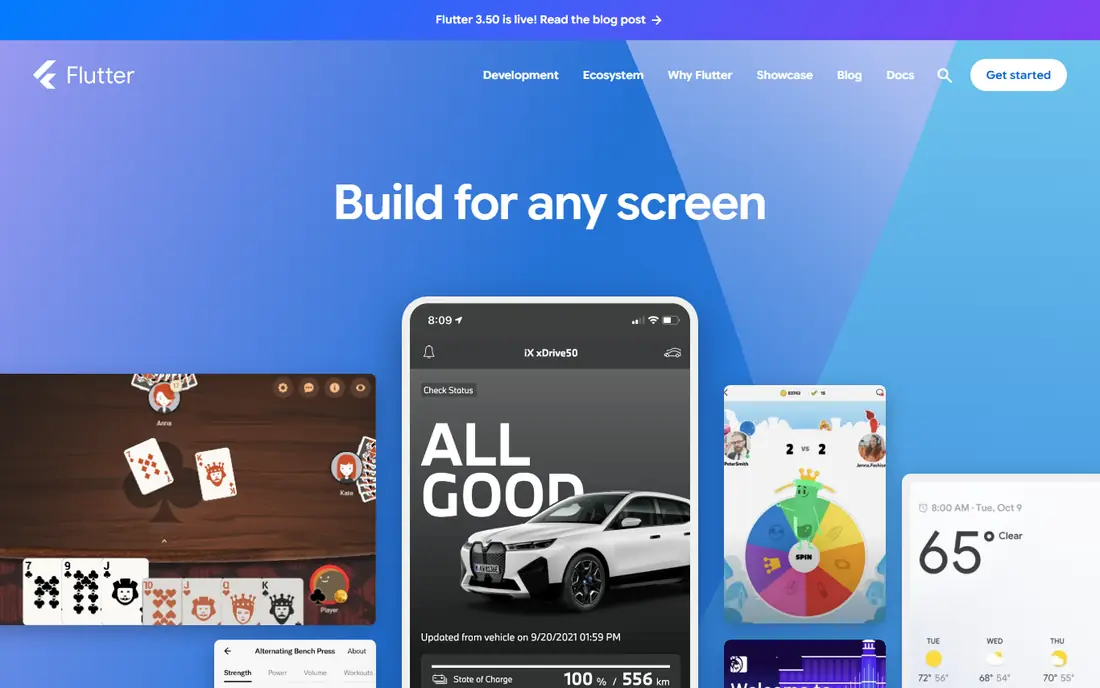
Flutter suits teams that care about visual polish. Google Dart framework uses its own rendering engine, so an app looks consistent on iOS and Android without depending on each platform native controls. Hot reload lets developers see changes quickly, which speeds up design work and testing.
The catch is hiring. Dart developers are fewer than JavaScript developers, so a team may need to train staff or recruit carefully. App size can also run larger than a native build. For design-led products and startups, Flutter is a strong first choice.
- Single codebase with consistent UI across platforms
- Own rendering engine for smooth animation
- Hot reload for fast iteration
- Dart is less common than JavaScript, so hiring takes care
- App size can be larger than native apps
React Native suits teams that already build with React. Meta framework lets web developers reuse skills and components for mobile, and its large community means libraries, hiring, and troubleshooting help are easy to find. Modern architecture has improved performance and native integration over earlier versions.
The limit is native depth. Features that need deep hardware access or custom native code still require iOS and Android skill, and library upgrades need careful testing. For social, marketplace, and content apps, React Native remains a safe and popular pick.
- Large ecosystem and hiring pool for JavaScript and TypeScript
- Reusable components speed up development
- Near-native performance with modern architecture
- Native modules still need native skill for complex features
- Upgrades need testing across libraries
Kotlin Multiplatform suits teams that want native quality without duplicating business logic. You share networking, data, and rules in Kotlin, while each platform keeps its own native interface. That approach fits fintech, health, and complex apps where platform feel matters.
The trade-off is maturity and skill. Designing shared code well takes experience, and UI sharing options are newer than logic sharing. Teams with Kotlin experience will get the most value. For long-term maintainability with native interfaces, it is a compelling choice.
- Shares business logic while keeping native interfaces
- Strong fit for Android-led teams
- Backed by JetBrains with Google support
- Higher learning curve for shared architecture
- UI sharing is newer than logic sharing
.NET MAUI suits enterprise teams that already use C# and Azure. Microsoft framework builds apps for mobile and desktop from one project, which helps internal tools and business apps that must run in several places. Visual Studio tooling and Microsoft support also help large teams.
The limit is ecosystem size. Fewer third-party libraries and community examples exist than for Flutter or React Native, so some features need custom work. For Microsoft shops, .NET MAUI is the natural cross-platform route.
- Single project for Android, iOS, Windows, and macOS
- Strong Microsoft ecosystem and tooling
- Native API access from C#
- Community is smaller than Flutter or React Native
- Some libraries lag behind native releases
Ionic suits web teams with a deadline. Developers use HTML, CSS, and JavaScript to build an app, then package it for mobile stores. That speed makes Ionic popular for MVPs, internal dashboards, and simple business apps where time to launch matters more than peak performance.
Performance is the compromise. WebView-based apps can feel slower for graphics-heavy or animation-heavy products, so games and high-end consumer apps should look elsewhere. For a web team shipping a first mobile version, Ionic is practical.
- Web skills transfer directly to mobile
- Large UI library for fast prototypes
- Low cost for MVPs and internal apps
- WebView performance lags native for demanding apps
- Complex animations can feel less smooth
Capacitor suits teams that already have a good web app and want it in app stores. It wraps web code as a native app and adds plugins for camera, storage, push, and other device features. Teams can keep one web codebase and ship mobile versions without rewriting the product.
The catch is that a weak web app becomes a weak mobile app. Performance, offline handling, and native polish still need work, and plugins need testing on both platforms. For web-first products, Capacitor is a low-risk mobile route.
- Turns a web app into a native app with plugins
- Works with any modern web framework
- Direct native API access through plugins
- Performance follows web app quality
- Native features need plugin care
NativeScript suits teams that want native controls with JavaScript. Unlike WebView frameworks, it renders native interface elements and gives direct access to device APIs, which helps apps that need more native control. TypeScript support also suits larger codebases.
Community size is the limit. Fewer plugins, templates, and hiring candidates exist than for the leaders, so teams should expect more custom work. For JavaScript teams that need native access without learning Dart or Kotlin, NativeScript is worth evaluating.
- Direct access to native APIs from JavaScript or TypeScript
- True native controls rather than WebView rendering
- Flexible architecture for custom needs
- Smaller community than Flutter or React Native
- Fewer ready-made components
Expo suits React Native teams that want speed. It handles setup, testing on devices, builds, and over-the-air updates, so a small team can ship an app without managing native build systems from day one. Prototypes and startups benefit most from that simplicity.
The limit appears with custom native code. Some modules require a development build or leaving the fully managed workflow, which adds setup work. Teams that know they need heavy native customization should plan for that early. For fast React Native delivery, Expo is a strong tool.
- Fast setup and testing for React Native apps
- Managed workflow for builds and updates
- Good tools for small teams and prototypes
- Some native modules need leaving the managed workflow
- Advanced custom native work adds complexity
Apache Cordova suits simple hybrid apps and legacy web projects. It wraps HTML, CSS, and JavaScript into a mobile app and uses plugins for device features. Teams with an existing Cordova app can keep maintaining it without a rewrite.
For new consumer apps, Ionic and Capacitor offer a more current path, and performance limits make Cordova a poor fit for demanding products. Still, for simple internal or content apps, Cordova remains a free and workable option.
- Long-running hybrid framework with plugin support
- Simple route from web app to mobile app
- Free and open source
- Older WebView approach with lower performance
- Less active for new consumer apps than Ionic or Capacitor
How we picked these
We compared official documentation, language and platform support, and public framework guides for tools that are live in October 2026. We favored frameworks with active maintenance, clear platform coverage, and distinct team fits, from design-led apps to web-led MVPs. We did not claim hands-on testing, and we listed Free as the starting price since these frameworks are open source.
How to choose the right framework
Start with your team. A React team should shortlist React Native and Expo, a C# team should shortlist .NET MAUI, a Kotlin team should shortlist Kotlin Multiplatform, and a web team should shortlist Ionic or Capacitor. A new team with no platform bias should compare Flutter and React Native first, since both have large ecosystems and hiring pools.
Test performance with your hardest screens, not just a login page. Build a prototype with lists, images, maps, or animations your app will actually use, and test it on mid-range Android phones as well as recent iPhones. Check plugin support for payments, maps, push, and offline data before committing. That prototype will reveal performance and library gaps early.
Costs and maintenance to plan for
Framework choice affects hiring, upgrades, and store releases for years. Budget for native skill even on a cross-platform project, since store rules, permissions, and device features change. Plan upgrade time each year for framework and library updates, and keep one release process for both platforms. A cheaper start can become costly if the framework lacks the plugins or hiring pool your roadmap needs.
Frequently asked questions
What is the best mobile app development platform?
Flutter and React Native suit most new apps, while .NET MAUI suits Microsoft teams and Kotlin Multiplatform suits native-quality apps with shared logic. The best mobile app development platform depends on your team skills and product needs.
What are the best cross platform mobile development tools for web teams?
Ionic and Capacitor suit web teams because they reuse HTML, CSS, and JavaScript skills. React Native also suits web teams that already use React, since component skills transfer to mobile.
What is the best framework for app development for startups?
Flutter and React Native suit startups because they offer fast development, large communities, and single-codebase delivery. Expo can speed up React Native further for prototypes and small teams.
Is cross platform app development as good as native?
For most business and consumer apps, cross platform quality is close to native, especially with Flutter, React Native, or Kotlin Multiplatform. Native development still wins for apps that need deep hardware access, advanced graphics, or platform-specific features.
How much does cross platform app development cost?
Frameworks themselves are free, but developer time, design, testing, and maintenance set the total cost. Build costs vary widely by complexity, team location, and integrations, so get quotes based on a clear feature list rather than a framework name alone.
Sources
See where you really rank - block by block
ProMapRanker scans Google Maps across a grid of your service area. Simple monthly plans from $19, white-label on every plan.
Start freeKeep reading
 who has the best home internet service
Who Has the Best Home Internet Service in 2026
Who has the best home internet service in 2026? Compare fiber, cable, and 5G providers on speed, price, data caps, and availability at your address today.
Read → visio alternatives
Best Visio Alternatives in 2026
Compare 9 Visio alternatives for flowcharts, org charts, and network diagrams, with free plans, pricing, and the best pick for teams and solo users in 2026.
Read → top 10 logistics software
Top 10 Logistics Software in 2026
We compared the top 10 logistics software tools for transport, warehousing, visibility and shipping, for shippers, carriers and 3PL teams in 2026 today.
Read →