 ProMapRanker
Best CRM Software for Customer Service in 2026

Key takeaways
- A CRM-connected service tool keeps the full customer history beside the ticket, so agents stop asking for facts the company already holds.
- Zendesk and Freshdesk suit teams that want a help desk first, while Salesforce and HubSpot suit teams that already live in those CRMs.
- Published starting prices look close, but AI features, phone minutes, and extra seats often change the real monthly bill, so check the pricing page before you commit.
- Small teams get the most value from a free or low-cost plan with email and chat, and should add phone and advanced automation only when volume demands it.
- The best pick is the one your agents will actually use every day, with clear routing, a usable knowledge base, and reports a manager can read without help.
Quick comparison
| Pick | Great for | Pricing starts at | Free tier | |
|---|---|---|---|---|
 Zendesk | Large omnichannel teams | $19 per agent per month | Free trial | Visit |
 Salesforce Service Cloud | Salesforce CRM users | $25 per user per month | Free trial | Visit |
 Freshdesk | Easy setup for small teams | $19 per agent per month | Free trial | Visit |
 HubSpot Service Hub | HubSpot CRM users | Free | Yes | Visit |
 Zoho Desk | Budget teams in Zoho | $7 per user per month | Free trial | Visit |
 Intercom | Chat-first support | $29 per user per month | Free trial | Visit |
 Help Scout | Email-first small teams | $25 per user per month | Free trial | Visit |
 LiveAgent | Live chat plus ticketing | $15 per agent per month | Free trial | Visit |
 HappyFox | Growing ticket teams | $24 per agent per month | Free trial | Visit |
The best crm software for customer service
We compared official feature pages, pricing pages, and public documentation for tools that combine customer records with support work. The list below mixes large platforms with smaller tools, so a two-person team and a large contact center can both find a fit.
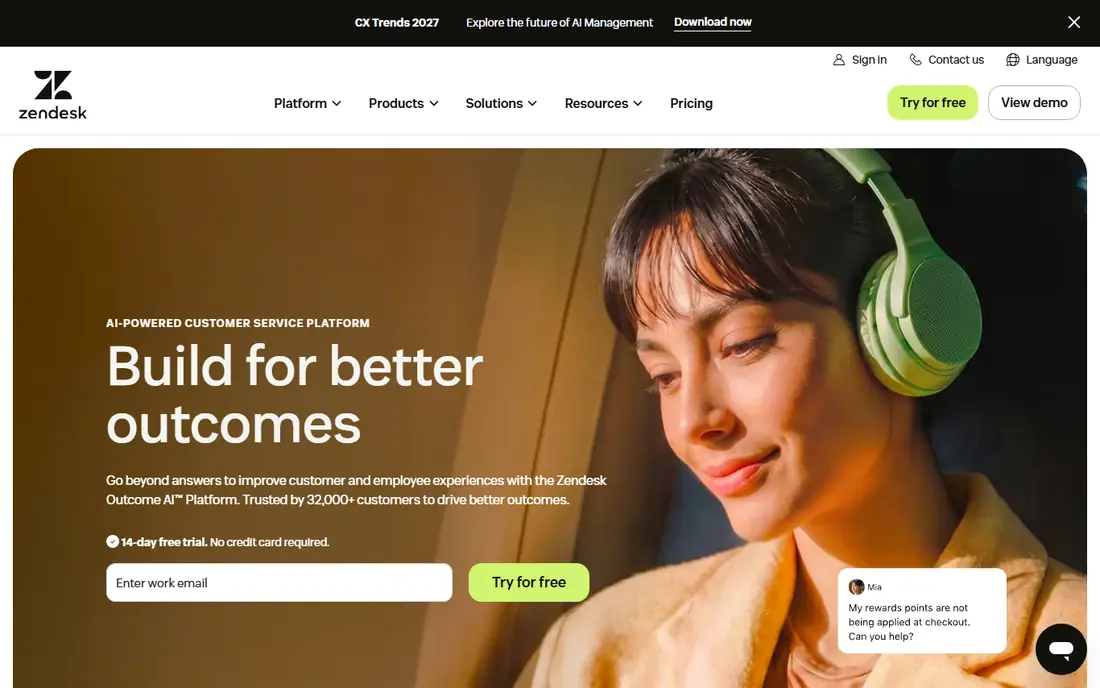
Zendesk is the familiar choice for teams that handle email, chat, phone, and social messages in one queue. Agents see ticket history, customer details, and internal notes in the same view, which cuts down on repeated questions and missed handoffs. Its automation rules can route tickets by topic, language, or priority, and its knowledge base helps customers solve routine problems without opening a ticket at all.
The catch is price and complexity. The entry plan covers the basics, but advanced AI, advanced reporting, and some workforce tools sit on higher tiers or add-ons. A small team may find that it pays for depth it never uses. For a growing team with rising volume and several channels, though, that depth is the point, and Zendesk scales without forcing a move to a new system later.
- Wide channel coverage
- Strong automation and routing
- Large app marketplace
- Costs rise fast with add-ons
- Setup takes time for complex workflows

Salesforce Service Cloud is the natural pick when sales, marketing, and service already run on Salesforce. A case opens with the account, orders, and past conversations attached, so an agent does not need to search three systems to understand one problem. Case automation, approval flows, and knowledge tools are built for large, regulated teams that need a clear audit trail.
That strength comes with a learning curve. Salesforce rewards careful setup, and a team without an admin may struggle to get routing and reporting right at first. Pricing also climbs as you add AI agents and advanced service features. If your company is already committed to Salesforce, the shared customer record is hard to beat. If it is not, a simpler help desk may deliver value faster.
- Deep CRM context on every case
- Strong case automation
- Large partner ecosystem
- Needs skilled setup
- Higher tiers are costly

Freshdesk suits teams that want to start this week, not after a long implementation. Tickets, email, chat, and phone sit in one inbox, and the interface is plain enough that new agents learn it quickly. Automation can assign tickets, send reminders, and close stale requests, which matters most when a small team is juggling support with other jobs.
Freddy AI adds chatbots and agent help on higher plans, but those features are not in the cheapest paid tier, so budget for them if AI deflection is a goal. Reporting covers the basics well, yet large teams that need deep workforce analysis may want a bigger platform. For most small and mid-size teams, Freshdesk is a sensible middle ground between price and power.
- Fast to set up
- Clear ticket views
- Freddy AI on higher plans
- Advanced AI costs extra
- Reporting is lighter than enterprise rivals
HubSpot Service Hub starts free, which makes it easy to test with a real team before spending anything. Tickets, a shared inbox, live chat, and a customer portal connect to the free HubSpot CRM, so an agent can see deals, company details, and past emails without switching tools. That shared record is a real advantage for companies where sales and service hand customers back and forth.
Paid plans add automation, feedback surveys, and AI help, and the per-seat price plus conversation credits can grow as volume grows. Teams outside HubSpot get less benefit, since the value comes from the shared CRM. If your business already uses HubSpot for marketing or sales, Service Hub is the lowest-friction way to add proper service tracking.
- Free CRM-connected starting point
- Shared inbox and tickets
- Clear dashboards
- Paid seats and AI credits add up
- Best value inside HubSpot
Zoho Desk is one of the cheapest credible options for a team that needs email, chat, phone, and social tickets in one place. It also fits neatly with Zoho CRM, Zoho Books, and other Zoho apps, which helps a small business keep customer, billing, and support facts together. The Zia assistant can suggest replies and spot sentiment, and the help center supports multiple languages.
The interface packs in a lot, so new agents may need a short period to learn where things live. Some deeper automation and AI features sit on higher plans, as they do with most rivals. On price alone, though, Zoho Desk is hard to ignore for a small team that wants a real help desk without a large monthly bill.
- Low entry price
- Multichannel tickets
- Zia AI assistant
- Interface feels busy at first
- Some advanced features need higher tiers
Intercom is built around conversation. Customers start in a messenger on your website or app, and the Fin AI agent can answer from your help center before a human agent steps in. That chat-first design suits software and online businesses where most questions arrive as messages, not phone calls. The shared inbox, macros, and help center keep follow-up work in one place.
Pricing needs attention. Intercom combines seat pricing with charges for AI-resolved outcomes on some plans, so a team should model its expected volume before committing. Phone support is not its core strength. If your customers prefer chat and self-service, Intercom is a strong pick. If most of your work is phone-based, a contact-center tool may fit better.
- Strong live chat and messenger
- Fin AI agent
- Good help center
- Seat and outcome pricing needs careful budgeting
- Phone is not the focus
Help Scout keeps support simple on purpose. It feels like a shared email inbox with tickets, saved replies, and collision detection, so two agents do not answer the same customer twice. The knowledge base, called Docs, is easy to build, and live chat can be added for teams that need it. For a small team that lives in email, that simplicity is a benefit, not a gap.
The trade-off is depth. Help Scout is not the best choice for a large phone center or for very complex routing rules. Its AI Answers feature is charged per resolution on some plans, so high-volume teams should check that cost. For a team of under ten agents that wants calm, clear support work, Help Scout is one of the easiest tools to adopt.
- Clean shared inbox
- Easy knowledge base
- Friendly for small teams
- Lighter phone and complex routing options
- AI answers are metered
LiveAgent combines ticketing, live chat, a call center, and a knowledge base at a lower entry price than many rivals. That mix suits a small business that needs chat on its website and a phone option without buying two systems. The trial period is generous, which gives a team time to test real tickets before paying.
The interface is functional rather than polished, and its AI tools are more limited than those from Zendesk, Freshdesk, or Intercom. Teams that want strong AI deflection may need to pair it with another tool or choose a higher-priced rival. For straightforward, multichannel support on a tight budget, LiveAgent gives a lot for the price.
- Low entry price
- Live chat and call center tools
- Long trial
- Design feels dated in places
- AI features are limited
HappyFox is a solid all-round help desk for teams that are outgrowing shared email but do not need an enterprise platform yet. Tickets can arrive from email, chat, phone, and web forms, and automation can assign, escalate, and remind agents without manual triage. Its knowledge base and reporting cover the daily needs of a growing support team well.
It does not market AI as loudly as some competitors, and teams that want the newest AI agent features may prefer Zendesk or Intercom. What HappyFox offers instead is a steady, understandable system that managers can run without a specialist. For a mid-size team that values reliable ticketing over novelty, that is a fair trade.
- Clear ticketing and automation
- Knowledge base
- Omnichannel inbox
- Fewer AI headlines than larger rivals
- Pricing rises with agents
How we picked these
We compared official pricing pages, feature pages, and public documentation, and we favored tools with a live customer record, multichannel tickets, automation, and a knowledge base. We included large platforms and smaller tools so different team sizes and budgets are covered. We did not count marketing claims as facts, and where a price depends on add-ons or volume, we say so in the write-up rather than presenting a single number as the full cost.
What to check before you buy
Start with your channels. List where customers actually reach you, such as email, chat, phone, or social messages, and rule out any tool that handles your top two channels poorly. Then check the CRM link. A service tool that shares customer records with sales and billing saves agents time on every ticket, while a stand-alone inbox forces manual lookups.
Next, test automation on real tickets. Routing rules, saved replies, and knowledge base search matter more day to day than a long feature list. Run a trial with your own tickets, not demo data, and watch how long it takes a new agent to find an answer. Finally, model the full price. Add seats, AI charges, phone minutes, and any add-ons you need, and compare that total, not just the headline starting price.
Frequently asked questions
What is the best crm software for customer service for a small team?
Freshdesk, Zoho Desk, Help Scout, and HubSpot Service Hub are good starting points because they are easier to set up and cheaper at low seat counts. Pick the one that matches your CRM and your main channel, then test it with real tickets during the trial.
What is the best crm for customer service if we already use Salesforce?
Salesforce Service Cloud is the obvious fit, since cases carry the full Salesforce customer record, orders, and history. It needs more setup than a simple help desk, so allow time for routing and reporting, or work with an admin.
What are the best crm tools for customer service that include live chat?
Zendesk, Intercom, Freshdesk, LiveAgent, and HappyFox all include live chat alongside ticketing. Intercom is the most chat-first of the group, while LiveAgent is a budget option that also adds call center tools.
What are the best customer service crm platforms for phone-heavy teams?
Phone-heavy teams should look closely at Zendesk, Salesforce Service Cloud, and LiveAgent, and check phone minutes, call routing, and recording rules before buying. A chat-first tool can still work, but phone quality and reporting should be tested in a trial.
Do these tools include a free plan or only a free trial?
HubSpot Service Hub has a free plan with CRM-connected tickets and a shared inbox. Most others offer a free trial instead of a permanent free plan, so check the trial length and what features are included before you start.
How much should a small team expect to pay?
Entry paid plans in this list start around $7 to $29 per user or agent per month, billed annually in many cases, before add-ons. Small teams often pay more once they add AI, phone, or extra seats, so model the total for your actual team size and volume.
Sources
- https://www.zendesk.com/service/ticketing-system/customer-service-management-software/
- https://www.salesforce.com/service/
- https://www.freshworks.com/freshdesk/
- https://www.hubspot.com/products/service
- https://www.zoho.com/desk/
- https://www.intercom.com
- https://www.helpscout.com
- https://www.liveagent.com
- https://www.happyfox.com/helpdesk/use-cases/customer-service-software-solutions/
See where you really rank - block by block
ProMapRanker scans Google Maps across a grid of your service area. Simple monthly plans from $19, white-label on every plan.
Start freeKeep reading
 zscaler alternatives
Best Zscaler Alternatives in 2026
Looking for zscaler alternatives? We compare 9 SASE and zero trust platforms on architecture, data protection, pricing, and fit for your network and team.
Read → zapier alternatives free
Best Zapier Alternatives Free in 2026
Nine automation tools for zapier alternatives free in 2026, all with genuinely free tiers, plus free plan limits, starting prices and upgrade paths explained.
Read → which platform is best for online reputation
Which Platform Is Best for Online Reputation in 2026
Wondering which platform is best for online reputation? We compare 8 review, listing, and response tools for small and multi-location businesses and agencies.
Read →