 ProMapRanker
Corporate LMS Software


Mid-market firms training customers and partners at scale · Pricing starts at: See website (quote-only)
Direct answer
LearnUpon comes first here, mainly for mid-market firms training customers and partners at scale. If your case is different, TalentLMS suits small and mid-size teams that require training live this month and Docebo suits enterprises training employees, customers and partners from one product. Prices, free plans and limits for all 7 tools follow.
Key takeaways
- This list starts with LearnUpon, which is built for mid-market businesses training customers and partners at scale.
- Check the limits for Cornerstone before you commit: no public pricing and no free trial.
- The cheapest monthly starting price in the list is $6.91 per user/month, offered by iSpring LMS.
- iSpring LMS fits PowerPoint-heavy organizations converting decks into courses.
- Only TalentLMS offers a free plan among these 7 tools.
Quick comparison
| Pick | Great for | Pricing starts at | Free tier | |
|---|---|---|---|---|
| LearnUpon | Mid-market firms training customers and partners at scale | See website (quote-only) | No | Visit |
 TalentLMS | Small and mid-sized teams that require training live this month | $119 a month (Core plan, billed annually, up to 40 users) | Yes | Visit |
 Docebo | Enterprises training employees, customers and partners from one product | See website (quote-only) | Free trial | Visit |
 Cornerstone | Large organizations standardizing HR and learning together | See website (quote-only) | No | Visit |
 Absorb LMS | Businesses where the learner experience has to look premium | See website (quote-only) | Free trial | Visit |
 360Learning | Businesses that want employees creating courses together | $8 per user/month (Team plan, up to 100 users) | Free trial (30 days) | Visit |
 iSpring LMS | PowerPoint-heavy organizations converting decks into courses | $6.91 per user/month (100 users, billed yearly) | Free trial (30 days) | Visit |
7 options for corporate LMS software in detail
Choosing corporate LMS software usually comes down to price, fit and limits. This ProMapRanker guide sets 7 tools side by side on those three points, with the facts kept short and checkable.

Think of LearnUpon for mid-market firms training customers and partners at scale. LearnUpon concentrates on the audiences beyond your employees. Its Learning Portals let you run separate branded training environments for customers, partners and staff from one account, which is exactly what SaaS businesses need for customer education.
Honest limits: 12-month auto-renewal terms.
Annual contracts with 12-month auto-renewal and a 30-day notice window are standard, with no cap on renewal raises except when you negotiate one. On top of that, there is no published price and no free trial, only demos. The pricing page lists user floors rather than figures: from 100 users for employees, 150 for associations, 300 for customer education. For everyday use, the admin experience is widely praised as one of the easiest among enterprise LMS systems, and unlike creator-oriented products it charges no transaction fees on course sales. Check the vendor site for LearnUpon pricing; none is listed in this comparison. LearnUpon does not include a free plan.
- Clean admin experience
- No transaction fees on course sales
- 100-user minimum on the employee product
TalentLMS
Great for: Small and mid-sized teams that require training live this month
Choose TalentLMS for small and mid-sized teams that need training live this month. TalentLMS wins the speed contest. Core costs $119 a month billed yearly or $149 monthly for up to 40 users, Grow is $229 annually for up to 70, and Pro is $449 annually for up to 100.
Trade-offs to know: Restricted eCommerce for selling courses.
Worth adding: only users who log in during the cycle count toward the bracket, which flatters teams with seasonal learners. Also, pricing is refreshingly public and bracket-based instead of per-seat. From a buyer's view, the feature set handles the fundamentals well: learning paths, certifications, gamification, branches for separate audiences, and AI-assisted course creation. The free plan handles 5 users and 10 courses, enough for a real pilot. On cost, TalentLMS starts like this: $119 per month. TalentLMS includes a free tier.
- Genuinely quick to set up
- Free plan is usable for pilots
- Pricing jumps between user brackets
Docebo
Great for: Enterprises training employees, customers and partners from one product
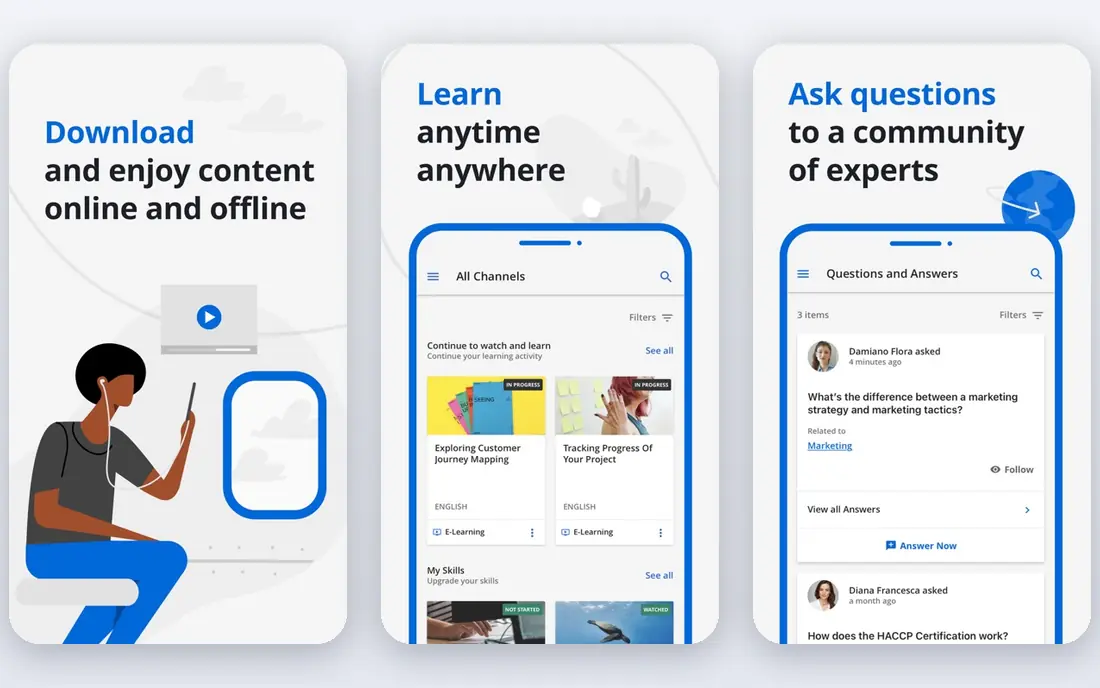
In short, Docebo is for enterprises training employees, customers and partners from one product. Docebo is the product businesses graduate to when training stops being an HR side project. Beyond that, shortlist Docebo when you have a dedicated L&D owner and several audiences.
Look at TalentLMS or 360Learning if you are buying your first LMS for one internal team. More specifically, active-user pricing means extending training to frontline or partner audiences changes the bill. Pricing is quote-only, the vendor says it suits organizations training a minimum of 250 learners, and most customers sign three-to-five-year contracts with a one-year minimum available. Docebo does not show a starting price in this comparison, so check the vendor site for current pricing. Free plan details: Free trial.
What to check first: Most customers sign multi-year contracts.
- Takes care of several audiences and extended enterprise well
- AI features for content creation and skills mapping
- No public pricing
Cornerstone
Great for: Large organizations standardizing HR and learning together
Cornerstone serves large organizations standardizing HR and learning together. Its strength is breadth: learning management sits alongside performance, recruiting, succession and HR analytics in one talent suite, which appeals to CHROs standardizing on a single vendor.
Where it falls short: Interface complexity is a typical complaint.
No starting price is listed for Cornerstone here; confirm pricing on the vendor site. There is no free plan with Cornerstone.
- Solid compliance and certification tracking
- Deepest HR and talent management integration
- No public pricing and no free trial
Absorb LMS
Great for: Businesses where the learner experience has to look premium
Absorb LMS works best for firms where the learner experience has to look premium. Learner and admin interfaces are consistently rated among the best-looking in the category, with social features, leaderboards, badges and personalized dashboards that keep completion rates up. The eCommerce module is a real differentiator: firms that sell training to customers or partners can run the entire storefront inside the LMS.
AI tools now create courses from short descriptions or uploaded materials. In practice, Absorb fits mid-market and enterprise buyers who care about branding and learner engagement. If you need heavy-duty authoring, pair it with a dedicated tool or look at iSpring. Pricing is quote-only on a pay-per-active-user model across Core, Pro and Enterprise editions, with the per-user rate falling as volume rises. Commercially it is firmly enterprise. This comparison lists no price for Absorb LMS; ask the vendor. Trial and free access: Free trial.
Highlights: Solid eCommerce for selling courses.
The main drawbacks: Content authoring is not its strength.
- AI-assisted course creation
- Modern interface learners actually like
- No public pricing
360Learning
Great for: Businesses that want employees creating courses together
360Learning is aimed squarely at businesses that want employees creating courses together. 360Learning is built on a straightforward idea: the people who know the job should write the training. Its collaborative authoring workflow lets internal experts draft courses together with feedback loops, relevance scores and peer review, which produces training that reads like it came from inside the company instead of a vendor catalog.
From a buyer's view, discussion forums, gamification and mobile apps include the learner side. For everyday use, pick 360Learning when your bottleneck is content creation, not content delivery. For everyday use, the ceiling matters: above 100 users you are negotiating, and businesses training thousands will find the per-user math changes. The Team plan is one of the most transparent deals in corporate LMS: $8 per user a month for up to 100 users, billed monthly with no annual commitment, plus a 30-day trial. On cost, 360Learning starts like this: $8 per user/month. As for free access: Free trial (30 days).
Honest limits: SSO and API wait for Business.
- Collaborative authoring turns experts into course creators
- Transparent entry pricing
- Caps at 100 users on the published level
iSpring LMS
Great for: PowerPoint-heavy organizations converting decks into courses
iSpring LMS is a good fit for PowerPoint-heavy organizations converting decks into courses. iSpring LMS, known until recently as iSpring Learn, is the pragmatic choice for businesses whose training content already exists as slide decks. The iSpring Suite authoring tool converts PowerPoint presentations into HTML5 courses with quizzes, branching scenarios, role-play simulations and text-to-speech narration.
It ships inside the LMS plans rather than as a separate purchase. A 30-day trial and money-back guarantee lower the risk of trying it. iSpring is less customizable than Docebo or Cornerstone, but for straightforward employee training it is hard to beat on value. In practice, admins get training automation, mobile apps with offline learning and 24/7 support. The starting price for iSpring LMS: $6.91 per user/month. As for free access: Free trial (30 days).
Honest limits: Less modular than enterprise suites.
- Transparent per-active-user pricing
- Converts PowerPoint to interactive courses in clicks
- No built-in course marketplace
How the list was put together
ProMapRanker used vendor pricing pages and product documentation as the base, then compared plans, free access and documented limits for 7 tools. Treat prices as a snapshot: vendors change plans often, so check the vendor site for the figure that applies today. The sequence is a judgement call: typical use case first, then pricing transparency, then free access. Use the profiles to check fit.
Things to verify first
- Ask LearnUpon, Docebo, Cornerstone and Absorb LMS for a written quote, since no starting price is shown.
- Test the free plan from TalentLMS against your real workload before relying on it.
- Use real work to test the free trial from Docebo, Absorb LMS, 360Learning and iSpring LMS, rather than a demo project.
- Before choosing LearnUpon, weigh its main limit: no published pricing and no free trial.
- Verify that exporting from 360Learning is possible on your plan and covers all your records.
- Confirm that TalentLMS connects to the apps your team already uses, on the plan you would actually buy.
Frequently asked questions
Which LMS is a good match for training customers instead of employees?
For most readers this guide would start with LearnUpon, built for mid-market firms training customers and partners at scale. TalentLMS is the alternative for small and mid-sized teams that require training live this month, and Docebo for enterprises training employees, customers and partners from one system. The right answer depends on budget and workflow.
Can I try these options before paying?
Often, yes. TalentLMS has a free plan and Docebo, Absorb LMS, 360Learning and iSpring LMS offer a free trial. Use your own data and a real task during the test, and check what the free tier or trial limits before you rely on it.
How much does a corporate LMS actually cost?
Mid-market buyers usually land between $10,000 and $50,000 a year all-in, based on user count, content needs and implementation services. Always budget the first-year total including services, not just the license.
Do these tools publish their prices?
Not all of them. LearnUpon, Docebo, Cornerstone and Absorb LMS publish no starting price, so expect a quote request for those. The rest, TalentLMS included, show a starting price, though seats and billing terms still change the final cost.
Which options for corporate LMS software have a free plan?
TalentLMS is the only tool in this list with a free plan. Free plans usually cap users, projects or features, so check the limits on the vendor page. Several others offer a trial instead.
Should we buy seats for future headcount now?
Vendors will happily sell you growth you have not achieved yet. Negotiate the expansion pricing into the agreement and trigger it when headcount actually arrives.
Sources
See where you really rank - block by block
ProMapRanker scans Google Maps across a grid of your service area. Simple monthly plans from $19, white-label on every plan.
Start freeKeep reading
 zscaler alternatives
Best Zscaler Alternatives in 2026
Looking for zscaler alternatives? We compare 9 SASE and zero trust platforms on architecture, data protection, pricing, and fit for your network and team.
Read → zapier alternatives free
Best Zapier Alternatives Free in 2026
Nine automation tools for zapier alternatives free in 2026, all with genuinely free tiers, plus free plan limits, starting prices and upgrade paths explained.
Read → which platform is best for online reputation
Which Platform Is Best for Online Reputation in 2026
Wondering which platform is best for online reputation? We compare 8 review, listing, and response tools for small and multi-location businesses and agencies.
Read →