 ProMapRanker
Best Continuous Integration Tools in 2026

Key takeaways
- GitHub Actions and GitLab CI/CD are the easiest starts when code already lives on those platforms.
- Jenkins and Buildkite give the most control over runners and infrastructure, at the cost of more upkeep.
- CircleCI and Bitbucket Pipelines suit cloud teams that want managed runners and fast setup.
- Price by minutes, credits, or users, since the same build can cost very different amounts on different tools.
Quick comparison
| Pick | Great for | Pricing starts at | Free tier | |
|---|---|---|---|---|
 GitHub Actions | GitHub-hosted projects | Free | Yes | Visit |
 GitLab CI/CD | Full DevOps platform teams | Free | Yes | Visit |
 CircleCI | Managed cloud builds | Free | Yes | Visit |
 Jenkins | Full self-hosted control | Free | Yes | Visit |
 Buildkite | Own infrastructure, managed control | $30 per active user per month | Yes | Visit |
 TeamCity | JetBrains-centered teams | See website | Yes | Visit |
 Azure Pipelines | Microsoft and Azure teams | See website | Yes | Visit |
 Bitbucket Pipelines | Bitbucket and Jira teams | See website | Yes | Visit |
 Travis CI | Simple classic CI setups | See website | Free trial | Visit |
 Semaphore | Fast cloud pipelines | See website | Free trial | Visit |
The best continuous integration tools
We compared hosted and self-hosted options, pricing units, and ecosystem fit. The best continuous integration platform is the one that runs your tests fast, fails clearly, and does not surprise you with a bill at the end of the month.
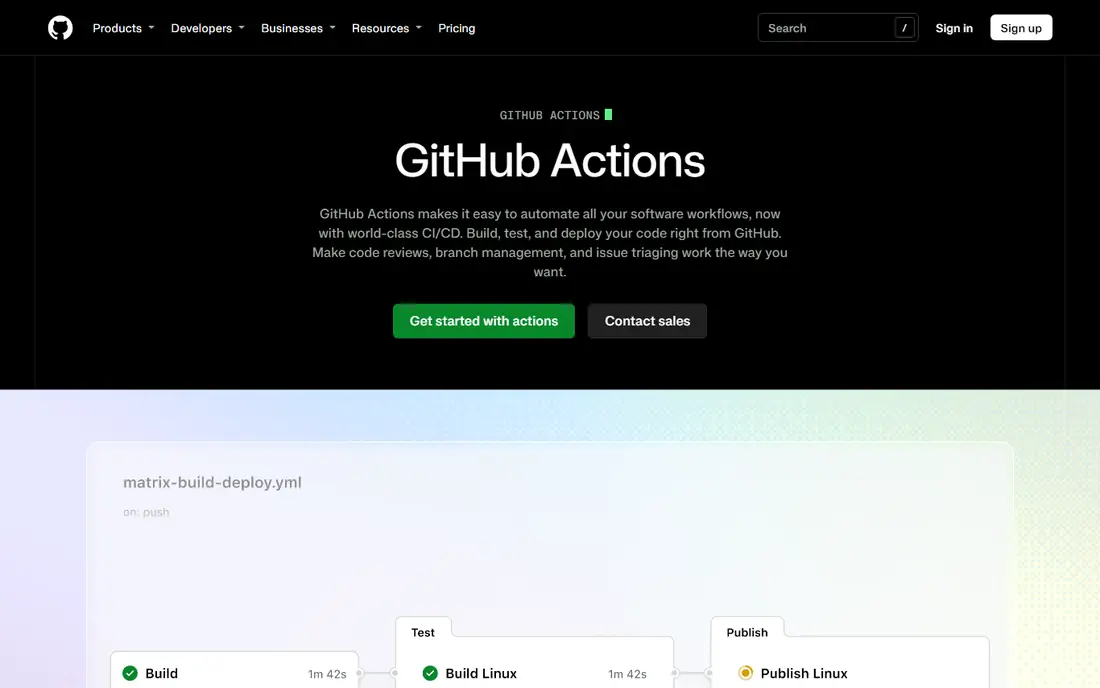
GitHub Actions is the default for most teams that already host code on GitHub. Workflows live beside the code, pull requests can trigger checks automatically, and thousands of ready-made actions cover common steps. For open source projects, hosted runners are free, which is hard to beat.
Private repos get a monthly minute allowance, with overages billed by runner type. That model stays cheap for small teams, but large or macOS-heavy builds need monitoring. Self-hosted runners offer a way to control costs if you already run infrastructure.
- Native to GitHub
- Large action marketplace
- Free for public repos
- YAML files can grow complex
- Hosted minute costs rise with larger runners

GitLab CI/CD suits teams that want the whole DevOps lifecycle in one place. Pipelines, merge requests, container registry, and security scanning share the same system, which reduces tool sprawl. You can use GitLab-hosted runners or run your own.
The free tier includes a monthly compute allowance, while paid tiers add minutes and features at a per-user price. Teams that only need CI may find the wider platform more than they want, but teams that adopt it fully often save integration effort.
- CI plus issues, registry, and security in one platform
- Flexible runners
- Free tier
- Premium features cost per user
- Full platform adoption takes time

CircleCI is a strong choice for cloud teams that want speed without managing build servers. Hosted executors, caching, and parallel jobs help large test suites finish faster, and the free plan gives monthly credits to start. Configuration stays in the repo, so pipelines travel with the code.
Credit pricing is the main learning curve. Different resource classes burn credits at different rates, so a heavy build can cost more than expected. Once you tune resource sizes, CircleCI gives a good balance of speed and simplicity.
- Fast managed runners
- Credit-based scaling
- Good caching and parallelism
- Credit use varies by resource class
- Costs can be hard to predict at first
Jenkins remains the workhorse for teams that want full control. It is free, runs anywhere, and its plugin library covers almost every build, test, and deploy step. If you have strict network rules or unusual hardware, Jenkins can fit where a hosted service cannot.
That freedom comes with upkeep. Your team owns upgrades, plugin compatibility, and runner capacity, which takes real admin time. For teams with that skill, Jenkins is flexible and cheap in software cost. For teams without it, a managed service will save time.
- Free open source software
- Huge plugin range
- Runs on your own servers
- You maintain upgrades and plugins
- Interface feels older than cloud rivals
Buildkite splits the job in a useful way. The company runs the scheduling and interface, while your team runs the build agents on your own cloud, servers, or Kubernetes clusters. That split gives security and hardware control without building a whole CI server yourself.
The trade-off is that agent costs sit with you, on top of the per-user fee. Teams with existing compute or strict data rules will like that split. Teams that want zero infrastructure work should pick a fully hosted tool instead.
- Managed control plane
- You keep build machines
- Unlimited builds on paid plans
- You still run and pay for agents
- Less hand-holding than fully hosted CI
TeamCity from JetBrains offers a polished take on self-hosted and cloud CI. Build chains, test reporting, and agent management are well presented, and teams already using JetBrains tools will find the experience familiar. A free tier covers small teams.
Larger deployments need a quote, and getting the most from TeamCity takes configuration time. For teams that value a clear interface and strong build organization, it is a worthy alternative to Jenkins.
- Polished interface
- Strong build chains
- Cloud and on-premises options
- Pricing is quoted for larger use
- Setup rewards admin time
Azure Pipelines fits teams building on Azure and Azure DevOps. It supports Microsoft-hosted agents and self-hosted agents, and it connects naturally to Azure services and repos. A free hosted job allowance helps small teams start.
Teams outside the Microsoft stack may find the setup heavier than a repo-native tool. If your code, boards, and cloud already live with Microsoft, though, Azure Pipelines keeps the whole flow in one place.
- Microsoft-hosted and self-hosted jobs
- Azure integration
- Free hosted job allowance
- Best value inside the Microsoft stack
- Governance boundaries take learning
Bitbucket Pipelines is the natural CI choice for teams whose code lives in Bitbucket. Pipelines are configured in the repo, builds run in containers, and Jira links give visibility from issue to deployment. Setup is quick for straightforward projects.
The main limit is ecosystem lock-in. If your code moves to another host, your pipelines move too. For Atlassian-centered teams, the tight Jira and Bitbucket integration makes that trade worthwhile.
- Built into Bitbucket Cloud
- Jira integration
- Simple YAML setup
- Tied to Bitbucket
- Build minute costs rise with heavy use
Travis CI offers a simpler, classic hosted CI experience. Configuration is straightforward, and teams with long-running projects may already know its model. For a basic build and test flow, it can still do the job without a complex setup.
Its ecosystem is smaller than GitHub Actions or GitLab CI/CD today, and pricing should be confirmed for your build volume. Teams starting fresh will usually get more community support elsewhere, but existing Travis users can keep a familiar workflow.
- Simple configuration
- Long history with open source
- Hosted builds
- Smaller ecosystem than current leaders
- Pricing needs a check for your volume
Semaphore suits teams that want fast cloud builds with simple minute-based pricing. Parallelism and caching help test suites finish quickly, and the lack of a per-user fee on some models helps larger teams budget. Setup is cloud-first and repo-centered.
The community and integration range is smaller than the biggest platforms, so check for the tools you need before switching. For teams that value speed and clear minute pricing, Semaphore deserves a trial.
- Pay-per-minute pricing
- No per-user fee on some models
- Fast parallel builds
- Smaller marketplace than GitHub Actions
- Enterprise features need a quote
How we picked these
We compared official pricing pages, documentation, and public reviews, and we favored tools that still run real CI workloads in October 2026. We looked at hosted and self-hosted models, free allowances, and how clearly each vendor prices minutes, credits, or users. Where pricing was not published, we used See website.
How to choose without overpaying
Start with where your code lives, since repo-native tools remove the most setup. Then run your real test suite on two finalists and compare wall-clock time, not just list price. A slower tool that looks cheap can cost more in developer waiting time.
Next, model a busy month. Count build minutes, parallel jobs, and runner sizes, and check what happens when you exceed free allowances. Credit and minute models punish different workloads, so your own numbers matter more than a generic comparison.
Finally, check failure output. A good CI tool shows which test failed, why, and how to rerun just that part. Clear logs and easy reruns save more time over a year than a small price difference.
Frequently asked questions
What is the best continuous integration software for a small team?
GitHub Actions or GitLab CI/CD are usually best for small teams, since both offer free tiers and repo-native setup. CircleCI is also strong if you want managed runners. Pick the one that matches where your code already lives.
What is the difference between continuous integration and continuous delivery?
Continuous integration means code is merged and tested often, with automated checks on every change. Continuous delivery adds automated release steps so tested code can ship reliably. Most tools on this list cover integration first, with delivery features alongside.
Is Jenkins still a good choice in 2026?
Yes, for teams that want free, self-hosted control and have admin time to maintain it. Jenkins offers huge plugin choice and runs anywhere. Teams without admin capacity will usually do better with a managed service.
How much does CI cost for a growing team?
Free tiers cover small projects, while paid plans range from a few dollars per user to minute or credit charges that grow with build volume. Model your monthly minutes and runner sizes, since a heavy test suite can cost far more than seat fees alone.
Can I use self-hosted runners with a cloud CI tool?
Yes, GitHub Actions, GitLab CI/CD, Buildkite, and Azure Pipelines all support self-hosted runners or agents. That option helps with security rules, special hardware, and cost control. You still pay for the machines you run.
Sources
- https://github.com/features/actions
- https://about.gitlab.com
- https://circleci.com
- https://www.jenkins.io
- https://buildkite.com
- https://www.jetbrains.com/teamcity/
- https://azure.microsoft.com/en-us/products/devops/pipelines
- https://bitbucket.org/product/features/pipelines
- https://www.travis-ci.com
- https://semaphoreci.com
See where you really rank - block by block
ProMapRanker scans Google Maps across a grid of your service area. Simple monthly plans from $19, white-label on every plan.
Start freeKeep reading
 zscaler alternatives
Best Zscaler Alternatives in 2026
Looking for zscaler alternatives? We compare 9 SASE and zero trust platforms on architecture, data protection, pricing, and fit for your network and team.
Read → zapier alternatives free
Best Zapier Alternatives Free in 2026
Nine automation tools for zapier alternatives free in 2026, all with genuinely free tiers, plus free plan limits, starting prices and upgrade paths explained.
Read → which platform is best for online reputation
Which Platform Is Best for Online Reputation in 2026
Wondering which platform is best for online reputation? We compare 8 review, listing, and response tools for small and multi-location businesses and agencies.
Read →