 ProMapRanker
Best Construction Time Tracking App in 2026


Scheduling and GPS time for trade crews · Pricing starts at: $9.50 per user per month
Key takeaways
- ClockShark and Workyard suit crews that need scheduling, GPS checks and job costing in one tool.
- busybusy stands out for crews that also track equipment hours alongside labor hours.
- Buddy Punch and Timeero offer lower starting prices, which helps small crews control monthly cost.
- QuickBooks Time fits firms already on QuickBooks, but it needs a QuickBooks subscription.
- Offline mode, geofencing rules and payroll exports matter more than a low headline price for field crews.
Quick comparison
| Pick | Great for | Pricing starts at | Free tier | |
|---|---|---|---|---|
| ClockShark | Scheduling and GPS time for trade crews | $9.50 per user per month | Free trial | Visit |
 busybusy | GPS field tracking plus equipment hours | $9.99 per user per month | Yes | Visit |
 Workyard | GPS-verified jobsite time and cost codes | $6 per user per month | Free trial | Visit |
 Buddy Punch | Flexible clock-in options for small crews | $4.99 per user per month | Free trial | Visit |
 QuickBooks Time | Contractors already using QuickBooks | $10 per user per month | Free trial | Visit |
 Timeero | GPS tracking with mileage for field teams | $5 per user per month | Free trial | Visit |
 Connecteam | Time tracking inside wider field operations | $29 per month | Yes | Visit |
 Arcoro Time | Payroll and prevailing-wage reporting | $9 per employee per month | No | Visit |
The best construction time tracking software
Construction crews move between sites, lose signal and switch cost codes during the day, so a general time tracker often falls short. The best construction time tracking software in this list handles GPS, geofencing, offline entry and job costing, and we compared them on price, field features and payroll links.
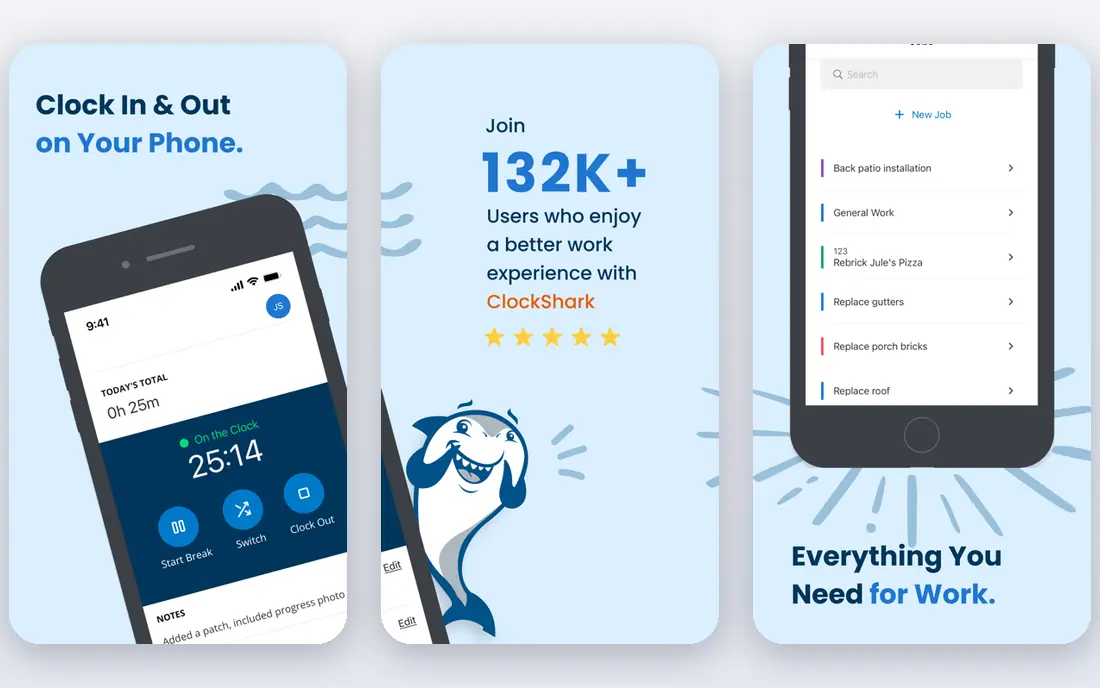
ClockShark is our pick for growing trade crews that need scheduling and time tracking together. Crews clock in from a phone app, managers see GPS location with punches, and drag-and-drop scheduling keeps crews assigned to the right jobs. Job and task tracking helps connect hours to costs, which makes payroll review faster at week end.
Pricing includes a monthly base fee plus $9.50 per user per month on Standard plans, so very small crews pay more per head than the user rate alone suggests. Advanced job costing controls and paid time off need the Pro plan, which costs more. For mid-size crews that schedule daily, ClockShark offers a good balance of field tools and office control.
- GPS tracking and geofencing
- Crew scheduling
- Job and task tracking
- Monthly base fee adds to small-crew cost
- Advanced job costing needs Pro
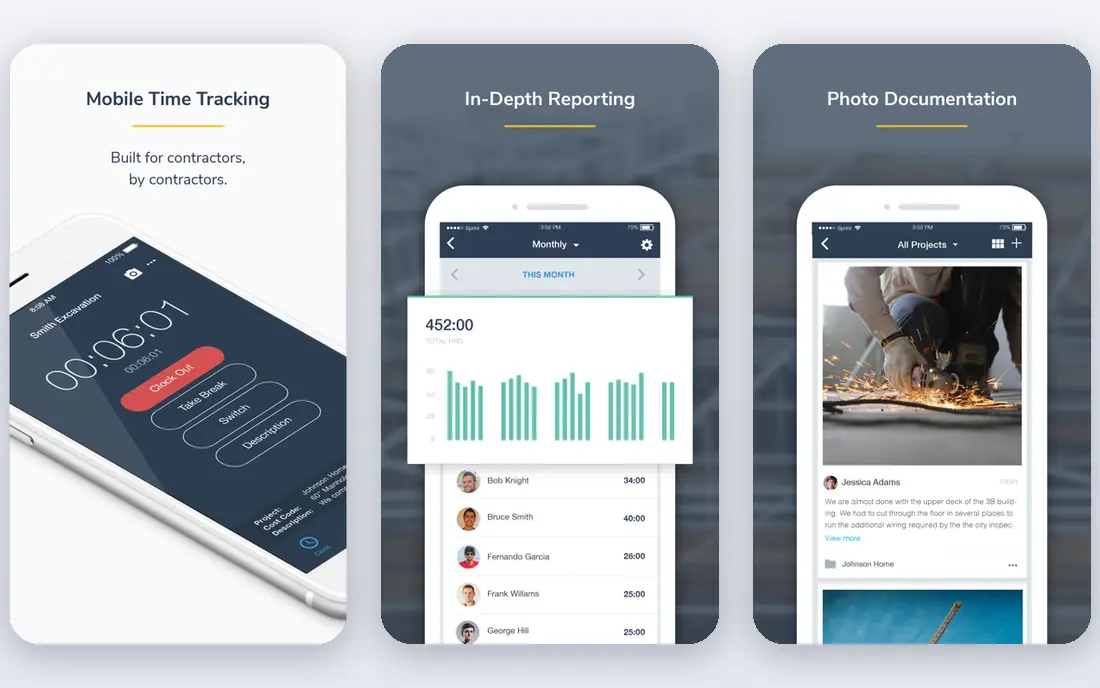
busybusy suits construction crews that track both people and machines, since it records labor hours and equipment hours against jobs and cost codes. Workers clock in by phone with GPS checks, and supervisors can review hours by job before payroll. The free plan covers unlimited users for basic tracking, which is rare in this group.
Paid Pro plans start at $9.99 per user per month when billed annually, plus a $40 admin license, and advanced controls such as required on-site clock-in sit on paid plans. That admin fee raises the cost for small crews, but for heavy civil and equipment-heavy teams, the combined labor and equipment view is worth it.
- Free plan for unlimited users
- GPS and geofencing
- Equipment hour tracking
- Paid Pro plan needed for advanced controls
- Admin fee on paid plans
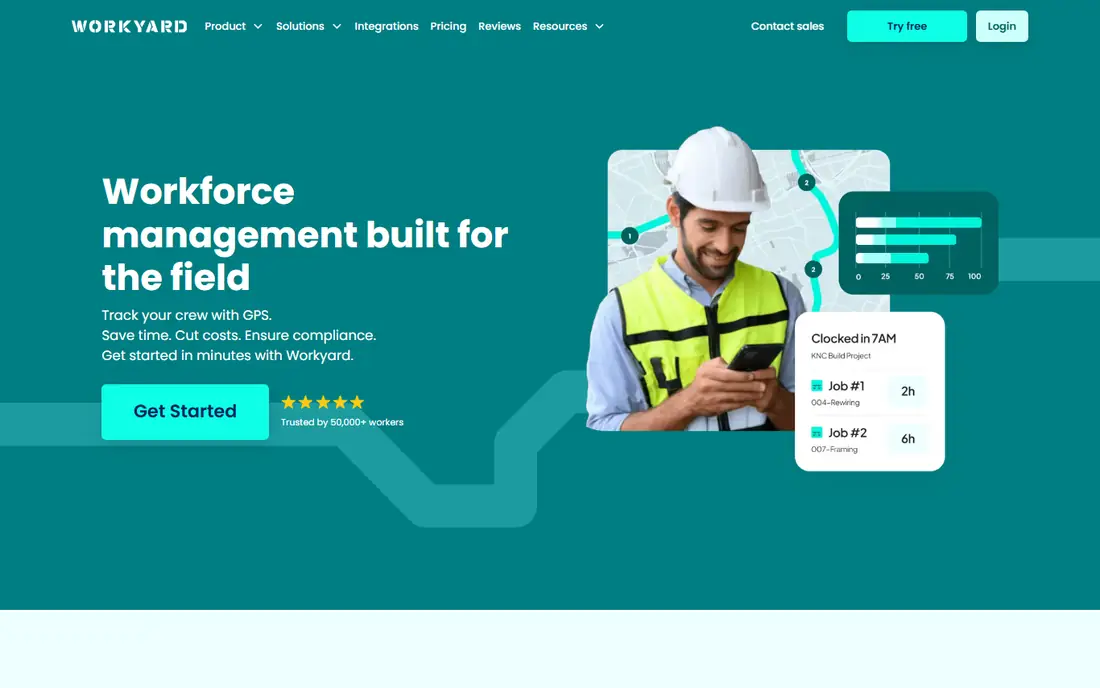
Workyard focuses on one job: proving that time was worked at the right jobsite and tying it to the right cost code. It offers GPS-verified punches, geofence rules and offline mode, plus supervisor review before hours go to payroll. Starter pricing starts at $6 per user per month when billed annually, which is competitive for GPS-verified tracking.
Workyard is narrower than Connecteam or QuickBooks Time, since it does not try to cover every field operation task. That focus suits construction and field service firms that mainly need accurate, payroll-ready time. If you also need forms, training or full HR tools, you may need a second app alongside it.
- GPS-verified punches and geofencing
- Job and cost-code allocation
- Payroll-ready exports
- No free plan for ongoing use
- Smaller feature range than full field suites
Buddy Punch suits small crews that want flexible clock-in choices without a high starting price. Workers can clock in by phone, web or kiosk, and managers get overtime, paid time off and job costing tools as they move up plans. Starting pricing is $4.99 per user per month when billed annually, plus a $19 base fee.
Geofencing sits on Pro plans or as an add-on, so crews that need strict site checks should budget for that tier. The base fee also lifts the total for a crew of two or three. For small teams that value flexible clock-in and clear PTO tracking, Buddy Punch is a low-cost entry point.
- Low starting price
- GPS and geofencing on higher plans
- PTO and overtime tools
- Geofencing needs Pro or an add-on
- Base fee applies on top of user price
QuickBooks Time, formerly TSheets, is the natural pick for contractors who already run payroll and invoicing in QuickBooks. Approved hours flow into QuickBooks workflows without retyping, and Premium plans include GPS while clocked in, scheduling and a time kiosk. Premium pricing starts at $20 per month plus $10 per user per month, with a QuickBooks Online subscription required.
That dependency is the main drawback. Firms not on QuickBooks must pay for both systems, which can cost more than a standalone tracker such as Workyard or busybusy. Elite adds project estimates versus actuals and geofencing, at $40 per month plus $12 per user per month. If QuickBooks is already your system of record, QuickBooks Time saves the most admin time.
- Hours flow into QuickBooks payroll and invoicing
- GPS and scheduling
- Time kiosk
- Needs a QuickBooks Online subscription
- Per-user cost rises on Elite
Timeero suits small to mid-size field teams that need GPS proof plus mileage in one app. Workers clock in by phone, managers see location and geofence checks, and mileage tracking helps cost jobs that involve driving between sites. Starting pricing is $5 per user per month when billed annually, which keeps monthly cost low for small crews.
Integration and job costing depth are more limited than at ClockShark or QuickBooks Time, so firms with complex payroll or project accounting may need extra steps. For crews that drive a lot and need simple, accurate field time, Timeero offers strong value at a low price.
- GPS and geofencing
- Mileage tracking
- Offline mode
- Smaller integration range than larger rivals
- Job costing is less deep than ClockShark
Connecteam covers time tracking inside a wider field operations app, with scheduling, forms, chat, training and a mobile time clock. The free plan covers up to 10 users, which suits very small crews, and paid Basic plans start at $29 per month for the first 30 users plus a small per-user fee. That breadth helps firms that want one app for crew communication as well as time.
Geofencing is limited on lower plans, with more sites allowed on Advanced and Expert tiers, so check site limits if you run many jobsites at once. Time tracking alone is also simpler than ClockShark or busybusy in some areas. Connecteam fits best when you want time plus team operations in one place, not time alone.
- Free plan up to 10 users
- Time tracking plus forms, chat and training
- Kiosk clock-in
- Geofencing limits vary by plan
- Per-user fees apply on top of base price on paid plans
Arcoro Time, formerly ExakTime, suits larger workforces and firms with prevailing-wage or certified payroll needs. It offers GPS location and perimeter controls, dedicated jobsite clocks with facial recognition options, and payroll reporting that supports certified payroll workflows. Time Essential pricing starts at $9 per employee per month when billed annually.
There is no free plan, and setup suits firms with fixed locations and larger crews more than a two-person team. Smaller crews may find Workyard or Timeero simpler and cheaper. For firms that must prove hours, location and wage compliance on complex jobs, Arcoro Time offers depth that lighter apps do not.
- GPS and perimeter controls
- Dedicated jobsite clocks
- Certified payroll support
- No free plan
- Pricing and setup suit larger workforces more than tiny crews
How we picked these
We compared official pricing pages, product documentation and public feature lists for construction time tracking tools live in October 2026. We favored tools with GPS or geofencing, offline entry, job costing and payroll exports, and we excluded general time trackers with no field or jobsite features. We did not claim hands-on field trials, and we treated GPS tracking as a payroll aid that needs clear worker policies.
How to choose the right app
Start with site and payroll needs. If you run many sites at once, favor Workyard, ClockShark or busybusy for GPS and geofence controls. If you track equipment, favor busybusy. If you already use QuickBooks, favor QuickBooks Time. If you need certified payroll, favor Arcoro Time.
Next, check the real monthly total, including base fees, admin fees and per-user charges for active workers only. Some tools charge only for active users, which helps seasonal crews, while others charge for every seat. Test offline mode on a real jobsite, since signal loss is common and a tool that fails offline will create manual corrections.
Worker privacy and policy
Tell crews what GPS data you collect, when tracking starts and stops, and how long you keep location records. Track only while clocked in, unless a clear policy and consent cover more, and give workers a simple way to fix a missed punch. Clear rules protect trust and reduce disputes when hours are questioned.
Frequently asked questions
What is the best time tracking software for construction crews?
ClockShark is the best all-round pick for crews that need scheduling, GPS and job costing together, while busybusy is best for crews that also track equipment. Workyard suits crews that want GPS-verified time at a lower per-user price. Pick based on scheduling, equipment and payroll needs.
What is the best time tracking app for construction with GPS?
Workyard, ClockShark, busybusy and Timeero all offer GPS tracking with geofencing, though geofence depth varies by plan. Workyard focuses on GPS-verified punches, ClockShark pairs GPS with scheduling, and busybusy adds equipment tracking. Test GPS accuracy on your own sites before committing.
What is the best construction time tracking app with a free plan?
busybusy offers a free plan for unlimited users for basic tracking, and Connecteam offers a free plan up to 10 users. Both are useful for small crews, but advanced GPS controls, equipment tracking and payroll features need paid plans. Check free plan limits before you rely on them for a full crew.
Does construction time tracking work offline?
Most tools here, including ClockShark, busybusy, Workyard and Timeero, offer offline entry that syncs when signal returns. Test offline clock-in, cost-code changes and punch corrections on a real site, since offline behavior varies by app and phone. A tool that loses offline punches will cost more admin time than it saves.
How much does construction time tracking cost?
Starting prices here range from $4.99 per user per month at Buddy Punch to $10 per user per month at QuickBooks Time, plus base or admin fees on some plans. Connecteam starts at $29 per month for a group, and Arcoro Time starts at $9 per employee per month. Always add base fees and check whether inactive workers are billed.
Sources
See where you really rank - block by block
ProMapRanker scans Google Maps across a grid of your service area. Simple monthly plans from $19, white-label on every plan.
Start freeKeep reading
 zoho inventory alternatives
6 Alternatives to Zoho Inventory, Compared on Price and Fit
Zoho Inventory alternatives: 6 tools compared on price, free plans and fit. Katana leads the list for manufacturers. Fit and flaws are laid out for each entry.
Read → zoho crm alternatives
Best Zoho CRM Alternatives (2026)
Need Zoho CRM alternatives? We compare 7 tools on cost, free access and who each suits. Every pick gets a straight assessment. Built for quick decisions.
Read → zelle alternatives
Best Zelle Alternatives in 2026
Compare the best Zelle alternatives for sending money to friends, paying sellers and moving funds abroad, with honest notes on fees, speed and safety in 2026.
Read →