 ProMapRanker
Best Construction Team Scheduling App in 2026

Key takeaways
- Fieldwire gives small field teams a free starting point, while Procore and Buildertrend suit larger, more complex projects.
- Connecteam and Workyard focus on day-to-day crew scheduling, time tracking and location checks, which matter more on active sites than long-range planning alone.
- Per-user pricing can rise fast with a large crew, so compare the total monthly cost at your actual headcount, not only the headline rate.
- The strongest choice depends on whether you need drawings and punch lists, client communication, payroll exports, or full project controls.
Quick comparison
| Pick | Great for | Pricing starts at | Free tier | |
|---|---|---|---|---|
 Procore | Large commercial projects | See website | No | Visit |
 Buildertrend | Residential builders | See website | No | Visit |
 Fieldwire | Field tasks and drawings | Free | Yes | Visit |
 Connecteam | Deskless crew scheduling | $29 per month | Yes | Visit |
 Jobber | Small service crews | $49 per month | No | Visit |
 Workyard | GPS-verified crew time | $6 per user per month | No | Visit |
 busybusy | Simple construction time tracking | Free | Yes | Visit |
 Contractor Foreman | Small contractors on a budget | $49 per month | No | Visit |
 Raken | Daily reports and field notes | See website | No | Visit |
The best construction team scheduling apps
A good schedule on a construction site is only useful if the crew can see it, follow it and report back on it. We compared tools that handle crew assignments, shift changes, site tasks and time records, and we checked current pricing pages and feature pages before listing them.

For large commercial work, Procore brings scheduling together with drawings, requests for information, submittals, budgets and daily logs. That breadth helps when a general contractor, several subcontractors and an owner all need the same current information. A schedule change can sit beside the drawing revision and the related message, which reduces the chance that a crew works from an old plan.
The trade-off is scale and cost. Procore does not publish a standard price, so a small contractor cannot compare it at a glance with a simple monthly plan. Firms with modest volume may find the platform and its setup effort larger than they need, and they should get a written quote that lists modules, users and support before signing.
- Central project records
- Strong drawing and document controls
- Unlimited users on typical contracts
- Pricing is quoted, not published
- Setup and cost can be heavy for small firms
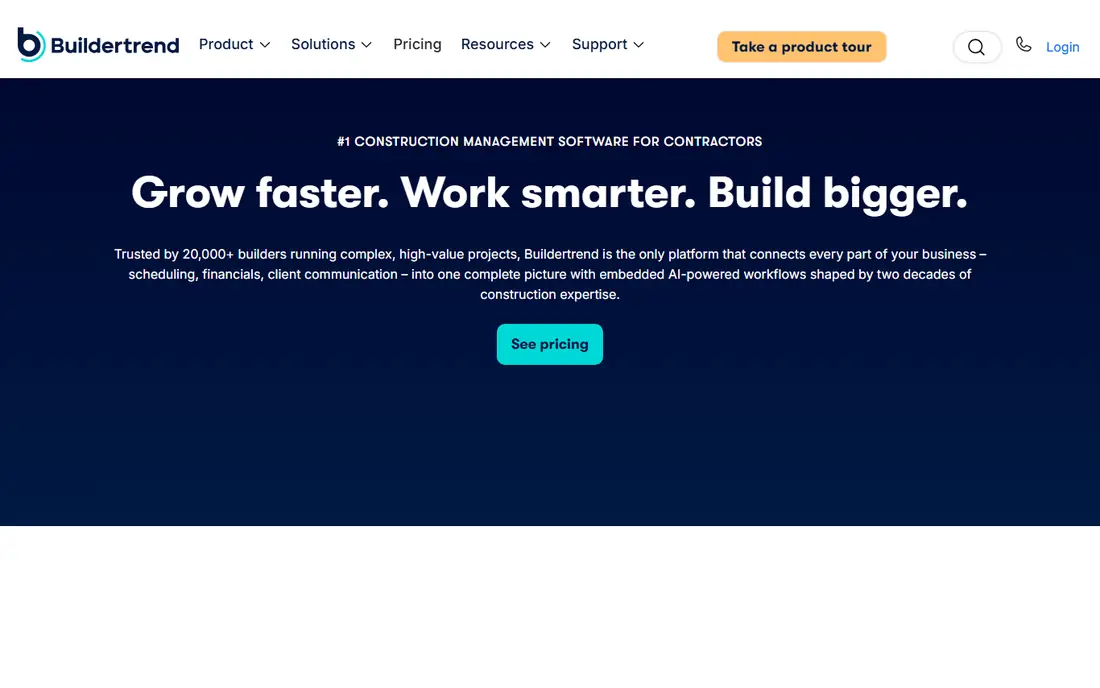
Buildertrend fits home builders and remodelers who need to keep clients in the loop while crews move between jobs. Its schedule sits beside selections, change orders, daily logs and client messages, so a homeowner can see progress without calling the office for every update. That client view is a practical benefit for firms that spend a lot of time answering status questions.
Pricing is now quoted based on company size and volume, so the final figure needs a sales conversation. Builders should also confirm which tier includes estimating, change orders and budget tracking, because those features have varied by plan in past published tiers. For residential work, though, the combination of schedule and client communication is hard to match.
- Client portal for selections and updates
- Scheduling linked to budgets and messages
- Unlimited users and projects on quoted plans
- Pricing is quoted, not published
- Weaker fit for heavy commercial work

Fieldwire, by Hilti, starts from the plan sheet rather than the office calendar. A foreman can open a drawing, drop a task on the exact location, add a photo and assign it to a trade. That direct link between a task and its place on the plan helps crews find work without sorting through long lists or group messages. The free Basic plan covers up to five users, three projects and 100 sheets.
Paid plans start at $39 per user per month billed annually for Pro, with Business at $64 and Business Plus at $89. Those tiers add reports, sheet compare, custom forms, integrations and, at the top tier, requests for information, submittals and budgets. Fieldwire is less of an estimating or accounting tool, so firms that need those functions will pair it with another system.
- Free Basic plan for small teams
- Tasks pinned to plan locations
- Offline mobile access
- Paid plans charge per user
- Reports and full project controls need higher tiers
Connecteam is built for workers who do not sit at desks, and that shows in its scheduling tools. Managers can build shifts, share job details, track time and message the crew from one mobile app. The free Small Business plan covers up to 10 users across its hubs, which makes it a low-risk way to test whether a crew will actually use a scheduling app.
Paid Operations plans start at $29 per month for the first 30 users on annual billing, with higher tiers adding geofencing and automation. The catch is the hub model: Operations, Communications and HR and Skills are separate subscriptions, so the total depends on which hubs you need. Connecteam also exports timesheets rather than running payroll itself.
- Free plan for up to 10 users
- Scheduling, time clock and chat in one app
- Simple mobile setup
- Hubs are priced separately
- Payroll processing needs an outside provider
Jobber works well for smaller crews that run scheduled service visits, such as plumbing, electrical or landscaping teams that also do construction-related work. Jobs, quotes, invoices and schedules live in one place, and technicians see their day in order on a phone. That simplicity matters when a crew moves between several sites in a day.
Core starts at $49 per month for one user, with Connect and Grow adding reminders, QuickBooks sync, job forms and two-way texting at higher prices. Jobber is less suited to long, multi-trade construction schedules with Gantt charts and change orders. Firms running projects that last weeks should check whether its job model fits before committing.
- Clear published pricing
- Quoting, scheduling and invoicing together
- Strong mobile app for technicians
- Built for service visits more than multi-week construction projects
- GPS tracking needs a higher tier
Workyard links the schedule to verified hours, which is its clearest strength for construction crews. Workers clock in from a phone, managers see where crews are assigned, and hours flow to job costing and payroll exports. That link helps a manager spot a job that is drifting over its labor budget while there is still time to adjust the crew.
Pricing starts from $6 per user per month plus a $50 monthly base fee on published comparisons, so a small crew should work out the combined total. There is no free plan, though a trial is offered. Workyard is a strong pick when accurate, location-checked hours matter as much as the schedule itself.
- GPS-verified time and scheduling
- Payroll exports to common providers
- Job costing by project
- A monthly base fee sits on top of per-user pricing
- No free plan
busybusy keeps the daily routine simple: clock in, pick a job, record labor and equipment time, and move on. That simplicity suits crews that resist complex software, and the free plan covers time tracking for a large number of users. Managers still get hours grouped by job, which supports basic job costing without a separate timesheet system.
Paid plans add supervisor tools and deeper controls, with Pro reported around $9.99 per user per month billed annually plus an admin license. The scheduling side is lighter than tools built around Gantt charts or multi-week project plans. Choose busybusy when reliable daily time records matter most, and pair it with a planning tool if you need detailed project scheduling.
- Free plan for time tracking
- Labor and equipment time by job
- GPS verification on clock-in
- Advanced supervisor tools need paid plans
- Scheduling depth is lighter than full project tools
Contractor Foreman packs scheduling, estimating, punch lists, job costing and invoicing into one low-priced package. Annual plans start at $49 per month for one user, rising by team size to $332 per month for unlimited users. That breadth suits a small general contractor or remodeler that wants one system rather than several subscriptions.
The compromise is depth. No single module is as detailed as a dedicated scheduling, estimating or accounting product, and local material pricing sits on higher plans. A 30-day trial helps a firm test whether the scheduling view and the estimate workflow fit its jobs. For the price, though, it covers more ground than most rivals at this level.
- Broad coverage at a low entry price
- Schedules, estimates and job costing together
- QuickBooks Online link
- Each module is lighter than a dedicated tool
- Higher plans needed for larger teams
Raken focuses on what happened on site each day, and that record supports the schedule. Crews log hours, quantities, photos, notes and safety observations from a phone, and the office gets a clean daily report without chasing paper forms. When a schedule slips, that daily record shows whether labor, weather, material or another trade caused the delay.
Pricing is quoted rather than published, so firms need to ask for a firm figure for their crew size. Raken also does not replace estimating or accounting software. Its value is in daily visibility: managers can check progress, share a report with a client or owner, and adjust the next day plan from facts rather than memory.
- Fast daily reports with photos
- Time and production tracking by project
- Simple field app
- Pricing is quoted, not published
- Not a full estimating or accounting system
How we picked these
We compared official feature pages, pricing pages and app store listings for tools that schedule construction teams, not only general project software. We kept tools that assign work to named crew members, show that work on a phone, and record progress or time in a usable form. We left out tools that only offer a shared calendar with no job, crew or site context, and we used See website where a vendor quotes rather than publishes a price.
What to check before you choose
Start with the shape of your work. A firm running multi-week projects with subcontractors needs project scheduling, drawings and change control. A service crew running daily visits needs fast dispatch, route order and invoicing. A labor-heavy contractor needs verified hours and job costing first. Matching the tool to that shape matters more than buying the longest feature list.
Check the total cost at your headcount
Add base fees, per-user fees and any admin license before comparing plans. A low per-user rate with a base fee can cost more for a six-person crew than a flat team plan. Ask for the monthly total at your current size and at the size you expect in a year, and confirm what happens when you add a seasonal worker.
Test the field app on a real job
Give the app to a foreman and two crew members for one week on an active job. Check whether they can find the schedule, clock in, add a photo and report a problem without help from the office. If the crew avoids the app, the schedule in the office will drift from the work on site, and no feature list will fix that gap.
Confirm the handoffs you rely on
Check exports to payroll, accounting and any client portal you already use. Confirm who owns the data if you cancel, and whether daily reports and photos can be exported in a usable form. A scheduling tool should reduce phone calls and paper, not create a second set of records that only one person understands.
Frequently asked questions
What is the best construction team scheduling app for a small crew?
For a small crew, Fieldwire, Connecteam and busybusy are strong starting points because they offer free plans and simple mobile apps. Fieldwire suits drawing-led work, Connecteam suits shift scheduling and team chat, and busybusy suits time tracking by job. Test one on a live job before paying for a larger plan.
Do I need Procore or Buildertrend for scheduling?
You need that level of tool only if your projects involve many subcontractors, formal documents, budgets and client approvals. Smaller firms often get the scheduling they need from a crew tool at a lower price. If you already use Procore or Buildertrend for project control, using its scheduling keeps records in one place.
How much should a construction scheduling app cost?
Costs range from free for small teams to several hundred dollars per month for larger crews, depending on per-user fees, base fees and modules. Always calculate the total at your headcount. Quoted tools such as Procore, Buildertrend and Raken need a written quote before you can compare them fairly.
Can these apps work offline on a job site?
Many field apps, including Fieldwire, offer offline access to plans and tasks, but the exact offline features vary by plan. Check whether a crew can view the schedule, add photos and log time without a signal, and what syncs once coverage returns. Do not assume offline support from a general mobile app claim.
Should scheduling and time tracking be in the same app?
Keeping them together usually gives cleaner job costing, because hours link directly to scheduled jobs. Separate tools can work if they export cleanly to payroll and accounting. The risk with separate tools is double entry, which leads to errors and extra office work at the end of each week.
Sources
See where you really rank - block by block
ProMapRanker scans Google Maps across a grid of your service area. Simple monthly plans from $19, white-label on every plan.
Start freeKeep reading
 zyte alternatives
Best Zyte Alternatives in 2026
These zyte alternatives cover managed scraping APIs, proxy networks and no code tools for lawful collection from your own or consented sources only in 2026.
Read → zerto alternatives
Best Zerto Alternatives in 2026
Compare the best zerto alternatives for disaster recovery and replication, with recovery targets, cloud options and honest trade-offs for teams in 2026.
Read → zerofox alternatives
Best ZeroFox Alternatives in 2026
We compared 9 zerofox alternatives for brand protection, phishing takedowns, dark web monitoring, and social impersonation, with clear coverage notes.
Read →