 ProMapRanker
Best Construction Takeoff Software in 2026


Cloud takeoff and estimating in one place · Pricing starts at: $299 per user per month
Key takeaways
- STACK and PlanSwift remain the most common takeoff choices, but they suit different shops: cloud collaboration versus Windows desktop depth.
- Bluebeam Revu is a PDF markup tool with measuring, not a dedicated estimating system, so pair it with an estimator when bids need full pricing.
- Published entry prices run from $108 per month for Autodesk Forma Takeoff to $2,000 per seat per year for PlanSwift, with several tools priced by quote.
- Always run one real bid through a trial and check how quantities export to Excel or your estimating system before buying.
- Small teams should weigh free and low-cost options carefully, since per-seat prices add up fast across an estimating department.
Quick comparison
| Pick | Great for | Pricing starts at | Free tier | |
|---|---|---|---|---|
| STACK | Cloud takeoff and estimating in one place | $299 per user per month | Yes | Visit |
 PlanSwift | Desktop takeoff with deep assemblies | $2,000 per seat per year | Free trial (14 days) | Visit |
 Bluebeam Revu | PDF markup with measuring | $260 per user per year | Free trial | Visit |
 ProEst | Cloud estimating with takeoff for mid-size firms | See website | No | Visit |
 On-Screen Takeoff | Purpose-built desktop takeoff workflows | See website | Free trial | Visit |
 Togal.AI | AI-assisted takeoff from drawings | $299 per month | No | Visit |
 Autodesk Forma Takeoff | 2D and 3D quantities for Autodesk teams | $108 per month | Free trial (30 days) | Visit |
 Square Takeoff | Simple takeoff at a predictable price | $249 per month | No | Visit |
The best construction takeoff software
These eight tools turn drawings into quantities you can price. We compared published pricing, platform type, and how each tool handles real plan sets.

STACK is the easiest cloud option to evaluate because it publishes pricing and offers a free version. Estimators measure areas, lengths, and counts in the browser, attach costs, and build proposals without moving files between programs. Team members can review the same takeoff, which helps when a bid needs a second pair of eyes before submission.
The cost is the main caution. At $299 per user per month, three estimators cost close to $900 a month before add-ons, so small firms should test the free version first. Large plan sets can also feel slower than desktop tools. For teams that bid weekly and value shared access, the convenience often justifies the price.
- Runs in any browser
- Takeoff, estimating, and proposals in one system
- Free version available
- Per-seat cost adds up for larger teams
- Some advanced features cost extra
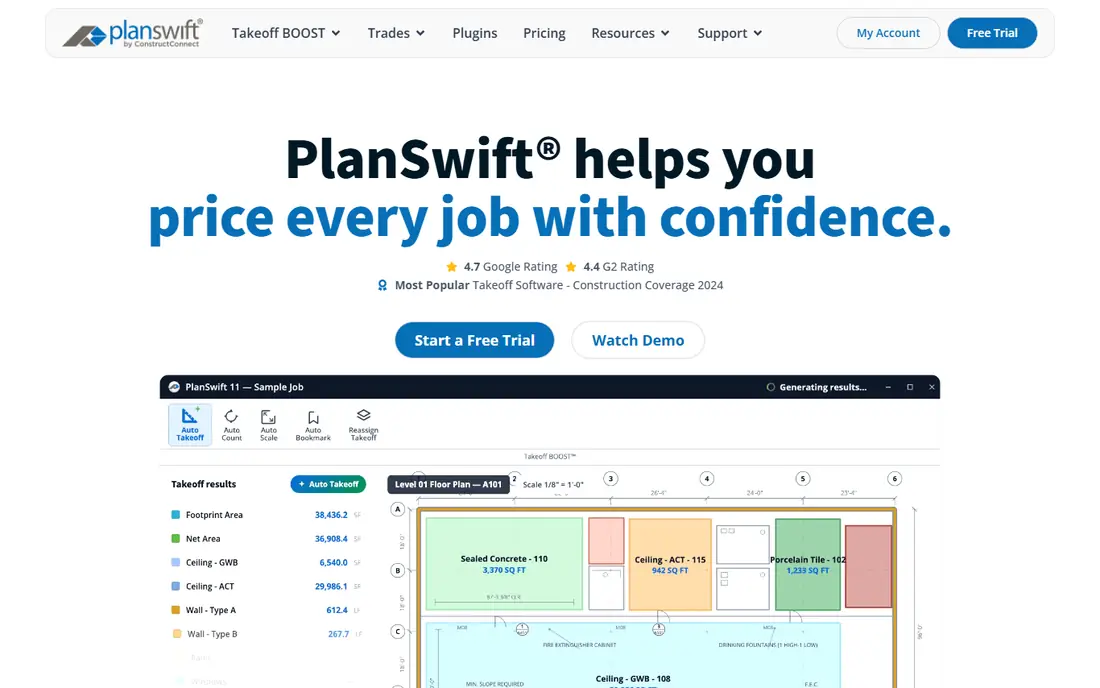
PlanSwift has been a standard desktop takeoff tool for years, built around drag-and-drop measuring and assemblies that turn quantities into priced line items. Estimators who learned the trade on PlanSwift often keep large assembly libraries that are hard to rebuild elsewhere. That history is a real asset for established shops with repeat work types.
The limits are clear for new buyers. It runs on Windows only, and the yearly per-seat price is steep compared with cloud rivals. A shop starting fresh in 2026 should compare it directly against STACK or Autodesk Forma Takeoff on a real bid. A shop with years of assemblies already built will find switching costs harder to justify.
- Fast on-screen takeoff
- Deep trade assemblies and parts
- Long track record with estimators
- Windows only
- Per-seat yearly cost is high
- No true cloud version
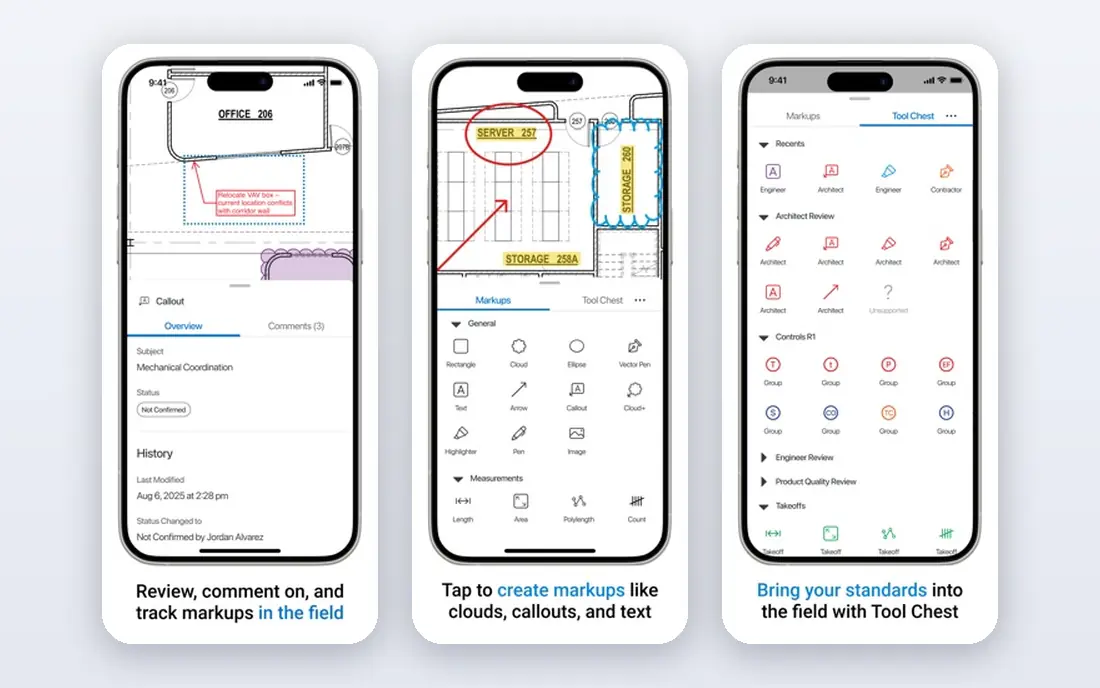
Bluebeam Revu is best understood as a PDF tool that can measure, rather than a takeoff tool that can mark up. Its markup, review, and document control features are excellent, and many offices already use it for RFIs and plan coordination. The measuring tools handle counts, lengths, and areas well enough for simple takeoffs and quantity checks.
Firms that need assemblies, cost databases, and bid-ready estimates will still need a dedicated tool alongside it. That pairing is common: Bluebeam for review, plus STACK or PlanSwift for the takeoff itself. At $260 per user per year for the Basics tier, it is cheap insurance for any office that works with drawings daily.
- Lowest published starting price here
- Strong markup and review tools
- Widely used for plan review
- Not a dedicated estimating system
- Quantity workflows are thinner than purpose-built takeoff tools
ProEst combines takeoff with estimating, bid management, and customer tracking in one cloud system. That breadth helps mid-size contractors who want estimates, proposals, and client records in the same place rather than spread across tools. A central estimate database also makes it easier to reuse past pricing on similar jobs.
The drawback is price transparency. Without published pricing, buyers must request a quote and clarify user limits and contract terms. Solo estimators who only need measuring may find the full system heavier than necessary. For firms with several estimators and a steady bid pipeline, the combined workflow is the selling point.
- Cloud estimating with takeoff, CRM, and bid tools
- Suits mid-size contractors
- Central estimate database
- Pricing is not published
- May be more than a solo estimator needs
On-Screen Takeoff, from ConstructConnect, is built for estimators who want structured takeoff conditions rather than general PDF markup. It organizes quantities by bid item and pairs with Quick Bid for pricing, which suits commercial estimators with repeatable workflows. Firms that run multi-estimator departments often value its consistency across bids.
The trade-offs mirror PlanSwift: desktop software, quote-based pricing, and a learning curve. New estimators will need training time before they work at full speed. Shops already using ConstructConnect products for bidding and project data may get the most value, since the tools share a common workflow.
- Dedicated takeoff conditions and organized bid workflows
- Pairs with Quick Bid estimating
- Proven on commercial work
- Windows desktop software
- Quote-based pricing
- Learning curve for new estimators
Togal.AI takes a different approach by using AI to generate takeoffs from drawings, rather than asking the estimator to trace every area by hand. That first pass can save hours on large plan sets, especially for area-based quantities. The cloud setup also avoids Windows-only limits that affect desktop rivals.
AI takeoff is not a finished bid on its own. Estimators should check counts, conditions, and edge cases before pricing, since errors in quantities flow straight into the estimate. At $299 per month, it suits firms that bid often enough for the time saved to cover the subscription. Occasional bidders should test it on a live project first.
- AI draws quantities from architectural plans
- Cloud-based
- Fast first pass on area takeoffs
- Monthly cost is high for small firms
- AI output still needs estimator review
Autodesk Forma Takeoff stands out on price and scope. At $108 per month, it is the cheapest published monthly entry in this group, and it handles both 2D quantities and 3D model takeoff. Teams already using Autodesk tools for design or preconstruction will find the workflow familiar, with quantities tied to models rather than flat drawings alone.
The catch is ecosystem fit. Firms that rarely touch Autodesk products may not gain the same benefit, and they should compare cloud rivals on their own plan types. The 30-day trial is generous, so run a real bid through it, including export to your estimating format. For Autodesk shops, it is a strong and affordable starting point.
- Handles 2D drawings and 3D models
- Lowest published monthly price here
- 30-day trial
- Best value inside Autodesk workflows
- Less useful for teams outside that ecosystem
Square Takeoff appeals to estimators who want a straightforward monthly price and a tool that works beyond a Windows desktop. Its cloud design suits residential and remodel work, where plan sets are smaller and bids move fast. Tablet support also helps estimators who measure on site or review quantities away from the office.
The limit is depth. Square Takeoff does not match the assembly libraries or enterprise estimating features of PlanSwift, ProEst, or STACK. Firms with complex commercial bids may need more structure. For smaller teams that value simplicity and a predictable bill, that trade is often worth making.
- Simple cloud takeoff with a clear monthly price
- Works on tablets and browsers
- Good for residential work
- Fewer advanced estimating features than larger suites
- No free plan
How we picked these
We compared official feature and pricing pages, plus recent published comparisons, for takeoff tools that work in October 2026. We favored tools with real measuring workflows, plan handling, and export options, and we kept both cloud and desktop options because shops differ on platform needs. Where a vendor did not publish pricing, we wrote See website rather than guessing from older listings. We also favored tools with trials or free versions, since a takeoff tool should prove itself on a real bid.
How to choose the right takeoff tool
Start with your plan types and bid volume. A firm that bids commercial work weekly needs assemblies, version handling, and export that a casual tool may lack. A residential remodeler who bids a few jobs a month may value simplicity and a lower monthly bill more than deep estimating features.
Test before you buy
Run the same bid through two finalists and compare quantities, not just speed. Check how each tool handles revisions, since plan changes mid-bid are common and rework is expensive. Confirm export formats, including Excel, and test whether quantities land in your estimating system without manual retyping. Ask about training, support hours, and what happens to your data if you cancel.
Watch the total cost
Per-seat pricing can look modest until you multiply it across an estimating team. Add training, add-ons such as aerial takeoff, and any estimating module that sits behind a higher tier. A free plan or trial helps, but read its limits on projects, plan pages, and measurements. The cheapest tool is the one your estimators actually use on every bid, not the one with the lowest headline price.
Frequently asked questions
What is the best takeoff software for construction?
There is no single winner, since cloud teams often pick STACK, Windows shops with deep assemblies often stay with PlanSwift, and Autodesk teams often pick Forma Takeoff. Match the tool to your platform, bid type, and estimating workflow. A trial on a real bid will tell you more than a feature list.
What is the best software for construction takeoffs on a budget?
Autodesk Forma Takeoff starts at $108 per month, and STACK offers a free version with limits, while Bluebeam Revu starts at $260 per user per year for markup plus measuring. Budget buyers should check what the low tier actually includes, since project limits and add-ons change the real cost. A low price helps only if the tool handles your plan sets well.
Is Bluebeam a takeoff software?
Bluebeam Revu includes measuring tools and works well for plan markup and quantity checks, but it is not a dedicated estimating system. Many firms use it alongside a purpose-built takeoff tool. If your bids need assemblies and priced estimates, plan for that second tool from the start.
What is the best take off software for a small contractor?
Small contractors often do well with STACK, Autodesk Forma Takeoff, or Square Takeoff, depending on whether they want cloud collaboration, Autodesk links, or simple pricing. Start with a trial, run one real bid, and check export to your estimating method. Keep the team small at first so training stays manageable.
Do takeoff tools replace an estimator?
No, they speed up measuring and reduce manual errors, but an estimator still checks quantities, conditions, and scope gaps. AI-assisted tools such as Togal.AI still need review before pricing. The best results come from a skilled estimator using a good tool, not from software alone.
Sources
See where you really rank - block by block
ProMapRanker scans Google Maps across a grid of your service area. Simple monthly plans from $19, white-label on every plan.
Start freeKeep reading
 zoho inventory alternatives
6 Alternatives to Zoho Inventory, Compared on Price and Fit
Zoho Inventory alternatives: 6 tools compared on price, free plans and fit. Katana leads the list for manufacturers. Fit and flaws are laid out for each entry.
Read → zoho crm alternatives
Best Zoho CRM Alternatives (2026)
Need Zoho CRM alternatives? We compare 7 tools on cost, free access and who each suits. Every pick gets a straight assessment. Built for quick decisions.
Read → zelle alternatives
Best Zelle Alternatives in 2026
Compare the best Zelle alternatives for sending money to friends, paying sellers and moving funds abroad, with honest notes on fees, speed and safety in 2026.
Read →