 ProMapRanker
Best Construction Site Inventory Tracking App in 2026


QR and GPS tracking for trades and field teams · Pricing starts at: $500 per year
Key takeaways
- Field scanning matters most, because a system crews will not scan is a system with bad data.
- Check-in, check-out and location history beat a simple stock count for tools and equipment.
- Offline or poor-signal use, durable labels and job costing separate construction tools from generic inventory apps.
- Quote-based pricing is common for larger fleets, so compare total cost, users and label or tag costs, not only a monthly headline.
Quick comparison
| Pick | Great for | Pricing starts at | Free tier | |
|---|---|---|---|---|
| GoCodes | QR and GPS tracking for trades and field teams | $500 per year | Free trial | Visit |
 Sortly | Visual inventory for smaller construction teams | $24 per month | Free trial | Visit |
 ToolWatch | Large construction fleets and tool control | See website | No | Visit |
 EZOfficeInventory | Equipment rental and asset tracking | $48 per month | Free trial | Visit |
 Asset Panda | Flexible asset tracking with custom fields | See website | Free trial | Visit |
 ToolHound | Heavy industrial and large tool fleets | See website | No | Visit |
 Fieldwire | Site plans, tasks and material tracking in context | See website | Free trial | Visit |
 Procore | Project management with inventory and equipment context | See website | No | Visit |
The best construction site inventory tracking apps
Construction inventory is not the same as warehouse stock on a shelf. Tools move between sites, trucks and tool cribs, consumables run out mid-job, and a missing item can stall a crew. The apps below are judged on scanning, location tracking, check-in and check-out, maintenance, job costing and how well they work on a phone in the field, not only in an office browser.
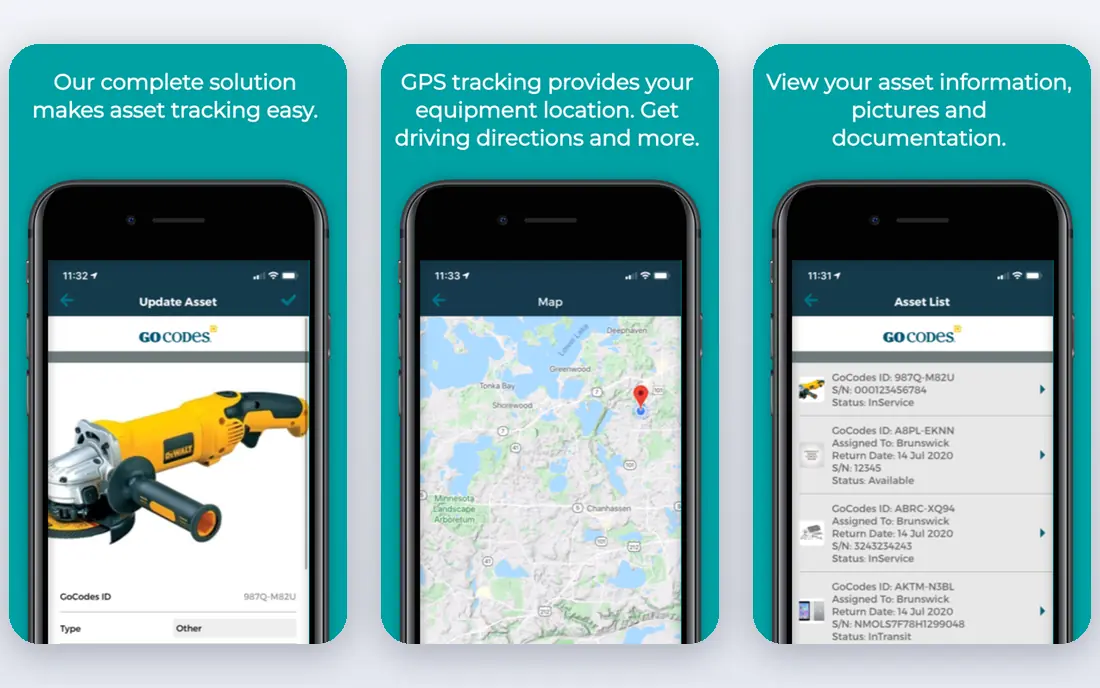
GoCodes is a strong fit for trades and field service teams that need to know where tools are, not only how many exist. QR labels and phone scanning make check-in and check-out fast, while multi-location views cover warehouses, job sites and vehicles in one dashboard. Usage by project or employee also helps with job costing and accountability.
The annual starting price means a small crew should check user limits and label costs before committing. GPS tracking adds value for theft prevention, but it depends on the right tags and on phones with signal. For teams that need full purchase orders and supplier management, GoCodes may need to sit beside an accounting or procurement tool.
- QR labels included in some plans
- GPS and multi-location tracking
- Usage by project or employee
- Reorder alerts
- Annual pricing may suit larger teams better than a single small crew
- GPS features need compatible tags and devices
- Deeper procurement is limited
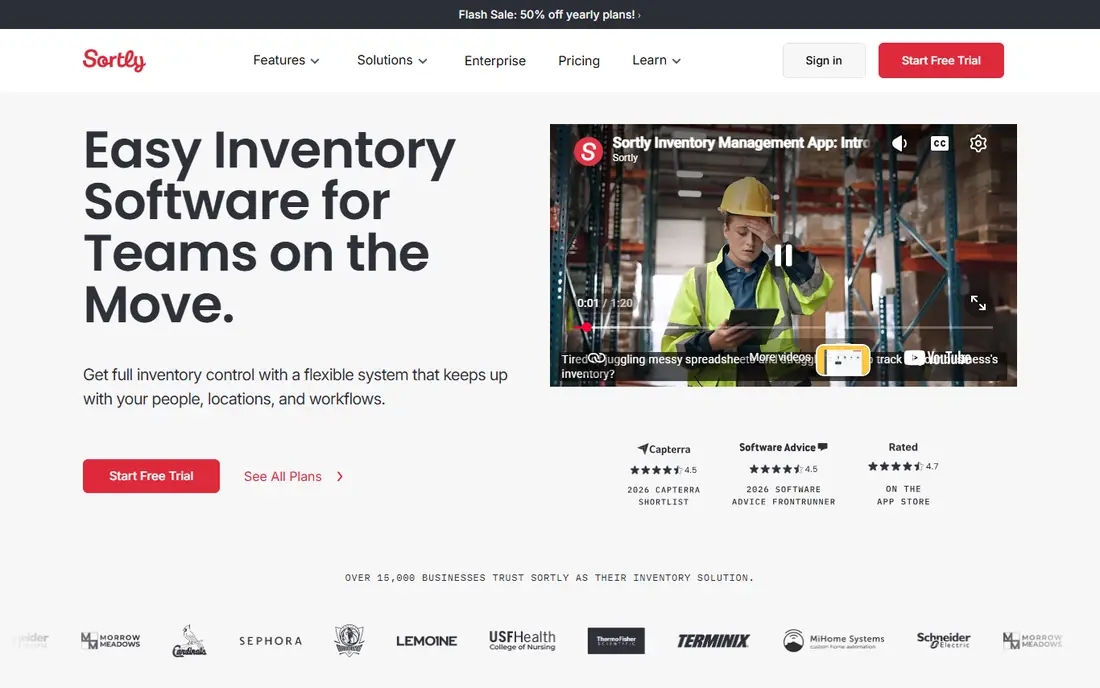
Sortly suits smaller contractors who want inventory tracking without a long setup. Photos and visual folders make it easy for a new hire to recognise an item, and phone scanning keeps the record close to the work. For a crew that mainly needs to know what is on site, what is out and what is running low, that simplicity is a strength.
Specialist construction needs show the limits. Maintenance scheduling, heavy fleet management and deep job costing are not the core of Sortly, so larger contractors may outgrow it. Price also rises with users and features, so compare the tier that includes the scanning, reporting and user count you actually need.
- Visual folders and photos for items
- QR and barcode scanning
- Simple check-in and check-out
- Mobile app for field use
- Not built only for construction, so job costing and maintenance depth are lighter than specialist tools
- Higher tiers needed for larger teams
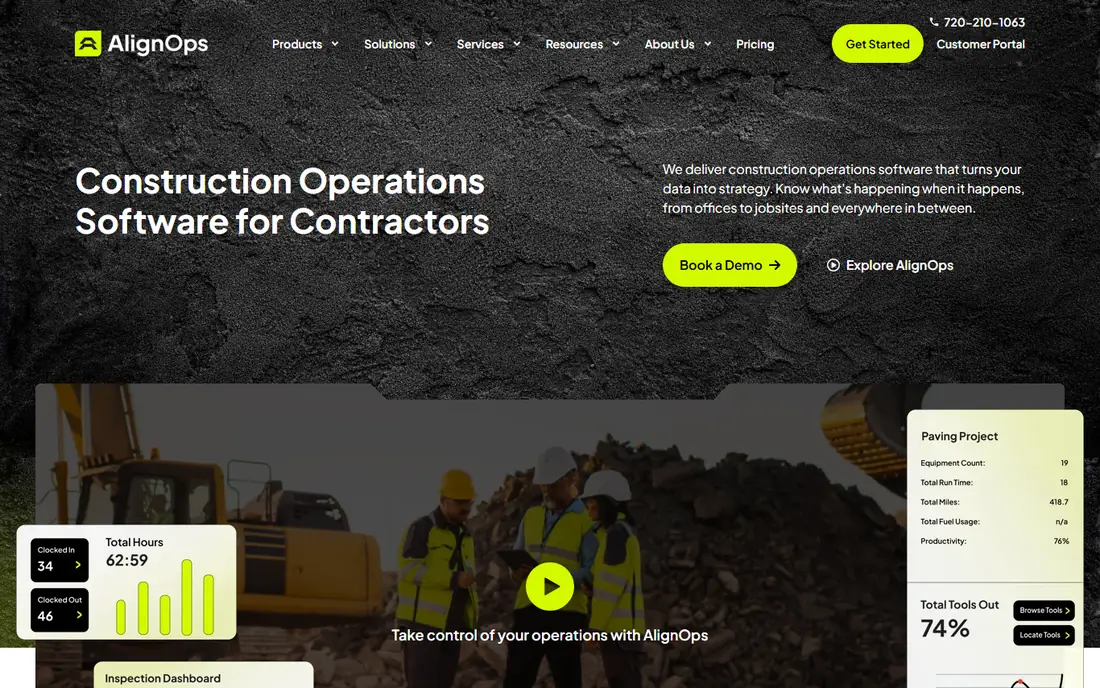
ToolWatch, now part of AlignOps, fits large contractors with many tools, consumables and locations. Its strength is accountability: who has an item, where it was transferred, and what remains in the warehouse. Maintenance scheduling and job costing links help when tools are also assets that need servicing and charging back to jobs.
This is not a quick-start app for a five-person crew. Quote-based pricing, implementation and training mean the total cost and time are higher than a simple subscription, and RFID adds hardware costs. Smaller teams should trial the workflow first and check whether barcode-only tracking covers their needs before paying for RFID.
- Barcode and RFID options
- Check-in, check-out and transfers
- Maintenance scheduling
- Warehouse and job site visibility
- Quote-based pricing with no public starting price
- Setup and training take longer than a simple app
- RFID needs compatible readers
EZOfficeInventory suits contractors who also rent equipment or manage reservations, because booking, check-out and return are built into the workflow. That helps avoid double-booking a tool that is already on another site, and maintenance tracking keeps service dates visible. Reporting by location and user also supports audits and loss reviews.
The system rewards careful setup. Locations, groups, custom fields and workflows need to be defined before field use feels smooth, so allow time for training. Price depends on the plan and user count, so get a quote for your crew size rather than assuming the entry tier covers every feature. For pure consumables tracking, a simpler app may be enough.
- Barcode, QR and GPS tracking
- Reservations and check-outs
- Maintenance and rental workflows
- Reporting and integrations
- Monthly price rises with users and modules
- Setup needs time to define locations, groups and workflows
- Construction-specific costing may need an integration
Asset Panda fits teams whose inventory does not fit a standard template, because fields, workflows and reports can be shaped around tools, materials and vehicles. That flexibility helps a contractor who tracks serial numbers, certifications, service dates and location history for the same item. Mobile scanning keeps the record updated from the site, not only from the office.
Flexibility is also the cost. A blank, configurable system needs decisions about fields and workflows before crews use it well, and quote-based pricing makes comparison harder. Smaller teams may prefer a ready-made construction template, while larger teams with varied assets will get more value from the custom setup. Ask for a demo using your own item types before buying.
- Highly configurable fields and workflows
- Barcode and QR scanning
- Mobile app
- Reporting and audit history
- Quote-based pricing
- Flexibility can mean a longer setup
- Construction job costing may need custom configuration
ToolHound suits heavy industrial and large construction operations where a tool crib, warehouse and multiple sites must stay in sync. Barcode and RFID options, plus maintenance and calibration tracking, cover tools that need servicing and certification, not only a location. That depth matters when a missing or out-of-calibration tool can stop work or fail an inspection.
Enterprise pricing and a demo-led sales process mean it is not a casual trial for a small team. Implementation also needs planning around labels, readers and crib workflows. For a large fleet, that investment can pay back in fewer losses and clearer accountability, but a small crew should start with a simpler, self-serve tool and move up only when fleet size demands it.
- Barcode and RFID tracking
- Tool crib and warehouse workflows
- Maintenance and calibration tracking
- Large fleet support
- Quote-based enterprise pricing
- Demo-led sales rather than self-serve signup
- Overkill for a small crew
Fieldwire fits teams that want inventory and materials tracked in the context of plans, tasks and site issues, rather than in a separate stock list. A foreman can link a material or tool issue to a location on the plan, assign a task and attach a photo, which helps the office see why an item is needed. That context is useful on active sites with changing drawings.
It is not a dedicated inventory system. Stock counts, reorder logic and tool crib workflows are lighter than in specialist tools, so teams with large fleets may still need a dedicated tracker beside Fieldwire. Pricing also varies by team size and plan, so confirm what the field plan includes before assuming inventory features are covered.
- Plan viewing with task and location context
- Photo and issue tracking
- Team coordination on site
- Mobile app for field crews
- Inventory tracking is part of a broader field platform, not a dedicated stock system
- Full features sit behind paid plans
- Pricing needs a quote for larger teams
Procore suits general contractors who already run projects, documents, budgets and schedules in one system. Equipment and material records sit beside project data, which helps link costs, locations and site activity without exporting between tools. For a large contractor, that single project record is the main advantage, and reporting across sites is stronger than in a standalone tracker.
The platform is large and quote-priced, so a small crew that only needs tool tracking will find it heavy and expensive. Setup, training and admin time are real costs, even before the subscription. Use Procore for inventory when project management is already the need, and use a dedicated tracker when tool control is the only problem to solve.
- Project-wide visibility across sites
- Equipment and material records linked to projects
- Strong reporting and integrations
- Enterprise pricing by quote
- Inventory is part of a large platform, so smaller crews may pay for features they do not use
- Setup takes time
How we picked these
We compared official feature and pricing pages, app store listings, privacy policies and public reviews for each option. We kept only tools that were live and clearly matched the topic in October 2026, and we left out tools that had closed, retired or changed into a different product. Where a price varied by billing period or channel, we used the vendor page figure or wrote See website rather than guessing.
How we judged construction inventory tools
We compared vendor feature pages, pricing pages, trial terms and public reviews for scanning methods, offline use, location tracking, maintenance, job costing and mobile field use. Tools that only counted stock in a warehouse scored lower than tools that tracked movement between sites, vehicles and tool cribs, because movement is where construction inventory is lost. We also noted where pricing was quote-based, rather than inventing a price.
The best test is a field trial with real labels. Tag twenty tools, move them between two locations, check them out to named users, and run a stock count at the end of the week. If the record does not match the yard, the workflow is too complex for the crew, and a simpler tool will give better data than a powerful tool nobody scans.
Frequently asked questions
Should we use QR codes, barcodes or RFID on site?
QR and barcodes work well for most crews, because phones can scan them without extra hardware. RFID suits large fleets where items pass through a gate or crib often, but it needs compatible tags and readers, so start with QR or barcode and add RFID only for high-value or high-volume items.
How do we stop tools going missing between sites?
Use check-in and check-out to a named person, record the location on every transfer, and run short, regular counts for high-value tools. A system only helps if scanning is part of the job, so make it fast, train every crew member, and review exceptions weekly.
Do these apps work without phone signal on site?
Some apps offer offline capture that syncs later, while others need a connection for full use. Check offline behaviour before buying, especially for remote sites, and test it on the phones your crews actually use.
How should we handle consumables differently from tools?
Track tools by individual item and serial or tag, and track consumables by quantity, location and reorder level. Mixing the two in one list creates confusion, so use separate categories, reorder alerts for consumables and check-out records for reusable tools.
Sources
See where you really rank - block by block
ProMapRanker scans Google Maps across a grid of your service area. Simple monthly plans from $19, white-label on every plan.
Start freeKeep reading
 worlds best local seo company
8 Worlds Best Local SEO Companies for Map Pack Growth in 2026
Compare the worlds best local seo company options for Google Business Profile work, citations, reviews, and multi-location rankings and reporting in 2026.
Read → world's best web hosting company
World's Best Web Hosting Company in 2026
Searching for the world's best web hosting company? We compared 10 hosts on price, renewal rates, speed, and support to help you choose well today in 2026.
Read → who's got the best nanny tax services
Who's Got the Best Nanny Tax Services in 2026
We answer who's got the best nanny tax services, comparing full filing, back taxes, software, and pricing so families can handle nanny taxes correctly.
Read →