 ProMapRanker
7 Best Construction Project Scheduling Software Options for 2026


GCs, specialty contractors, and owners already using Autodesk design software · Pricing starts at: Pricing on request
Key takeaways
- This list starts with Autodesk Construction Cloud, which is built for GCs, specialty contractors, and owners already using Autodesk design software.
- For the cheapest start, look at Microsoft Project: $10/user/month.
- Fieldwire stands alone as the one tool in this list with a free plan.
- Buildertrend fits home builders, remodelers, and specialty contractors.
- The main caution on Contractor Foreman: the Basic level includes one user, so teams step up to higher levels rapidly.
Direct answer
Autodesk Construction Cloud leads the list, best for GCs, specialty contractors, and owners already using Autodesk design software. Microsoft Project is better for teams that require real CPM scheduling without enterprise software budgets, and Contractor Foreman is better for small contractors wanting estimating, scheduling, and job costing in one cheap suite.
Quick comparison
| Pick | Great for | Pricing starts at | Free tier | |
|---|---|---|---|---|
| Autodesk Construction Cloud | GCs, specialty contractors, and owners already using Autodesk design software | Pricing on request | No | Visit |
 Microsoft Project | Teams that require real CPM scheduling without enterprise software budgets | $10/user/month (Planner Plan 1, billed annually) | Free trial | Visit |
 Contractor Foreman | Small contractors wanting estimating, scheduling, and job costing in one cheap suite | $49/month (Basic, 1 user, billed annually) | Free trial (30 days) | Visit |
 Procore | General contractors, owners, and specialty contractors on complicated commercial projects | Pricing on request (annual fee by product and construction volume) | No | Visit |
 Oracle Primavera P6 | Schedulers and project controls teams on heavy civil, infrastructure, and energy projects | Pricing on request | No | Visit |
 Fieldwire | Field crews and foremen coordinating tasks, punch lists, and drawings | $39/user/month (Pro, billed yearly) | Yes | Visit |
 Buildertrend | Home builders, remodelers, and specialty contractors | Pricing on request (custom quote) | No | Visit |
The best construction project scheduling software
ProMapRanker compared 7 tools for construction project scheduling software. The goal is a practical shortlist: published prices, free plan facts, best-fit use cases and honest limits for every entry.
Autodesk Construction Cloud
Great for: GCs, specialty contractors, and owners already using Autodesk design software

Choose Autodesk Construction Cloud for GCs, specialty contractors, and owners already using Autodesk design software. Autodesk Construction Cloud is the natural pick for businesses already living inside Revit, AutoCAD, or BIM 360. If your drawings already come from Autodesk tools, this is the path of least resistance.
From a buyer's view, Autodesk prices the Construction Operations bundle by quote, with user-, project-, and account-based choices, and provides a 30-day money-back guarantee instead of a free trial. The system links design, preconstruction, and field execution in one environment: Autodesk Build manages scheduling, daily logs, RFIs, and punch lists, whereas Autodesk Takeoff and BIM Collaborate feed quantities and model data into the plan. The downsides are complexity and opacity. Price to start with Autodesk Construction Cloud: Pricing on request. Autodesk Construction Cloud has no free plan.
Best features of Autodesk Construction Cloud: Large integration catalog across the Autodesk ecosystem.
Downsides: notably for teams new to Autodesk workflows.
- Field scheduling for design-led businesses
- Autodesk Build (now Forma Build) bundles schedule management with Gantt views tied to project documents
- The ramp-up time is real
Microsoft Project
Great for: Teams that require real CPM scheduling without enterprise software budgets

For teams that require real CPM scheduling without enterprise software budgets, Microsoft Project is a natural candidate. Teams pair it with SharePoint, Excel, or a field tool like Fieldwire to include the jobsite.
Planner Plan 1 at $10 per user a month, premium yearly, brings the timeline Gantt view and task dependencies to the Planner experience inside Microsoft 365, with a one-month free trial. More specifically, if your company already pays for Microsoft 365 and your scheduling needs are planning-heavy instead of field-heavy, this is the value buy of the category. Entry price for Microsoft Project: $10/user/month. As for free access: Free trial.
Points against: Construction-specific workflows like daily logs, punch lists; Collaboration is weaker than cloud-native tools.
- The rest of Microsoft 365
- Deep integration with Teams, SharePoint
- The full desktop experience sits on the $30/month Plan 3 level
Contractor Foreman
Great for: Small contractors wanting estimating, scheduling, and job costing in one cheap suite
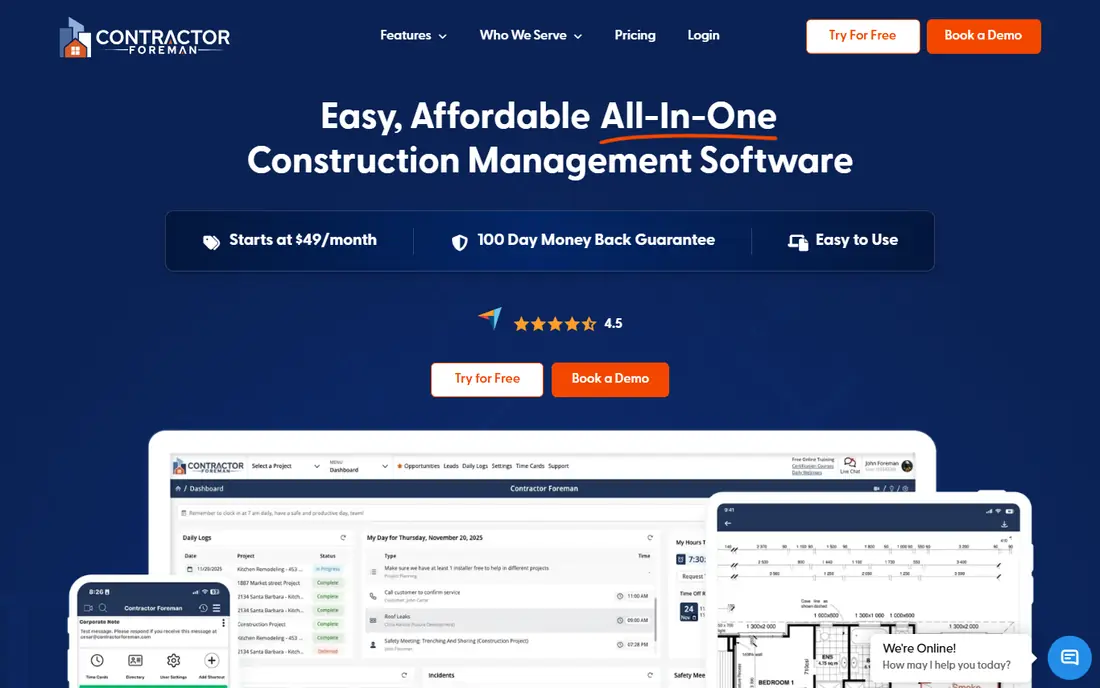
Contractor Foreman is aimed squarely at small contractors wanting estimating, scheduling, and job costing in one cheap suite. Every plan includes a 30-day free trial and a 100-day money-back guarantee.
What to check first: reporting customization is restricted.
The $49 Basic plan, billed yearly for one user, comes with scheduling, estimates, daily logs, time cards, invoices, and document management, which is more coverage than tools costing multiple times as much. Higher levels add more users, crew scheduling, the client portal, and QuickBooks integrations. On cost, Contractor Foreman starts like this: $49/month. Free options: Free trial (30 days).
- Flat-rate levels by user band rather than per seat
- Scheduling, estimates
- The Basic level handles one user, so teams step up to higher levels rapidly
Procore
Great for: General contractors, owners, and specialty contractors on complicated commercial projects
Procore works best for general contractors, owners, and specialty contractors on complicated commercial projects. Procore is the system GCs buy when a project has more stakeholders than the office has people to handle them. The pricing model is unusual in this market: Procore charges an upfront annual fee by product, based on your annual construction volume, and does not charge for adding users.
If you run multi-trade commercial work with formal documentation requirements, the audit trail and the integrations with Procore's marketplace justify the cost. Scheduling lives inside a much bigger system: RFIs, submittals, daily logs, punch lists, drawings, and project financials all share one record. So a delay entered by a super presents up in the schedule and the budget view at the same time. On top of that, the hurdles are the entry price and the sales process. The starting price for Procore: Pricing on request. No free plan comes with Procore.
Where Procore stands out: 400-plus integrations including major accounting and ERP systems. Limits to weigh: Annual contracts priced by construction volume put it out of reach for most small contractors.
- Unlimited users on every contract, so field crews and subs do not drive up the bill
- Deep project financials with budget
- No published pricing
Oracle Primavera P6
Great for: Schedulers and project controls teams on heavy civil, infrastructure, and energy projects
Oracle Primavera P6 is aimed squarely at schedulers and project controls teams on heavy civil, infrastructure, and energy projects. P6 Professional serves individual planners who require practical schedule control, whereas P6 EPPM adds the web-based portfolio layer for executives and program managers.
In practice, Oracle sells it through sales quotes; its last public price list (2016) put a P6 Professional license at $2,500 per user, before support. The product expects trained schedulers, not PMs who schedule on the side. Oracle Primavera P6 pricing: Pricing on request. Oracle Primavera P6 has no permanent free option.
Where it falls short: The interface and workflow assume trained schedulers, so general contractors without a planning team will struggle.
- Complicated programs, with resource leveling and multi-project portfolios
- Scales to tens of thousands of users and millions of activities
- Enterprise pricing with no published numbers and a sales-led buying process
Fieldwire
Great for: Field crews and foremen coordinating tasks, punch lists, and drawings
Where Fieldwire fits: field crews and foremen coordinating tasks, punch lists, and drawings. Premium levels add sheet compare, custom forms, a BIM viewer, and, on Business Plus, RFIs, submittals, change orders, and budgets. For everyday use, Fieldwire schedules tasks and look-aheads well.
But it is not a CPM scheduling engine and it will not replace P6 or Project for complicated programs. Its strength is execution: drawings, punch lists, inspections, and tasks that the field team actually opens every day. Beyond that, pair it with a planning tool if your schedules need critical-path math. Fieldwire pricing: $39/user/month. Free access exists with Fieldwire.
Where it falls short: Estimating, budgeting; concentrated on tasks and short look-aheads instead of full program schedules.
- Per-user pricing with no long-term contracts
- Adjustable at any time
- Accounting live on the top level or need other tools
Pick Buildertrend if this describes you: home builders, remodelers, and specialty contractors. Residential builders pick Buildertrend for one reason above the others: the client portal that keeps homeowners from calling the office. For everyday use, schedules, daily logs, selections, change orders, and invoices live in a shared view the homeowner can check at midnight rather than texting the PM.
From a buyer's view, Buildertrend does not publish prices. Its pricing page says each quote reflects your builder type, annual revenue, and business needs, with unlimited users included and payment annually or quarterly. More specifically, behind the portal, the scheduling itself is Gantt-based with automatic notifications to trades. The financials link estimates to job costing so margin stays visible whereas the job runs. There is no free trial, only free personalized demos. Price to start with Buildertrend: Pricing on request. Buildertrend has no free tier.
Where it falls short: The estimating and takeoff depth is thinner than estimate-first tools like Buildxact.
- Capable QuickBooks and Xero sync plus built-in payment processing
- Client portal that provides homeowners schedules, selections
- Custom quotes only
Our selection method
Selection started from tools commonly considered for construction project scheduling software, then narrowed to 7 that have clear pricing information or a clear quote process. Seat minimums, billing terms and add-ons can move the real cost, so the starting prices here are a guide and not a quote. Tools are placed by general fit for construction project scheduling software, with price clarity and free access as tie-breakers. A different team can reasonably rank them differently.
Pre-purchase checklist
- Confirm the entry price on the vendor page: Microsoft Project starts at $10/user/month, but seat counts and billing terms change the total.
- Test the free plan from Fieldwire against your real workload before relying on it.
- Take the trial from Microsoft Project and Contractor Foreman and push a live task through it before you pay.
- Read the limits listed for Autodesk Construction Cloud first: pricing is quote-based and adaptable by user, project, or account, so the full platform price is hard to pin down before a sales call.
- Confirm you can export your data from Autodesk Construction Cloud, so leaving later does not mean losing records.
- A short pilot of Oracle Primavera P6 with your real workflow tells you more than a feature table.
Frequently asked questions
How are the tools for construction project scheduling software ordered?
Autodesk Construction Cloud sits first and Buildertrend last because the order follows typical fit for construction project scheduling software, then price clarity and free access. It is a judgement call, so read each profile for fit and limits.
Can I try these options before paying?
Often, yes. Fieldwire has a free plan and Microsoft Project and Contractor Foreman offer a free trial. Use your own data and a real task during the test, and check what the free tier or trial limits before you rely on it.
Which options for construction project scheduling software have a free plan?
Fieldwire is the only tool in this list with a free plan. Free plans usually cap users, projects or features, so check the limits on the vendor page. Several others offer a trial instead.
Do these tools publish their prices?
Yes. Every tool from Autodesk Construction Cloud to Buildertrend shows a starting price, though seats, add-ons and billing terms still change the final cost.
Sources
- https://construction.autodesk.com
- https://www.microsoft.com/en/microsoft-365/project/microsoft-project-enterprise-plans-and-pricing
- https://contractorforeman.com/
- https://www.procore.com/
- https://www.oracle.com/construction-engineering/primavera-p6/datasheet/
- https://www.fieldwire.com/
- https://buildertrend.com/
See where you really rank - block by block
ProMapRanker scans Google Maps across a grid of your service area. Simple monthly plans from $19, white-label on every plan.
Start freeKeep reading
 zscaler alternatives
Best Zscaler Alternatives in 2026
Looking for zscaler alternatives? We compare 9 SASE and zero trust platforms on architecture, data protection, pricing, and fit for your network and team.
Read → zapier alternatives free
Best Zapier Alternatives Free in 2026
Nine automation tools for zapier alternatives free in 2026, all with genuinely free tiers, plus free plan limits, starting prices and upgrade paths explained.
Read → which platform is best for online reputation
Which Platform Is Best for Online Reputation in 2026
Wondering which platform is best for online reputation? We compare 8 review, listing, and response tools for small and multi-location businesses and agencies.
Read →