 ProMapRanker
Best Construction ERP Software in 2026

Key takeaways
- Procore suits large contractors that need project management, field tools, and documents in one platform.
- Acumatica Construction Edition suits growing firms that want cloud ERP with job costing and project accounting.
- Sage 300 Construction and Real Estate suits firms that want deep construction accounting and estimating links.
- Deltek ComputerEase and Foundation Software suit smaller and mid-size contractors with accounting-led needs.
- Most construction ERP pricing is quote-based, so compare total cost including implementation and training.
Quick comparison
| Pick | Great for | Pricing starts at | Free tier | |
|---|---|---|---|---|
 Procore | Large project teams and field work | See website | Free trial | Visit |
 Acumatica Construction Edition | Growing cloud ERP users | See website | No | Visit |
 Sage 300 Construction and Real Estate | Construction accounting depth | See website | No | Visit |
 Deltek ComputerEase | Small and mid-size contractors | See website | No | Visit |
 Autodesk Construction Cloud | Design and build coordination | See website | Free trial | Visit |
 Foundation Software | Accounting-led contractors | See website | No | Visit |
 Buildertrend | Home builders and remodelers | See website | Free trial | Visit |
 CMiC | Large integrated ERP users | See website | No | Visit |
The best construction ERP software
Construction ERP software joins financials, projects, payroll, procurement, and field work in one system. The best choice depends on company size, project type, and whether accounting or field management leads the decision. We compared project controls, job costing, payroll, field tools, and pricing transparency, using vendor pages and published 2026 comparisons.
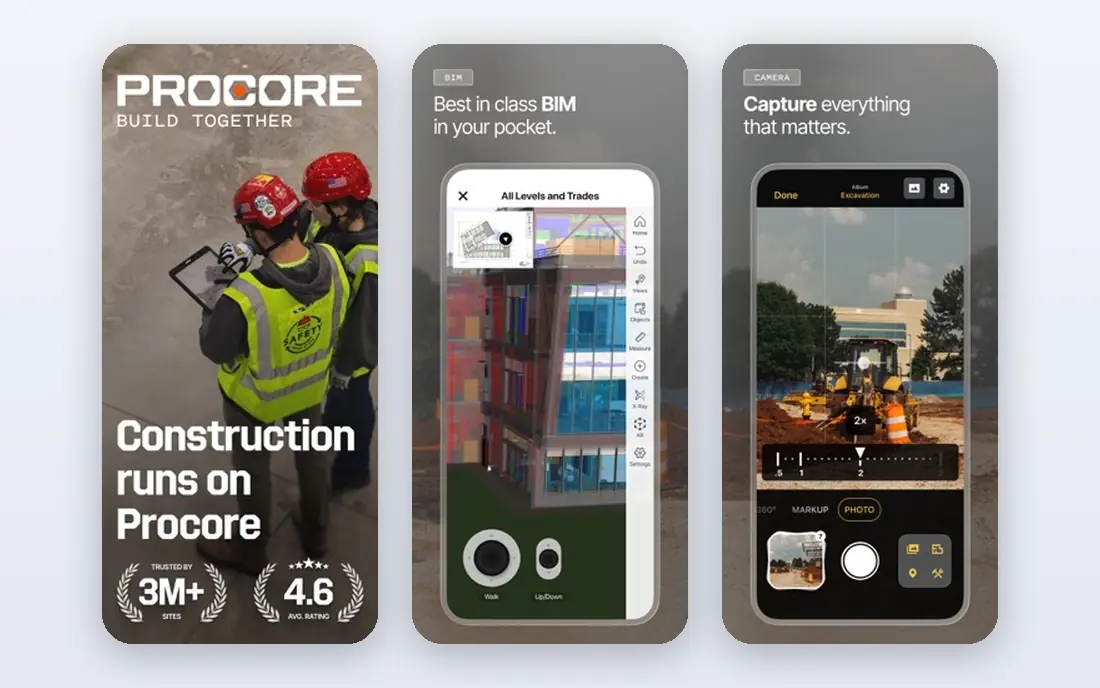
Procore is our pick for larger contractors running complex projects. It centralizes drawings, RFIs, submittals, daily logs, and discussions, with a mobile app field crews use for reports and punch lists. Its integration range connects it to accounting, estimating, and scheduling tools, so office and field teams work from the same project record.
The main limit is fit for small firms. Procore pricing follows annual construction volume, so a small contractor may pay for depth it rarely uses. If your projects involve many stakeholders, long document trails, and strict field reporting, that depth pays off. If you run a handful of small jobs, a smaller platform on this list may be a better value.
- Strong documents, drawings, and field tools
- Many integrations
- Unlimited user model in contracts
- Pricing is based on construction volume
- Can be more than small firms need
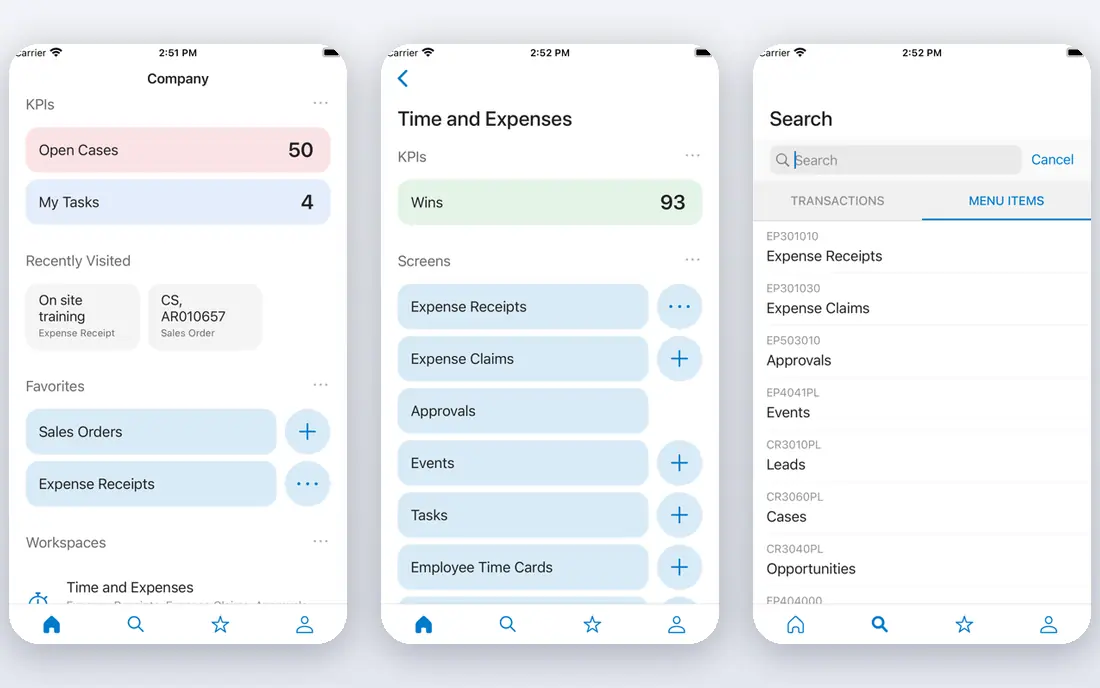
Acumatica Construction Edition suits growing contractors that want a true cloud ERP rather than a project tool with accounting added on. It covers financials, project accounting, job costing, inventory, and procurement, with mobile access for field and office users. Its pricing model charges by resources used rather than by every user, which can help firms with many occasional users.
Implementation still takes care. Data migration, chart of accounts setup, and training need time, and heavy customization adds cost. For a firm moving from spreadsheets or a basic accounting package to a full ERP, Acumatica is a strong middle path between a project platform and a large enterprise system.
- Cloud ERP with project accounting
- Job costing and procurement in one system
- Consumption-based pricing
- Implementation needs planning
- Customization can add cost
Sage 300 Construction and Real Estate suits firms where accounting leads the ERP choice. It offers detailed job costing, payroll, project management, and estimating connections, with a depth that many general ERP tools lack for construction. Firms that already use Sage products often find the workflow familiar, which can ease training.
The trade-off is age and complexity. The interface feels older than newer cloud platforms, and implementation can take months for a larger firm. If your priority is accounting control, compliance, and detailed cost reporting, Sage 300 is worth the effort. If your priority is a modern field app, compare Procore and Autodesk Construction Cloud first.
- Deep job costing and accounting
- Estimating links
- Long history in construction
- Interface feels older than cloud rivals
- Implementation can be long
Deltek ComputerEase suits small and mid-size contractors that want construction accounting without enterprise complexity. It covers job costing, general ledger, payroll, and project management in a system built for contractors, rather than adapted from general business software. That focus helps firms that need accurate job costs and clear project financials.
Field management is less deep than in Procore or Autodesk Construction Cloud, so firms with heavy field reporting needs may pair it with a field tool. Training also matters, because new users need time to learn its workflows. For an accounting-led contractor that wants a proven, construction-specific ERP, ComputerEase is a solid choice.
- Construction-focused accounting
- Job costing and project tools
- Suited to smaller firms
- Less field depth than Procore
- Some users report a learning curve
Autodesk Construction Cloud suits teams where design coordination drives the project. It connects design models, documents, issues, and field work, with tools for model coordination, clash detection, and drawing management. Design-build firms and general contractors working closely with architects often find this link valuable.
It is not a full accounting ERP in the same way as Sage or Acumatica, so firms that need deep payroll and financials may pair it with an accounting system. If your main pain is keeping drawings, models, and field issues in sync, Autodesk Construction Cloud is a strong pick. If your main pain is job costing, start with an accounting-led platform.
- Strong design coordination and BIM tools
- Document and issue management
- Good for design-build teams
- ERP depth is less than Acumatica or Sage
- Pricing depends on modules and users
Foundation Software suits contractors that want a stable, accounting-led system with strong payroll support, including union and certified payroll needs. Its job costing and project accounting tools give owners a clear view of project margins, and its support reputation is a common reason firms stay with it for years.
The platform feels more functional than modern in design, and its mobile and cloud options are less broad than those of Procore or Acumatica. For a firm that values accounting accuracy and support over a polished field app, that trade is acceptable. For a firm that needs a modern mobile experience for many field users, trial the field tools carefully before committing.
- Construction accounting and payroll focus
- Job costing
- US-based support reputation
- Cloud and mobile options are less broad than newer platforms
- Interface is functional rather than modern
Buildertrend suits home builders, remodelers, and specialty contractors that need project management, scheduling, selections, and client updates in one place. Its client portal keeps homeowners informed, which cuts down on status calls and emails, and its pricing follows construction volume rather than per-user seats.
Large commercial contractors will find its accounting and enterprise controls lighter than a full ERP. It also works best when paired with an accounting tool for deeper financials, though it does connect to common accounting systems. For residential builders who want a practical, client-friendly platform, Buildertrend is one of the best fits on this list.
- Built for home builders and remodelers
- Scheduling, selections, and client communication
- Volume-based pricing
- Less suited to large commercial ERP needs
- Accounting depth is lighter than Sage or Acumatica
CMiC suits large contractors that want one integrated system on a single database, rather than several connected tools. It covers financials, project management, project controls, human resources, and field operations, with document management built in. That unity helps large firms keep project data consistent across departments.
Implementation is a major undertaking, with data migration, training, and change management that smaller firms may find heavy. Pricing is also quote-based and enterprise-level. If you run a large, complex portfolio and want a single ERP backbone, CMiC belongs on the shortlist. If you run a smaller firm, start with Deltek ComputerEase, Foundation Software, or Buildertrend.
- Single database for financials, projects, and field work
- Strong for large contractors
- Document management
- Implementation is a major project
- Best suited to larger firms
How we picked these
We compared financial depth, job costing, payroll, project controls, field tools, and integration range, using vendor pages and published 2026 rankings that placed Access Coins Evo, Autodesk Construction Cloud, Procore, Deltek ComputerEase, Acumatica, Sage, Buildertrend, and Foundation Software among leading options. We kept only platforms that are live in October 2026 and that cover construction financials or project management in a substantial way. We did not claim hands-on testing. Where pricing was quote-based, we wrote See website rather than repeating third-party estimates as vendor prices.
How to choose the right construction ERP
Start with your biggest pain. If job costing and payroll errors drive the decision, shortlist accounting-led platforms such as Sage 300, Deltek ComputerEase, and Foundation Software. If field coordination and document control drive it, shortlist Procore and Autodesk Construction Cloud. If growth and a single cloud ERP drive it, shortlist Acumatica and CMiC. Next, map your must-have workflows: estimating, change orders, submittals, RFIs, daily logs, certified payroll, and equipment tracking, and test each one in a trial with a real project, not a demo dataset. Finally, compare total cost, including licenses, implementation, data migration, training, and integrations, and ask for a written timeline. A cheaper license with a long, costly implementation can cost more than a higher license with a faster rollout.
Frequently asked questions
What is the best construction ERP software?
Procore suits large project teams, Acumatica suits growing cloud ERP users, and Sage 300 suits accounting-led firms. The best choice depends on your size, project type, and whether accounting or field management leads. Trial your top two with a real project before deciding.
What is the best ERP software for construction companies that are small?
Deltek ComputerEase, Foundation Software, and Buildertrend suit smaller firms, depending on whether you build homes or commercial projects. Buildertrend suits home builders and remodelers, while ComputerEase and Foundation Software suit accounting-led small contractors.
How much does construction ERP software cost?
Most construction ERP pricing is quote-based and depends on users, modules, construction volume, and implementation scope. That is why we list See website for most platforms here. Ask each vendor for total cost, including implementation, training, and integrations, not just the license price.
Is Procore a construction ERP?
Procore is mainly a construction management platform with strong project, document, and field tools, and it connects to accounting systems. Some firms use it as their project backbone plus an accounting ERP, while others use a full ERP such as Acumatica or Sage for financials. Your accounting needs decide which model fits.
What is the difference between construction ERP and construction project management software?
Project management software focuses on schedules, documents, field work, and communication. ERP adds financials, job costing, payroll, procurement, and inventory in the same system. Many firms use both: a project platform for the field and an ERP for the back office, connected by integrations.
How long does construction ERP implementation take?
It varies from weeks for a small, simple rollout to many months for a large firm with data migration and custom workflows. Plan for training, a pilot project, and a parallel run with your old system before full cutover, so errors surface before they affect live jobs.
Sources
See where you really rank - block by block
ProMapRanker scans Google Maps across a grid of your service area. Simple monthly plans from $19, white-label on every plan.
Start freeKeep reading
 who has the best home internet service
Who Has the Best Home Internet Service in 2026
Who has the best home internet service in 2026? Compare fiber, cable, and 5G providers on speed, price, data caps, and availability at your address today.
Read → visio alternatives
Best Visio Alternatives in 2026
Compare 9 Visio alternatives for flowcharts, org charts, and network diagrams, with free plans, pricing, and the best pick for teams and solo users in 2026.
Read → top 10 logistics software
Top 10 Logistics Software in 2026
We compared the top 10 logistics software tools for transport, warehousing, visibility and shipping, for shippers, carriers and 3PL teams in 2026 today.
Read →