 ProMapRanker
Best Construction Apps in 2026

Key takeaways
- Procore and Autodesk Construction Cloud suit large commercial projects, but both need a quote and a longer rollout.
- Buildertrend, JobTread and Houzz Pro suit home builders and remodelers, with client portals that cut down on phone calls.
- Fieldwire is the best value for field-first teams that mainly need plans, tasks and punch lists on mobile.
- Contractor Foreman packs a wide feature set into a low monthly price, which suits small contractors on a tight budget.
Quick comparison
| Pick | Great for | Pricing starts at | Free tier | |
|---|---|---|---|---|
 Procore Procore | Large commercial projects | See website | No | Visit |
 Autodesk Construction Cloud Autodesk Construction Cloud | Design and BIM-led projects | See website | Free trial | Visit |
 Buildertrend Buildertrend | Home builders and remodelers | See website | No | Visit |
 Fieldwire Fieldwire | Field plans, tasks and punch lists | $39 per user per month | Yes | Visit |
 JobTread JobTread | Estimating through invoicing | $159 per month | No | Visit |
 Contractor Foreman Contractor Foreman | Small contractors on a budget | $49 per month | Free trial | Visit |
 Houzz Pro Houzz Pro | Residential pros wanting leads and management | $99 per month | Free trial | Visit |
 Bluebeam Revu Bluebeam Revu | Drawing markup and takeoff | See website | Free trial | Visit |
The best construction apps
We compared construction apps on project management, drawings, RFIs and submittals, scheduling, estimating, client communication and mobile field use. The list covers commercial and residential work, since a tool built for a high-rise rarely fits a kitchen remodel, and vice versa.

Procore is the default platform for many general contractors on commercial work. Drawings, RFIs, submittals, change orders, budgets and daily logs live in one system, shared in real time between office and field. Subcontractors can be added without per-user fees in many arrangements, which matters when dozens of trades need access to the same project.
Pricing is quoted based on construction volume, and recent reports put entry costs in the hundreds per month at the low end, rising sharply for high-volume firms. That makes Procore hard to justify below roughly $10 million in annual volume, unless a client requires it. For large commercial teams, the breadth and field app justify the cost. For small residential builders, Buildertrend or JobTread will be a better fit.
- Drawings, RFIs, submittals, budgets and daily logs in one platform
- Strong mobile app for field teams
- Wide integration marketplace
- Quote-based pricing that grows with construction volume
- Implementation is a project for larger firms
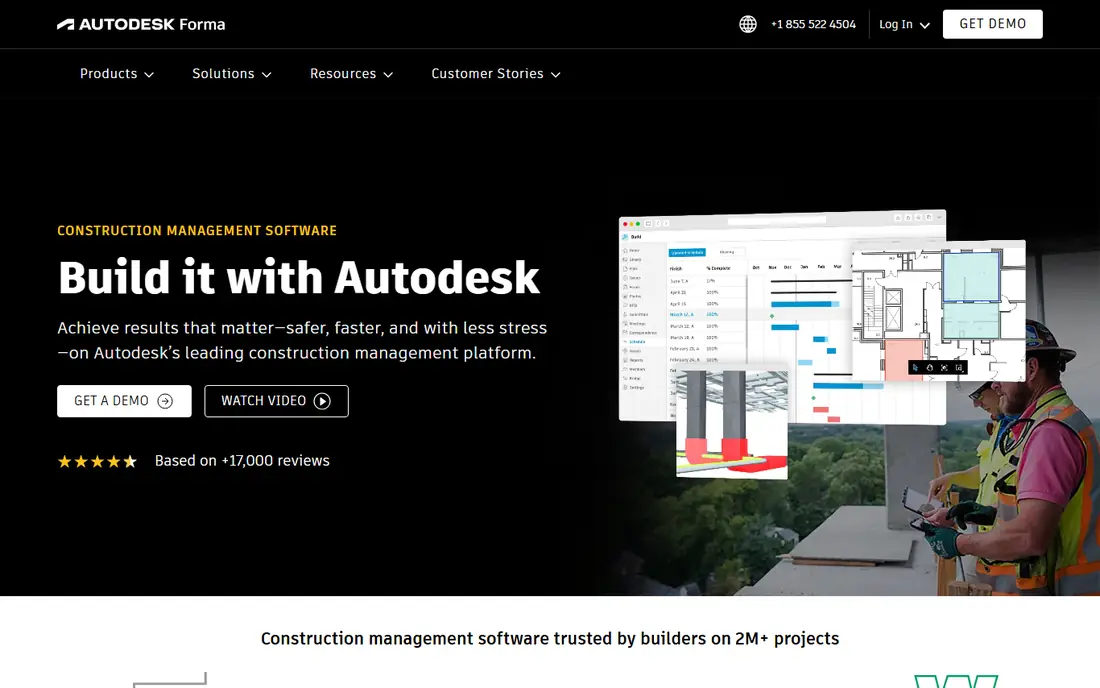
Autodesk Construction Cloud, with Autodesk Build at its core, suits design-build teams and firms that already work in Revit and AutoCAD. Models, sheets and documents stay connected, so a change in the model can be traced to the sheets and issues that depend on it. Document control, RFIs, cost management and safety tools cover the commercial project lifecycle in one suite.
The trade-off is complexity and price. Recent reports put Autodesk Build around $100 per user per month, with modules priced separately, so get a quote for the exact modules you need. A residential remodeler without BIM workflows will find this platform heavier than necessary. A design-led commercial firm, by contrast, will struggle to match its model-to-field connection elsewhere.
- Strong drawing and model management with Revit and AutoCAD links
- Sheet comparison and document control
- Cost and safety modules
- Enterprise pricing and complexity
- Overkill for firms without BIM or model workflows
Buildertrend dominates residential building largely because of its client portal. Homeowners log in to check schedules, approve selections, view invoices and message the builder, which cuts down on phone tag and repeated questions. Scheduling, estimating, daily logs, lead tracking and financial tools round out a platform built for the whole residential job, from first lead to warranty.
Pricing has moved toward quotes in recent reports, with older flat-rate figures around $299 to $499 per month no longer reliable as a single starting price, so we list it as See website. Setup takes effort, and the platform is not meant for heavy commercial projects. For home builders and remodelers, the client portal alone often justifies a trial.
- Client portal for schedules, selections, invoices and messages
- Scheduling, estimating, daily logs and financials
- Flat company pricing in many plans
- Quote-based pricing in recent reports
- Not built for heavy commercial work
Fieldwire is the field-first pick. Crews open the latest drawings on a phone or tablet, mark up a plan, create a task tied to that exact location, and track punch items to completion. The free Basic plan covers up to five users and three projects with 100 sheets, which is enough for a small crew to test real field work before paying.
Pro is listed at $39 per user per month on annual billing, with more projects, sheets and features. Fieldwire does not try to be a full accounting or estimating system, so office teams will still need separate tools for budgets and invoices. For superintendents and subcontractors whose main job is getting the right plan and the right task to the right person on site, Fieldwire is the best value on this list.
- Free Basic plan for up to five users and three projects
- Plan markup linked to tasks
- Punch lists and checklists that work on mobile
- No full job costing or estimating
- Pro pricing is per user, so large crews add cost
JobTread suits small to mid-size contractors who want estimating, budgeting and invoicing to stay connected. An estimate becomes a budget, change orders update the budget, and invoices draw from the same numbers, which reduces retyping and mismatched totals. Job costing shows whether a job is on track while work is still under way, not only at the end.
Pricing is listed at $159 per month for the first user on annual billing, with extra users added, so check the total for your crew size. There is no permanent free plan, though monthly plans have carried a money-back guarantee in recent reports. JobTread is a strong middle ground between a cheap all-in-one and an enterprise platform, for builders who care most about job numbers.
- Estimates, budgets, change orders and invoices in one flow
- Job costing tied to estimates
- Task scheduling for crews
- Higher entry price than Contractor Foreman
- No permanent free plan
Contractor Foreman packs an unusually wide set of tools into $49 per month on annual billing for its Basic plan. Scheduling, estimates, invoices, daily logs, GPS time cards, documents and client management are all included in some form, which lets a small contractor replace several separate apps with one subscription. Unlimited users on the plan structure helps crews that would pay per seat elsewhere.
The breadth has a cost in polish. The interface can feel busy, and some features are simpler than dedicated tools for the same job. A 30-day trial lets a small team test the daily workflow before committing. For a contractor who needs everything at a low monthly price and can tolerate a learning curve, Contractor Foreman is hard to beat on value.
- Wide feature set for the price, including scheduling, estimates and time cards
- Unlimited users on some plans
- QuickBooks integration
- Interface can feel busy
- Support and setup help vary by plan
Houzz Pro combines a Houzz business profile and lead tools with project management for residential pros. Remodelers, designers and builders can take leads from Houzz, send estimates and invoices, message clients and track projects without switching systems. A 3D floor planner on some plans helps clients visualise a remodel before work starts.
The catch is that lead quality and volume vary by location and trade, so Houzz Pro should not be bought for leads alone. Essential is listed at $99 per month on annual billing, with a free trial. For a residential pro who already gets work through Houzz, the combined profile and management tools make sense. For complex multi-trade builds, Buildertrend or JobTread will offer deeper project control.
- Leads and profile on Houzz plus project management
- Estimates, invoicing and client communication
- 3D floor planner on some plans
- Lead quality varies by market
- Project tools are lighter than Buildertrend or JobTread for complex jobs
Bluebeam Revu is not a full project manager, and that is why it belongs here. It is the drawing tool many architects, engineers and contractors use to mark up PDFs, measure quantities, compare revisions and collaborate in Studio sessions. A takeoff done in Revu can feed an estimate, and a markup session can resolve a drawing question faster than a chain of emails.
Revu pricing is sold by plan and should be checked on the vendor site, since perpetual and subscription models have both appeared in recent years. It does not replace Procore, Buildertrend or Fieldwire for scheduling, budgets and client communication. Pair Revu with one of those platforms when drawing markup is a daily job, and use it alone only when drawings are the whole problem.
- Fast, precise PDF markup for drawings
- Measurement and takeoff tools
- Studio sessions for live collaboration on drawings
- Windows-focused history, with Mac support more limited
- Not a full project management platform
How we picked these
We compared official feature and pricing pages, documentation and public pricing summaries for construction tools available in October 2026. We included commercial, residential and field-first tools, and we excluded a separate CoConstruct entry because Buildertrend acquired CoConstruct and is moving its customers onto Buildertrend. Where pricing was quote-based or varied across sources, we wrote See website rather than publishing a stale figure.
What to check before you choose
Start with your project type. Commercial general contractors should shortlist Procore and Autodesk. Home builders and remodelers should shortlist Buildertrend, JobTread and Houzz Pro. Field crews should trial Fieldwire first. Small contractors on a budget should trial Contractor Foreman.
Test the mobile app on site, with gloves and in poor signal, since a field app that only works in the office is useless. Test drawing uploads with your largest plan set, test RFI and change order flows with a real subcontractor, and check QuickBooks or Xero integration if accounting matters. Get the total price for your user count, project count and storage, not just the headline monthly figure.
Estimating, scheduling and field work in one system
No single tool on this list is best at everything. Procore and Autodesk lead on commercial control, Buildertrend and JobTread lead on residential estimating to invoicing, Fieldwire leads on field execution, and Bluebeam leads on drawings. Choose the tool that is best at your biggest daily pain, then add a focused second tool for the next pain, rather than forcing one platform to do a job it does poorly.
Frequently asked questions
What is the best construction management software?
Procore suits large commercial general contractors, Autodesk Construction Cloud suits BIM-led design-build teams, and Buildertrend suits home builders and remodelers. Fieldwire is best for field-first teams that mainly need plans and punch lists. The best construction management software depends on project type, team size and whether clients require a specific platform.
What is the best construction app for small contractors?
Contractor Foreman at $49 per month offers the widest feature set for the price, while Fieldwire offers a free Basic plan for small crews. JobTread suits small contractors who care most about estimating and job costing. Trial the mobile app on a real job before choosing, since field usability matters more than a long feature list.
Is there free construction management software?
Fieldwire has a free Basic plan for up to five users and three projects, which covers plans, tasks, files and checklists. Most other tools on this list offer a trial rather than a permanent free plan. Houzz Pro also offers a free plan tier with a 3D floor planner and basic tools, but paid plans add the fuller project management features.
How much does construction software cost?
Costs range from free Fieldwire Basic to quote-based enterprise pricing for Procore and Autodesk. Contractor Foreman starts at $49 per month, Houzz Pro at $99 per month, JobTread at $159 per month for the first user, and Fieldwire Pro at $39 per user per month. Always confirm the total for your users and projects, since per-user and per-project pricing change the total quickly.
What happened to CoConstruct?
Buildertrend acquired CoConstruct in 2021 and has been moving CoConstruct customers onto the Buildertrend platform. If you use CoConstruct today, compare Buildertrend with JobTread and Houzz Pro before you migrate, since your data, templates and client portal will need a planned move rather than a simple switch.
Can construction apps integrate with QuickBooks?
Yes, many do. Procore, Buildertrend, Contractor Foreman and JobTread offer QuickBooks integrations in various forms, usually for invoices, budgets or job costs. Check whether the integration is two-way, which data syncs, and whether it needs a higher plan, since integration depth varies and matters for accounting accuracy.
Sources
See where you really rank - block by block
ProMapRanker scans Google Maps across a grid of your service area. Simple monthly plans from $19, white-label on every plan.
Start freeKeep reading
 zendesk alternatives
Best Zendesk Alternatives in 2026
Compare the best Zendesk alternatives in 2026, from budget help desks to AI-first support tools, with current pricing, free plans, and honest trade-offs.
Read → wordpress alternatives
Best WordPress Alternatives in 2026
Looking for the best WordPress alternatives? We compare 8 free and paid options for blogs, business sites, stores, and developer-led projects in 2026.
Read → which real estate company has the best training
Best Real Estate Company Training in 2026
Compare which real estate company has the best training, from Keller Williams and eXp to Compass and Coldwell Banker, by program, mentor, and fit in 2026.
Read →