 ProMapRanker
Best Confluence Apps in 2026: 9 Apps Compared

Key takeaways
- draw.io and Gliffy cover diagrams inside Confluence, while Table Filter and Advanced Tables cover data and reporting.
- Scroll exporters turn Confluence pages into polished PDFs, Word files and help sites without rebuilding content.
- Comala and ScriptRunner suit teams needing document control and automation, while AURA and MultiExcerpt improve formatting and reuse.
- Confluence itself is not listed as an app here, since these are Marketplace apps that extend it.
Quick comparison
| Pick | Great for | Pricing starts at | Free tier | |
|---|---|---|---|---|
 draw.io Diagrams | Diagrams inside Confluence | See website | Free trial | Visit |
 Gliffy Diagrams | Guided diagramming | See website | Free trial | Visit |
 Table Filter, Charts and Spreadsheets | Live tables and reports | See website | Free trial | Visit |
 Comala Document Management | Document approvals and control | See website | Free trial | Visit |
 Scroll PDF Exporter | PDF publishing | See website | Free trial | Visit |
 Scroll Word Exporter | Word publishing | See website | Free trial | Visit |
 ScriptRunner for Confluence | Automation and bulk tasks | See website | Free trial | Visit |
 AURA Content Formatting Macros | Page formatting and layout | See website | Free trial | Visit |
 MultiExcerpt | Reusing content across pages | See website | Free trial | Visit |
The best Confluence apps
We compared Atlassian Marketplace listings, vendor feature pages, pricing models and public reviews. Marketplace pricing for Confluence Cloud apps usually scales by user tier, so starting prices vary by team size, and we use See website where a single price would mislead. Confluence itself is not counted as one of these apps.
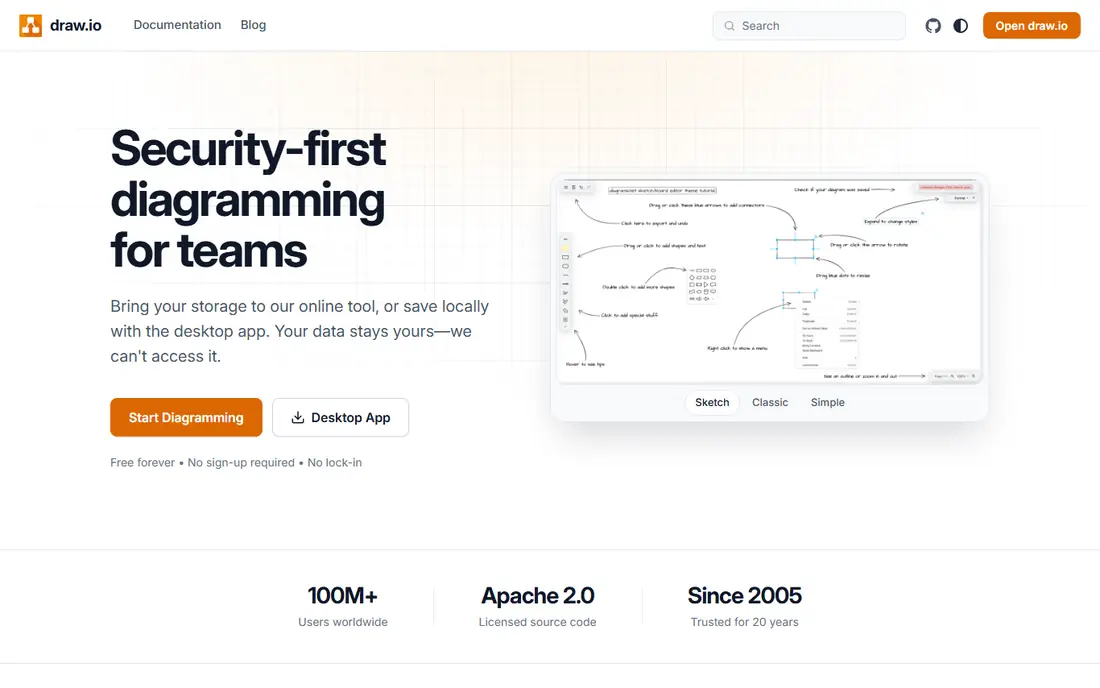
draw.io Diagrams, from Seibert, is one of the most widely installed Confluence apps, and it keeps diagrams inside pages rather than in separate files that drift out of date. Users can build flowcharts, UML diagrams, network maps and entity diagrams with a large shape library, then edit them without leaving Confluence. That closeness to documentation helps teams keep diagrams and text in step.
The learning curve is real for complex diagrams, and pricing depends on user tier, so small teams and large enterprises pay different amounts. draw.io suits teams that diagram often and want diagrams versioned alongside the pages that explain them.
- Diagrams live inside Confluence pages
- Wide shape libraries for UML, BPMN and cloud architecture
- Strong security and data handling
- Marketplace pricing scales by user tier
- Advanced diagram features take time to learn
- Large diagram sets need organisation

Gliffy Diagrams offers a guided, drag-and-drop route to flowcharts, UML diagrams and process maps inside Confluence, with templates that help new users start quickly. The interface feels approachable for non-technical teams, and diagrams stay attached to the pages they illustrate. Collaboration features let teams comment and update diagrams without exporting files.
Compared with draw.io, some power users find the shape range narrower for specialised technical diagrams, and pricing must be checked on the Marketplace listing for the correct user tier. Gliffy suits business and process teams that value speed and simplicity over deep technical diagramming.
- Simple drag-and-drop diagramming
- Templates for common diagram types
- Collaboration inside Confluence
- Marketplace pricing scales by user tier
- Standalone Gliffy pricing differs from Confluence pricing
- Fewer advanced shapes than draw.io for some users

Table Filter, Charts and Spreadsheets, from Stiltsoft, turns ordinary Confluence tables into filterable, sortable reports with charts and spreadsheet-style editing. Teams can build live dashboards inside documentation, rather than exporting data to Excel and pasting static screenshots back. That live link keeps reports current when source tables change.
Setup needs care for complex reports, since filters, formulas and chart settings interact, and very large tables can affect page speed. The app suits operations, support and project teams that report from Confluence tables regularly.
- Filters, sorts and charts on live Confluence tables
- Spreadsheet-like editing inside pages
- Reduces Excel exports
- Pricing scales by user tier
- Complex reports need setup care
- Very large tables can slow page loads
Comala Document Management, from Appfire, adds approval workflows, document states and publishing controls to Confluence, which matters for regulated or quality-managed documentation. Pages move through draft, review and approved states, with visibility into who approved what and when. That audit trail helps teams prove control without managing documents in a separate system.
The weight is the trade-off. Workflow design takes planning, and small teams with informal docs may find Comala heavier than necessary. It suits teams where approved content must be clearly separated from drafts, and where audit readiness matters.
- Approval workflows for Confluence pages
- Version control and audit visibility
- Publishing controls for approved content
- Setup needs planning for states and transitions
- Pricing scales by user tier
- Smaller teams may find it heavier than needed
Scroll PDF Exporter, from K15t, converts Confluence content into polished PDF documents with templates for branding, headers, footers and page layout. Teams can export a single page, a set of pages or a whole space, which suits manuals, policies and customer guides that must leave Confluence as a fixed file. Template control keeps output consistent across documents.
Custom branding needs template work upfront, and complex pages with many macros should be checked in PDF form before distribution. Scroll PDF Exporter suits teams that publish formal documents from Confluence on a regular basis.
- Turns Confluence pages into styled PDFs
- Templates control branding and layout
- Exports whole spaces or selected pages
- Template setup takes time for custom branding
- Pricing scales by user tier
- PDF layout needs checking for complex pages
Scroll Word Exporter, also from K15t, turns Confluence pages into Microsoft Word documents with styling controlled by templates. That export helps when external reviewers, clients or auditors need Word files, or when a document must follow a Word-based approval route. Structure, headings and tables carry over, so the exported file stays usable rather than becoming a plain text dump.
The risk is version drift. Once a Word file circulates and gets edited outside Confluence, those edits do not flow back automatically, so teams need a clear rule for which version is authoritative. Scroll Word Exporter suits teams with Word-based review steps, used with a firm single-source rule.
- Exports Confluence pages to styled Word files
- Keeps structure and formatting
- Useful for external review cycles
- Word styling needs template setup
- Pricing scales by user tier
- Round-trip editing can create version confusion
ScriptRunner for Confluence, from Adaptavist, lets administrators automate bulk actions, triggered tasks and content clean-up that would take hours by hand. Common uses include bulk page updates, automated labels, scheduled clean-up and self-service actions for users. For large Confluence instances, that automation saves real administrative time.
Scripting skill is required, and scripts should be tested in a safe space before running across many pages, since a broad script can change more than intended. ScriptRunner suits Confluence admins and platform teams, not casual page editors.
- Automates repetitive Confluence tasks
- Bulk page and space management
- Custom scripts for triggers and clean-up
- Needs scripting skill to use well
- Pricing scales by user tier
- Poorly tested scripts can affect many pages
AURA, from Aura Apps, adds formatting macros such as tabs, cards, expand sections, panels, buttons and status elements to Confluence pages. Those elements help intranet, knowledge base and onboarding pages stay scannable, especially when a long page must serve several audiences. Templates and layout options reduce the need for workarounds with plain tables.
Overuse is the risk. Too many cards, tabs and buttons can make a page harder to read, not easier, so teams should agree on a light formatting style. AURA suits teams that publish reader-facing Confluence pages and want a consistent, polished look.
- Tabs, cards, panels and buttons for clearer pages
- Templates and layout macros in one app
- Helps intranet and knowledge pages look polished
- Formatting macros can clutter pages if overused
- Pricing scales by user tier
- Migration from other formatting apps needs care
MultiExcerpt, from Appfire, lets teams define an excerpt once and reuse it across many Confluence pages, so updates in one place appear everywhere that excerpt is used. That single-source reuse helps with repeated warnings, product notes, policy paragraphs and contact blocks that otherwise drift apart through copy and paste. It is a small app with a clear, practical benefit.
Discipline matters. Excerpts need clear names and ownership, and page moves or deletions should be checked for broken reuse. MultiExcerpt suits documentation teams that repeat the same content often and want one place to maintain it.
- Reuses the same excerpt on many pages
- Updates in one place flow to all uses
- Reduces copy-and-paste drift
- Excerpt management needs discipline
- Pricing scales by user tier
- Broken excerpts need checking after page moves
How we picked these
We compared Atlassian Marketplace listings, vendor documentation and public reviews, favouring apps with sustained Marketplace presence, Cloud support and clear use cases that extend Confluence rather than duplicate it. We checked that each app is a real Marketplace product for Confluence, not Confluence itself and not a standalone tool with only a loose link. Pricing is given as See website because Cloud tier pricing varies by user count and changes with Marketplace terms.
How to choose apps without bloating Confluence
Start from a documented pain, not from a Marketplace browse. If diagrams are out of date, pick one diagram app, not two. If reports live in Excel screenshots, Table Filter may solve the problem alone. If approvals are informal and risky, Comala addresses control directly. One app per pain keeps admin, cost and page performance manageable.
Test on a copy space before rolling out widely. Check page load times, mobile rendering, export output and permission behaviour, especially for apps that change publishing or visibility. Trial periods on the Marketplace exist for this reason, so use them with real content, not empty test pages.
Govern apps after install. Assign an owner for each app, review usage and cost at renewal, and remove apps that teams stopped using. Confluence instances grow messy when apps accumulate without owners, and unused macros can break pages after an app is removed.
Frequently asked questions
Are these apps part of Confluence?
No. These are third-party Atlassian Marketplace apps that extend Confluence. Confluence itself is the platform they run on, and it is not listed as one of the apps here.
How is Confluence app pricing calculated?
Most Cloud apps price by user tier, so cost depends on how many Confluence users your site has, plus the app tier. Check the Marketplace listing for your exact tier before budgeting, since a single headline price rarely applies to all teams.
Which Confluence app is best for diagrams?
draw.io Diagrams suits technical teams needing a wide shape range, while Gliffy Diagrams suits business teams wanting guided, template-led diagramming. Both keep diagrams inside Confluence pages.
Can I export Confluence pages to PDF or Word?
Yes, with Scroll PDF Exporter for PDFs and Scroll Word Exporter for Word files. Both use templates for branding and layout, and both work best when Confluence remains the authoritative source.
Do Confluence apps work on Cloud and Data Center?
Availability varies by app and version, so check the Marketplace listing for your hosting type before installing. Many apps here support Cloud, while Data Center support and pricing differ.
How do I avoid breaking pages when removing an app?
Check which pages use the app macros first, replace or remove those macros, and test key pages after uninstalling. Removing an app without cleaning macros can leave placeholder errors on affected pages.
Sources
See where you really rank - block by block
ProMapRanker scans Google Maps across a grid of your service area. Simple monthly plans from $19, white-label on every plan.
Start freeKeep reading
 zyte alternatives
Best Zyte Alternatives in 2026
These zyte alternatives cover managed scraping APIs, proxy networks and no code tools for lawful collection from your own or consented sources only in 2026.
Read → zerto alternatives
Best Zerto Alternatives in 2026
Compare the best zerto alternatives for disaster recovery and replication, with recovery targets, cloud options and honest trade-offs for teams in 2026.
Read → zerofox alternatives
Best ZeroFox Alternatives in 2026
We compared 9 zerofox alternatives for brand protection, phishing takedowns, dark web monitoring, and social impersonation, with clear coverage notes.
Read →