 ProMapRanker
7 Strong Conference Room Booking Software Options in 2026


Real-estate and facilities teams managing large portfolios · Pricing starts at: See website (quote-based, annual subscription minimum)
Key takeaways
- This list starts with Eptura Workplace, which is built for real-estate and facilities teams managing large portfolios.
- Eptura Engage fits large enterprises standardized on Microsoft 365.
- Just one of the 7 tools, Robin, has a free plan.
- The cheapest monthly starting price in the list is $5 per bookable resource/month, offered by Envoy.
- One limit worth knowing about Envoy: every module is a separate line item, so a mid-size multi-location bill climbs well past the entry numbers.
Direct answer
This list puts Eptura Workplace first for real-estate and facilities teams managing large portfolios. Look at YArooms for mid-market to enterprise Microsoft-first organizations in regulated industries, and at Skedda for hybrid organizations wanting booking governance and transparent pricing. The full list of 7 tools follows, with prices and free plan facts.
Quick comparison
| Pick | Great for | Pricing starts at | Free tier | |
|---|---|---|---|---|
| Eptura Workplace | Real-estate and facilities teams managing large portfolios | See website (quote-based, annual subscription minimum) | Free trial | Visit |
 YArooms | Mid-market to enterprise Microsoft-first organizations in regulated industries | $99/month (Starter, 10-20 users, 1 location) | No | Visit |
 Skedda | Hybrid organizations wanting booking governance and transparent pricing | $249/month (Plus, up to 35 spaces, billed annually) | Free trial | Visit |
 Envoy | Organizations wanting reservations inside broader workplace operations | $5 per bookable resource/month (Reservations, billed yearly, plus platform fee) | Free trial | Visit |
 OfficeRnD Workplace | Hybrid offices from ~35 to 1,000-plus people | $99/month (Start, annual billing, up to 150 users) | Free trial | Visit |
 Robin | Mid-sized to enterprise hybrid offices wanting a workplace layer | See website (premium tiers are quote-based annual contracts) | Yes | Visit |
 Eptura Engage | Large enterprises standardized on Microsoft 365 | See website (quote-based, annual minimum) | No | Visit |
Conference Room Booking Software, one by one
Short on time? The summary and table above give the quick view of 7 tools for conference room booking software, and the profiles that follow give the detail behind each entry.
Eptura Workplace
Great for: Real-estate and facilities teams managing large portfolios

Choose Eptura Workplace for real-estate and facilities teams managing large portfolios. Eptura Workplace is not really room booking software; it is the IWMS that contains it.
Best features of Eptura Workplace: Capable for real-estate and facilities teams managing large multi-site portfolios.
More specifically, note the product split: employee booking lives in Eptura Engage whereas space data lives in Workplace, so scope both modules and get an all-in annual quote. Workday integration and stacking-diagram reporting are the features that audience actually buys. Pricing for Eptura Workplace is not stated here, so ask the vendor for current figures. Free options: Free trial.
Points against: No public pricing.
- Service requests and asset management alongside booking
- Workday integration and stacking-diagram reporting praised in reviews
- An enterprise implementation process, with map edits frequently needing the Eptura team
YArooms
Great for: Mid-market to enterprise Microsoft-first organizations in regulated industries
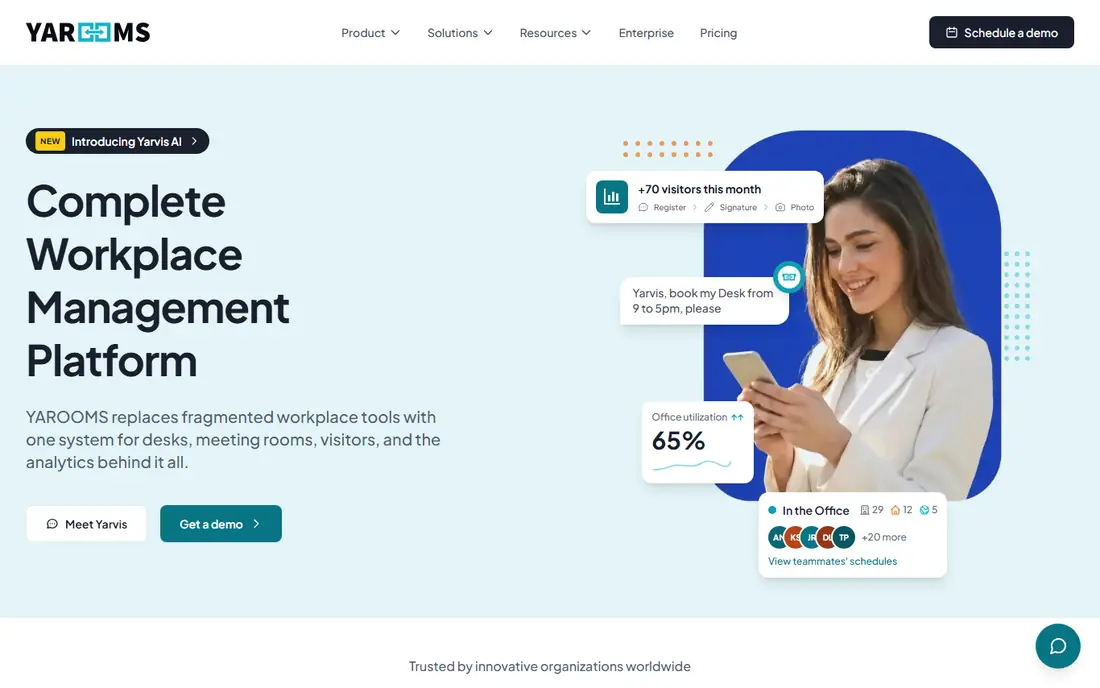
YArooms works best for mid-market to enterprise Microsoft-first organizations in regulated industries. YArooms is the compliance-first pick for regulated industries: banking, healthcare, government and education. Beyond that, pricing is published and flat-rate: Starter from $99 per month, Business from $399 (up to 200 users, 2 locations), Enterprise from $899 (300-plus users, 5-plus locations), with 20 percent off on annual billing.
Worth adding: if compliance and Microsoft depth are the requirements, it earns the shortlist. ISO 27001, SOC 2 Type II, GDPR and EU data hosting check the procurement boxes that stall other vendors. The Microsoft 365 integration runs deep, including an AI agent that books inside Teams. As for the details, visitor management is a $99-a-month add-on. Read the level reality carefully. On cost, YArooms starts like this: $99/month. No free plan comes with YArooms.
The main drawbacks: More product than some organizations need.
- The Yarvis AI agent books natively inside Microsoft Teams
- Transparent flat-rate pricing instead of per-user, which stays economical at bigger headcounts
- Pricing scales with users and locations, so headcount growth and new sites push costs up quicker than per-space models
Skedda
Great for: Hybrid organizations wanting booking governance and transparent pricing

Skedda serves hybrid organizations wanting booking governance and transparent pricing. Skedda is the rare tool in this category with the price on the website.
Visitor management costs $99 per month additional. For everyday use, plus at $249 per month handles up to 35 spaces, Premier at $349 handles up to 45, both billed yearly with unlimited users. On cost, Skedda starts like this: $249/month. As for free access: Free trial.
Where it is weaker: No self-serve custom report builder, so deeper analysis means CSV exports.
- Booking windows
- Approvals and no-show auto-release
- Visitor management is a $99-a-month add-on instead of a base feature
Envoy
Great for: Organizations wanting reservations inside broader workplace operations
Pick Envoy if this describes you: organizations wanting reservations inside broader workplace operations. The per-module pricing is unusually transparent for this category: Reservations (desks and rooms) at $5 per bookable resource a month billed yearly, on top of a product fee.
What users get: Published per-module pricing is more transparent than most enterprise competitors.
What to check first: Visitor kiosks are iPad-only. As for the details, visitors Premium runs about $362 per location a month, Screens $12 per device a month and Deliveries $250 per location a month (external 2026 figures), so a multi-location rollout climbs quick. Envoy starts at: $5 per bookable resource/month. Free options: Free trial.
- Solid access-control and compliance integrations on higher levels
- A modular workplace product handling visitors
- Every module is a separate line item, so a mid-sized multi-location bill climbs well past the entry numbers
Pick OfficeRnD Workplace if this describes you: hybrid offices from ~35 to 1,000-plus people. As you hire, the bill stays flat: Start from $99 per month (annual, up to 150 users), Professional from $399 (up to 1,000 users), Enterprise custom.
What to check first: No occupancy sensors or lease and move planning for real-estate teams.
For everyday use, below about 35 people a per-user tool can be less expensive, so do the comparison at your size. The entry plan covers desk and room booking with core integrations; SSO, QR check-ins and multi-location need Professional. On cost, OfficeRnD Workplace starts like this: $99/month. On free options: Free trial.
- Quick adoption with highly rated onboarding and support
- Capable integrations with Microsoft, Google
- Visitor management is a premium add-on instead of included
Robin
Great for: Mid-sized to enterprise hybrid offices wanting a workplace layer
Robin is built with mid-sized to enterprise hybrid offices wanting a workplace layer in mind. The free Starter level (up to 15 users, one floor) lets a small team test the core booking experience before any sales conversation. In daily use, test the Microsoft tenant integration during evaluation; friction there is a recurring review theme.
Upsides: visitor management; Capable integrations across Microsoft 365 and Teams.
Where it is weaker: Positioned for 500-plus employee organizations, so smaller teams sit outside the target profile.
If the only pain is double bookings, lighter tools deploy in days at published prices. For hybrid offices that want a workplace experience layer instead of a calendar fix, it is the established choice. Check the vendor site for Robin pricing; none is listed in this comparison. Robin offers a free plan.
- Interactive office maps and space analytics
- Google Workspace, Slack
- No published pricing, with external procurement data suggesting average annual contracts above $10,500
Eptura Engage targets large enterprises standardized on Microsoft 365. Eptura Engage is the new name for Condeco (rebranded in early 2025), and the Microsoft shops are the audience.
For everyday use, for large enterprises deep in the Microsoft stack, that native fit is the reason to shortlist it. In practice, older reviews under the Condeco name still apply. Pricing for Eptura Engage is not stated here, so ask the vendor for current figures. There is no free plan with Eptura Engage.
- Solid for 500-plus employee organizations with complicated space needs
- AI features including Microsoft Copilot natural-language booking under the Eptura Engage bundle
- No public pricing with all quotes via sales and an annual contract minimum
How we built this list
Each tool was reviewed on what its vendor publishes: price, plan limits, core features and stated drawbacks. We did not run hands-on tests. Where a price is missing, the vendor does not list one publicly or ties it to a quote. Always confirm before budgeting. The sequence is a judgement call: typical use case first, then pricing transparency, then free access. Use the profiles to check fit.
What to check before you buy
- Get a written quote from Eptura Workplace, Robin and Eptura Engage; the list shows no starting price for them.
- Look at the free plan from Robin closely: its caps decide whether it is usable for real work.
- Use real work to test the free trial from Eptura Workplace, Skedda, Envoy and OfficeRnD Workplace, rather than a demo project.
- Before choosing Eptura Workplace, weigh its main limit: no public pricing.
- Pick one real project and run it in YArooms first; a small pilot shows fit faster than a checklist.
- Add up seats, add-ons and usage charges for Eptura Workplace before comparing it with cheaper entries.
Frequently asked questions
Is Eptura Workplace the right pick for everyone comparing conference room booking software?
No single tool suits every team. Eptura Workplace comes first because it fits real-estate and facilities teams managing large portfolios, while YArooms suits mid-market to enterprise Microsoft-first organizations in regulated industries and Skedda suits hybrid organizations wanting booking governance and transparent pricing. Match the tool to your own size, budget and workflow before deciding.
Can I try these options before paying?
Often, yes. Robin has a free plan and Eptura Workplace, Skedda, Envoy and OfficeRnD Workplace offer a free trial. Use your own data and a real task during the test, and check what the free tier or trial limits before you rely on it.
What is the cheapest option for conference room booking software in this list?
On published monthly entry prices, Envoy is the lowest here at $5 per bookable resource/month. Entry price is only part of the cost, because seats, add-ons and billing terms can change the total.
Which options for conference room booking software have a free plan?
Robin is the only tool in this list with a free plan. Free plans usually cap users, projects or features, so check the limits on the vendor page. Several others offer a trial instead.
Sources
See where you really rank - block by block
ProMapRanker scans Google Maps across a grid of your service area. Simple monthly plans from $19, white-label on every plan.
Start freeKeep reading
 zscaler alternatives
Best Zscaler Alternatives in 2026
Looking for zscaler alternatives? We compare 9 SASE and zero trust platforms on architecture, data protection, pricing, and fit for your network and team.
Read → zapier alternatives free
Best Zapier Alternatives Free in 2026
Nine automation tools for zapier alternatives free in 2026, all with genuinely free tiers, plus free plan limits, starting prices and upgrade paths explained.
Read → which platform is best for online reputation
Which Platform Is Best for Online Reputation in 2026
Wondering which platform is best for online reputation? We compare 8 review, listing, and response tools for small and multi-location businesses and agencies.
Read →