 ProMapRanker
Best Computer Monitoring Software in 2026


Privacy-conscious workforce analytics · Pricing starts at: $10 per user per month
Key takeaways
- ActivTrak is our pick for most teams because it offers a free plan for up to 3 users, paid plans from $10 per user per month, and no keystroke logging.
- Hubstaff at $4.99 per user per month is the value pick for remote teams that need time tracking, screenshots, and payroll in one place.
- Teramind at $14 per seat per month is the security pick, with behavior rules and data-loss controls that suit regulated workplaces.
- Every tool here is for lawful, disclosed monitoring only: your own devices, employee monitoring with notice and consent where required, or parental use.
Quick comparison
| Pick | Great for | Pricing starts at | Free tier | |
|---|---|---|---|---|
| ActivTrak | Privacy-conscious workforce analytics | $10 per user per month | Yes | Visit |
 Hubstaff | Remote teams and field staff | $4.99 per user per month | Yes | Visit |
 Time Doctor | Hourly billing and accountability | $6.67 per user per month | Free trial | Visit |
 Teramind | Security and insider risk | $14 per seat per month | Free trial | Visit |
 Insightful | Workforce analytics and workflows | $8 per user per month | Free trial | Visit |
 DeskTime | Automatic time tracking | See website | Free trial | Visit |
 Monitask | Screenshot proof of work | $6.49 per user per month | Free trial | Visit |
 WorkTime | Monitoring without screenshots | $5.83 per user per month | Yes | Visit |
 RescueTime | Self-monitoring and focus | $6.50 per user per month | Free trial | Visit |
The best computer monitoring software
Computer monitoring software only works well when everyone involved knows it is running and why. The tools below are built for disclosed use: employers who tell staff what is tracked, parents who manage a family computer, and people who track their own habits. We did not include covert tracking or stalkerware tools, and you should not use any monitoring tool to watch another adult without their knowledge. Laws on workplace monitoring vary by state and country, and some places require written notice or consent, so check your local rules before you deploy anything.
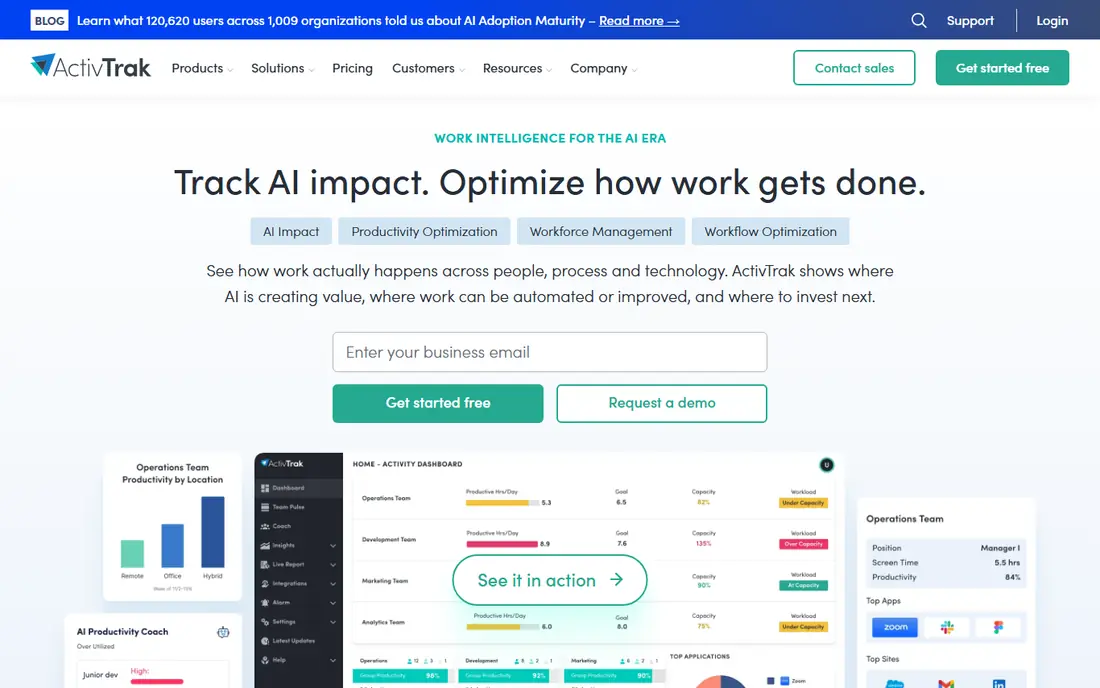
ActivTrak is the tool we would start with for most small and midsize teams. It tracks app and website use, classifies activity as productive or unproductive, and reports trends at the team level rather than building a minute-by-minute dossier on each person. That design makes it easier to have honest conversations about workload and focus instead of arguments about a single afternoon.
The free plan covers up to 3 users, which is enough to test the reporting on a real team before paying. Paid plans from $10 per user per month add longer data history and coaching tools. The honest catch is that ActivTrak deliberately avoids the invasive end of the market: if you need keystroke logs or screen video, this is not your tool, and that is a feature, not a gap, for most employers.
- Free plan for up to 3 users
- No keystroke logging
- Team-level productivity reports
- No screenshot capture on the free plan
- Deeper features sit on higher tiers
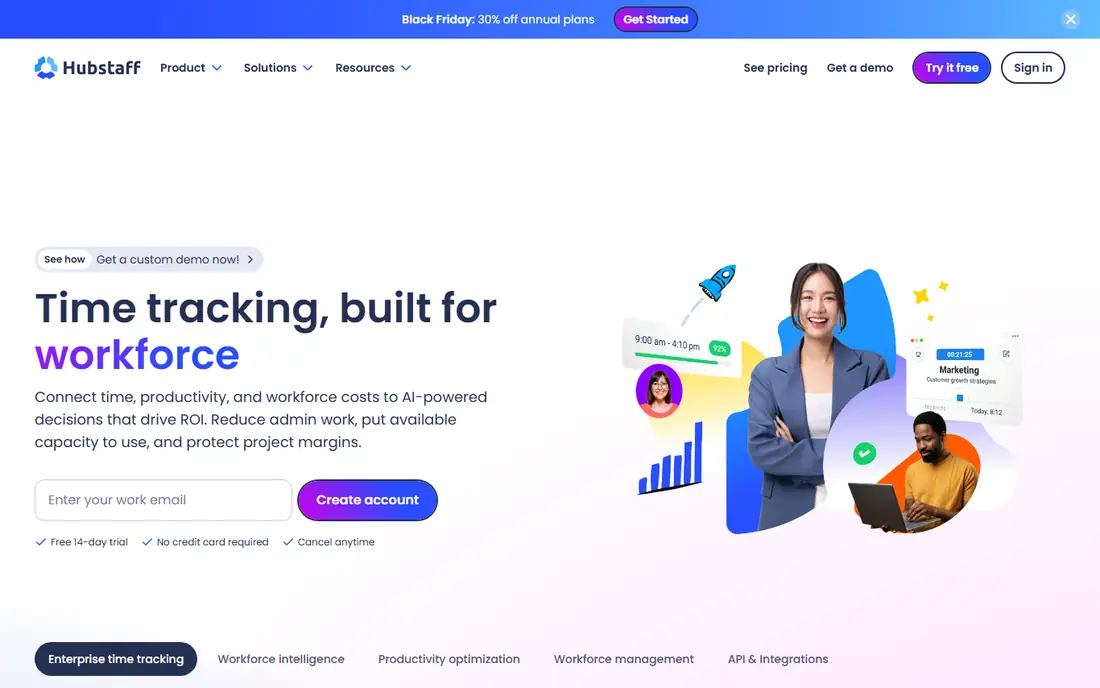
Hubstaff pairs time tracking with monitoring in a way that suits distributed teams. Staff start a timer, and managers see time by project, optional screenshots, activity levels, and, for field roles, GPS locations. Because time feeds straight into payroll and client invoicing, it replaces two or three separate tools for agencies and service businesses.
The price is the draw: $4.99 per user per month on the annual plan, with a free plan for a single seat. The caution is configuration. Screenshot frequency and activity tracking should be set openly and explained to staff, since a tool meant to build trust can destroy it if people discover it after the fact. Used openly, Hubstaff is a practical, affordable workhorse.
- Low starting price
- GPS tracking for field teams
- Payroll and invoicing built in
- Screenshot features can feel intrusive if misconfigured
- Reporting is simpler than analytics-first rivals
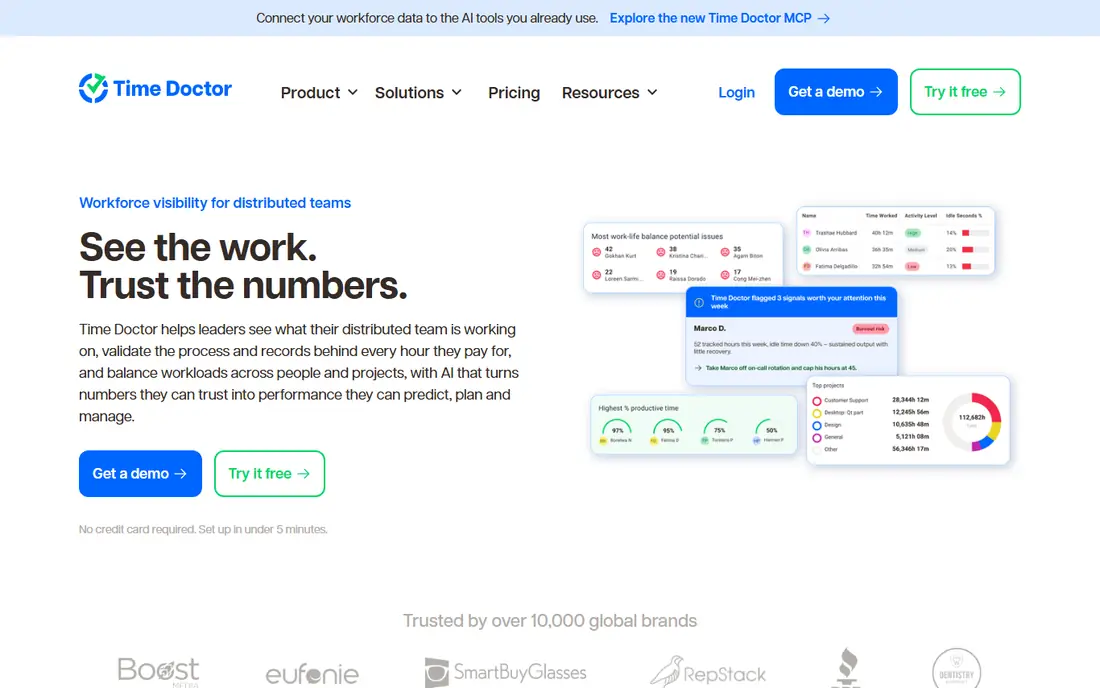
Time Doctor is built around one question: where did the paid hours go? It records time by task and client, captures optional screenshots, and produces payroll-ready reports that agencies and outsourced teams can send to clients. Staff also get distraction alerts, which turns the tool into a focus aid rather than a pure oversight device.
Pricing starts at $6.67 per user per month on the annual plan, with a 14-day trial and no free tier. The reports are stronger than the real-time views, so managers who want live screen watching should look elsewhere. For teams that bill by the hour and need defensible timesheets, Time Doctor is a steady, well-tested choice.
- Detailed time and payroll reports
- Client billing features
- Distraction alerts for staff
- No permanent free plan
- Screenshot options need careful policy settings
Teramind sits at the security end of this list. It watches for risky behavior, such as large file transfers or access to sensitive data, and lets administrators set rules that warn, block, or record when a policy is broken. Regulated firms use it to show auditors that insider risk is monitored, and the session playback helps investigators reconstruct what happened after an incident.
That power comes with responsibility and cost. Plans start at $14 per seat per month, and the depth of recording means staff notice and consent policies are not optional extras. Teramind is overkill for a ten-person agency that just wants timesheets, but for a firm handling financial or health data, it is the most complete option here.
- Behavior rules and alerts
- Data-loss prevention controls
- Session recording for investigations
- Highest starting price here
- 5-seat minimum on some plans
- Needs clear staff policy
Insightful, formerly Workpuls, focuses on turning activity data into decisions about workload and process. Managers see which apps teams actually use, where time goes across projects, and which workflows slow people down. The dashboards are easy to read, which matters when the person reviewing them is an operations manager rather than an analyst.
Pricing starts at $8 per user per month on the annual plan, with a 7-day trial. An on-premise option exists for firms that want data kept inside their own network. Insightful is a good middle ground: more analytical than Hubstaff, less forensic than Teramind, and priced between the two.
- Clean analytics dashboards
- App and website tracking
- On-premise deployment option
- No permanent free plan
- Screenshot features vary by plan
DeskTime appeals to teams that hate timers. It starts tracking automatically when work begins, sorts apps into productive and unproductive categories, and lets staff mark personal time as private. That automatic approach means less fiddling and fewer forgotten timers, which keeps the data more honest than manual entry.
The tool also covers absence planning and shift scheduling, so small firms can run several people-management jobs from one dashboard. Pricing is published on the vendor site and changes with plan and billing period, so check the current page before budgeting. DeskTime suits teams that want gentle oversight and accurate time records without a surveillance feel.
- Fully automatic tracking with no timers
- Private time options for staff
- Absence and shift features
- Pricing varies by plan and billing period
- Screenshot features are limited next to rivals
Monitask is a straightforward choice for managers who need visible proof of remote work. It takes periodic screenshots, measures keyboard and mouse activity, and ties both to projects and tasks. Setup is quick, and the dashboard shows who is working, on what, and how active they have been, without a long configuration project.
Pricing starts at $6.49 per user per month, with a 10-day trial. The analytics are simpler than the workforce platforms above, so teams that want deep trend reporting may outgrow it. For agencies and consultants who need screenshots to back up client invoices, Monitask does the core job at a fair price.
- Screenshots and activity levels
- Simple setup
- Project and task tracking included
- Shorter trial than some rivals
- Analytics are basic next to ActivTrak
WorkTime takes a deliberately light-touch approach: it reports attendance, active and idle time, and app use, but it does not capture screenshots or log keystrokes. For firms that want accountability without the unease that screenshots create, that restraint is the selling point. Staff are more likely to accept a tool that cannot see their screens, and managers still get the attendance and productivity picture they need.
Pricing starts at $5.83 per user per month, with a free plan for up to 3 users. The trade-off is obvious: if an incident ever needs visual evidence, WorkTime will not have it. Buy it for the culture it supports, not for forensic depth, and pair it with a clear written policy about what is and is not tracked.
- No screenshots or keylogging by design
- Free plan for up to 3 users
- Attendance and idle time reports
- No screen capture if you later need it
- Smaller integration range than bigger rivals
RescueTime is the odd one out here, and it belongs on the list because the best monitoring is often self-monitoring. It runs on your own computer, sorts your time into productive and distracting buckets, and nudges you with goals and focus sessions when you drift. Individuals use it to understand their own habits, and small teams use it as an opt-in productivity aid rather than a management control.
Pricing starts at $6.50 per user per month, with a free trial. Managers should not buy RescueTime expecting employer dashboards and screenshot evidence, since that is not what it is for. For personal use, or for a team that prefers voluntary tracking, it is the least intrusive option here and often the most effective.
- Built for personal productivity
- Focus sessions and goal alerts
- Detailed personal reports
- Not designed for employer oversight
- Team features are limited
How we picked these
We compared official pricing pages, feature documentation, and public reviews for monitoring tools, and we kept only tools marketed for disclosed use: employee monitoring with notice, parental use, or self-tracking. We excluded tools marketed for covert surveillance of another adult, since that use is unlawful in many places and unsafe to recommend. Prices shown are the vendors' published starting rates for annual billing where stated, and we wrote "See website" where pricing was unclear or varied by plan.
What to check before you buy
Put the policy in writing first
Before installing anything, write down what is tracked, what is not tracked, who can see the data, and how long it is kept. Share that policy with staff and get the consent your jurisdiction requires. A tool deployed without that conversation creates legal risk and damages trust faster than any productivity gain can repair it.
Match the depth to the problem
Timesheet disputes need time tracking, not screen recording. Data theft needs rules and alerts, not activity scores. Buying the most invasive tool for a simple problem wastes money and creates resentment, so start with the lightest tool that answers your actual question.
Test with a small group
Run a two-week trial with a few volunteers and review the reports together. You will learn quickly whether the data is useful, whether settings feel fair, and whether staff have concerns you missed. Adjust screenshot frequency, private time rules, and report access before rolling out to everyone.
Frequently asked questions
What is the best computer monitoring software?
For most teams, ActivTrak is the strongest starting point because of its free plan for up to 3 users and its decision not to log keystrokes. Hubstaff wins on price for remote teams that need payroll, and Teramind wins for regulated firms that need security controls. The right pick depends on whether your problem is productivity, billing, or risk.
Is employee monitoring legal?
It depends on where you operate and how you do it. Many US states require notice to employees, some require consent, and rules differ again outside the US. Monitoring on company devices with a clear written policy is the standard lawful pattern, while secret monitoring of personal devices is risky and often unlawful. Check local law before deployment.
What is the top computer monitoring software for parents?
Parental use is different from employee use, and parents should use tools designed for families, with age-appropriate controls and clear limits. The tools here are mainly workplace products, so parents should check whether a vendor supports family use and device limits before buying. Whatever you choose, tell children in age-appropriate terms what is monitored and why.
Do these tools record keystrokes?
Some do and some deliberately do not. ActivTrak and WorkTime avoid keystroke logging, while security tools like Teramind offer deeper recording for investigations. Keystroke logging raises the highest privacy and legal risk, so treat it as a last resort with written justification, not a default setting.
Can monitoring software work on personal devices?
Technically yes, but that is where legal and trust risks are highest. Most employers limit monitoring to company-owned devices and company accounts. If staff use personal devices, use a bring-your-own-device policy that separates work apps from personal activity, and get legal advice before extending any tracking to personal hardware.
Sources
See where you really rank - block by block
ProMapRanker scans Google Maps across a grid of your service area. Simple monthly plans from $19, white-label on every plan.
Start freeKeep reading
 zoro.to alternatives
Best Zoro.to Alternatives in 2026
We compare the best zoro.to alternatives in 2026, listing only legal licensed anime streaming services, from Crunchyroll to free options for fans today.
Read → zip alternatives
Best Zip Alternatives in 2026
We compare the best zip alternatives for buy now, pay later in 2026, covering pay-in-4 plans, fees, spending limits, and credit reporting options today.
Read → yesware alternatives
Best Yesware Alternatives in 2026
Compare the best yesware alternatives for sales email tracking, templates, and sequences, with current pricing and honest tradeoffs for small sales teams.
Read →