 ProMapRanker
Best Computer Assisted Translation Software in 2026

Key takeaways
- Desktop CAT tools such as Trados and memoQ still suit agency work, while cloud tools such as Phrase and Crowdin suit software teams.
- Translation memory is the core value, since it reuses past translations and keeps terminology consistent across projects.
- Free tools such as OmegaT and Smartcat can handle real professional work, but agency file requirements may limit your choice.
- Price models differ widely, from one-time licences to per-seat subscriptions, so compare three-year cost, not just the first month.
Quick comparison
| Pick | Great for | Pricing starts at | Free tier | |
|---|---|---|---|---|
 Trados Studio | Agency work and desktop CAT | See website | Free trial | Visit |
 memoQ | Translators who want a licence to own | See website | Free trial | Visit |
 Phrase | Software and enterprise localisation | $27 per month | Free trial | Visit |
 Smartcat | Freelancers and marketplace work | Free | Yes | Visit |
 Crowdin | Continuous software localisation | $59 per month | Yes | Visit |
 Lokalise | Product teams with design workflows | $144 per month | Free trial | Visit |
 Wordfast Pro | Affordable perpetual licence | $240 one-time | Free trial | Visit |
 CafeTran Espresso | Mac and Linux desktop CAT | 200 euros one-time | Free trial | Visit |
 OmegaT | Free open-source CAT | Free | Yes | Visit |
The best computer assisted translation software
We compared CAT tools and translation management systems that offer translation memory, terminology control and file handling for professional translators and localisation teams. Machine translation alone does not qualify here, since a CAT tool must let a human translator work segment by segment with memory and glossaries.
Trados Studio remains the default desktop CAT tool for agency translators, because many agencies build their workflows around its file formats and project packages. Its translation memory, termbase and quality checks are mature, and it handles a wide range of source files, from Word and InDesign to software strings. If most of your income comes from agencies, knowing Trados well is a practical career choice, not just a preference.
The costs and learning curve are real drawbacks. New buyers face a subscription rather than a perpetual licence, and the interface takes time to learn, especially for project setup and terminology management. Trados also suits Windows users best, so Mac translators need a workaround or a different tool. For agency volume, those trade-offs are often worth it. For occasional work, a cheaper cloud tool may be enough.
- Widest agency acceptance
- Deep file support
- Mature translation memory and termbase tools
- Subscription model for new buyers
- Steep learning curve
- Windows-focused desktop
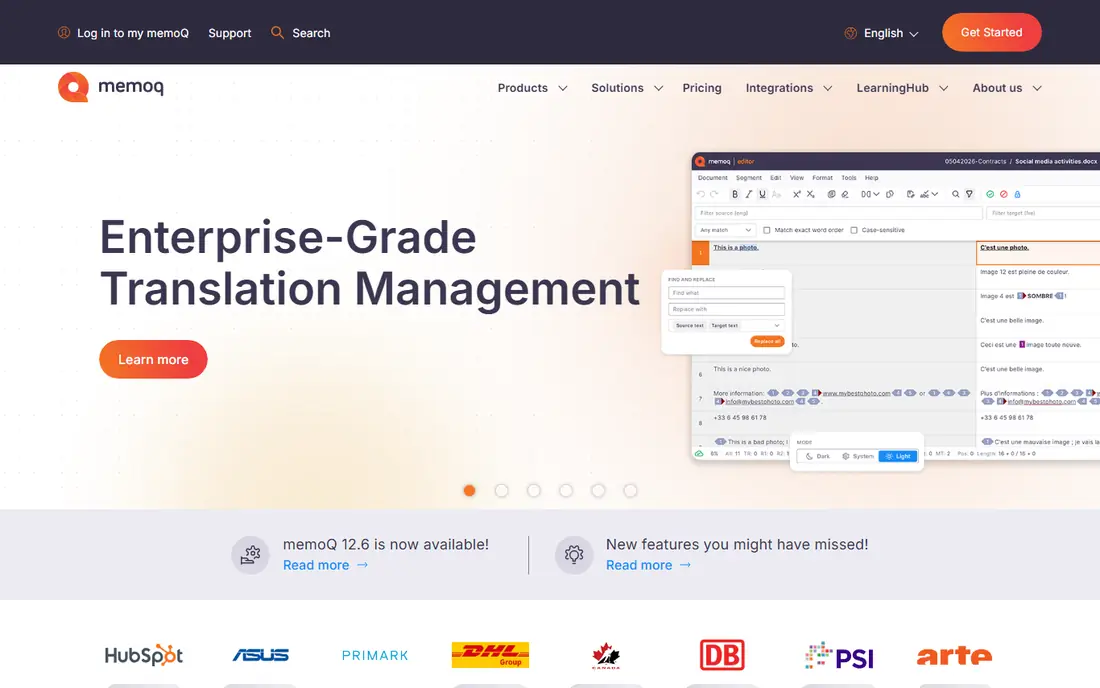
memoQ is the main desktop rival to Trados, with a loyal following among freelance translators and language service providers in Europe and beyond. Its editor is clear, its translation memory and terminology tools are strong, and it can open and return Trados packages, which reduces friction with agencies. The perpetual licence option matters for translators who dislike paying a subscription every year for the same core tool.
Team use is where memoQ gets costly, since the server product for small teams starts at a much higher annual price than a single translator licence. A solo translator should therefore price the translator product, not the server product, when comparing with Trados. If you want to own your tool and you work mainly on desktop, memoQ is the strongest alternative to Trados.
- Perpetual licence option
- Strong project tools
- Good agency compatibility
- Team server pricing is high
- Interface also takes learning

Phrase, formerly Memsource, is a cloud translation management system built for companies that localise software, apps and websites on a regular basis. It handles translation memory, glossaries, workflows and integrations with code repositories and content systems, so developers and translators can work from the same source strings. The freelancer plan gives solo translators a lower-cost entry point to a professional cloud tool.
Word and seat limits are the catch. The freelancer plan caps processed words per year, and team plans for language providers cost several hundred dollars per month or more. Phrase suits a company or a busy freelancer with steady localisation work, rather than a translator who only needs a desktop editor for occasional agency packages. Check the word cap against your actual annual volume before you subscribe.
- Cloud platform for teams
- Strong software string workflows
- Machine translation integrations
- Freelancer plan limits processed words
- Team plans cost far more
Smartcat gives freelancers a free cloud CAT editor with translation memory, glossaries and machine translation options, plus a marketplace where clients post jobs. That combination suits new translators who need a professional tool without an upfront licence cost, and who are happy to find work through the platform. Payment handling for marketplace jobs also removes some invoicing work.
The marketplace model is also the main drawback. Some agencies do not accept Smartcat packages, and marketplace work can carry a commission that lowers the effective rate. Smartcat is best when you use it for your own clients or for marketplace jobs, and keep Trados or memoQ for agencies that require those formats. Used that way, its free editor is genuine value.
- Free core CAT editor
- Built-in marketplace
- Payment handling for marketplace jobs
- Marketplace commission on some work
- Lower acceptance for some agency packages
Crowdin is built for teams that release software continuously and need translations to keep pace with code changes. It connects to repositories, tracks new and changed strings, and lets translators and reviewers work in the browser. A free plan covers small projects, which makes Crowdin easy to test on a real app before paying.
Long documents are not its strength. Crowdin works best with short software strings, help content and game text, rather than a 200-page manual that needs desktop publishing checks. Larger projects need a paid plan, and pricing rises with hosted words and seats. For a product team, Crowdin is a strong pick. For a book or manual translator, a desktop CAT tool fits better.
- Continuous localisation for apps and games
- Free plan
- Strong developer integrations
- Less suited to long document translation
- Paid plan needed for larger projects
Lokalise targets product and design teams that localise apps and websites and want translators to see where each string appears. Screenshot and design context help translators choose wording that fits buttons, menus and layouts, which reduces back-and-forth with developers. Its workflows are simpler than enterprise systems, so a small product team can start without a localisation manager.
The starting price is higher than Crowdin or Phrase freelancer plans, at $144 per month for the Explorer plan, so Lokalise suits a funded product team rather than a solo translator. It is also less focused on traditional agency document packages. If your work is product strings with design context, Lokalise earns its price. If your work is agency documents, a desktop tool is a better buy.
- Design and screenshot context
- Simple team workflows
- Good integrations
- Higher starting price
- Less focus on agency document packages
Wordfast Pro appeals to translators who want a desktop CAT tool without a yearly subscription. A one-time licence, reported at $240, gives a full editor with translation memory, glossaries and support for common file formats, on Windows and Mac. For a translator who works mainly for direct clients, Wordfast covers the core job at a lower three-year cost than subscription rivals.
The ecosystem is smaller than Trados, so agency workflows that depend on Trados-specific features may need extra steps. Wordfast can still handle many standard packages, but you should test it with your actual agency clients before relying on it alone. For direct-client work and for translators who value owning their software, Wordfast is a sensible, lower-cost desktop choice.
- One-time licence
- Cross-platform desktop editor
- Good translation memory support
- Smaller ecosystem than Trados
- Fewer agency-specific integrations
CafeTran Espresso is a desktop CAT tool for translators on Mac or Linux who want a native application rather than a Windows-only tool or a browser editor. It offers translation memory, terminology management and machine translation options, with a one-time licence reported at 200 euros. Its terminology and glossary handling is a particular strength for technical translators.
The user base is smaller than Trados or memoQ, so community help and agency templates are thinner. The interface also feels technical at first, and new users should allow time to set up memories and glossaries properly. For a Mac or Linux translator who wants a desktop tool they own, CafeTran is the most credible option in this list.
- Native Mac and Linux support
- One-time licence
- Strong terminology tools
- Smaller user base
- Interface feels technical to new users
OmegaT is a free, open-source CAT tool that has served professional translators for years. It provides translation memory, glossaries, fuzzy matching and support for many file formats, without a subscription or licence fee. For a student, a new translator or a volunteer project, OmegaT removes cost as a barrier to professional CAT work.
The interface is plain, and support comes from the community rather than a vendor help desk. Setup also needs care, since you manage memories, glossaries and file filters yourself. OmegaT will not match Trados on agency package handling, but for direct clients and personal projects it is a capable tool. It is also a good second tool to learn alongside a paid CAT system.
- Free forever
- Open source
- Handles real professional projects
- Plain interface
- Community support only
- Setup needs care
How we picked these
We compared official product pages, pricing, licence models, file support and the workflows each tool is built for, from agency desktop work to cloud software localisation. We kept tools that offer real translation memory and terminology control, and we left out pure machine translation apps that do not let a translator edit segment by segment. Prices are starting prices only, since team, server and word-cap plans change the total quickly.
What to check before you buy
Start with who sends you work. Agencies often require or prefer Trados, and sometimes memoQ, so your tool choice can affect how much work you can accept. Direct clients and product teams care less about a specific tool and more about quality, speed and file delivery. Match the tool to your main income source, not to a feature list alone.
Licence, files and memory ownership
Compare three-year cost across subscription and one-time licences, and check what happens to your translation memories if you cancel. Test your tool with a real agency package or a real software project before you commit, since file handling differences only show up in practice. Back up your memories and glossaries separately, so you are never locked into one vendor by your own past work.
Frequently asked questions
What is a CAT tool?
A CAT tool, or computer assisted translation tool, helps a human translator work faster and more consistently. It splits a document into segments, suggests past translations from a translation memory, checks terminology and tracks progress. The translator still makes every final decision, unlike fully automatic machine translation.
Is Trados required to work for translation agencies?
Not always, but many agencies prefer or require Trados, and some workflows are built around its packages. Check the requirements of the agencies you want to work with before you buy. memoQ and other tools can often handle Trados packages, but acceptance varies by agency.
What is the best free CAT tool?
OmegaT is the best free open-source option for desktop work, while Smartcat offers a free cloud editor with a marketplace. OmegaT suits translators who want full control on their own computer. Smartcat suits freelancers who want a browser tool and a source of jobs.
How does translation memory save time?
Translation memory stores past translations segment by segment and suggests them when similar text appears again. That keeps wording consistent across manuals, websites and updates, and reduces repeat work on revised documents. Over time, a good memory is often more valuable than the tool itself.
Should I choose a desktop or cloud CAT tool?
Choose desktop for agency document work, offline use and full control of files. Choose cloud for software localisation, team review and continuous releases. Many translators use both: a desktop tool for agencies and a cloud tool for product clients.
Sources
See where you really rank - block by block
ProMapRanker scans Google Maps across a grid of your service area. Simple monthly plans from $19, white-label on every plan.
Start freeKeep reading
 zoro.to alternatives
Best Zoro.to Alternatives in 2026
We compare the best zoro.to alternatives in 2026, listing only legal licensed anime streaming services, from Crunchyroll to free options for fans today.
Read → zip alternatives
Best Zip Alternatives in 2026
We compare the best zip alternatives for buy now, pay later in 2026, covering pay-in-4 plans, fees, spending limits, and credit reporting options today.
Read → yesware alternatives
Best Yesware Alternatives in 2026
Compare the best yesware alternatives for sales email tracking, templates, and sequences, with current pricing and honest tradeoffs for small sales teams.
Read →