 ProMapRanker
Best Company to Set Up a Trust in 2026

Key takeaways
- A revocable living trust only controls assets you actually transfer into it, so funding help matters as much as document creation.
- Trust & Will and LegalZoom suit guided online setup, while Rocket Lawyer suits people who also want ongoing attorney access.
- Nolo WillMaker and LawDepot offer lower-cost document routes for confident do-it-yourself users.
- Fidelity and Schwab suit people who already hold investments there and want trustee or custody support.
- Complex estates, blended families, and special-needs planning usually need a local estate attorney, not only an online form.
Quick comparison
| Pick | Great for | Pricing starts at | Free tier | |
|---|---|---|---|---|
 Trust & Will | Guided trust setup | See website | No | Visit |
 LegalZoom | Guided bundles with attorney options | See website | No | Visit |
 Rocket Lawyer | Ongoing legal access | See website | Free trial | Visit |
 Nolo WillMaker | Low-cost do-it-yourself documents | See website | No | Visit |
 LawDepot | Flexible document creation | See website | Free trial | Visit |
 US Legal Forms | Wide form library | See website | No | Visit |
 GoodTrust | All-in-one estate services | See website | No | Visit |
 Fidelity | Investment account holders | See website | No | Visit |
 Charles Schwab | Investment account holders | See website | No | Visit |
The best company to set up a trust
Setting up a trust means creating the legal document, signing it correctly under state law, and funding it by retitling assets. We compared online services and investment firms that help with those steps. This is general information only, not legal advice, and state signing and funding rules vary.

Trust & Will is a strong pick for a straightforward revocable living trust. Its guided questionnaire asks about family, assets, trustees, and guardians in plain language, then generates state-specific documents including a pour-over will and powers of attorney in many plans. A funding guide helps with the retitling step that many people skip.
The service provides documents and information, not legal advice, and attorney support is an add-on in many cases. For a simple estate with a house, bank accounts, and clear beneficiaries, the guided route works well. For business interests or complex tax issues, get an attorney review.
- Step-by-step trust questionnaire
- Funding guide
- Digital vault for documents
- Not a law firm
- Complex estates may need an attorney review
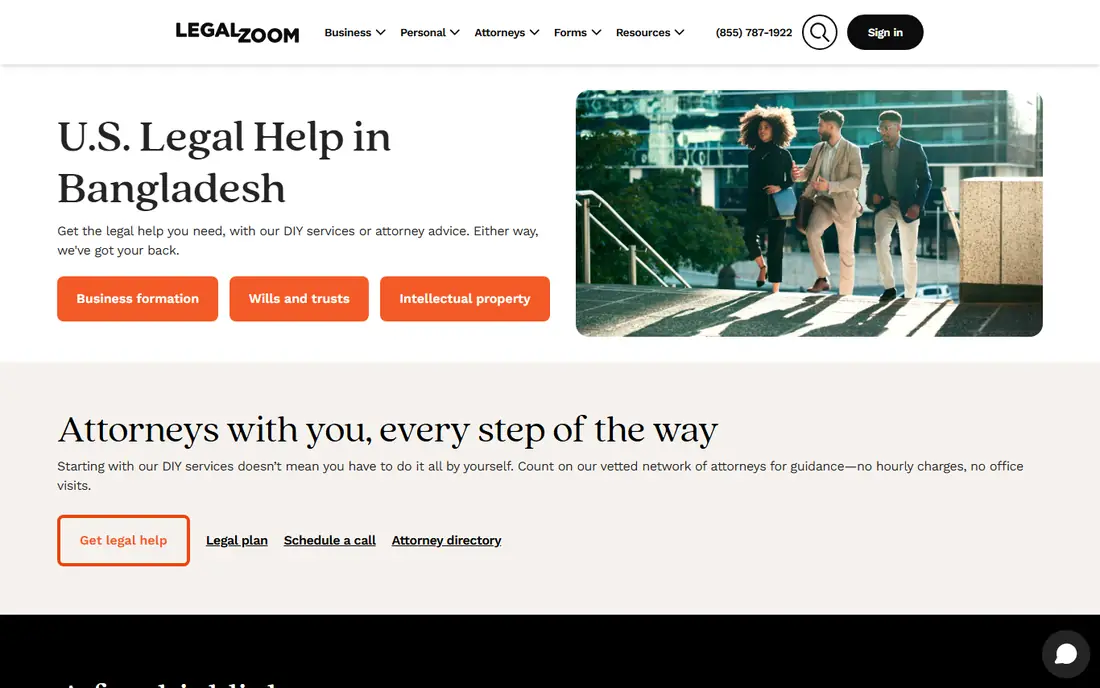
LegalZoom offers trust bundles that include the trust, pour-over will, health directives, and powers of attorney, with options for attorney consultations. That bundle approach helps families who want one package rather than buying documents one by one, and printed sets can help with signing and storage.
Pricing tiers and attorney plan renewals need careful reading before purchase. Compare what each tier includes, how long updates are covered, and whether attorney access is a one-time consult or an ongoing plan. For families who want more guidance than a pure template, LegalZoom is a solid choice.
- Full trust document bundles
- Attorney consult options
- Printed document sets
- Tiered pricing needs careful reading
- Renewal terms for attorney plans vary

Rocket Lawyer suits people who expect to need legal help beyond a single trust. Members can create documents, ask attorneys questions, and store signed files in the cloud, which helps when wills, powers of attorney, and business documents all need attention over time.
The subscription model is less appealing for a one-time trust if you will not use other services. If you already plan to use attorney access during the year, the ongoing model can offer better value than a single purchase.
- Document creation plus attorney questions
- E-sign and cloud storage
- Broad legal library
- Subscription model suits ongoing users best
- Trust is one document among many
Nolo WillMaker, sold through Nolo, is the classic do-it-yourself route. Buyers get software or online access to create living trusts, wills, powers of attorney, and health directives, with explanatory text drawn from Nolo legal guides. The one-time model appeals to buyers who dislike subscriptions.
There is no attorney review built in, so the user must check state signing rules and complete funding steps alone. Confident readers with simple estates will value the price and control, while uncertain users should pick a guided service or an attorney.
- One-time purchase model
- Broad document library
- Clear legal guidance text
- No personal legal advice
- User must handle signing and funding alone
LawDepot lets users build a trust and related documents through a flexible questionnaire, with options to edit and reprint. Its library covers many estate and business documents, which helps when a trust is part of a wider paperwork update.
Watch the trial and subscription terms. A free trial can convert to a paid plan, so set a reminder if you only need one document. For users comfortable with self-guided forms, LawDepot offers good flexibility at a modest cost.
- Flexible questionnaire
- Many document types
- Free trial period stated
- Subscription billing needs attention
- Support is not legal advice
US Legal Forms suits buyers who know which form they need and want a state-specific version quickly. Its library includes living trust forms and related estate documents for many states, with purchase options for single forms or bundles.
The experience is more form library than guided interview, so first-time trust creators may prefer Trust & Will or LegalZoom. Buyers who already understand trusts, or who work with an attorney and only need the form, will find it practical.
- Large state-specific form library
- Trust and estate forms
- One-time purchase options
- Less guided than Trust & Will
- Design feels more form-focused
GoodTrust combines wills, trusts, powers of attorney, and digital asset planning in one service, which appeals to families thinking about online accounts and passwords as well as property. Guided setup and secure storage help keep documents and instructions in one place for executors and trustees.
It is a smaller brand than LegalZoom or Rocket Lawyer, so check current plan details and attorney options before buying. For families who want digital legacy planning alongside a trust, GoodTrust is worth a close look.
- Wills, trusts, and digital asset planning
- Guided setup
- Secure storage
- Smaller brand than LegalZoom
- Attorney access varies by plan
Fidelity suits people whose investments already sit at Fidelity and who want a trust account tied to those holdings. It offers trust account opening, trustee services in many cases, and estate planning guidance resources, with help retitling investment accounts into a trust.
Fidelity does not replace an estate attorney for drafting the trust document itself in most cases. Use it alongside a drafting service or attorney, and confirm trustee fees and account minimums before moving assets.
- Trust accounts and trustee services
- Investment custody
- Estate planning resources
- Not a document-only service
- Best for clients with Fidelity accounts
Charles Schwab offers a similar path for its clients, with trust accounts, trustee services, and estate planning resources. Holding investments and a trust account at one firm can simplify statements, beneficiary updates, and trustee communication.
As with Fidelity, Schwab is a custodian and trustee option rather than a cheap document generator. Confirm fees, minimums, and which trustee duties Schwab will handle, and have the trust document drafted by an attorney or a service above.
- Trust accounts and trustee services
- Broad investment platform
- Estate resources
- Trustee fees and minimums apply in many cases
- Drafting needs an attorney or service
How we picked these
We compared official service pages, document lists, funding guidance, attorney access, and trustee service descriptions, plus public reviews of online estate services. We favored services with state-specific documents, clear funding help, and honest limits about legal advice. We did not claim hands-on testing. Prices and plan terms change, so we list starting prices as See website.
What to check before you set up a trust
Start with the goal. A revocable living trust often aims to avoid probate and manage assets if you become unable to do so, while other trust types serve tax, asset protection, or special-needs goals. The right type depends on your state, assets, and family situation, and an attorney can confirm it.
Next, plan the funding. List every asset you want in the trust, including real estate, bank accounts, and investment accounts, and note how each one must be retitled. An unfunded trust controls nothing, no matter how good the document looks.
Signing and storage
Follow your state rules for signing, witnesses, and notarization, since a trust signed incorrectly may not work as intended. Store the original safely, give trustees clear instructions, and keep a copy where your successor trustee can find it.
When to hire an attorney
Hire a local estate attorney when the estate is large, includes a business, spans more than one state, involves a blended family, or needs special-needs or tax planning. Online services work best for simple, clear estates with cooperative beneficiaries.
Frequently asked questions
What is a revocable living trust?
It is a trust you create during your lifetime that you can change or revoke, which holds assets for your benefit and then passes them to beneficiaries you name. It can help avoid probate for funded assets and allow a successor trustee to manage assets if you cannot.
Do I still need a will if I have a trust?
Yes, in most plans. A pour-over will catches assets left outside the trust and names guardians for minor children, which a trust alone does not do. Most bundles here include a pour-over will for that reason.
How do I fund a trust?
You transfer ownership of assets into the trust, such as retitling real estate, changing bank and investment account titles, and updating beneficiary forms where needed. Follow the funding guide from your service or attorney, and confirm each transfer in writing.
Can I set up a trust without a lawyer?
For a simple estate, many people use an online service, but those services provide documents and information, not legal advice. Complex estates, tax issues, and contested family situations are strong reasons to hire an attorney.
What does a trustee do?
A trustee manages trust assets, follows the trust terms, pays allowed expenses, and distributes assets to beneficiaries. You can serve as your own trustee for a revocable trust, with a successor trustee named to step in later.
How much does it cost to set up a trust?
Online services often cost far less than an attorney-drafted trust, but prices vary by bundle, state, and attorney add-ons. Investment firms may also charge trustee fees. Compare the full bundle and any renewal or trustee fees, not only the first price shown.
Sources
See where you really rank - block by block
ProMapRanker scans Google Maps across a grid of your service area. Simple monthly plans from $19, white-label on every plan.
Start freeKeep reading
 zoro.to alternatives
Best Zoro.to Alternatives in 2026
We compare the best zoro.to alternatives in 2026, listing only legal licensed anime streaming services, from Crunchyroll to free options for fans today.
Read → zip alternatives
Best Zip Alternatives in 2026
We compare the best zip alternatives for buy now, pay later in 2026, covering pay-in-4 plans, fees, spending limits, and credit reporting options today.
Read → yesware alternatives
Best Yesware Alternatives in 2026
Compare the best yesware alternatives for sales email tracking, templates, and sequences, with current pricing and honest tradeoffs for small sales teams.
Read →