 ProMapRanker
Best Company Intranets in 2026


Microsoft 365 teams · Pricing starts at: $5 per user per month
Key takeaways
- SharePoint suits Microsoft 365 teams that already pay for licences, while Happeo suits Google Workspace teams for the same reason.
- Simpplr, Unily, and LumApps suit larger companies that need a structured intranet with personalised news and search.
- Staffbase, Workvivo, and Blink suit frontline and deskless teams that need a mobile app, not only a desktop portal.
- Most dedicated intranet vendors price by quote, so compare total cost per licensed employee, including implementation and content work.
- The best intranet for a company is the one employees actually open, so test search, mobile access, and news publishing before buying.
Quick comparison
| Pick | Great for | Pricing starts at | Free tier | |
|---|---|---|---|---|
| Microsoft SharePoint | Microsoft 365 teams | $5 per user per month | No | Visit |
 Simpplr | Structured intranet with personalisation | See website | No | Visit |
 Staffbase | Frontline employee communications | See website | No | Visit |
 Workvivo | Social intranet and engagement | See website | No | Visit |
 LumApps | Global digital workplace | See website | No | Visit |
 Unily | Large enterprise intranet | See website | No | Visit |
 Happeo | Google Workspace intranet | See website | No | Visit |
 Blink | Mobile first frontline intranet | $3.75 per user per month | No | Visit |
 Igloo Software | Classic social intranet | See website | No | Visit |
The best company intranets
We compared official product pages, pricing information, and public intranet guides for company intranet platforms operating in October 2026. This is a guide based on publicly reported factors, not a verified ranking, and no scores or pay figures are claimed here. Where a vendor prices by quote, we say so, because a published figure from a third party guide is not a quote for your headcount.

SharePoint is the default intranet for most Microsoft 365 companies, and that is its main strength. Communication sites, hub sites, news, audience targeting, and search come with the platform, and employees already use Teams, OneDrive, and Outlook alongside it. Public guides report SharePoint Plan 1 at 5 dollars per user per month, while most business plans already include SharePoint Online.
The honest catch is ownership. SharePoint gives you a platform, not a finished intranet, so a company needs editors, a site structure, and content governance, or the intranet becomes a maze of old pages. Budget for design, migration, and ongoing content work, not only licences, and test Viva Connections if you want the intranet inside Teams.
- Included in many Microsoft 365 plans
- Communication sites, hub sites, and news built in
- Deep Teams, OneDrive, and Viva integration
- Needs internal ownership and design work to stay usable
- Analytics and advanced personalisation often need Viva add ons

Simpplr suits companies that want an intranet as a destination, not only a news feed. Its platform covers sites, news, search, and employee experience features, with personalisation that shows different content to different teams and locations. That structure helps large companies where one global homepage cannot serve every employee.
The catch is price transparency and effort. Simpplr prices by quote based on organisation size and scope, so you cannot compare it from a price page. Ask for the total cost per licensed employee, implementation scope, and content migration help, and plan editor roles before launch, because personalisation only works with maintained content.
- Intranet led platform with personalised news and search
- AI assisted content and search features described on its site
- Mobile apps for iOS and Android
- Quote only pricing, so budgeting needs a sales conversation
- Enterprise rollout needs content planning and governance
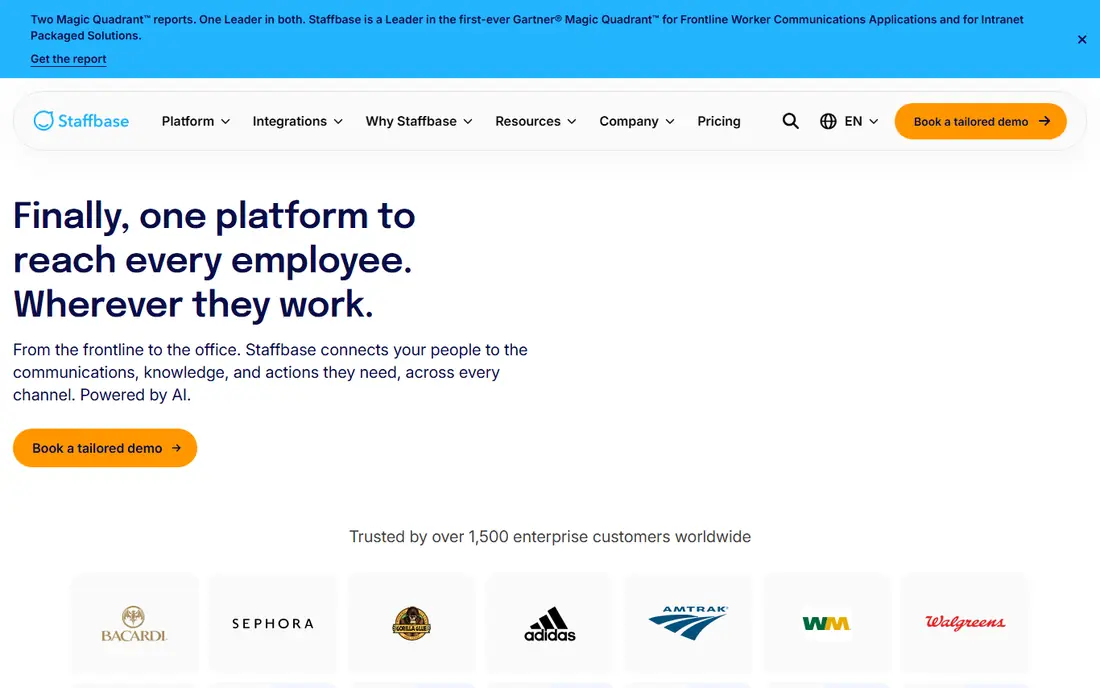
Staffbase suits large organisations with many frontline employees who have no company email address. One platform can run a branded employee app, an intranet, employee email, SMS, and digital signage, with targeting by location, role, and language. That reach matters for retail, manufacturing, logistics, and healthcare teams.
The trade off is time and cost. Staffbase sells by tailored quote, and public guides report average deployments of several months, so it is not a quick fix for a small team. Ask for a phased rollout plan, frontline licence terms, and a clear owner for content, because an app that no one opens is worse than no app at all.
- Employee app, intranet, email, SMS, and signage in one platform
- Audience targeting and read tracking
- Frontline worker pricing models described in public guides
- Quote only pricing
- Enterprise deployment timelines reported in public guides run to months, not weeks
Workvivo suits companies that want an intranet that feels like a social feed, with news, recognition, communities, and events in one place. Employees can follow teams, react to posts, and join groups, which helps distributed teams stay connected. Mobile access also helps frontline staff who rarely sit at a desk.
The catch is community effort. A social intranet needs regular posts, community managers, and leadership participation, or the feed goes quiet and employees stop checking. Ask for adoption guidance, analytics, and integration with your HR system, and assign owners for each major community before launch.
- Social intranet with activity feed, recognition, and communities
- Mobile apps for frontline access
- Integration with common HR and collaboration tools
- Quote only pricing
- Engagement features need active community management to avoid a quiet feed
LumApps suits global companies that run Microsoft 365, Google Workspace, or a mix of both, and need one intranet across regions. Its platform covers news, sites, search, and employee journeys, with AI features for finding content and answers. The Beekeeper frontline app also gives LumApps a route to deskless staff.
The limitation is complexity. A global intranet needs decisions on languages, site ownership, search scope, and integrations, and those decisions take time. Ask for implementation scope, language support, and a governance model, and start with a pilot in one region or business unit before a global launch.
- Intranet with Microsoft and Google support
- AI assisted search and content features
- Frontline app options through its Beekeeper acquisition
- Quote only pricing
- Global rollout needs language, governance, and integration planning
Unily suits large enterprises that want a polished, branded intranet with personalised content, campaigns, and employee journeys. Its platform covers intranet sites, communications, and integrations, with design flexibility that helps global brands keep a consistent look across regions.
The catch is fit for smaller companies. Unily positions itself for larger organisations, often from around 1,000 employees upward in public guides, and campaigns and premium support sit as add ons. Ask for the base package scope, add on costs, and implementation timelines, and compare the total per employee cost with simpler options.
- Enterprise intranet with personalisation, campaigns, and journeys
- Strong design and branding options
- Mobile apps
- Quote only pricing with add ons for campaigns and premium support
- Positioned for larger organisations, so small teams may find it heavy
Happeo suits companies that already run Google Workspace and want an intranet that feels native to Gmail, Drive, and Calendar. Its platform covers intranet pages, channels, announcements, and people search, with content that draws on Google files and groups. That fit reduces duplicate logins and file confusion.
The limitation is ecosystem lock in. A Microsoft 365 company will not get the same benefit, and Happeo prices by quote, so small Google teams need a sales conversation to learn cost. Ask for the total cost per organisation, trial terms, and migration help from existing Google Sites or Drive folders.
- Google native intranet with channels, pages, and search
- Deep Google Workspace integration
- Social features for announcements and communities
- Quote only pricing
- Teams outside Google Workspace will get less value from its native integration
Blink suits frontline teams that need one mobile app for news, messages, and essential content, at a published price. Public guides report Core at 3.75 dollars and Pro at 5 dollars per user per month billed annually, which makes budgeting easier than with quote only vendors. That transparency is a real advantage for smaller frontline employers.
The catch is depth. Blink is a mobile first employee app first and a full enterprise intranet second, so companies that need complex sites, personalised journeys, and deep search may need a larger platform. Test the app with real frontline staff, on their own phones and networks, before choosing on price alone.
- Published per user pricing, rare in this category
- Mobile first app for deskless teams
- Feed, chat, and content in one app
- Published price covers the Core plan, with higher tiers quoted or priced separately
- Intranet depth is lighter than enterprise platforms
Igloo Software suits companies that want a classic social intranet, with blogs, discussion forums, wikis, file sharing, and calendars in a familiar structure. Its platform has served internal communications and knowledge sharing for many years, which helps teams that want proven intranet patterns rather than a new social feed model.
The honest weakness is modernisation. Some buyers may find Igloo less polished than newer platforms, and pricing is by quote, so cost comparison needs a proposal. Ask for a demo using your own content types, mobile access details, and integration with your identity and file systems.
- Classic social intranet with blogs, forums, wikis, and calendars
- Flexible site structure
- Long history in intranet software
- Quote only pricing
- Interface and feature pace may feel older than newer social intranets for some buyers
How we picked these
We compared intranet platforms with a live official site, a clear intranet product, and US or global availability in October 2026. We included platform defaults such as SharePoint, structured intranets such as Simpplr and Unily, and frontline apps such as Staffbase, Workvivo, and Blink, because readers searching for the best company intranet may need any of those models. We left out general collaboration tools with no intranet product, and vendors with no clear intranet offering.
We did not claim hands on use of each platform, and we did not invent prices, ratings, or user counts. Where a vendor prices by quote, we say so, and where a public guide reports a price, we treat it as a guide to confirm, not as a quote. The best intranet depends on your existing productivity suite, frontline share, and content ownership capacity.
What to check before you buy an intranet
Start with the employee journey, not the feature list. List the top ten tasks employees need, such as finding a policy, booking leave, reading safety news, or finding an expert, then test each task on mobile and desktop in a pilot. If search fails or a page is out of date, employees will stop trusting the intranet, no matter how polished the homepage looks.
Check total cost and ownership in writing. Ask for licence cost per employee, implementation scope, migration help, training, and ongoing support, and ask who owns content, search, and analytics after launch. Also check identity integration, permissions, mobile access for staff without company email, and data handling, since an intranet holds sensitive internal content.
Questions to ask every vendor
Ask for adoption data from similar companies, not only feature demos. Ask how search handles old content, how news targeting works, how analytics show what employees actually read, and how content owners are reminded to update pages. If a vendor cannot show a governance model, plan one yourself before launch.
Frequently asked questions
What is the best intranet for a company?
The best intranet depends on your productivity suite and workforce. Microsoft 365 teams often start with SharePoint, Google Workspace teams often start with Happeo, and frontline heavy teams often shortlist Staffbase, Workvivo, and Blink.
What is the best company intranet for frontline workers?
Frontline workers need a mobile app that works without a company email address, with news, messages, and essential documents in one place. Staffbase, Workvivo, and Blink are built for that pattern, while SharePoint can work with Viva Connections where Microsoft licences already cover it.
How much does a company intranet cost?
Costs range from a few dollars per user per month for published plans such as SharePoint Plan 1 and Blink Core, to quote only enterprise pricing for Simpplr, Unily, and LumApps. Always compare total cost per licensed employee, including implementation and content work.
Can SharePoint be used as a company intranet?
Yes, SharePoint is the most widely used intranet platform, with communication sites, hub sites, news, search, and Teams integration. It needs internal ownership, design, and content governance to stay usable, and advanced features may need Viva add ons.
How do we get employees to actually use an intranet?
Make the intranet the only place for essential tasks, keep content current, and assign owners for each section. Test search and mobile access with real staff, promote the intranet in onboarding, and use analytics to remove or update pages that no one reads.
Sources
See where you really rank - block by block
ProMapRanker scans Google Maps across a grid of your service area. Simple monthly plans from $19, white-label on every plan.
Start freeKeep reading
 zscaler alternatives
Best Zscaler Alternatives in 2026
Looking for zscaler alternatives? We compare 9 SASE and zero trust platforms on architecture, data protection, pricing, and fit for your network and team.
Read → zapier alternatives free
Best Zapier Alternatives Free in 2026
Nine automation tools for zapier alternatives free in 2026, all with genuinely free tiers, plus free plan limits, starting prices and upgrade paths explained.
Read → which platform is best for online reputation
Which Platform Is Best for Online Reputation in 2026
Wondering which platform is best for online reputation? We compare 8 review, listing, and response tools for small and multi-location businesses and agencies.
Read →