 ProMapRanker
Best Company for Python Web Scraping in 2026

Key takeaways
- Python developers have two main routes: an open-source framework you run yourself, or a managed API you call from Python.
- Scrapy and Playwright suit developers who want full control and are willing to maintain code and infrastructure.
- ScrapingBee, ScraperAPI, and ZenRows suit developers who want a simple Python call that returns page data.
- Zyte, Apify, and Oxylabs suit production pipelines where success rates, scheduling, and scale matter most.
- Collect only data you have a right to collect: your own data, consented data, or public data within site terms and the law.
Quick comparison
| Pick | Great for | Pricing starts at | Free tier | |
|---|---|---|---|---|
 Scrapy | Free Python crawling framework | Free | Yes | Visit |
 Playwright | Browser automation for dynamic pages | Free | Yes | Visit |
 ScrapingBee | Simple Python API calls | $49 per month | Free trial | Visit |
 Zyte | Production Python pipelines | $100 per month | Free trial | Visit |
 Apify | Python SDK plus ready-made scrapers | $49 per month | Yes | Visit |
 ZenRows | Anti-bot handling from Python | $69 per month | Free trial | Visit |
 ScraperAPI | Beginner-friendly Python API | $49 per month | Free trial | Visit |
 Oxylabs | Enterprise Python scraping at scale | $49 per month | Free trial | Visit |
The best companies for Python web scraping
Python is the most common language for web scraping, so almost every serious vendor offers a Python SDK, code examples, or a simple HTTP API you can call with requests. The picks below differ in how much work they remove. Frameworks give you control and cost nothing, while managed APIs handle proxies, browsers, and anti-bot work for a monthly fee. All of them should be used only for lawful collection, with permission where needed and respect for site terms, rate limits, and privacy law.
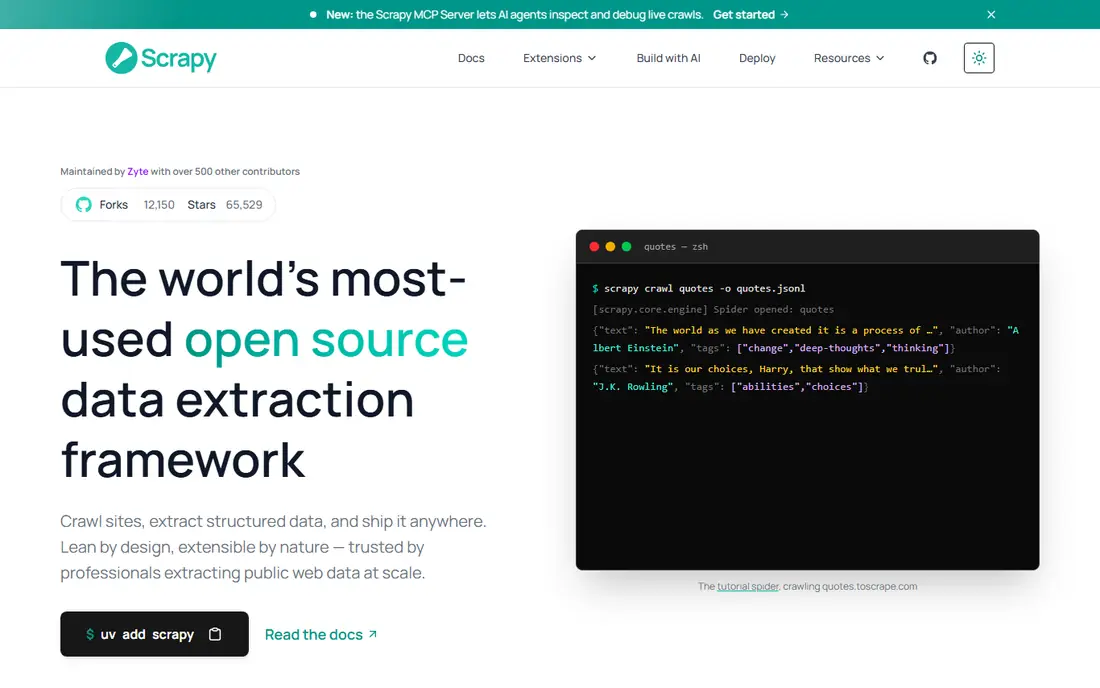
Scrapy is the free framework that most Python scraping projects start with, and for good reason. It gives you structured crawling, request scheduling, item pipelines, and a large community, all without a monthly fee. For static sites and large crawls where you control the code, Scrapy remains hard to beat on speed and flexibility.
The catch is ownership. Scrapy does not solve proxy rotation, browser rendering, or anti-bot protection on its own, so you need extra tools or a managed service for dynamic or protected sites. It suits a Python developer who wants full control, can maintain code, and is collecting data they have a right to collect. If you want a managed service instead, pair Scrapy with a proxy or API provider, or choose a managed API from this list.
- Free and open source
- Fast and structured crawling
- Large community and documentation
- You manage proxies, browsers, and maintenance yourself
- Dynamic pages need extra tooling
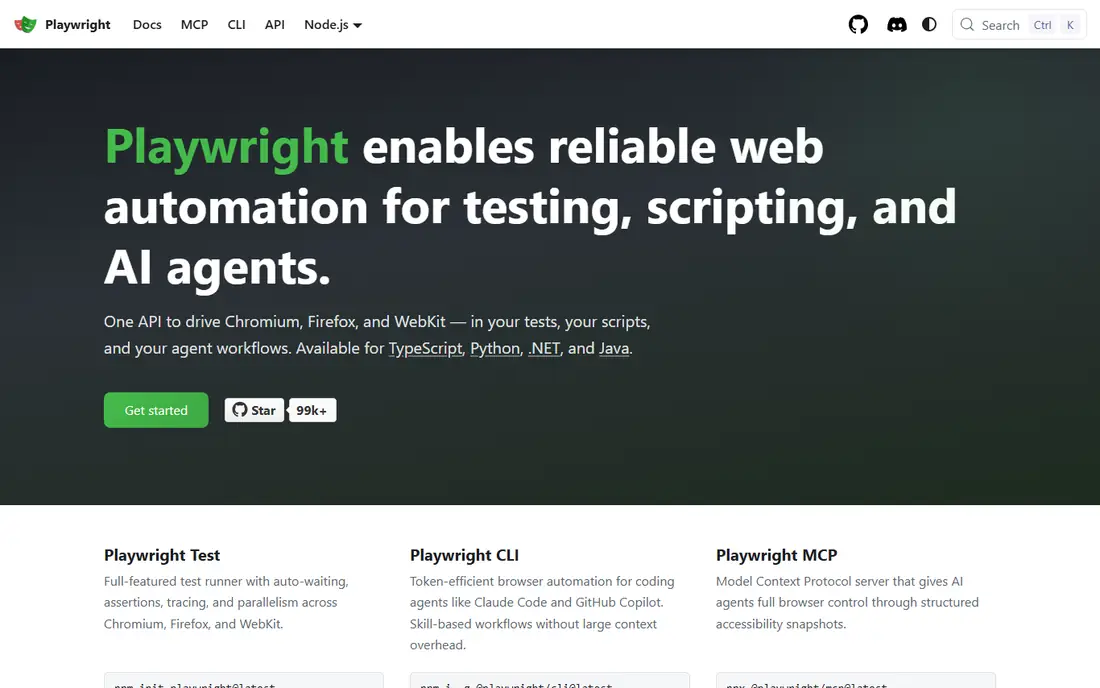
Playwright is a browser automation library with a Python API, and it shines on pages that need JavaScript to load content. It drives a real browser, so it can click, scroll, wait for elements, and capture rendered pages that a simple HTTP request would miss. For dynamic dashboards, single-page apps, and JavaScript-heavy public pages, Playwright is often the practical choice.
The trade-off is cost in time and compute. A browser is heavier than a plain HTTP request, and a site that blocks automation can still block Playwright. You also need to manage concurrency, retries, and maintenance yourself. Playwright fits a Python developer who needs rendering control and is comfortable running browser infrastructure, rather than a team that wants a hands-off API.
- Free and open source
- Real browser rendering
- Python API with good documentation
- Browser automation is slower and heavier than HTTP requests
- You still manage infrastructure and blocks
ScrapingBee is the simplest managed route for a Python developer. You send a URL through its API, with Python examples in the docs, and you get HTML or JSON back without managing proxies or browsers. JavaScript rendering, screenshots, and premium proxy options cover many common cases, and the setup time is minutes rather than days.
Credit use needs attention. A plain request costs one credit, but rendering and premium features cost more, so a rendered workload can use a plan faster than a plain one. ScrapingBee suits a Python team building a monitor, a feed, or a small data pipeline from public sources, where fast integration matters more than the highest success rate on heavily protected sites.
- Clean Python integration
- JavaScript rendering and screenshots
- Clear documentation
- Rendering raises credit use
- Success on very hard sites trails enterprise leaders
Zyte is the production pick for Python teams, and its Scrapy heritage is a real advantage. It is built by the team behind Scrapy, so its API, crawling patterns, and documentation fit naturally into a Python pipeline. Zyte API handles access, rendering, and extraction, with billing tied to successful responses, and independent benchmarks have ranked it highly for speed and success on protected targets.
The entry price is higher than a simple credit API, and cost varies by target difficulty. That makes Zyte a better fit for a steady, valuable pipeline than for a one-off script. If you already use Scrapy and you need a managed layer for protected or high-volume targets, Zyte is the most natural upgrade on this list.
- Built by the Scrapy team
- Automatic ban handling
- Strong Python ecosystem and docs
- Higher entry price
- Cost varies by site difficulty
Apify gives Python developers two useful things: a Python SDK for running and managing scrapers, and a marketplace of ready-made scrapers you can call without writing one. You can schedule actors, run them on demand, and pull results as structured data, which suits teams that need repeatable feeds rather than one-off scripts. The free plan lets you test before paying.
The pricing model is the main complication. Apify bills by compute units, not by simple requests, so comparing it with a per-request API needs a real workload test. Actor quality also varies, so check the actor for your exact target and its output format. Apify fits a Python team that wants reusable scrapers and scheduling, rather than a team that wants only a single generic endpoint.
- Python SDK
- Marketplace of ready-made scrapers
- Scheduling and API delivery
- Billing by compute units is hard to compare
- Actor quality varies by target
ZenRows is built for Python developers who are tired of managing proxies and bot protection themselves. Its Python SDK and API handle Cloudflare, DataDome, and similar protections in the background, and autoparse can return structured JSON instead of raw HTML. That combination saves time when your targets are protected and your team wants to focus on data quality rather than access work.
The pricing warning matters more here than with simpler APIs. Basic requests cost one credit, but rendering and premium proxies multiply that cost, and protected sites can push a request to many times the base rate. Model the multiplied cost on your real targets before you commit. ZenRows suits a Python team with a defined set of protected targets and a budget that reflects the true per-success cost.
- Strong anti-bot handling
- Autoparse and JSON output
- Python SDK support
- Credit multipliers raise costs on protected sites
- Credits do not roll over
ScraperAPI is a friendly first managed API for a Python developer. You call one endpoint from Python, and the service handles proxy rotation, headless rendering, and anti-bot work behind the scenes. That simplicity helps a beginner move from a local script to a working API project without learning proxy infrastructure first. A trial lets you test on your target before paying.
Performance variation is the honest catch. Independent tests have shown wider latency spreads than some rivals, and rendering or premium features raise credit use. For low to medium volumes, that is rarely a problem. For a latency-sensitive production feed, test ScraperAPI against Zyte or Oxylabs on your actual targets, and measure credits per successful result rather than headline price alone.
- Single endpoint for Python calls
- Handles proxies and rendering
- Easy setup
- Latency can vary
- Feature-heavy requests cost more credits
Oxylabs suits a Python team that needs scale, coverage, and governance in one vendor. Its scraper APIs and proxy network support production pipelines, and its compliance credentials help companies that need to document how public data was collected. Python integration is through its APIs and SDK options, and the entry scraper API plan gives a practical starting point for testing.
The cost model is usage-based, so the entry plan is not the full bill for a high-volume project. Test on real targets, measure success rates, and model retries before scaling. Oxylabs fits best when reliability and audit trails matter more than the lowest price per request, and when your Python pipeline will run every day rather than once.
- Large proxy pool
- Dedicated scraper APIs
- Enterprise compliance and governance
- Costs rise with volume and retries
- Enterprise scope may exceed small projects
How we picked these
We compared official documentation, Python SDK availability, pricing pages, and public reviews, and we favored vendors with a live product, clear Python examples, and a track record on real workloads. We included free frameworks and managed APIs, because Python developers use both, and we left out proxy-only sellers with no Python-friendly scraping product. We did not run paid trials for this article, and prices are entry paid plans where published, with See website where pricing depends on volume.
How to choose for a Python project
Start with the target, not the tool. A static site with simple HTML may need only Scrapy and requests, while a JavaScript-heavy site may need Playwright or a rendering API. A protected site may need a managed API with anti-bot handling, and a scheduled feed may need a platform with scheduling and storage. Write down the sites, the volume, and the output format before you compare prices.
Next, test with a small script on your hardest target. Measure success rate, time per successful result, and credits or compute units used, because those three numbers decide the real monthly cost. Check the Python docs for error handling, retries, and pagination, and check how the vendor handles failed requests. A vendor that charges for failures will cost more than its headline plan suggests.
Finally, keep the legal position in view. Use only data you own, have consent to use, or may lawfully collect from public sources within site terms and the law. Avoid personal data you do not need, respect rate limits, and keep a record of sources and permissions. If a project needs data you cannot lawfully collect, change the project, not the rules.
Frequently asked questions
What is the best Python library for web scraping?
Scrapy is the best free framework for large, structured crawls, while Playwright is the best free choice for JavaScript-heavy pages. For a managed service, ScrapingBee, Zyte, and Apify are strong Python-friendly options, depending on volume and protection.
Can I scrape with Python without paying?
Yes, Scrapy and Playwright are free and open source, and several managed APIs offer free plans or trials. Free tools still require you to manage infrastructure, proxies, and maintenance, so the cost shifts from a subscription to engineering time.
Do these companies offer a Python SDK?
Scrapy and Playwright are Python libraries themselves, and Apify, ZenRows, and other managed vendors offer Python SDKs or Python code examples for their APIs. Check the vendor docs for your exact use case, because SDK coverage varies by product.
Is Python web scraping legal?
It depends on what you collect, how you collect it, and where you operate. Collect only data you own, have consent to use, or may lawfully collect from public sources within site terms and the law, and get legal advice for commercial use involving personal data.
How do I handle JavaScript-heavy sites in Python?
Use Playwright or a managed API with rendering, because a plain HTTP request will miss content loaded by JavaScript. Rendering costs more in time and credits, so use it only for pages that need it, and use plain requests where possible.
Which option is best for a production pipeline?
Zyte, Apify, and Oxylabs suit production pipelines, because they offer scheduling, success-based billing or scalable infrastructure, and support for ongoing feeds. Test on your hardest targets, measure success per cost, and pick the vendor that holds up under daily load.
Sources
See where you really rank - block by block
ProMapRanker scans Google Maps across a grid of your service area. Simple monthly plans from $19, white-label on every plan.
Start freeKeep reading
 worlds best local seo company
8 Worlds Best Local SEO Companies for Map Pack Growth in 2026
Compare the worlds best local seo company options for Google Business Profile work, citations, reviews, and multi-location rankings and reporting in 2026.
Read → world's best web hosting company
World's Best Web Hosting Company in 2026
Searching for the world's best web hosting company? We compared 10 hosts on price, renewal rates, speed, and support to help you choose well today in 2026.
Read → who's got the best nanny tax services
Who's Got the Best Nanny Tax Services in 2026
We answer who's got the best nanny tax services, comparing full filing, back taxes, software, and pricing so families can handle nanny taxes correctly.
Read →