 ProMapRanker
Best Company for Passwordless Solutions in 2026


Microsoft 365 organisations · Pricing starts at: From $6 per user per month
Key takeaways
- Microsoft Entra ID suits organisations already on Microsoft 365, where passkeys and identity features ride along with existing licences.
- Okta suits large estates that need vendor-neutral single sign-on and lifecycle tools across many apps.
- Auth0, Descope and Stytch suit customer-facing apps, with free tiers and pricing by monthly active users rather than staff seats.
- Duo suits teams that want a fast move from multi-factor authentication to passwordless, with a free tier for up to ten users.
- Beyond Identity and Ping Identity suit programmes that need device binding or complex federation, but expect quote-based or sales-led buying.
Quick comparison
| Pick | Great for | Pricing starts at | Free tier | |
|---|---|---|---|---|
| Microsoft Entra ID | Microsoft 365 organisations | From $6 per user per month | Yes | Visit |
 Okta | Vendor-neutral workforce identity | From $6 per user per month | Free trial | Visit |
 Auth0 | Customer login for apps and sites | From $35 per month | Yes | Visit |
 Duo | Fast multi-factor to passwordless move | From $3 per user per month | Yes | Visit |
 Ping Identity | Large estates with complex federation | See website | Free trial | Visit |
 Beyond Identity | Device-bound passwordless login | From $6 per user per month | Yes | Visit |
 Descope | Customer login with visual flows | From $249 per month | Yes | Visit |
 Stytch | Product login with fraud signals | Usage-based from $0 base | Yes | Visit |
The best companies for passwordless solutions
Each provider below takes a different route to passwordless login. Check whether you need workforce login, customer login or both before you compare prices, because the billing model changes with that choice.
Microsoft Entra ID is the natural passwordless route for organisations already running Microsoft 365. Passkeys, Windows Hello and conditional access sit alongside single sign-on and multi-factor authentication, so staff can move toward passwordless login without adding a separate identity platform. That integration also helps admins set policies in one place.
The catch is licensing depth, because the fullest features sit in paid tiers and some capabilities come bundled with higher Microsoft plans. Organisations outside the Microsoft estate may find a vendor-neutral tool simpler. For Microsoft-centred teams, Entra ID is usually the lowest-friction passwordless step.
- Passkeys and Windows Hello support
- Conditional access
- Deep Microsoft 365 links
- Best value sits inside Microsoft licensing
- Standalone pricing can stack with add-ons
Okta gives large organisations a vendor-neutral way to manage staff login across many apps. Its FastPass option supports passwordless sign-in, and lifecycle tools automate joining, moving and leaving processes. That breadth suits estates where apps come from many vendors rather than one suite.
Pricing can climb as you add modules, and a reported annual minimum makes very small teams think twice. Implementation also needs planning for app connections and recovery flows. For large, mixed estates, Okta remains a strong passwordless and identity platform.
- Wide app catalogue
- FastPass passwordless option
- Lifecycle automation
- Annual minimum can price out very small teams
- Costs rise with modules
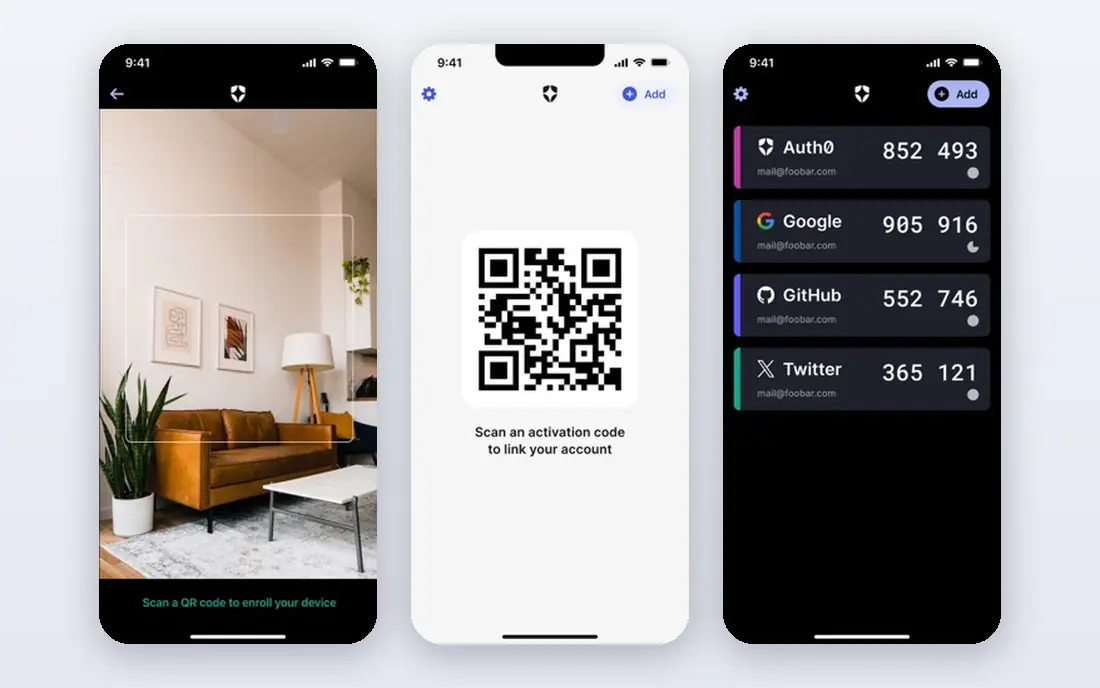
Auth0, from Okta, suits developers building login for customers rather than staff. Its free tier covers up to 25,000 monthly active users, and passkeys, social login and custom authentication flows let teams design the sign-in experience for their own product. That developer focus is the reason many apps start here.
Paid pricing rises in steps as active users and features grow, and enterprise identity connections can add further cost. Workforce-only buyers may find a staff identity tool simpler. For customer-facing apps that need passwordless login without building it from scratch, Auth0 is a strong choice.
- Free tier up to 25,000 monthly active users
- Passkeys
- Hosted login and custom flows
- Pricing jumps at higher tiers
- Enterprise connections add cost
Duo, from Cisco, suits teams that want to move from multi-factor authentication toward passwordless login in stages. The free tier covers up to ten users, and paid plans add device checks and passwordless options. That staged route helps teams that cannot change every login flow at once.
Single sign-on and more advanced policies sit on higher tiers, so the cheapest plan may not cover a full passwordless rollout. Teams also need to plan for device enrolment and recovery. For a fast, staged move with a genuine free start, Duo is a practical pick.
- Free tier up to 10 users
- Device checks
- Single sign-on on higher tiers
- Single sign-on and advanced policies need higher tiers
- Cisco account setup
Ping Identity suits large organisations with complex login journeys, federation needs and hybrid systems. Its orchestration tools let teams design passwordless flows across legacy and cloud apps, and deployment can span cloud and on-premises parts of an estate. That flexibility matters when a single standard flow does not fit every app.
Pricing is quote-based and setup can be complex, so small teams may find the process slow and costly. A dedicated identity team or partner often helps. For large, complex estates that need federation depth, Ping Identity belongs on the shortlist.
- Federation and orchestration strengths
- Hybrid deployment
- Workforce and customer options
- Quote-based pricing
- Complex setup for advanced journeys
Beyond Identity binds identity to the device, which means login checks both the user and the device rather than a password alone. Free passwordless tiers cover workforce and customer use at a basic level, while advanced tiers add risk signals and stronger access controls. That device focus suits programmes where phishing resistance is a hard requirement.
Advanced pricing is quote-based, and the full setup needs care around device enrolment, lost devices and recovery. Teams without identity experience should trial the free tier first. For zero-trust style programmes that need device-bound login, Beyond Identity is a distinct option.
- Free passwordless tiers for workforce and customers
- Device binding
- Risk signals
- Advanced tiers are quote-based
- Smaller teams may need guidance on setup
Descope suits product teams that want to build customer login flows visually rather than writing every step by hand. Its flow builder covers passkeys, social login and multi-factor steps, and SDKs span web and mobile frameworks. That speed helps small product teams ship login without a large identity project.
The paid starting price is high for a very small app, so teams should test the free tier and model growth before committing. Complex enterprise needs may also need a higher tier. For product teams that value flow design speed, Descope is worth a trial.
- No-code flow builder
- Passkeys and social login
- Broad SDK coverage
- Paid starting price is high for small apps
- Free tier limits need checking
Stytch suits product teams that want passwordless login plus fraud signals for customer accounts. Passkeys, email magic links and other methods sit alongside risk checks that flag suspicious logins, which helps apps with account takeover risk. The free tier and usage-based pricing let teams start small and pay as active users grow.
Usage pricing needs careful modelling, because a surge in active users or verification steps can move the bill. Enterprise features and support also sit on higher tiers. For customer apps that need passkeys with fraud awareness, Stytch is a strong candidate.
- Free tier
- Passkeys
- Fraud and risk signals
- Broad SDK coverage
- Usage pricing needs modelling
- Enterprise features sit on higher tiers
How we picked these
We compared official feature pages, pricing pages and documentation for workforce and customer identity tools. We also read public reviews and comparison guides to check where pricing, free tiers and feature limits matched vendor claims.
We favoured providers with a live passwordless product, passkey or device-based login, and a clear route for lawful authorised use. We left out tools that only offer passwords with extra steps and hardware-only products without a platform, except where hardware fits a wider programme.
We did not run hands-on security tests and we did not test phishing resistance in a lab. Buyers should trial recovery flows, lost-device handling and policy controls with their own users before a full rollout.
How to choose a passwordless provider without breaking login
Start by naming the audience. Workforce login is priced per staff member and managed by IT, while customer login is priced by monthly active users and shaped by product teams. A tool that excels for staff may be costly or awkward for customers, and the reverse is also true. Write down both audiences if you serve both, then compare tools on each side separately.
Next, test recovery before you test login. Ask what happens when a user loses a phone, changes device, or cannot use biometrics. A passwordless system with a weak recovery flow will push users back to passwords or to support desks, which wipes out the security gain. Trial that flow with real users, not just admins.
Finally, check privacy and consent handling. Confirm what device and biometric data stays on the device, what the provider stores, and how users give and withdraw consent. Document those answers for your privacy policy and for any regulator that asks. A provider that cannot explain its data handling clearly is not ready for your rollout.
Frequently asked questions
Sources
See where you really rank - block by block
ProMapRanker scans Google Maps across a grid of your service area. Simple monthly plans from $19, white-label on every plan.
Start freeKeep reading
 worlds best local seo company
8 Worlds Best Local SEO Companies for Map Pack Growth in 2026
Compare the worlds best local seo company options for Google Business Profile work, citations, reviews, and multi-location rankings and reporting in 2026.
Read → world's best web hosting company
World's Best Web Hosting Company in 2026
Searching for the world's best web hosting company? We compared 10 hosts on price, renewal rates, speed, and support to help you choose well today in 2026.
Read → who's got the best nanny tax services
Who's Got the Best Nanny Tax Services in 2026
We answer who's got the best nanny tax services, comparing full filing, back taxes, software, and pricing so families can handle nanny taxes correctly.
Read →