 ProMapRanker
Best Coin Identifier App in 2026

Key takeaways
- Coinoscope is the best free starting point for photo identification, since basic identification is free and unlimited.
- CoinSnap and CoinIn are better for a large photo database and collection tracking, with paid plans for full access.
- PCGS CoinFacts and NGC are reference tools, not photo identifiers, but they are the most useful next step for US coins.
- No app value is an appraisal, since condition, authenticity, and cleaning can change what a coin is worth.
- Check trial and renewal terms before you pay, since many coin apps use weekly or annual auto-renewing plans.
Quick comparison
| Pick | Great for | Pricing starts at | Free tier | |
|---|---|---|---|---|
 Coinoscope Coinoscope | Free photo identification | Free | Yes | Visit |
 CoinSnap CoinSnap | Simple photo scans | Free | Yes | Visit |
 CoinIn CoinIn | Large coin database | Free | Yes | Visit |
 CoinCheck CoinCheck | Photo ID and collection | Free | Yes | Visit |
 PCGS CoinFacts PCGS CoinFacts | US coin values and history | Free | Yes | Visit |
 NGC NGC | Certified coin checks | Free | Yes | Visit |
 Numista Numista | Catalog research | Free | Yes | Visit |
 Collectibles.com Collectibles.com | Scan and track a collection | Free | Yes | Visit |
The best coin identifier apps
Photo apps answer a first question: what coin is this. Reference apps answer the next questions: what grade, population, and auction history support a value. We include both kinds, and we label them clearly, so you do not mistake a catalog for a photo scanner.
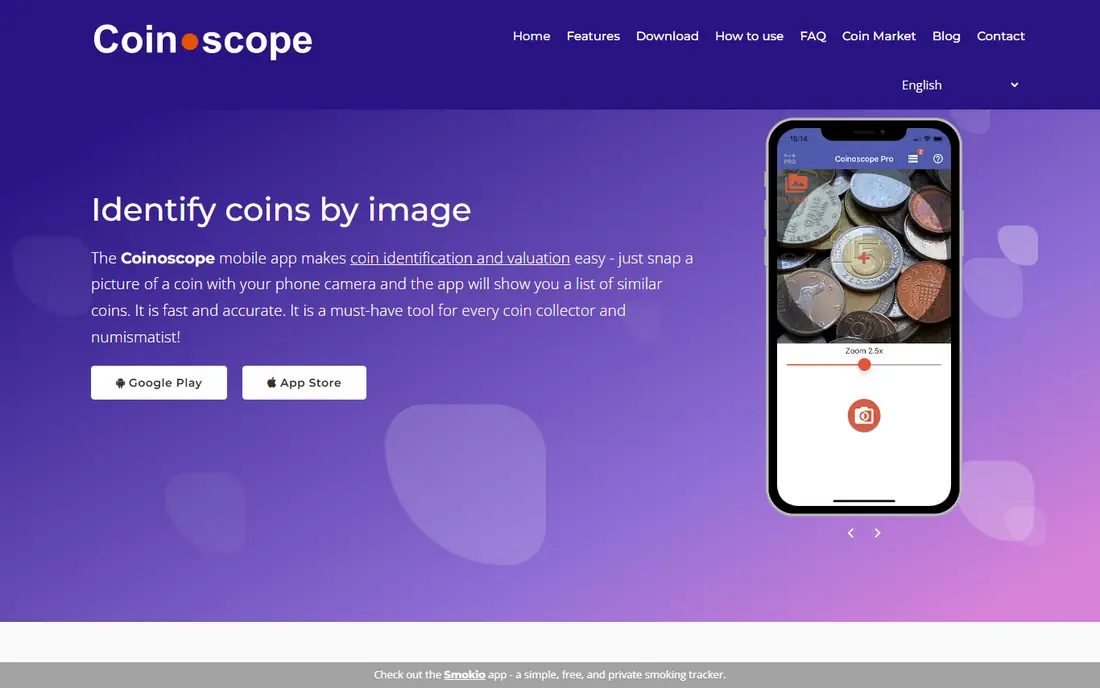
Coinoscope is our first pick for a free coin identifier app. You photograph a coin, or upload a photo from your gallery, and the app returns visually similar coins with details such as country, year, and denomination. Scanning both sides gives a better match, and you can save identified coins to a collection in the app.
The free plan is the reason to start here. Coin identification is free and unlimited, while Pro removes ads and removes daily limits on value estimates and advanced image analysis. Pro prices are listed in app stores from $0.99 per month to $29.99 for longer options, so check the exact offer in your store before you pay. Treat any value figure as an estimate for similar coins, not as a price a buyer will pay for your exact coin.
- Coin identification is free and unlimited
- Works from a photo or gallery upload
- Collection saving and value estimates
- Free version includes ads
- Value estimates and advanced analysis have daily limits
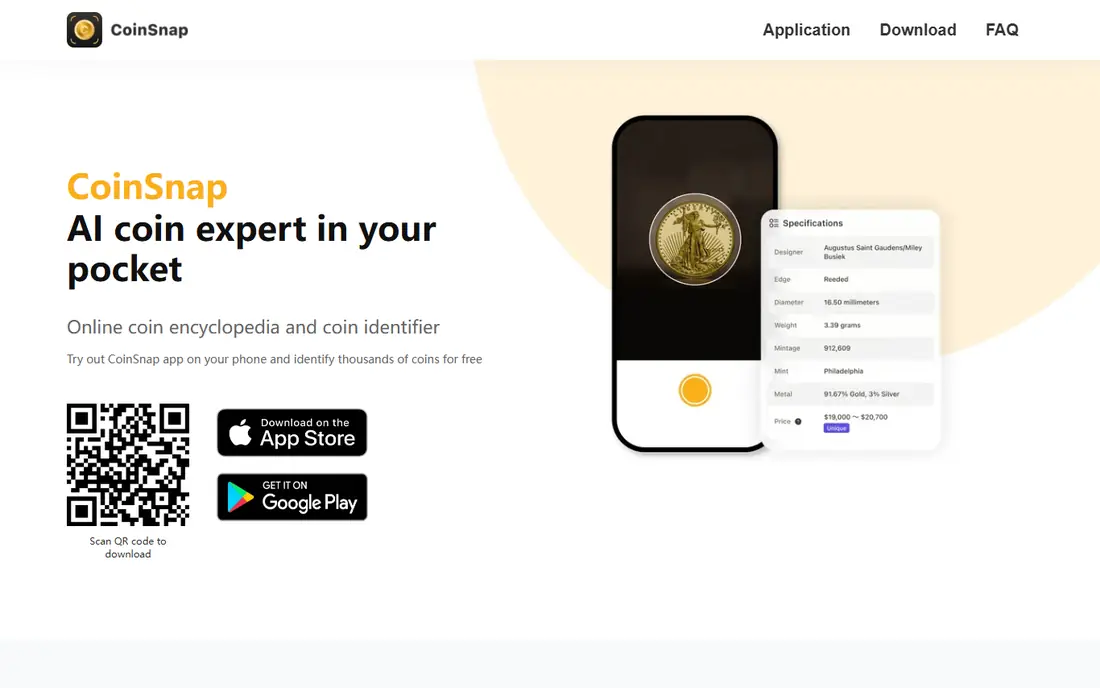
CoinSnap is the simplest app in this list for a casual user. You take a photo, get an identification with origin, year, rarity level, and an estimated market price, and save the coin to a collection. The app lists coverage of more than 300,000 coin types in its store description, which helps with mixed foreign coins from travel or an inherited box.
The app is free to download, with in-app purchases listed from $3.99 to $39.99 in recent store listings, and a Premium plan with a trial on some offers. That trial is the part to handle carefully: turn off auto-renewal at least 24 hours before it ends if you do not want to pay, since deleting the app alone does not cancel a subscription. CoinSnap is a good first scan, not a final appraisal.
- Simple photo workflow
- Large global database
- Collection organized by series with a total estimate
- Full features require a paid plan
- Trial renewal terms need care
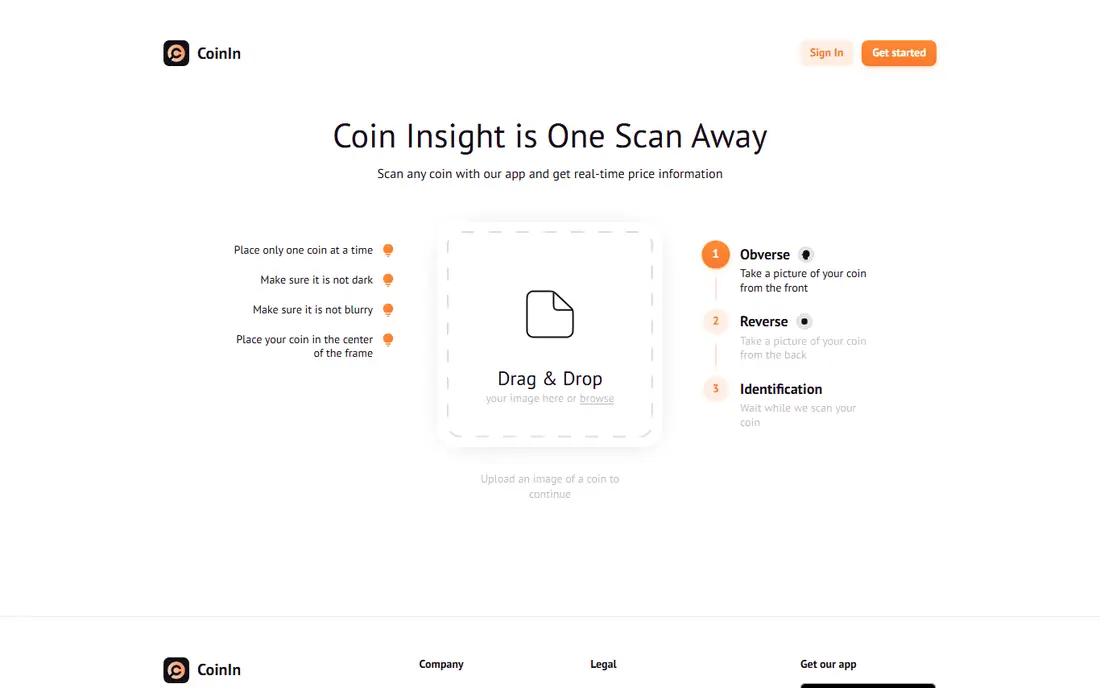
CoinIn fits collectors who want more detail after the first scan. Each identified coin gets a page with images, facts, and an estimated price, and you can build custom collections to track what you own. The app also covers rare, foreign, and error coins in its description, and it adds banknote identification in recent updates.
The free experience is limited, and store reviews note that a subscription prompt can appear after a small number of scans. In-app purchases are listed from $6.99 to $49.99 in recent comparisons, so check the plan shown in your store before you commit. If you scan only a few coins a month, Coinoscope free may serve you better. If you collect often, CoinIn's coin pages and collection tools are worth testing.
- Database of more than 270,000 coins
- Detailed coin pages
- Collection tracking and price trends
- Free scans are limited in practice
- Marketplace features may not suit every collector
CoinCheck, sold as Coin Identifier - CoinCheck, is another photo-first app for collectors at all levels. You photograph a coin, get its name, origin, year, and key details, and see an estimated market value. You can then save coins, categorize them, and track reference prices over time.
The paid plan is the main thing to price carefully. Store listings show a weekly plan at $5.99, a monthly plan at $12.99, a yearly plan at $29.99, and a lifetime plan at $49.99, with a short trial on some options. A weekly plan that renews can cost more than a yearly plan in a few months, so choose the term that matches how long you will actually use the app. As with other photo apps, use the value as a starting point for research.
- Fast photo recognition
- Global coin information
- Collection categories and reference prices
- Full access requires a subscription
- Weekly pricing can add up fast
PCGS CoinFacts is not a photo identifier, and we include it for a clear reason: once you know what US coin you have, it gives the deepest free research. The app covers more than 39,000 US coins, with price guide listings by grade, population statistics, auction prices realized, expert narratives, and reference photos for comparing wear. You can also scan the barcode on a PCGS or NGC slab for a fast lookup.
The limits are just as clear. You need to know the coin first, or have a slabbed coin to scan, and foreign coins are not covered. The app is free, with no in-app purchases listed in recent store checks, which makes it an easy second download next to a photo app. Use CoinFacts to check a value claim before you buy, sell, or insure a US coin.
- Free US coin encyclopedia
- Price guide by grade
- Auction prices and population data
- No photo identification
- US coins only
- App updates have been less frequent
NGC, the Numismatic Guaranty Company, is the other major grading reference in this list. Its app and site let you verify an NGC certification number, check the coin description and grade, and view NGC Census population data and price guide values for US coins. You can also join for free to add coins and track a collection in the NGC Registry.
NGC is not a tool for identifying a raw coin from a photo. It is a tool for confirming what a certified coin is, how many similar coins NGC has graded, and what guide values look like for that grade. That makes it most useful after a photo app, or after you buy a slabbed coin. If you own certified coins, keep NGC next to PCGS CoinFacts and compare both sources before you act on a value.
- Verify NGC certification numbers
- Census and price guide data
- Free registry for your collection
- No photo identification for raw coins
- Focused on certified coins
Numista is a catalog site and community resource, with a large database of world coins, banknotes, and related items. You can search by country, denomination, year, composition, and other details, then compare your coin with catalog entries, photos, and mintage data. Collection tools help you track what you own and what you still want.
Numista does not replace a photo app for a coin you cannot describe at all. It is strongest when you know at least a country, a date, or a design detail, and you want to narrow down varieties or check catalog data. For foreign coins, where US-only references do not help, Numista is often the most useful free research step after a photo scan.
- Large world coin catalog
- Search by country, year, and details
- Collection and swap tools
- Not a photo scanner
- Research takes more time than a photo match
Collectibles.com covers coins alongside other collectibles, which suits readers whose collection is not coins only. You can scan items, track values, and manage a collection from one account, rather than keeping separate apps for coins, cards, and other items. That breadth is a real advantage for a mixed collection.
The trade-off is focus. A coin-only app may give deeper coin details, variety data, or grading context than a general collectibles app. Collectibles.com is free to download, but check the current in-app options and marketplace terms before you list or sell anything through it. Use it for tracking and discovery, and use PCGS or NGC sources for a serious US coin value check.
- Scan coins and other collectibles
- Value tracking
- Collection management in one place
- Broader than coins alone
- Paid features and marketplace terms vary, so check current details
How we picked these
We compared official app pages, app store listings, and recent coin app comparisons for October 2026. We kept only apps that exist and work today and that fit photo identification, coin value research, or collection tracking. We labeled reference apps as reference apps, so readers do not expect photo identification from PCGS CoinFacts, NGC, or Numista. Where store prices differed by plan term, we listed the range and told readers to check the exact offer in their store, since weekly, monthly, and yearly prices change.
What to check before you pay
Photo quality matters more than the app brand
Take a clear, well-lit photo on a plain background, photograph both sides, and focus on text, dates, and mint marks. Worn, dark, or blurry coins are harder for any photo tool to match, and a second scan can return a different result. If two apps disagree, check the coin against a catalog entry before you trust either result.
What a value estimate really means
An app value is an estimate for similar coins, based on listings, price guides, or market data. It does not confirm authenticity, grade, or cleaning, and those three factors decide much of a coin's real value. For a coin that could be worth more than a few hundred dollars, check recent sold results for the same coin and grade, and consider certification by PCGS or NGC.
Trials, weekly plans, and renewal
Many coin apps use auto-renewing subscriptions, and weekly plans can cost more over a year than a yearly plan. Read the trial length, the renewal date, and how to cancel in your app store settings. Deleting an app does not cancel a subscription. If you only need a few scans, start with a free tool such as Coinoscope before you pay for anything.
Keep a separate record for valuable coins
For insurance or a sale, keep your own photos, purchase records, and any grading certificates separate from an app collection. Apps can change, close, or lose data, and a buyer or insurer will want documents beyond an app screen. A simple spreadsheet with coin, date, source, and certificate number is a useful backup.
Frequently asked questions
What is the best free coin identifier app?
Coinoscope is the best free starting point, since coin identification is free and unlimited, with ads and daily limits only on value estimates and advanced analysis. CoinSnap and CoinIn are also free to download, but full access requires a paid plan. For US coin values after identification, PCGS CoinFacts is free and useful.
What is the best coin scanning app for value?
No single app gives a final value, since condition and authenticity matter so much. Use a photo app such as CoinSnap or CoinIn for a first estimate, then check PCGS CoinFacts or NGC for US coins, and check recent sold listings for the same coin and grade. That three-step check is more reliable than any one app figure.
Can a coin identifier app tell if a coin is real?
No, not with certainty. A photo match can suggest a coin type, but it cannot confirm authenticity, grade, or whether a coin has been cleaned. Those checks need physical inspection and, for valuable coins, third-party grading by PCGS or NGC. Treat any app claim about authenticity as a lead, not a verdict.
What is the best app to identify coins from a photo?
Coinoscope, CoinSnap, CoinIn, and CoinCheck all offer photo identification, and the best choice depends on free limits and collection features. Coinoscope is best for free scans, CoinSnap is simplest for casual users, and CoinIn gives detailed coin pages for regular collectors. Photograph both sides in good light for the best match.
Are coin identifier apps worth paying for?
They can be, if you scan often and use the collection tools. If you scan only a few coins a year, a free tool is enough. If you pay, avoid weekly plans unless you need the app for a short project, and check the yearly or lifetime price first. Cancel a trial before it renews if you do not want to keep paying.
What is the best coin value app for US coins?
PCGS CoinFacts is the best free US value reference, with price guides by grade, auction prices, and population data. NGC is the best companion for certified coins, with certification checks and census data. Use both, plus recent sold listings, for a serious value check on a US coin.
Sources
See where you really rank - block by block
ProMapRanker scans Google Maps across a grid of your service area. Simple monthly plans from $19, white-label on every plan.
Start freeKeep reading
 youtube alternatives
Best YouTube Alternatives in 2026
Looking for youtube alternatives in 2026? We compare Vimeo, Dailymotion, Twitch, Rumble, and more on price, audience, monetization, control and privacy.
Read → what's the best ai tool for photo editing
What Is the Best AI Tool for Photo Editing in 2026
What is the best AI tool for photo editing? We compare ten tools for 2026, from Photoshop and Lightroom to Luminar, Topaz, Canva and mobile editors today.
Read → twitter alternatives
Best Twitter Alternatives in 2026
Compare the best twitter alternatives for 2026, from Bluesky, Threads, and Mastodon to Reddit, Tumblr, and Micro.blog, with free plans and audience notes.
Read →