 ProMapRanker
6 CMS Platforms Compared on Price and Fit


Structured content across numerous channels · Pricing starts at: Free plan available (premium plans from $300/month)
Direct answer
This list puts Contentful first for structured content across numerous channels. If your case is different, Sanity suits developer-led teams with live needs and Drupal suits complicated, secure sites at scale. The other 3 tools in the list cover narrower or pricier cases.
Key takeaways
- Contentful sits first on this list: structured content across numerous channels.
- Sanity comes with a trade-off: needs developer setup, no plug-and-play templates.
- For the cheapest start, look at Webflow: $14/month.
- HubSpot suits marketing teams that live in a CRM.
Quick comparison
| Pick | Great for | Pricing starts at | Free tier | |
|---|---|---|---|---|
| Contentful | Structured content across numerous channels | Free plan available (premium plans from $300/month) | Yes | Visit |
 Sanity | Developer-led teams with live needs | Free plan available (Growth from $15/seat/month) | Yes | Visit |
 Drupal | Complicated, secure sites at scale | Free (software; hosting premium separately) | Yes | Visit |
 WordPress | Maximum adaptability on any budget | Free (software; hosting premium separately) | Yes | Visit |
 Webflow | Design-led sites without a developer | $14/month (Basic site plan, billed yearly) | Yes | Visit |
 HubSpot | Marketing teams that live in a CRM | Free tools available (Starter $20/seat/month) | Yes | Visit |
The full CMS platforms list
Choosing CMS platforms usually comes down to price, fit and limits. This ProMapRanker guide sets 6 tools side by side on those three points, with the facts kept short and checkable.
Contentful serves structured content across plenty of channels. Contentful pioneered the headless CMS idea: content lives in a central hub and flows out through APIs to your website, mobile app, digital signage, or AI assistant. In daily use, the pricing is the conversation.
Beyond that, the honest catch is total cost: you still pay separately for frontend hosting on Vercel or Netlify, plus developers to build the front end. Choose Contentful when omnichannel delivery and team-scale workflows justify the spend. Starting cost for Contentful: Free plan available. You can start on Contentful without paying.
The main drawbacks: Frontend hosting still costs extra.
- API-first product gives content to websites, apps, devices
- Capable localization and personalization tooling
- Brutal pricing cliff from free to $300 a month
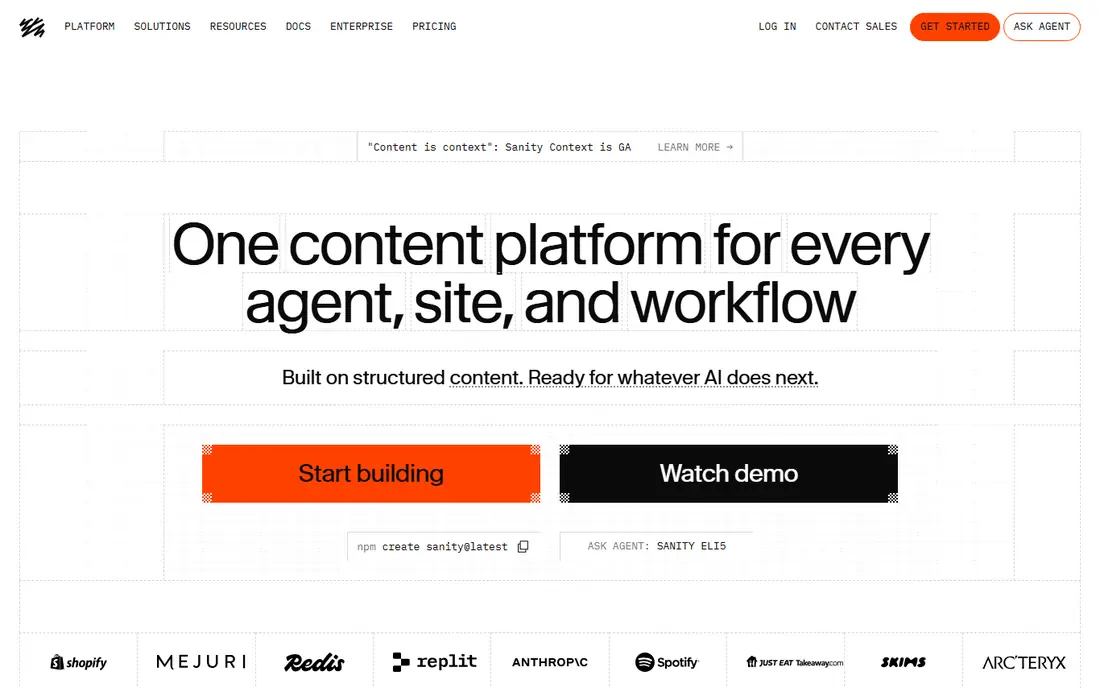
Sanity was built for developer-led teams with live needs. Sanity treats content as structured data in a live database called the Content Lake, and it displays in the experience. It is the headless CMS developers describe with the most affection.
From a buyer's view, pair it with a modern frontend framework and it sings. More specifically, the free level is genuinely handy for small projects (several datasets and seats), and Growth plans start around $15 per seat a month. Sanity cost at the entry level: Free plan available. You can start on Sanity without paying.
Drawbacks to consider: Costs rise with seats on bigger teams.
- Live collaborative editing in a completely configurable React studio
- Structured content stored as data with feature-rich GROQ queries
- Content modeling ramp-up time for non-technical editors
For complicated, secure sites at scale, Drupal is a natural candidate. Drupal is the CMS organizations pick when the site cannot fail. For everyday use, the module library is deep (tens of thousands of free modules) and multilingual support is genuinely best-in-class.
Like WordPress, the software is free and open source; you pay for hosting and normally for developer time. More specifically, government portals, universities, and healthcare systems run on it due to its security record, fine-grained permissions, and structured content modeling. Beyond that, the honest catch is the talent question: fewer freelancers and agencies work in Drupal than in WordPress. The admin experience still assumes some technical comfort. Also, for a straightforward marketing site, it is more machine than you need. Price to start with Drupal: Free. Drupal has a free plan.
Downsides: Smaller theme marketplace and designer ecosystem.
- Very good multilingual support from day one
- Enterprise-grade security trusted by governments and universities
- Steeper ramp-up time than WordPress
Where WordPress fits: maximum flexibility on any budget. They pick it since it does almost anything. From a buyer's view, with millions of sites running on it, there is a tutorial, a freelancer.
Where it is weaker: You manage hosting, updates, security yourself.
A fix for nearly every problem you will ever hit. The block editor takes care of everyday publishing without code, whereas the plugin library brings keeps, memberships, booking, multilingual sites, and whatever else the business dreams up. Beyond that, WordPress.org is free software, but you pay for hosting (typically $5 to $30 a month for small sites) and you own the upkeep: updates, backups, and security. Starting cost for WordPress: Free. Free access exists with WordPress.
- Powers a huge share of the web, so help is everywhere
- Full ownership with no vendor lock-in
- Performance relies on your hosting quality
Choose Webflow for design-led sites without a developer. For agencies and design-led teams that want pixel control without plugin drama, it is a capable pick. The honest catch is the item ceiling: the CMS plan caps you at 2,000 CMS items.
A busy blog can approach that quicker than expected. Also, Webflow is what designers wished WordPress felt like. Price to start with Webflow: $14/month. You can start on Webflow without paying.
Honest limits: Costs stack up with site plans plus workspace plans. What Webflow does well: CDN included in every premium plan.
- Capable built-in CMS collections for blogs and directories
- Visual designer with true CSS-level control
- Steep ramp-up time for non-designers
HubSpot serves marketing teams that live in a CRM. The free CMS tools are genuinely usable: drag-and-drop page editor, theme library, premium cloud hosting, custom domains, and website analytics, all without a credit card. In practice, the honest catch is lock-in: your site lives inside HubSpot's product.
Limits to weigh: Advanced features need premium Content Hub levels up to $500+ a month.
The advanced personalization and content features sit behind the costly tiers. From a buyer's view, pick something else when design freedom or portability matters more. On top of that, for a team already running HubSpot for marketing and sales, the integration is the entire argument: forms, live chat, and analytics feed straight into the CRM. Starting cost for HubSpot: Free tools available. HubSpot includes a free tier.
- Deep native integration with HubSpot CRM and marketing tools
- Free CMS tools bundle hosting, SSL, analytics
- Less design adaptability than Webflow or WordPress
How we built this list
ProMapRanker used vendor pricing pages and product documentation as the base, then compared plans, free access and documented limits for 6 tools. Treat prices as a snapshot: vendors change plans often, so check the vendor site for the figure that applies today. The sequence is a judgement call: typical use case first, then pricing transparency, then free access. Use the profiles to check fit.
Before you commit
- Prices are a starting point; Webflow shows $14/month to start, so verify what your seat count would cost.
- Read the fine print on the free plans from Contentful, Sanity, Drupal and others; seat, project and feature caps differ.
- Read the limits listed for Contentful first: brutal pricing cliff from free to $300 a month.
- Check the support hours and onboarding help HubSpot offers; smaller vendors vary a lot here.
- Total up the real monthly cost of Webflow, including add-ons, extra users and usage-based fees.
Frequently asked questions
Do these tools publish their prices?
Yes. Every tool from Contentful to HubSpot shows a starting price, though seats, add-ons and billing terms still change the final cost.
What is a headless CMS and do I need one?
A headless CMS keeps content separately from how it looks, delivering it through APIs to websites, apps, or devices. You need one if you publish the same content across several channels or want developers to build completely custom frontends.
What is the cheapest option for CMS platforms in this list?
On published monthly entry prices, Webflow is the lowest here at $14/month. Entry price is only part of the cost, because seats, add-ons and billing terms can change the total.
Is Contentful the right pick for everyone comparing CMS platforms?
No single tool suits every team. Contentful comes first because it fits structured content across many channels, while Sanity suits developer-led teams with real-time needs and Drupal suits complex, secure sites at scale. Match the tool to your own size, budget and workflow before deciding.
Is WordPress still the best CMS in 2026?
This list starts with Contentful, which fits structured content across numerous channels. For other needs, Sanity is aimed at developer-led teams with live needs, and Drupal at complicated, secure sites at scale. Check each tool's price and main limit first.
How much does a CMS cost a month?
Headless systems jump higher: Contentful's premium plans start around $300 a month. Always count hosting, domains, premium plugins, and developer time in the real total.
Sources
See where you really rank - block by block
ProMapRanker scans Google Maps across a grid of your service area. Simple monthly plans from $19, white-label on every plan.
Start freeKeep reading
 zoho inventory alternatives
6 Alternatives to Zoho Inventory, Compared on Price and Fit
Zoho Inventory alternatives: 6 tools compared on price, free plans and fit. Katana leads the list for manufacturers. Fit and flaws are laid out for each entry.
Read → zoho crm alternatives
Best Zoho CRM Alternatives (2026)
Need Zoho CRM alternatives? We compare 7 tools on cost, free access and who each suits. Every pick gets a straight assessment. Built for quick decisions.
Read → zelle alternatives
Best Zelle Alternatives in 2026
Compare the best Zelle alternatives for sending money to friends, paying sellers and moving funds abroad, with honest notes on fees, speed and safety in 2026.
Read →