 ProMapRanker
Best CMMS Software for Manufacturing in 2026

Key takeaways
- MaintainX and UpKeep are the easiest starting points, with low published prices and mobile apps technicians actually open on the floor.
- Fiix publishes clear per-user pricing at $45 and $75 per month, which makes budgeting simpler than with quote-only rivals.
- Limble, eMaint, Fracttal, IBM Maximo, and MicroMain keep pricing behind a sales conversation, so expect a demo before you see numbers.
- Most tools charge per user per month, so your total depends directly on how many technicians and managers need logins.
- Adoption is the real risk: a CMMS only helps when work orders get entered, so pick the tool your team will tolerate daily.
Quick comparison
| Pick | Great for | Pricing starts at | Free tier | |
|---|---|---|---|---|
 MaintainX | Mobile-first plants | $20 per user per month | Yes | Visit |
 Fiix | Rockwell-standardized plants | $45 per user per month | Yes | Visit |
 UpKeep | Small teams going mobile fast | $24 per user per month | Free trial | Visit |
 Limble CMMS | Fast setup and adoption | See website | Yes | Visit |
 eMaint | Condition-based maintenance | See website | Free trial | Visit |
 Fracttal One | AI-assisted maintenance planning | See website | No | Visit |
 IBM Maximo | Large asset-intensive enterprises | See website | No | Visit |
 MicroMain | Complex asset hierarchies | See website | Free trial | Visit |
 Tractian | Sensor-led predictive maintenance | See website | No | Visit |
The best cmms software for manufacturing
A manufacturing CMMS is not the same as a facilities tool. It must handle shift work, machine downtime, spare parts, preventive schedules tied to meter readings, and work orders filed from the line, often with photos and safety notes attached. We compared vendor pricing pages, product documentation, and public user reviews to pick platforms with real plant deployments in 2026.
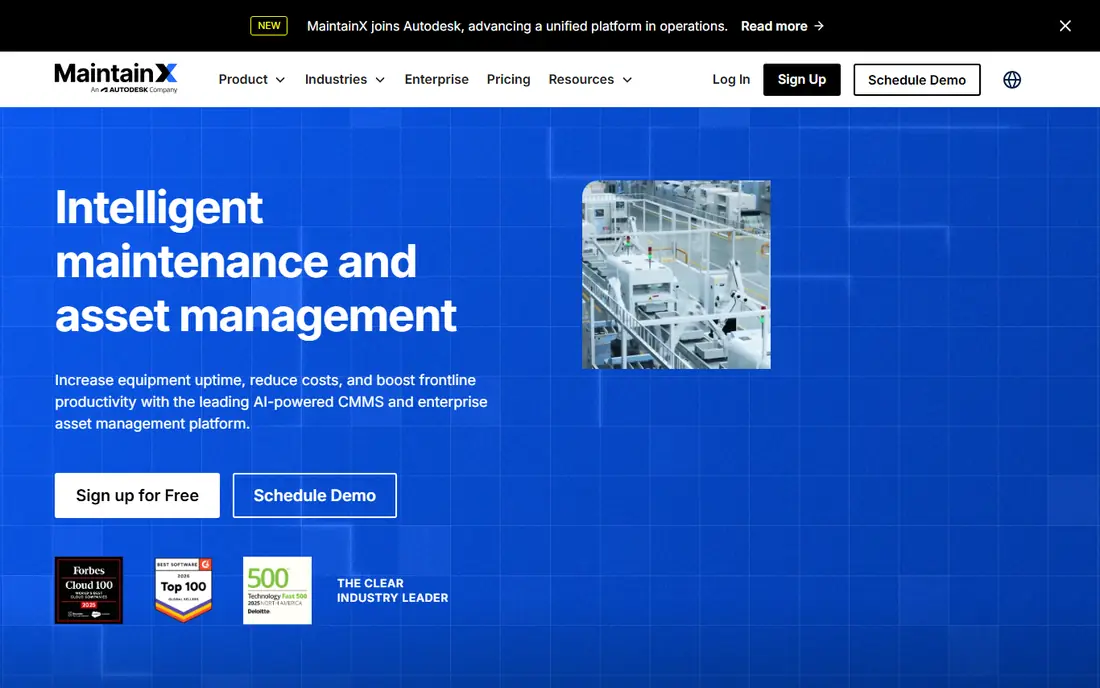
MaintainX leads many plant shortlists for one plain reason: technicians use it. The mobile app is clean, work orders are easy to file from the floor, and anyone can submit a request without a paid licence, thanks to free requester accounts. Procedures, checklists, and photos travel with the job, so a night-shift technician sees the same instructions as the day shift. The free Basic plan lets a small plant start without a purchase order at all.
The Essential plan at $20 per user per month, billed annually, adds the reporting and procedure controls most plants need, while Premium at $65 adds deeper analytics and integrations. That per-user model means costs grow with headcount, and very complex asset hierarchies may feel constrained next to enterprise tools. For plants moving off spreadsheets or paper, MaintainX is the fastest credible start, and its adoption record is its strongest argument.
- Free Basic plan
- Unlimited free requester accounts
- Strong mobile app
- Simple work order and procedure tools
- Advanced analytics and integrations sit on higher tiers
- Asset hierarchy depth is lighter than enterprise rivals
- Pricing is per user
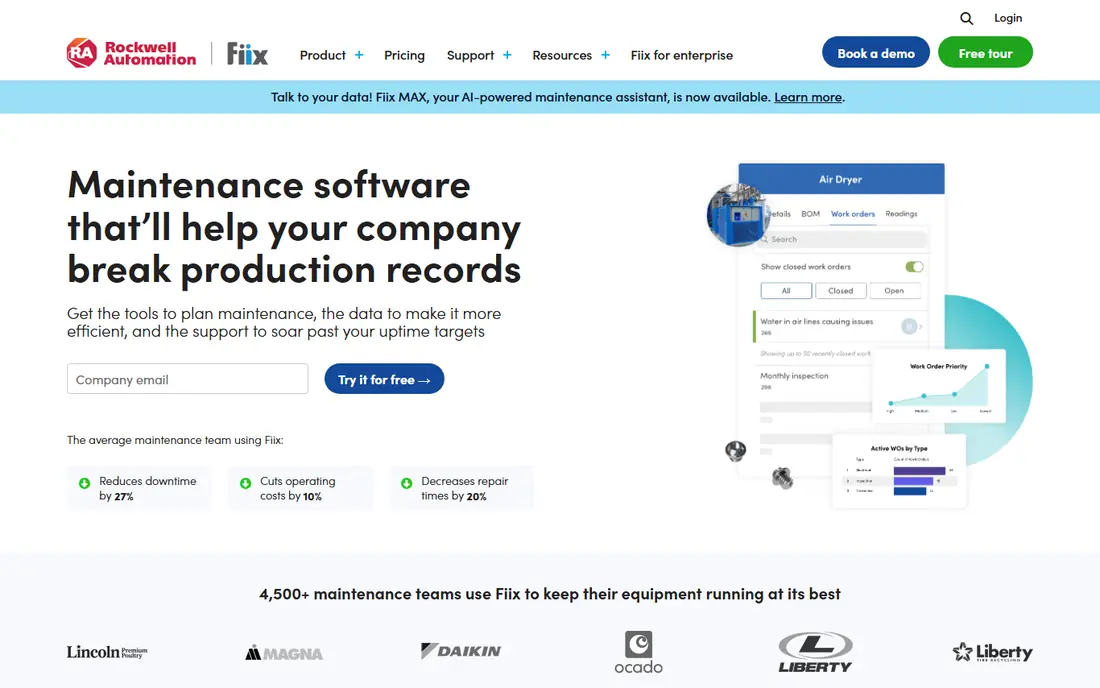
Fiix, owned by Rockwell Automation, is the most industrial option in the mid-market group. It handles preventive maintenance scheduling, asset tracking, inventory, and work orders with depth, and its integration hub connects to ERP systems such as SAP, Oracle, and NetSuite. Plants already standardized on Allen-Bradley controls get a natural path into Fiix, including machine signals through FactoryTalk. Multi-site companies also benefit from its handling of complex structures and currencies.
Published pricing helps budgeting: a free plan exists, Basic costs $45 per user per month, Professional costs $75, and Enterprise is quoted. The trade-off is complexity, since the interface packs in more than a small team may want, and technicians need more training than with MaintainX or Limble. Choose Fiix when you have a reliability engineer, an IT budget, and integration needs that a simpler tool cannot meet.
- Clear published pricing
- Strong integration hub
- Multi-site support
- Rockwell Automation backing
- Interface is denser than rivals
- Training takes longer
- Enterprise features raise the price quickly
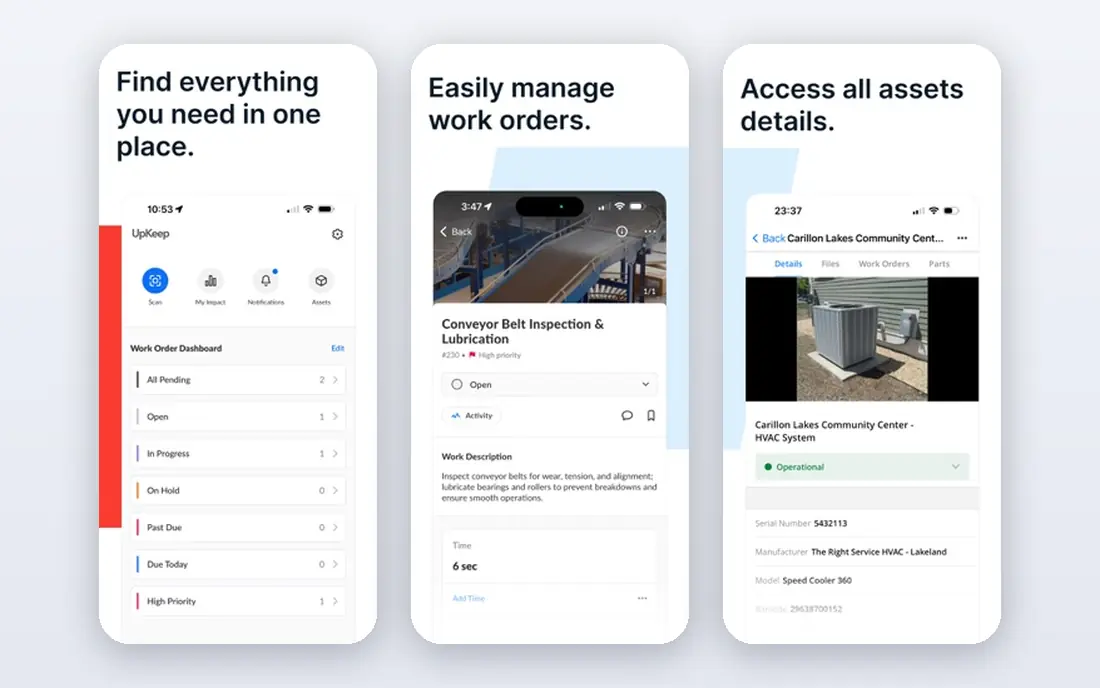
UpKeep suits smaller teams that want to get organized on a phone this week. The mobile app is polished, work orders take seconds to create, and operators can submit requests without a full licence. That low friction matters in plants where maintenance has lived in group chats and notebooks. Asset tracking, preventive schedules, and parts management cover the core jobs well, and the interface rarely confuses new users.
Paid plans start at $24 per user per month, with higher tiers adding inventory depth, reporting, and integrations. The honest limit is depth: plants with deep asset hierarchies, complex compliance documentation, or heavy condition monitoring may outgrow UpKeep sooner than Fiix or eMaint. For a first CMMS, or for a single-site plant that values speed over depth, it is a strong and practical pick.
- Polished mobile app
- Fast onboarding
- Work order and asset tracking
- Requester access for operators
- Asset hierarchy depth is lighter than enterprise tools
- Advanced features need higher tiers
- Pricing rises with add-ons
Limble earns its place through setup speed and technician adoption. Teams often report getting work orders, assets, and preventive schedules running in days, not months, and the interface uses a clear, kanban-style view that floor staff grasp quickly. Asset hierarchies are stronger here than in several simpler rivals, which helps plants with many related machines and components. Reporting gives managers a plain view of open work, overdue tasks, and costs.
Pricing is the main frustration, since Limble uses a quote calculator rather than published tiers, and a free plan exists for testing. Complex integrations may also need more work than with Fiix or IBM Maximo. Still, for mid-size plants that want a CMMS running this week and used by the whole team, Limble is one of the safest bets. Test it with your real asset list before you judge its depth.
- Easy to learn
- Strong asset hierarchy tools
- Good reporting
- Free plan for testing
- Pricing is quote-based
- Complex integrations can be harder
- Enterprise scale needs careful scoping
eMaint, part of Fluke, suits reliability teams that plan around machine condition rather than calendars alone. Its workflows are highly configurable, so plants can shape approvals, parts handling, and reporting to their own processes instead of bending processes to the software. Integration with Fluke sensors lets alarms create work orders automatically, which supports condition-based programs in regulated sites. Its pages name validation support relevant to regulated manufacturing, a point many rivals do not state as plainly.
The cost of that flexibility is setup effort and quote-only pricing across Team, Professional, and Enterprise tiers. Smaller teams may find the configuration phase longer than with MaintainX or UpKeep, and the interface feels more traditional. Choose eMaint when your program depends on condition data, custom workflows, or regulated documentation, and when you have someone to own the setup. For a simple first CMMS, it is more tool than you need.
- Highly configurable workflows
- Condition monitoring support
- Fluke sensor integration
- Strong regulated-site track record
- Pricing is quoted only
- Setup needs more configuration
- Interface is less modern than newer rivals
Fracttal One appeals to reliability teams curious about AI-assisted maintenance. It combines work orders, assets, inventory, and preventive schedules with planning tools that surface likely failures and suggest priorities based on history and sensor inputs. The interface is modern, multi-site management is built in, and mobile access covers floor work. For plants already collecting decent maintenance history, that assistance can shorten planning meetings and catch overdue patterns earlier.
Two cautions apply. Pricing is quoted only and there is no free plan, so evaluation runs through sales. AI suggestions are also only as good as the data fed into them, so plants with thin or messy records should fix data habits first. Pick Fracttal when you have a tech-forward reliability team and clean history to work with. If your main problem is still getting work orders entered, a simpler tool will pay off sooner.
- AI-assisted planning and predictions
- Modern interface
- Asset and inventory management
- Multi-site support
- Pricing is quoted only
- No free plan
- AI features need good historical data to be useful
IBM Maximo, now part of IBM Maximo Application Suite, is the enterprise heavyweight for asset-intensive organizations. It covers work management, asset lifecycle, inventory, procurement, and safety with a depth that mid-market tools cannot match, and it handles capital-heavy infrastructure across many sites and countries. Large manufacturers, utilities, and transport operators use it where audit trails, permits, and long asset lives matter as much as daily work orders.
That depth comes with a long runway. Deployments can take 12 to 18 months for complex sites, pricing is quoted, and you need dedicated administrators and training to run it well. Small and mid-size plants should not buy Maximo for a simple work order problem. Choose it when you run 50 or more users, complex asset portfolios, and strict compliance needs, and when you can fund an enterprise program rather than a quick rollout.
- Deep enterprise asset management
- Strong compliance and audit tools
- Massive scalability
- Broad integration options
- Pricing is quoted only
- Deployments can take many months
- Needs dedicated admin and training
MicroMain suits plants and complex facilities where asset structure itself is the hard part. It handles deep hierarchies, parent-child relationships, and detailed preventive schedules with a thoroughness that simpler tools skip. Facilities teams in healthcare, hospitality, and manufacturing use it when a single asset record must carry years of history, parts, and related equipment. Customization lets teams shape forms and workflows to their own maintenance programs.
The trade-off is age and pace. The interface feels older than MaintainX or Fracttal, pricing is quoted, and onboarding takes longer, even with a free trial available. Teams that value a modern mobile experience above all else may prefer a newer rival. Pick MicroMain when hierarchy depth and customization matter more than a slick first impression, and when your maintenance program is already mature enough to use that depth.
- Deep asset hierarchy support
- Strong customization
- Preventive maintenance depth
- Long track record in complex facilities
- Pricing is quoted only
- Interface feels older
- Onboarding takes longer than modern rivals
Tractian takes a different route: it pairs CMMS software with its own sensor hardware to monitor vibration, temperature, and other machine signals, then predicts failures before they stop a line. That combination suits plants that want predictive maintenance without stitching together separate sensor vendors and software. Work orders, assets, and monitoring live in one system, and the manufacturing focus shows in its workflows and reporting.
Costs include both software and sensors, and pricing is quoted, so budget the full package rather than a per-user figure alone. Plants without a condition monitoring plan may not get value from the sensor side at first. Choose Tractian when unplanned downtime is your most expensive problem and you are ready to invest in monitoring. If your plant still needs basic work order discipline, start with a simpler CMMS and add sensors later.
- Integrated sensor hardware
- AI-driven failure prediction
- Strong mobile and web apps
- Manufacturing focus
- Pricing is quoted only
- Sensor purchase adds cost
- Best value when you commit to condition monitoring
How we picked these
We compared vendor pricing pages, product documentation, and public user reviews current in September and October 2026. We kept platforms with named manufacturing deployments, mobile floor access, and live preventive maintenance features, and we marked pricing as See website wherever vendors keep it behind a quote. We left out pure facility tools with no manufacturing track record, and we noted where a platform fits regulated or sensor-led programs rather than general maintenance.
What to check before you buy a manufacturing CMMS
Start with a pilot on one line or one area, using your real assets, parts, and preventive schedules. Give your most resistant operators the app for two weeks and watch whether work orders actually get filed, since adoption decides the outcome more than any feature list. Check offline behavior in areas with weak signal, barcode or QR scanning for assets, and how meter readings trigger preventive tasks. Ask how parts inventory, purchase requests, and downtime reasons flow into reports your managers already use.
Price the tier you will actually need, not the cheapest tier on the page. Inventory depth, integrations, multi-site access, and advanced reporting often sit on higher plans, and per-user pricing grows with every technician and supervisor login. Confirm integration with your ERP or MES, data export options, and what happens to your history if you leave. A CMMS should make maintenance history portable, not lock it behind a vendor.
Frequently asked questions
What is the best CMMS for a small manufacturing plant?
MaintainX and UpKeep are the easiest starts, thanks to low published prices, free requester access, and mobile apps technicians use. Limble is a strong next step when you need deeper asset hierarchies and reporting.
How much does manufacturing CMMS software cost?
Published mid-market pricing runs from $20 to $75 per user per month, depending on the vendor and tier, while enterprise platforms such as IBM Maximo are quoted. Always price the tier that includes the inventory, integration, and reporting features you need.
Is a free CMMS plan enough for a plant?
A free plan can work for a very small team tracking basic work orders, and MaintainX and Limble both offer free tiers for testing. Most plants outgrow free plans once they need preventive schedules, inventory control, and management reporting.
How is manufacturing CMMS different from facility CMMS?
Manufacturing CMMS prioritizes shop floor adoption, shift-based work orders, meter-based preventive tasks, downtime tracking, and sensor or PLC connectivity. Facility CMMS prioritizes building systems, tenant requests, and property workflows instead.
How long does CMMS implementation take?
Simple tools can go live in days, mid-market platforms in weeks, and enterprise systems such as IBM Maximo in many months. Run a short pilot with real operators before signing a multi-year contract.
Sources
See where you really rank - block by block
ProMapRanker scans Google Maps across a grid of your service area. Simple monthly plans from $19, white-label on every plan.
Start freeKeep reading
 zoro.to alternatives
Best Zoro.to Alternatives in 2026
We compare the best zoro.to alternatives in 2026, listing only legal licensed anime streaming services, from Crunchyroll to free options for fans today.
Read → zip alternatives
Best Zip Alternatives in 2026
We compare the best zip alternatives for buy now, pay later in 2026, covering pay-in-4 plans, fees, spending limits, and credit reporting options today.
Read → yesware alternatives
Best Yesware Alternatives in 2026
Compare the best yesware alternatives for sales email tracking, templates, and sequences, with current pricing and honest tradeoffs for small sales teams.
Read →