 ProMapRanker
Best Cloud Service for Sharing Large Media Files in 2026

Key takeaways
- MASV is our pick for very large video and post-production files, because it is built for multi-hundred-gigabyte delivery rather than general storage.
- WeTransfer and Dropbox suit most creative professionals, with simple links, branding, and tracking for client delivery.
- Google Drive, Box, and Dropbox are better when you also need ongoing team storage, editing, and version history, not just a one-off transfer.
- Pay-as-you-go services suit occasional large sends, while subscriptions suit teams that send large files every week.
- Always check the per-transfer limit, link expiry, password protection, and download experience for recipients who will not install an app.
Quick comparison
| Pick | Great for | Pricing starts at | Free tier | |
|---|---|---|---|---|
 MASV | Very large media delivery | See website | Yes | Visit |
 WeTransfer | Simple branded client transfers | See website | Yes | Visit |
 Dropbox | Cross-platform storage and transfers | $11.99 per month | Yes | Visit |
 Google Drive | Teams already using Google Workspace | See website | Yes | Visit |
 Box | Governed team collaboration | $15 per user per month | No | Visit |
 Smash | Large transfers without a size cap on paid plans | See website | Yes | Visit |
 Filemail | Simple large transfers with tracking | See website | Yes | Visit |
 TransferNow | Free transfers up to 5 GB | See website | Yes | Visit |
 Signiant Media Shuttle | Enterprise media workflows | See website | No | Visit |
The best cloud services for sharing large media files
Large media files break general cloud storage in predictable ways: uploads stall, links expire, recipients cannot preview, and download speeds fall apart. We compared official pricing and feature pages and public transfer guides, and we kept only services active in 2026 that handle large files as a core use, not as an afterthought. We also noted where a service is a transfer tool versus a full storage and collaboration suite, because that choice changes the price and the workflow.
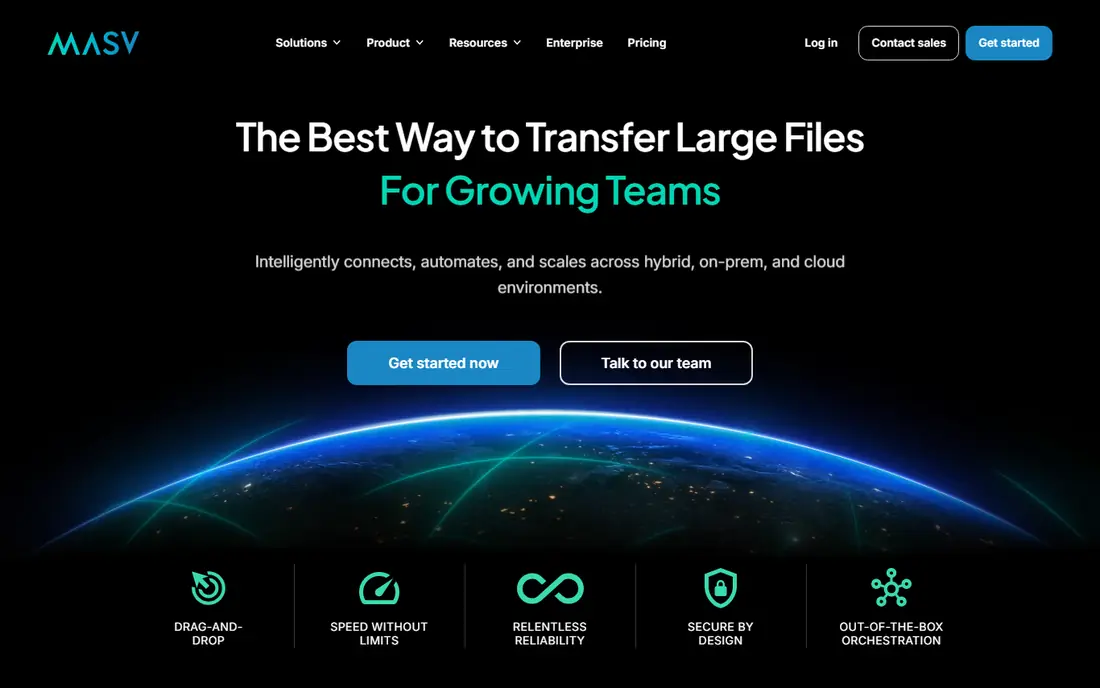
MASV is built for video, post-production, and agency work where a single delivery can run to hundreds of gigabytes. Files move through a browser with accelerated transfer, so recipients do not need to install software to download, and senders can set passwords and expiry dates for client links. A pay-as-you-go model, with a free monthly allowance in many cases, suits studios that send large files in bursts rather than every day.
The catch is scope. MASV delivers files well, but it does not replace a shared drive for editing, commenting, and version control. Pair it with a storage service if your team also needs ongoing collaboration. For the narrow job of getting a huge file to a client on deadline, MASV is the service we would shortlist first.
- Built for huge media files
- Fast accelerated delivery in a browser
- Password and expiry controls
- Pay-as-you-go option
- A delivery tool, not a full collaboration suite
- Costs rise with very frequent huge transfers

WeTransfer is the simplest service in this list for a creative professional who needs to send a file and move on. Upload, add an email or link, and send. Paid plans add larger transfers, longer storage, branded pages, and password protection, which makes client delivery look more professional. The top plan removes the transfer size cap in many cases, which is useful for large video projects.
The limit is that WeTransfer is a transfer service first. It does not offer the same shared folders, editing, and version history as Dropbox or Google Drive. If you send files a few times a week and want a polished client experience without learning a new storage system, WeTransfer fits. If you need a shared workspace, pair it with a storage service or choose Dropbox or Box instead.
- Very simple link sharing
- Branded transfer pages on paid plans
- No transfer size cap on the top plan in many cases
- Free plan has monthly limits
- Not a full team storage suite
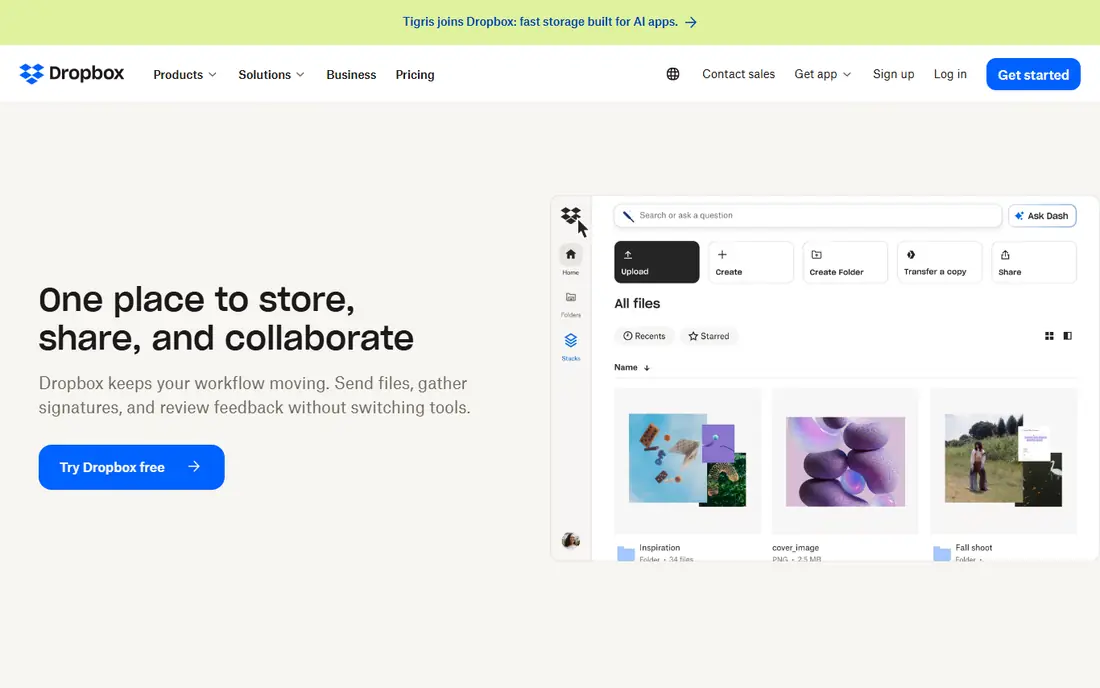
Dropbox remains a strong choice for creative teams because its sync is reliable across mixed devices, and Dropbox Transfer gives a clean way to send files without giving recipients access to your whole folder. Paid plans add branded sharing links, download tracking, watermarking in some cases, and PDF tools, which suit freelancers and small studios sharing work with clients. The Plus plan at $11.99 per month for 2 TB is a common starting point for individuals.
The catch is price and free storage. The free tier is only 2 GB, so it is not a practical long-term home for large media. Business plans start higher per user, though they add team controls and larger shared storage. If your team already lives in Dropbox, Transfer keeps delivery inside a system you know. If price is the main factor, compare Google Drive before committing.
- Strong sync across Mac, PC, and mobile
- Dropbox Transfer for client delivery
- Branded links and tracking on paid plans
- Free tier is only 2 GB
- Paid plans cost more than Google Drive for the same storage
Google Drive suits teams that already use Gmail, Docs, and Sheets, because sharing a large file is just another permission in a system people already know. Paid Google One and Workspace plans offer large storage at competitive prices, and real-time editing makes Drive a good home for scripts, shot lists, and project docs alongside media files. Recipients with a Google account get a familiar download and preview experience.
The limit is media specialisation. Drive is a general storage service, so it lacks the accelerated delivery, media-specific portals, and client tracking that MASV and Signiant offer. Very large files can also be awkward through a browser, depending on connection and file size. For ongoing team work with occasional large shares, Drive is excellent. For deadline-critical huge deliveries, use a dedicated transfer tool as well.
- Easy sharing inside Google Workspace
- Real-time editing of docs and sheets
- Generous paid storage pricing
- Web upload limits and sharing controls are less media-focused than MASV or WeTransfer
- Large file handling varies by method
Box is built for teams that need control: who can view, download, or edit a file, how long a link lasts, and how access is logged. That makes it a good fit for agencies and companies sharing large media with clients under contracts, privacy rules, or brand guidelines. Shared folders, workflows, and integrations with common business tools help teams move files through review without emailing copies around.
The trade-off is price and focus. Box starts at $15 per user per month on many business plans, and it is not optimised for the fastest possible huge-file delivery in the way MASV is. If governance, audit trails, and client portals matter more than raw transfer speed, Box is a strong pick. If speed on a single huge file is the priority, MASV or Signiant will feel faster.
- Strong access controls and compliance features
- Shared folders and workflows
- Good enterprise admin tools
- Higher starting price than consumer storage
- Less media-transfer speed focus than MASV
Smash offers a simple transfer service with a free tier up to 2 GB per transfer and paid plans that remove the file size cap in many cases. That makes it useful for occasional large sends where you do not want to pay for a full storage subscription. The interface is minimal: upload, share a link, and let the recipient download, with branding and customisation on paid tiers.
The catch is that Smash is a transfer tool, not a workspace. It does not offer the same folder sharing, editing, and version history as a storage suite, and free-tier files have limits on availability. For a freelancer who sends a large file a few times a month, Smash is a low-friction option. For a team that reviews files together every day, a storage service will fit better.
- Free transfers up to 2 GB
- Paid plans without a file size cap in many cases
- Simple link sharing
- Free tier limits and speed vary
- Fewer team collaboration features than Dropbox or Box
Filemail suits senders who want a simple transfer with clear tracking: who downloaded the file, when, and whether the transfer completed. The free tier allows transfers up to 5 GB without registration in many cases, which is generous for a quick client send. Paid plans raise limits, extend storage, and add branding and business features, including team use.
The limit is the same as with other transfer tools. Filemail does not replace shared storage for ongoing projects, and long-term file retention needs a paid plan. For a professional who needs proof of delivery and a simple link for clients, Filemail is a practical, low-cost choice. Check the current paid limits before sending a file close to the cap, because limits vary by plan.
- Free transfers up to 5 GB without registration in many cases
- Tracking and download notifications
- Desktop and mobile apps
- Paid tiers needed for larger transfers and longer storage
- Not a full collaboration suite
TransferNow is a straightforward transfer service that lets you send up to 5 GB free without signing up, which is useful for a one-off large file. Paid tiers add larger transfers, longer storage, custom branding, and team features, with pricing published on the TransferNow site. The interface is simple, and recipients download through a link without needing an account in many cases.
The catch is retention. Free-tier files disappear after seven days in many cases, so TransferNow is a delivery tool, not an archive. If a client needs to download again weeks later, you will need to resend or use a paid plan with longer storage. For quick, large sends where speed matters more than long-term hosting, TransferNow is a solid free starting point.
- Free sending up to 5 GB with no sign-up in many cases
- Published Starter, Premium, and Team tiers
- Simple interface
- Free files expire after seven days in many cases
- Advanced features wait for higher tiers
Signiant Media Shuttle is built for media companies that move large files between teams, partners, and clients every day. It offers branded portals, permissions, and accelerated transfer designed for video and broadcast workflows, where a missed delivery can delay a broadcast or a client deadline. For a post house or broadcaster, that workflow control is worth more than a generic shared folder.
The trade-off is scale. Media Shuttle is an enterprise product with annual packages and quoted pricing in many cases, so it is more than a solo creator needs. Smaller teams should start with MASV or WeTransfer and move to Signiant when volume, partner portals, and workflow rules justify the investment. Confirm the starting package on the Signiant site, because pricing varies by use case.
- Media-specific portals and workflows
- Fast accelerated transfer
- Strong fit for broadcast and post-production teams
- Enterprise pricing and setup
- More than a small freelancer needs
How we picked these
We compared official pricing and feature pages and public transfer guides, and we kept only services active in 2026 that handle large media files as a core use. We mixed transfer-only tools and full storage suites, because a one-off huge delivery and an ongoing team workspace are different jobs. We did not claim hands-on testing, and where pricing varies by plan or volume we wrote See website rather than guessing a figure.
How to choose for your file size and workflow
Start with the largest file you actually send. If it is under 5 GB, a free transfer tool may be enough. If it is 20 GB to 100 GB, check the paid transfer limit carefully, because many services cap free and entry plans well below that range. If it is hundreds of gigabytes, shortlist MASV and Signiant first, and test a real file before a client deadline.
Next, think about the recipient. A client who will not install an app needs a browser download link with a clear expiry and password option. A team that reviews files together needs shared folders, comments, and version history. A regulated client needs access logs and permissions. Match the service to the recipient experience, not just to your upload speed.
Finally, check retention and cost together. A cheap transfer that expires in seven days can cost you a resend and a missed deadline. A subscription that stores files for months can save that hassle, but only if you send often enough to justify it. For occasional huge sends, pay-as-you-go wins. For weekly sends, a subscription usually wins.
A quick test before you commit
Send a test file at your real size to a colleague outside your network, on a normal connection, and time the upload and download. Check whether the link works without an account, whether a password is required, and whether the file preview helps the recipient confirm it is the right version. That one test tells you more than a feature list.
Frequently asked questions
What is the largest file I can share with these services?
It depends on the plan. MASV and Signiant are built for very large files, WeTransfer top plans remove the size cap in many cases, and Smash paid plans also remove the cap in many cases. Free tiers are much smaller, usually 2 GB to 5 GB, so check the current plan limit before a large send.
Do recipients need an account to download?
In most cases, no. Transfer tools such as MASV, WeTransfer, Smash, Filemail, and TransferNow offer link downloads without a recipient account. Storage services such as Google Drive and Box may ask a recipient to sign in for some permission types, so test the link with an outside account first.
How long do shared files stay available?
It varies by service and plan. Free transfer files often expire after seven days, while paid plans extend storage to weeks or months. Storage services keep files until you delete them or change permissions. Set an expiry that matches the project, and tell the recipient the deadline in your message.
Is it safe to share large media files through a link?
Link sharing can be safe if you use a password, set an expiry, and limit downloads where the service allows it. Avoid public links for unreleased work, sensitive footage, or client-confidential material. For regulated work, choose a service with access logs and permissions, such as Box, rather than a simple public link.
Should I use a transfer tool or a storage service?
Use a transfer tool for a one-off delivery, especially a huge file on a deadline. Use a storage service for ongoing team work, review, and version history. Many creative teams use both: storage for the project, and a transfer tool for the final client delivery.
What internet speed do I need for large files?
Upload speed matters more than download speed for the sender, and a stable connection matters more than a peak speed number. A 100 GB file can take hours on a slow upload link, even with accelerated transfer. Start large uploads early, use a wired connection where possible, and confirm delivery before the deadline.
Sources
See where you really rank - block by block
ProMapRanker scans Google Maps across a grid of your service area. Simple monthly plans from $19, white-label on every plan.
Start freeKeep reading
 zoro.to alternatives
Best Zoro.to Alternatives in 2026
We compare the best zoro.to alternatives in 2026, listing only legal licensed anime streaming services, from Crunchyroll to free options for fans today.
Read → zip alternatives
Best Zip Alternatives in 2026
We compare the best zip alternatives for buy now, pay later in 2026, covering pay-in-4 plans, fees, spending limits, and credit reporting options today.
Read → yesware alternatives
Best Yesware Alternatives in 2026
Compare the best yesware alternatives for sales email tracking, templates, and sequences, with current pricing and honest tradeoffs for small sales teams.
Read →