 ProMapRanker
Best Christmas Countdown Apps in 2026

Key takeaways
- A good countdown app should show days, hours and minutes clearly, and a home screen widget keeps that count visible without opening the app.
- Family picks work best with a sleeps mode, simple themes and no account requirement, while planning picks add gift lists and reminders.
- Most of these apps are free to download, with extra themes, wallpapers or music behind a small in-app purchase.
- Check the date setting before December, since some apps count to December 24 and others count to December 25.
Quick comparison
| Pick | Great for | Pricing starts at | Free tier | |
|---|---|---|---|---|
 Christmas Countdown by Jupli | Simple family countdown | Free | Yes | Visit |
 Christmas Countdown and Widget | Sleeps count on iPhone | Free | Yes | Visit |
 Christmas Countdown 2026 | Wallpapers and music | Free | Yes | Visit |
 Time Until | Countdowns all year | Free | Yes | Visit |
 Dreamdays Countdown | Custom events and photos | Free | Yes | Visit |
 Countdown Star | Precise multi-event tracking | Free | Yes | Visit |
 Big Days | Simple day counting | Free | Yes | Visit |
 Sleeps to Christmas | Kids and families | Free | Yes | Visit |
The best christmas countdown apps
These apps all answer one question well, which is how long until Christmas morning. We compared app store listings, feature pages and public reviews to find options that are still available and easy to use in October 2026.
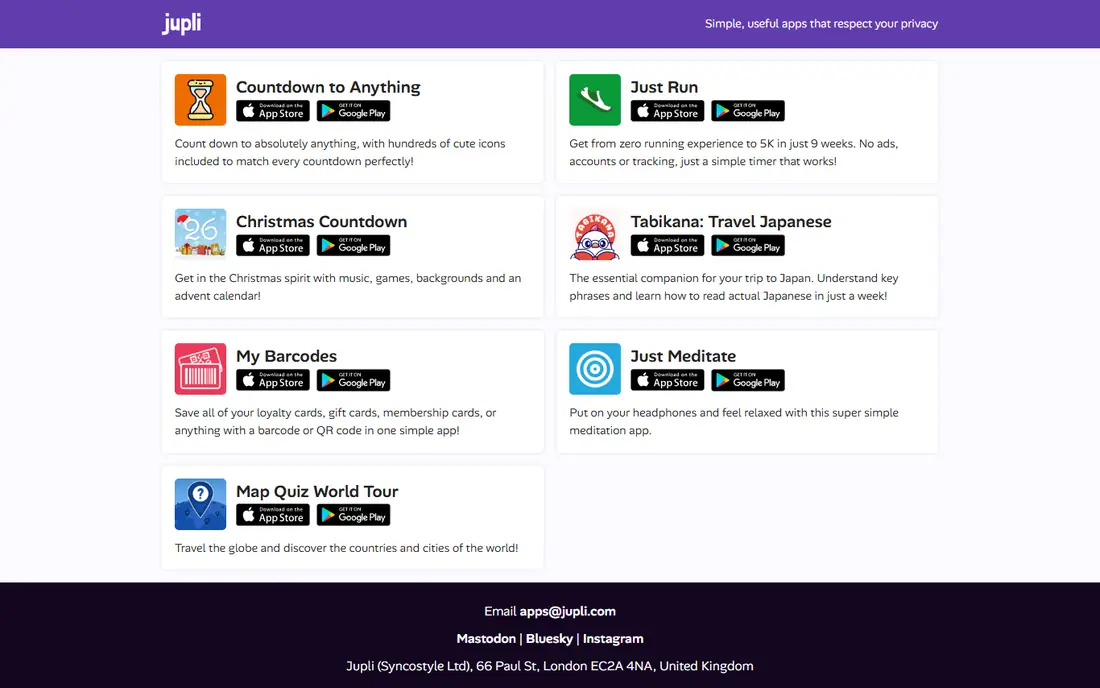
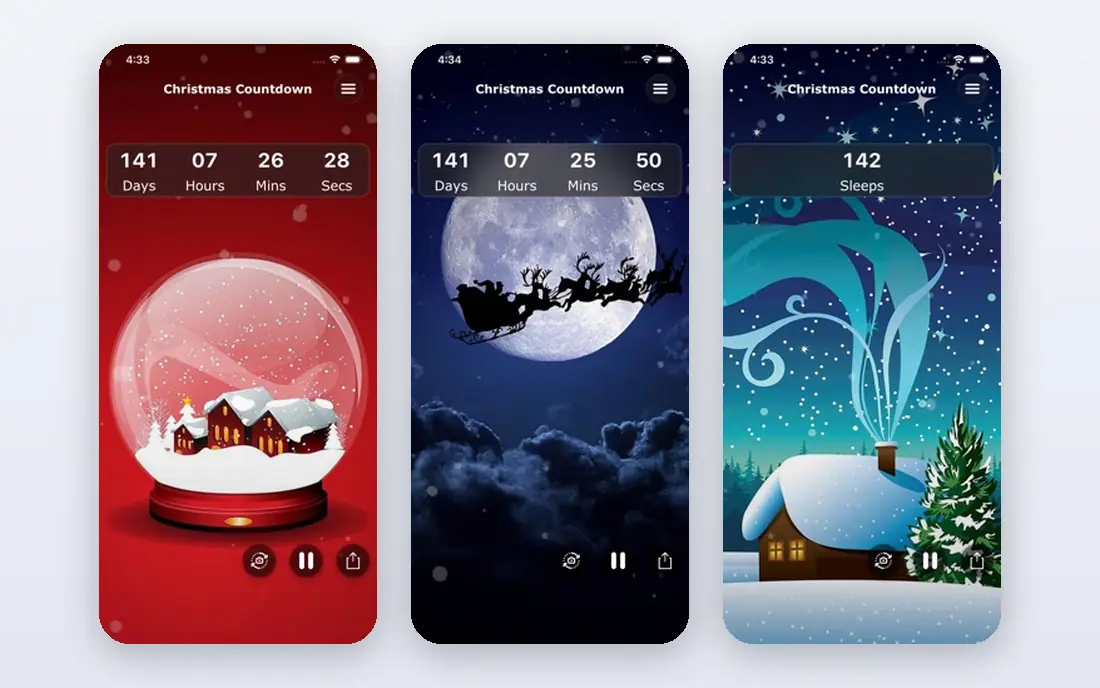
Christmas Countdown by Jupli keeps the main screen focused on the number that matters, with days, hours, minutes and seconds ticking down together. The festive visuals and optional music give it a seasonal feel without hiding the countdown behind menus. Families who want one app for December will find it easy to open and read at a glance.
The trade-off is that the free version covers the core countdown, while some visual extras sit behind in-app purchases. That is fair for a seasonal app, but check what is included before paying for a theme pack. If you only need the count, the free version is enough.
- Clear days, hours, minutes and seconds display
- Festive music and snowfall options
- Updated for the current season
- Extra themes may require payment
- Music and effects can feel busy for some users
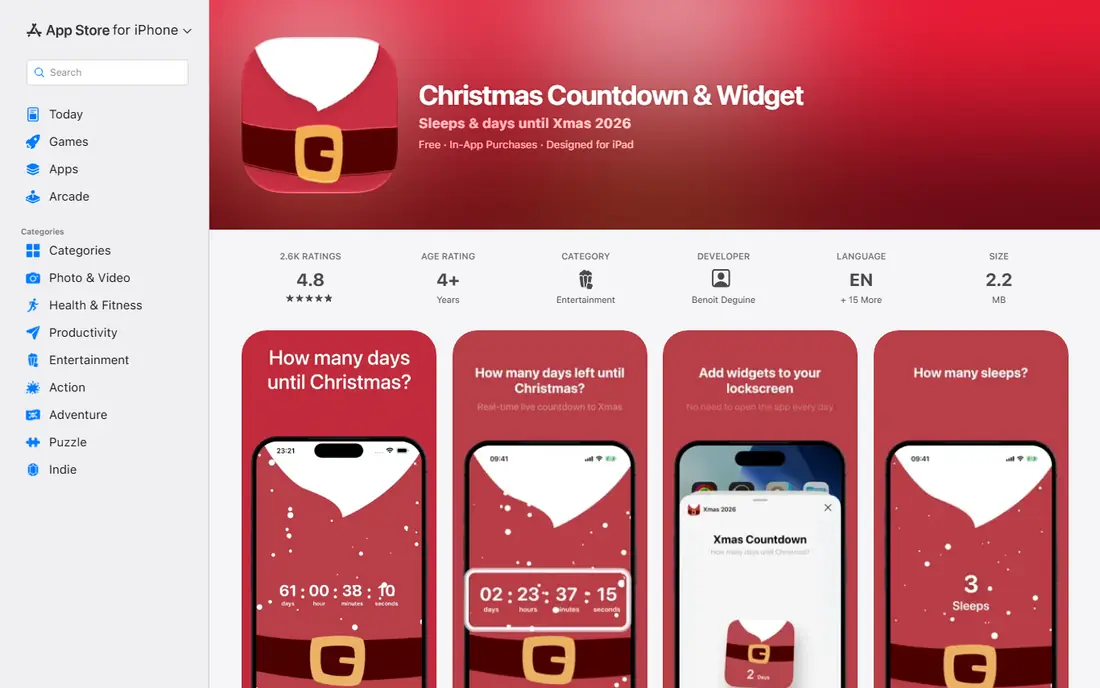
This app is built around the widget, so the countdown lives on the home screen and lock screen rather than inside an app you must open. Parents will like the sleeps mode, which answers the nightly question in the way children actually ask it. You can also choose December 24 or December 25 as the target date, which suits different family traditions.
Its limits are platform and paid extras. Android users need a different pick from this list, and the fancier snowy widgets are premium. For iPhone households that want a calm, visible count, those limits are easy to accept.
- Home screen and lock screen widgets
- Sleeps mode for children
- No account needed
- IPhone and iPad only
- Premium snowy widgets require payment
Christmas Countdown 2026 leans into decoration, with themed backgrounds, wallpapers and music alongside the live timer. It suits people who like to dress up the phone for December, not just track a date. The greeting card tool is a nice extra for sending a quick festive message without opening another app.
The honest catch is that decoration can crowd out usefulness if you prefer a plain timer. Premium themes also add cost to what starts as a free app. Pick this one for the look and feel, and pick a plainer app if you only want the number.
- Holiday themes and wallpapers
- Greeting card options
- Live second-by-second timer
- Some features feel decorative rather than practical
- In-app purchases for premium themes
Time Until is the practical choice if Christmas is only one date on a longer list. You can set birthdays, trips and holidays in the same place, repeat yearly events, and watch the count on a widget or live wallpaper. The count-up mode also tracks time since a past event, which is useful for anniversaries.
Because it is a general countdown app, it lacks the Christmas music, snowfall and advent extras of dedicated picks. That is a strength if you want a tool that stays useful in January, and a weakness if you want a fully festive December screen.
- Widgets and live wallpaper
- Repeating events
- Count-up tracking for past dates
- Christmas is one event among many, not a dedicated festive app
- Some advanced options may require payment
Dreamdays Countdown treats Christmas as a personal event, not a generic timer. You can give it its own photo, category and background, and add a voice memo that plays back as a reminder. That personal touch makes it a good fit for people who keep many countdowns and like each one to look different.
The free version covers basic counting, but unlimited events and cloud backup sit in the Pro tier. Casual users with one or two events may never hit that limit. Heavy planners should check the subscription price before building a long list.
- Custom photos and backgrounds per event
- Categories for holidays, birthdays and trips
- Voice memos for reminders
- Pro features such as unlimited events require a subscription
- Interface takes a moment to learn
Countdown Star focuses on precision, showing the remaining time in several units so you can switch between days, hours and total seconds. Custom photos let you make the Christmas countdown feel personal, and sharing makes it easy to send the count to family. It handles many events at once without fuss.
It does not try to be a Christmas entertainment app, so there is less music and seasonal play here than in dedicated picks. If accuracy and a clean list matter more than snowfall, that focus is a plus. If you want festive extras, pair it with a dedicated Christmas app or pick one of those instead.
- Precise days, hours, minutes and seconds
- Custom photos and wallpapers
- Easy sharing
- Design is functional rather than festive
- Some users may want more Christmas-specific content
Big Days is for people who want to type in a date and see the number, with no extra steps. You can count down to Christmas and count up from past dates, add a photo, and change the look with a few taps. The simplicity is the point, and it keeps the app useful for birthdays and trips after December.
The downside of that simplicity is a thinner festive layer. There is no built-in Christmas music or advent calendar here. For a quiet, readable countdown that you set once and forget, Big Days does the job well.
- Very simple setup
- Counts up as well as down
- Custom photos and fonts
- Fewer festive extras
- Widget options vary by device
Sleeps to Christmas speaks in the unit children use, which is sleeps rather than days. Animated characters and a festive soundtrack make opening the app part of the December routine, and the simple layout means younger children can read it with help. It is a warm, focused pick for families.
Its focus is also its limit, since the app is built for Christmas and little else. Once the holiday passes, you will likely delete it or leave it until next year. For a one-season family app, that is fine, and the free download keeps the cost at zero.
- Sleeps framing children understand
- Animated characters and festive soundtrack
- Simple to use
- Narrow focus on Christmas only
- Some content may require payment
How we picked these
We compared app store listings, developer feature pages and public reviews for apps that are still listed and updated for recent seasons. We favored apps with a clear countdown display, working widgets where promised, and a free tier that covers the core count. We left out apps that had not been updated for a current season, or whose listings no longer matched a working product.
What to check before you download
Start with the date. Some families open gifts on Christmas Eve and others on Christmas Day, so confirm the app lets you pick December 24 or December 25. Then check the widget, since a countdown you must open to see is less useful than one on the home screen. Finally, check permissions and purchases before handing the phone to a child, and turn off music or snowfall if you prefer a calm screen.
Widgets, themes and purchases
Widgets vary by phone, so read the listing for your device before assuming a home screen or lock screen widget will work. Themes and wallpapers are usually cosmetic, and the free tier often covers the count itself. Pay only if you truly want the extra look, and cancel any trial before it renews if you do not want to keep it.
For families and planners
Families should favor sleeps mode, large text and no account requirement. Planners should favor repeating events, reminders and gift list features, even if the app is less festive. One app rarely does both jobs perfectly, so it is fine to use a festive app in December and a general countdown app for the rest of the year.
Frequently asked questions
Do Christmas countdown apps work all year?
Yes, most of them roll over to the next Christmas once the current one passes, and general countdown apps let you set any future date. Dedicated Christmas apps may feel out of place in summer, but the timer itself keeps working.
Are Christmas countdown apps free?
Most are free to download, with in-app purchases for extra themes, wallpapers or music. The core countdown is usually free, so try that first before paying for extras.
Which app is best for children?
A sleeps-based app such as Sleeps to Christmas or Christmas Countdown and Widget works best, since children count nights rather than days. Look for large text, simple navigation and no account sign-up.
Can I put a Christmas countdown on my home screen?
Many of these apps offer home screen widgets, and some offer lock screen widgets on iPhone. Check the listing for your phone model, since widget support varies by device and operating system version.
Do I need an account to use a countdown app?
No, most countdown apps work without an account. An account may be needed for cloud backup or syncing across devices, but a single-device countdown should work without one.
Sources
- https://freeappsforme.com/christmas-countdown-apps/
- https://apps.apple.com/us/app/christmas-countdown-widget/id1541858661
- https://www.appbrain.com/app/time-until-countdowns-widget/com.brunoschalch.timeuntil
- https://jupli.com
- https://play.google.com/store/apps/details?id=com.syncostyle.onethingchristmas&hl=en_GB
See where you really rank - block by block
ProMapRanker scans Google Maps across a grid of your service area. Simple monthly plans from $19, white-label on every plan.
Start freeKeep reading
 zyte alternatives
Best Zyte Alternatives in 2026
These zyte alternatives cover managed scraping APIs, proxy networks and no code tools for lawful collection from your own or consented sources only in 2026.
Read → zerto alternatives
Best Zerto Alternatives in 2026
Compare the best zerto alternatives for disaster recovery and replication, with recovery targets, cloud options and honest trade-offs for teams in 2026.
Read → zerofox alternatives
Best ZeroFox Alternatives in 2026
We compared 9 zerofox alternatives for brand protection, phishing takedowns, dark web monitoring, and social impersonation, with clear coverage notes.
Read →