 ProMapRanker
Best Child Safety Apps in 2026

Key takeaways
- Qustodio and Bark are the strongest paid picks, for detailed reports and for alerts about risky messages respectively.
- Google Family Link, Apple Screen Time and Microsoft Family Safety are free starting points that cover many families well.
- Norton Family and Mobicip offer lower-cost paid controls, while OurPact suits detailed mobile schedules.
- These tools are for a parent on their own minor child's device, with the child told what is monitored and why.
- No tool replaces conversation, and location or message alerts should be explained to children in plain, honest terms.
Quick comparison
| Pick | Great for | Pricing starts at | Free tier | |
|---|---|---|---|---|
 Qustodio | Detailed cross-device reports | Free | Yes | Visit |
 Bark | Alerts for risky messages | $14 per month | Free trial | Visit |
 Google Family Link | Free Android controls | Free | Yes | Visit |
 Apple Screen Time | Free Apple controls | Free | Yes | Visit |
 Norton Family | Budget Windows and Android controls | $49.99 per year | Free trial | Visit |
 Mobicip | Affordable mixed-device filtering | $2.99 per month | Free trial | Visit |
 OurPact | Detailed mobile schedules | Free | Yes | Visit |
 Microsoft Family Safety | Windows, Xbox and Android | Free | Yes | Visit |
 Net Nanny | Real-time web filtering | $39.99 per year | No | Visit |
The best child safety apps
This guide lists only lawful, disclosed parental-control and family-safety tools for a parent on their own minor child's device. Use these tools openly, tell your child what is monitored and why, and do not use them for covert tracking of adults or any other person. Covert tracking software, often called stalkerware, is not listed here and should not be used. We compared official feature pages, pricing pages, app store listings and public reviews, with attention to screen time, filtering, location and message alerts.
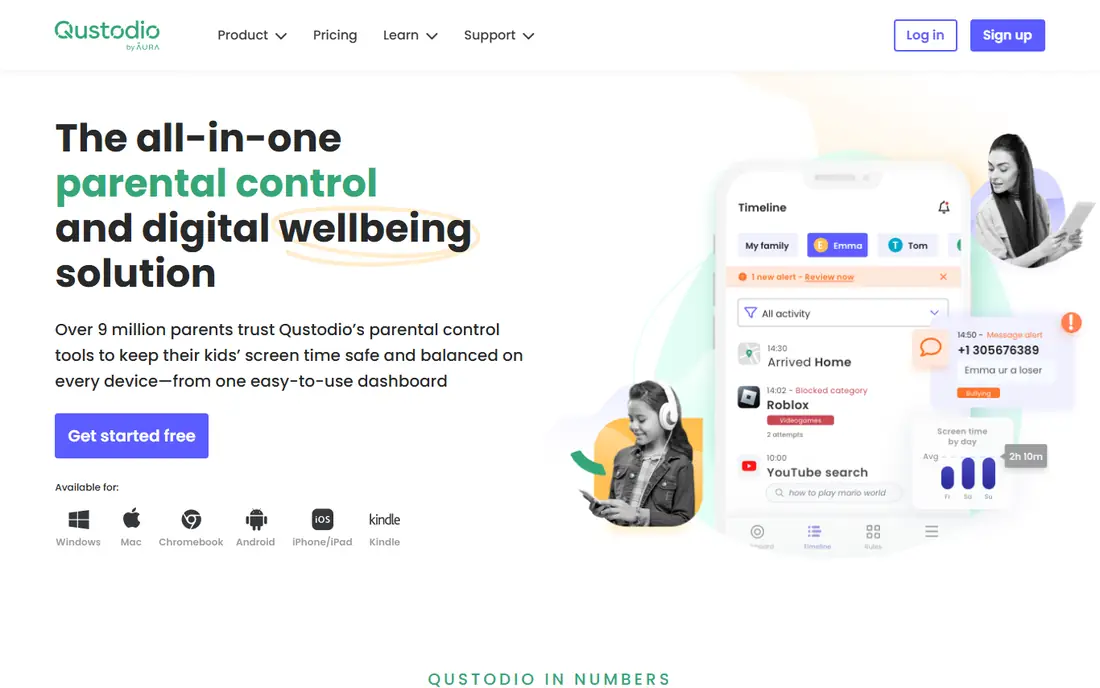
Qustodio is our pick for parents who want a clear, cross-device view of screen time, app use and web activity. Reports show which apps and sites a child used, for how long, and where time limits were hit. Routines for school, homework and bedtime can be set once and applied across devices, which helps families with a mix of phones, tablets and computers.
The free tier covers core protection on one device, which is enough to trial the system. Paid plans from $59.95 per year cover up to 5 devices, with higher tiers for more devices. iOS rules mean some features are weaker on iPhone than on Android, so check the feature list for your child's exact device before paying.
- Detailed activity reports
- Works across Android, iOS, Windows, Mac and Chromebook
- Free tier for one device
- Paid plans start at $59.95 per year for up to 5 devices
- IOS limits are stricter than Android
- Setup takes time for many devices
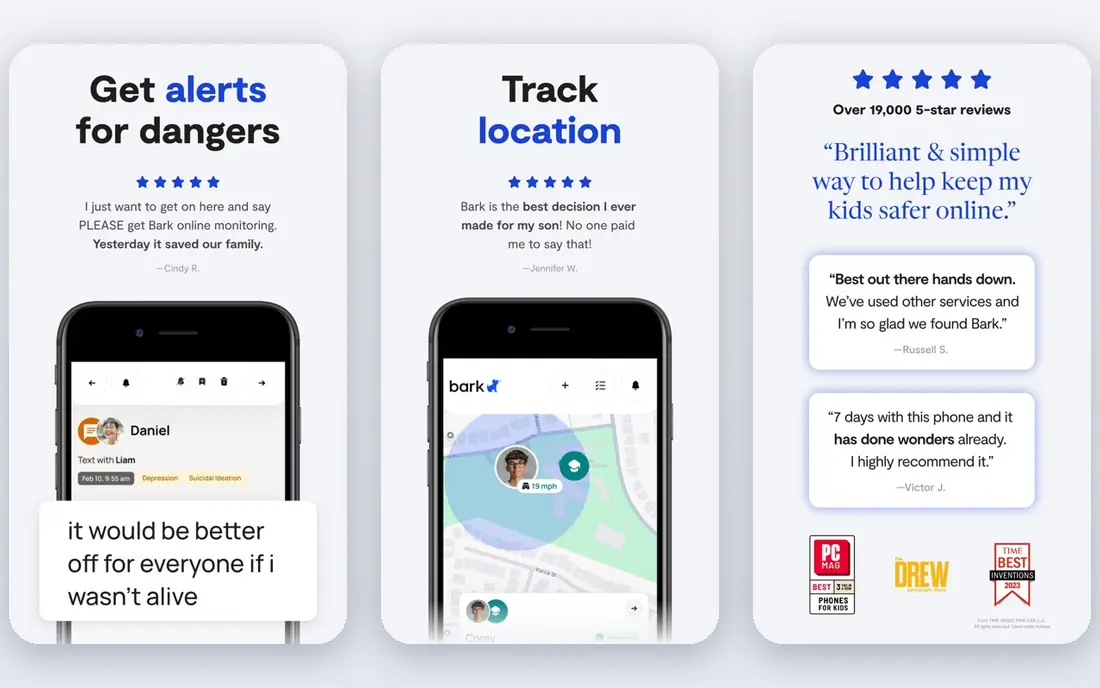
Bark suits parents of older children and teens, where messages and social apps are the main risk. It scans texts, email and connected apps for signs of bullying, self-harm, predatory contact and other risks, then alerts parents to flagged concerns rather than showing every message. That alert model respects a teen's privacy more than full transcript reading, while still flagging serious issues.
The Premium price is higher than simpler tools, at $14 per month or $99 per year, with a 7-day trial. Monitoring depth also varies, because some apps limit what third-party tools can see. Tell your teen that Bark is in use and what it flags, because disclosed use builds trust and avoids a sense of secret surveillance.
- Scans texts, email and many apps for risks
- Shows parents flagged concerns, not full transcripts
- Location and driving alerts
- Premium is $14 per month or $99 per year
- Monitoring depth varies by app and platform
- Younger children may need simpler controls
Google Family Link is the free starting point for Android families. Parents can approve app downloads, set daily limits and bedtime, filter Google search and Chrome content, and see location for a child's Android device. It is built into Google accounts, so there is no separate subscription to manage.
Its strength is also its limit: it works best on Android and Chromebook, with lighter features on iPhone. For younger children, Family Link often covers everything needed. For teens on social apps, pairing it with Bark or Qustodio may give stronger message and web coverage.
- Free
- App approvals, screen limits and location for Android
- Content filters for Google services
- Best on Android and Chromebook
- IOS features are limited
- Older teens may need more than basic controls
Apple Screen Time is the free, built-in choice for Apple households. Parents can set downtime, app limits, content filters and purchase approvals, and use communication safety features on a child's iPhone or iPad. Because it is part of the operating system, limits are harder for a child to bypass than in a separate app.
There is no Apple Screen Time app for Android child devices, so mixed-device families need another tool. Reports are also simpler than Qustodio, with less detail on web activity. For an all-Apple family, though, it is the first tool to try before paying for anything.
- Free and built into iPhone, iPad and Mac
- Downtime, app limits and content filters
- Communication safety features
- Apple devices only
- No Android or Windows child device support
- Reporting is simpler than Qustodio
Norton Family suits Windows and Android households that want solid controls at a moderate price. It covers screen time, app blocking, web supervision and search supervision, with a 30-day trial to test it on your child's devices. Parents can set school time rules and see activity reports without a complex setup.
iOS support is more limited than Windows and Android, so Apple families should check the current feature list. Norton Family is also sometimes bundled with Norton 360, which can change the total price. For a Windows-first family, it is a good value paid option.
- Screen time and app controls
- Web supervision and search supervision
- 30-day trial
- Best on Windows and Android
- IOS features are more limited
- Some features need a Norton 360 bundle for full value
Mobicip is a strong budget pick for mixed-device families, with a Lite tier from $2.99 per month billed annually and a 7-day trial. It offers web filtering, app blocking, screen time and location across Android, iOS, Windows, Mac, Chromebook and Kindle Fire. That breadth matters when children use a school Chromebook, a family tablet and a phone.
The interface is plainer than Qustodio or Bark, and some features sit on higher tiers. Parents should still test filtering on each device type, because iOS and Android rules differ. For families watching cost, Mobicip gives broad coverage for less than most paid rivals.
- Low starting price
- Works across Android, iOS, Windows, Mac and Chromebook
- Detailed web filtering
- Starting price is billed annually
- Interface is plainer than Qustodio
- Some advanced features need higher tiers
OurPact suits parents who want precise control over when a phone can be used, not only how long. Schedules can block apps during school, homework and bedtime, while allowing calls and essential apps. A family locator and app blocking add safety for children with their first phone.
The free tier covers basic use, while Premium from $6.99 per month and Premium Plus from $9.99 per month add more features and devices. Web filtering is weaker than dedicated filtering tools, so pair OurPact with a strong browser filter if web content is the main concern. For schedule-first control on mobile, it is easy to use.
- Detailed schedules and app blocking
- Family locator
- Free tier for basic use
- Paid Premium from $6.99 per month
- Web filtering is weaker than Net Nanny
- Best on mobile, not desktop
Microsoft Family Safety is the free starting point for Windows and Xbox families. Screen time limits can span Windows, Xbox and Android, location sharing keeps family members visible, and driving reports help parents of teen drivers. It fits households already using Microsoft accounts for school or work.
Full features need a Microsoft 365 Family subscription, and iOS support is limited compared with Android and Windows. Setup also spans several Microsoft apps, which can feel scattered at first. For a Windows and Xbox household, it is still the most natural free choice.
- Free core features
- Screen time across Windows, Xbox and Android
- Location sharing and driving reports
- Full features need Microsoft 365 Family
- IOS support is limited
- Setup spans several Microsoft apps
Net Nanny remains a strong pick for web filtering, because it analyses page content in real time rather than only blocking known bad sites. That helps with new pages and search results that a simple blocklist would miss. App blocking, screen time and activity reports round out the core parental controls.
There is no free tier, with plans from $39.99 per year for one desktop device and higher tiers for more devices. Parents should check current Android and macOS support for their exact devices, because platform support has changed in recent reports. For families where web content is the top worry, Net Nanny is worth the paid test.
- Real-time web content filtering
- App blocking and screen time
- Works on Android, iOS, Windows and Mac
- No free tier
- Android support has changed over time, so check current devices
- MacOS support is limited to older versions in some reports
How we picked these
We compared official feature and pricing pages, app store listings and public reviews for parental-control tools that are still operating in October 2026. We favoured disclosed, lawful tools for a parent's own minor child, with clear privacy pages, screen time, filtering and location features, and a free tier or trial where possible. We excluded covert tracking tools, stalkerware and any tool marketed for tracking adults without consent. We also excluded Kaspersky Safe Kids from the list, because United States sales restrictions make it a poor recommendation for United States families in this guide.
Talking with your child about safety tools
Tell your child which app you use, what it monitors and why, in language that fits their age. Agree on screen time, bedtime and app rules together where possible, and explain that alerts are for safety, not punishment. Review reports together, praise good choices and adjust rules as a child shows responsibility, so controls shrink over time rather than feeling permanent.
Balancing safety and privacy
Use the least monitoring that meets the risk. Younger children may need app approvals and filters, while teens may only need alerts for serious risks, as Bark provides. Avoid reading every message if an alert tool will do, keep location sharing to family members only, and check the app privacy page for what data is stored and for how long. If a child raises a concern about fairness, listen and adjust the rules together.
Frequently asked questions
Are child safety apps legal to use?
Yes, when used by a parent on their own minor child's device, with disclosure to the child and within the app terms. They are not for covert tracking of adults or any other person, and tools marketed for secret tracking should not be used. Check local laws and school rules for device use.
Should I tell my child that a safety app is installed?
Yes. Tell them what is monitored, what triggers an alert and why the rule exists. Disclosed use builds trust, helps children learn safe habits and avoids the harm of discovering secret monitoring later. Adjust the level of monitoring as they grow.
Which child safety app is best for teens?
Bark is often best for teens, because it alerts parents to risky messages without showing every message. Qustodio also works well for teens who need screen time and web rules across devices. Talk with your teen about which model feels fair before choosing.
Is Google Family Link enough for younger children?
For many younger children on Android, yes. Family Link covers app approvals, screen limits, bedtime and content filters for free. Add Qustodio, Mobicip or Net Nanny if you need stronger web filtering or cross-device reports.
Do these apps work on both iPhone and Android?
Most paid tools work on both, but features differ by platform because Apple and Google limit third-party access differently. Qustodio, Bark, Mobicip and Net Nanny cover both, while Family Link is best on Android and Screen Time is Apple only. Check the feature list for your child's exact device.
Can a child bypass parental controls?
Sometimes, through a second device, a friend's phone, a browser workaround or a settings change. No app is bypass-proof, so combine controls with conversation, school rules and regular check-ins. If a bypass happens, treat it as a chance to reset rules together, not only to tighten the app.
Sources
See where you really rank - block by block
ProMapRanker scans Google Maps across a grid of your service area. Simple monthly plans from $19, white-label on every plan.
Start freeKeep reading
 zyte alternatives
Best Zyte Alternatives in 2026
These zyte alternatives cover managed scraping APIs, proxy networks and no code tools for lawful collection from your own or consented sources only in 2026.
Read → zerto alternatives
Best Zerto Alternatives in 2026
Compare the best zerto alternatives for disaster recovery and replication, with recovery targets, cloud options and honest trade-offs for teams in 2026.
Read → zerofox alternatives
Best ZeroFox Alternatives in 2026
We compared 9 zerofox alternatives for brand protection, phishing takedowns, dark web monitoring, and social impersonation, with clear coverage notes.
Read →