 ProMapRanker
Best Check Printing Software in 2026

Key takeaways
- Online Check Writer is our pick for occasional checks, with a pay per check model and no monthly fee stated.
- ezCheckPrinting is the best one-time licence pick for regular in-house printing on Windows.
- Checkeeper suits teams that want online design, printing and mailing in one place.
- Checkrun is the strongest pick for QuickBooks Online users who need secure, automated check runs.
- Always use MICR ink or toner and blank check stock that matches your bank format, and test one check before a full run.
Quick comparison
| Pick | Great for | Pricing starts at | Free tier | |
|---|---|---|---|---|
 Checkeeper | Online design and mailing | $15 per month | Free trial | Visit |
 ezCheckPrinting | One-time Windows licence | $49 one-time | Free trial | Visit |
 Online Check Writer | Occasional pay per check | $1 per check | Free trial (15 days) | Visit |
 PrintBoss | Multi program check printing | See website | Free trial | Visit |
 VersaCheck | Desktop check design | See website | Free trial | Visit |
 Checkrun | QuickBooks Online automation | See website | Free trial | Visit |
 Checkflo | Online check printing and mailing | See website | Free trial | Visit |
The best check printing software
We compared design tools, MICR support, accounting links, mailing services and published pricing. A short money note applies: check printing software helps you print checks, but it does not replace bank controls. Use dual approval for large amounts, store blank stock securely, and reconcile every run against your accounting records.

Checkeeper is the simplest online route to printing a professional check. You design checks in a browser, enter payee and amount details, and either print on your own printer or have Checkeeper mail the check for you. That mailing option is the main reason to choose it, since it removes the trip to the post office for a small team that still pays some vendors by check.
The cost trade is the monthly plan. At $15 per month in recent listings, Checkeeper costs more over a year than a one-time desktop licence if you print checks every week. For occasional use, the pay per check route from a rival may be cheaper. For a team that values online access, a clean design tool and a mailing service in one login, Checkeeper is easy to justify.
- Online design from any browser
- Print or mail options
- Accounting software links
- Monthly cost adds up for occasional users
- Mailing fees sit on top of the plan
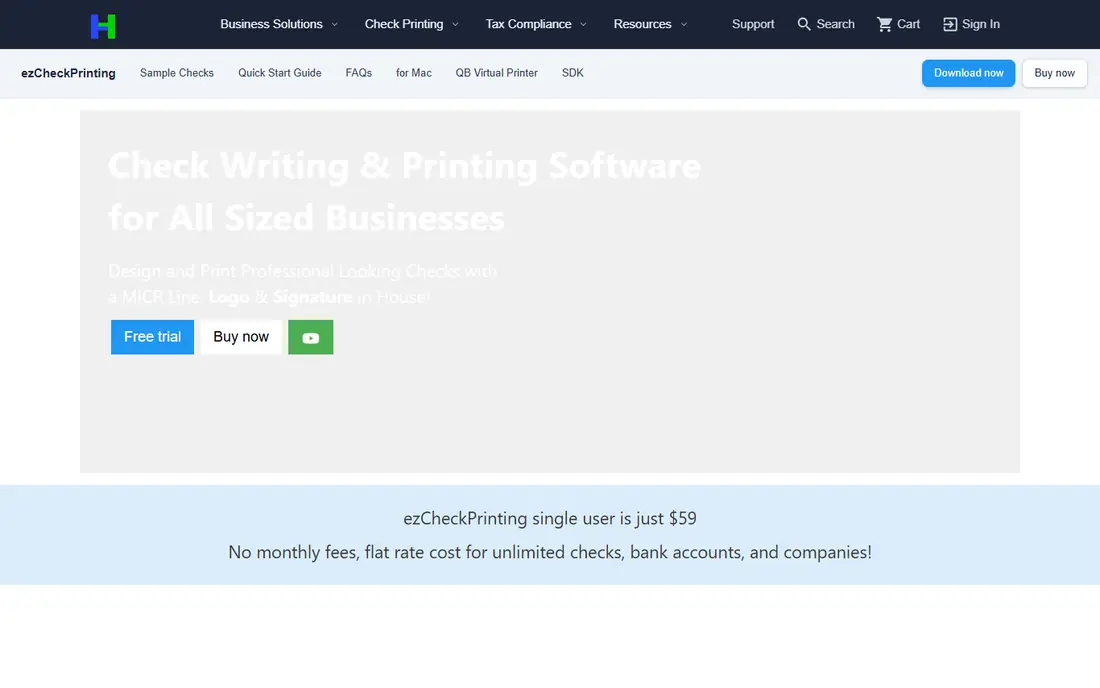
ezCheckPrinting, from Halfpricesoft, is the classic desktop pick for a small business that prints checks in-house every week. A one-time licence, listed at $49 per installation in recent listings, covers unlimited accounts and check printing, which makes the long term cost far lower than a monthly tool for regular users. It supports standard check formats and MICR printing, and it works with blank check stock so you are not locked into pre-printed checks from a bank.
The limits are platform and licensing. It is Windows focused, and each workstation typically needs its own licence, so a multi user office should price all seats, not just one. The interface is functional rather than modern, but for a bookkeeper who prints a weekly run, function matters more than looks. A newer combo offer at $149 for ezCheckPrinting plus a virtual printer has also been noted in 2026 listings, so confirm the current bundle before you buy.
- One-time licence with no subscription
- Unlimited accounts and checks
- Free trial with no card required in listings
- Windows focused
- Each workstation may need its own licence
- Interface looks dated

Online Check Writer, powered by Zil Money, is the best fit for a business that prints checks only now and then. Recent listings describe a $1 per check model with no monthly fee for basic check printing, which means a business that prints five checks a month pays far less than a $15 monthly plan. The online dashboard also covers related payment tools, so a small team can keep checks, payments and payee records in one place.
At high volume, the math flips. A business printing hundreds of checks a month will pay more per check than a one-time licence or a flat monthly plan, so compare your monthly count before you commit. For freelancers, startups and small firms with irregular check needs, the pay as you go model is the most honest fit, and the 15 day trial gives time to test a real check run.
- Pay per check with no monthly fee stated
- Online access
- Payment and check tools in one account
- Per check cost adds up at high volume
- Advanced accounting features sit on paid tiers
PrintBoss suits an office that prints checks from more than one program. Instead of learning a separate check tool for each accounting system, PrintBoss captures check output from supported programs and formats it for your printer and check stock. MICR support and flexible layouts help a team that uses different check formats for different accounts or vendors.
The main drawback is pricing transparency. A single published starting price was not clear enough to quote, so we mark it as See website and recommend a written quote. Setup also needs attention, since MICR printing depends on the right toner, printer settings and stock. Test one check from each program you use before a full run, and keep a voided test check on file for comparison.
- Prints checks from many accounting programs
- MICR support
- Flexible check layouts
- Pricing is not clearly published
- Setup needs care with printer and MICR settings
VersaCheck is a long running desktop check printing name, with design software, check stock and MICR supplies sold alongside the core product. That bundle approach helps a new user buy the software, the right stock and the right toner in one order, rather than hunting for compatible supplies separately. Desktop design tools let a business add a logo, custom layouts and multiple accounts without an online subscription.
Pricing varies by product, bundle and stock quantity, so we list it as See website. A team that wants a simple online tool may find the desktop route heavier, and Mac users should confirm compatibility before buying. For a Windows office that wants a complete desktop check kit, VersaCheck remains a credible, established option.
- Desktop design and printing
- Check stock and MICR supplies available
- Long history in check software
- Pricing varies by product and bundle
- Desktop focus suits Windows users best
Checkrun is the pick for a QuickBooks Online user who wants check printing to feel like part of the accounting workflow, not a separate chore. It syncs bills and payments, automates check runs, and offers print or mail delivery, which cuts the manual steps between approving a bill and sending a check. Recent industry listings named it a 2026 best value pick for accounts payable and check printing for QuickBooks Online users.
The limit is scope. If your business does not use QuickBooks Online, much of the value disappears, and a general tool such as Checkeeper or ezCheckPrinting will fit better. Pricing is also tier based rather than a single published figure, so request a quote at your monthly check volume. For a QuickBooks Online office with regular payables, Checkrun is the most workflow friendly choice here.
- Built for QuickBooks Online
- Secure automated check runs
- Print or mail options
- QuickBooks focus limits users on other systems
- Pricing is quote or tier based
Checkflo is an online check printing and mailing service for businesses, with an emphasis on automated US and Canadian payments. The online setup suits a team that does not want desktop software, and the mailing service removes printing, enveloping and postage from the weekly routine. Automation helps a business that pays the same vendors on a regular schedule.
We mark its price as See website because a single current starting rate was not clear enough to quote with confidence. Ask for pricing at your monthly volume, including mailing fees and any per check charges, before you compare it with the $1 per check or $15 per month tools here. If the quote fits, Checkflo is a clean online alternative for businesses that prefer mailing to in-house printing.
- Online printing and mailing for US and Canadian payments
- Automated workflows
- Simple online setup
- Pricing is not clearly published
- Smaller brand than the largest rivals
How we picked these
We compared vendor pages and independent check printing comparisons checked in 2026, focusing on MICR support, check formats, accounting links, mailing options and pricing. We kept only tools that still offer check design and printing or mailing, with a trial or a clear purchase route. We did not claim hands on testing. Where a price was bundle dependent or not clearly published, we wrote See website instead of guessing.
What to check before you print your first run
Start with your bank and your printer. Confirm the check format your bank accepts, buy matching blank stock, and use MICR ink or toner, since regular ink can cause a check to be rejected by bank scanners. Print a single test check, check the MICR line, payee line and amount alignment, and void the test before you run a batch.
Next, lock down controls. Store blank stock in a locked place, limit who can print checks, and require a second approval for large amounts. Reconcile every run against your accounting system the same day, and keep a log of check numbers, including voids. Finally, match the pricing model to your volume. Occasional printing fits pay per check, weekly printing fits a one-time licence, and a team that wants mailing fits an online service. The best check printing software is the one that prints clean, bank accepted checks at the lowest total cost for your actual monthly count.
Frequently asked questions
What do I need to print checks at home or in the office?
You need check printing software, blank check stock that matches your bank format, a printer, and MICR ink or toner. Regular ink may not scan correctly at a bank, so MICR supplies matter for the bottom line of the check.
Is check printing software legal?
Yes, printing your own checks is legal in the US when the checks meet bank format and MICR standards and you have funds to cover them. Use secure stock, limit access, and follow your bank rules for check design and numbering.
Does check printing software work with QuickBooks?
Checkrun is built for QuickBooks Online, while ezCheckPrinting, Checkeeper and PrintBoss offer links or import routes for various accounting programs. Confirm the exact link for your QuickBooks version before you buy, since Desktop and Online links differ.
Can a service mail checks for me?
Yes. Checkeeper, Checkrun and Checkflo offer mailing services, so you can create a check online and have it printed and mailed. Mailing fees sit on top of plan or per check prices, so include them in your total cost.
What is the cheapest way to print checks?
For regular printing, a one-time licence such as ezCheckPrinting usually wins over time. For occasional printing, a pay per check tool such as Online Check Writer costs less than a monthly plan. Compare your expected monthly check count against each model.
What is MICR and why does it matter?
MICR is the magnetic ink character recognition line at the bottom of a check, with routing and account numbers that bank scanners read. Printing that line with MICR ink or toner helps banks process the check without rejection or manual handling.
Sources
See where you really rank - block by block
ProMapRanker scans Google Maps across a grid of your service area. Simple monthly plans from $19, white-label on every plan.
Start freeKeep reading
 zscaler alternatives
Best Zscaler Alternatives in 2026
Looking for zscaler alternatives? We compare 9 SASE and zero trust platforms on architecture, data protection, pricing, and fit for your network and team.
Read → zapier alternatives free
Best Zapier Alternatives Free in 2026
Nine automation tools for zapier alternatives free in 2026, all with genuinely free tiers, plus free plan limits, starting prices and upgrade paths explained.
Read → which platform is best for online reputation
Which Platform Is Best for Online Reputation in 2026
Wondering which platform is best for online reputation? We compare 8 review, listing, and response tools for small and multi-location businesses and agencies.
Read →