 ProMapRanker
Best Cartoonizer App in 2026: 9 Apps Compared

Key takeaways
- Cartoon results vary by source photo, so a clear, well-lit portrait gives the most faithful result.
- Dedicated cartoon apps usually keep faces more recognizable than a generic filter buried in a large editor.
- Free versions often add watermarks or limit high-resolution exports, so check export rules before paying.
- Only edit photos of real people with permission, using your own photos or licensed photos, and check each app's privacy terms.
Quick comparison
| Pick | Great for | Pricing starts at | Free tier | |
|---|---|---|---|---|
 ToonMe | Cartoon portraits | Free | Yes | Visit |
 Prisma | Painted cartoon styles | Free | Yes | Visit |
 Picsart | Cartoon plus full editing | Free | Yes | Visit |
 PhotoDirector | Cartoon plus pro editing | See website | Yes | Visit |
 Fotor | Browser cartoon styling | Free | Yes | Visit |
 BeFunky | Simple cartoon edits | Free | Yes | Visit |
 Colorcinch | Browser cartoon effects | Free | Yes | Visit |
 Media.io | No-install cartoon tool | Free | Yes | Visit |
 Lensa | Portrait cartoon looks | Free | Yes | Visit |
The best cartoonizer apps
A cartoonizer turns a photo into a cartoon, sketch, or painted portrait. The tools below range from dedicated portrait apps to full editors, and each handles faces, backgrounds, and exports a little differently. Use only your own photos or licensed photos when editing pictures of real people, and get permission before sharing a cartoon of someone else.
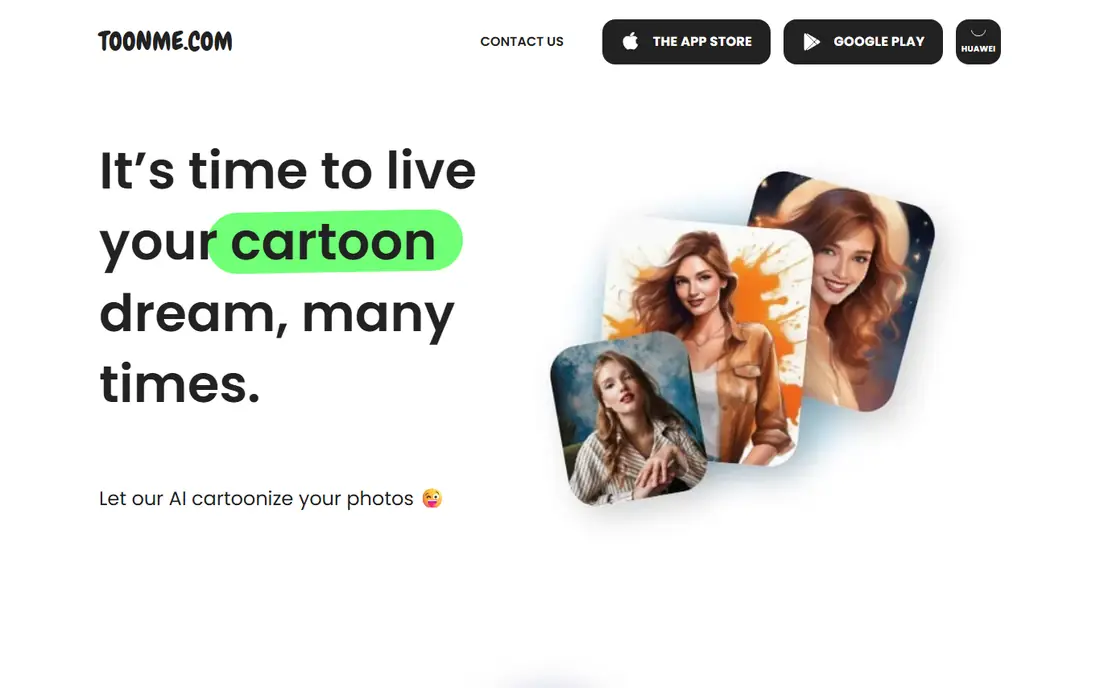
ToonMe is the most focused cartoon portrait app on this list. It redraws a selfie into a cartoon character rather than just adding a flat filter, and the result usually holds up as a profile picture. The style library covers classic cartoon, vector, and themed looks, and backgrounds can be adjusted in some templates.
The limit is photo dependence. A blurry or poorly lit selfie can produce a distorted face, while a clear front-facing photo gives a much better result. Check which styles are free before starting, since newer trending styles often need a subscription.
- Dedicated cartoon portrait styles
- Keeps faces recognizable in good portraits
- Many templates
- Some newer styles sit behind a paid plan
- Results depend heavily on photo quality
Prisma suits a user who wants a painted cartoon rather than a character portrait. Its styles draw on art and illustration looks, so a photo can become a poster-style image, a sketch, or a colorful painting. The app is simple to use, with one-tap styles and basic adjustments for strength and crop.
The drawback is free limits. Daily processing and some styles sit behind a paid plan, so a user who wants many exports in one day may hit a wall. Test a few styles on a free account first, then pay only for a style you will use often.
- Large library of art-inspired styles
- Strong painted and hand-drawn looks
- Simple one-tap use
- Daily free processing can be limited
- Some styles need a paid plan
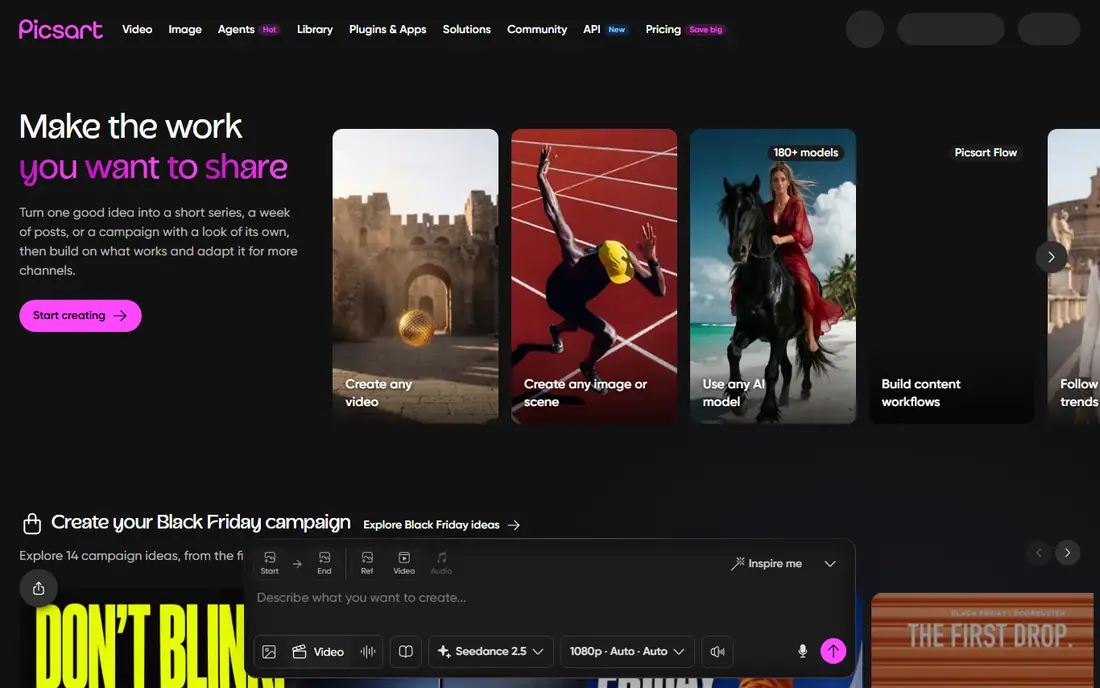
Picsart works when cartoonizing is one step in a larger edit. A user can apply a cartoon effect, then adjust the background, add text, or build a social post without switching apps. That workflow suits creators who post regularly and want one editor for many tasks.
The trade-off is clutter. Picsart packs many tools into one app, so finding a specific cartoon style takes a moment, and some effects need a subscription. For a single cartoon portrait, a dedicated app may be faster.
- Cartoon effects inside a full editor
- Stickers, text, and background tools
- Large community templates
- Interface can feel busy
- Many features sit behind a paid plan
PhotoDirector appeals to a user who wants cartoon styles with stronger editing control. The app offers AI portrait and cartoon looks, plus tools for color, light, background removal, and retouching. That combination helps when a cartoon needs cleanup before sharing or printing.
The limit is scope. Cartoonizing is one feature among many, so a user who only wants a quick cartoon may find the app heavier than needed. Check the current plan, since full AI features and high-resolution exports sit on paid tiers.
- Cartoon and AI styles plus detailed editing tools
- Good export options
- Desktop and mobile versions
- Paid tiers carry the full feature set
- Cartoon styles are one part of a larger editor
Fotor is a useful browser option for a user who does not want to install an app. The photo-to-cartoon tools offer many styles, and the built-in editor helps add text, frames, or design elements after the cartoon is made. That setup suits quick content work on a laptop.
The drawback is consistency. Results vary with the source photo, and some styles and exports need a paid plan. Try the free styles on a test photo before using Fotor for a gift or client image.
- Browser-based cartoon tools
- Many styles
- Full editor for text and design
- Some styles and high-resolution exports need a paid plan
- Web results vary by photo
BeFunky keeps cartoonizing simple. A user can upload a photo, apply a cartoon effect, adjust color and crop, and export without learning a large editor. That simplicity suits casual users, teachers, and small businesses that need a quick cartoon for a post or flyer.
The limit is variety. BeFunky offers fewer cartoon styles than dedicated portrait apps, so a user who wants many character looks may outgrow it quickly. Paid plans add more effects, so check the free styles first.
- Simple cartoonizer workflow
- Built-in editor for crop, text, and color
- Browser and mobile access
- Style range is narrower than dedicated cartoon apps
- Some effects need a paid plan
Colorcinch, formerly known under a similar cartoon brand, offers a browser cartoonizer with manual editing controls. A user can apply a cartoon effect, then refine it with layers, drawing, and color tools, which helps when an automatic result needs cleanup. Print-ready export options suit posters and gifts.
The catch is plan limits. Advanced effects and some export options sit behind a paid plan, and very large images can slow browser editing. Start with a medium-size photo, and check export quality before printing.
- One-click cartoon effects in a browser
- Layers and drawing tools
- Print-ready export options
- Some advanced effects need a paid plan
- Browser performance depends on image size
Media.io suits a user who wants a cartoon without installing an app. The browser tool works on a phone, applies cartoon styles in a few taps, and sits alongside other media tools for background removal and enhancement. That convenience helps for a one-off profile picture or gift.
The limit is depth. The free tier has limits, and the style range is narrower than dedicated cartoon apps. Read the privacy terms before uploading a portrait, and use your own photo or a licensed photo for any shared result.
- Browser tool that works on mobile without an install
- One-click cartoon styles
- Other media tools in one place
- Free tier has limits
- Cartoon styles are fewer than in dedicated apps
Lensa is best known for portrait enhancement and avatar styles, and its cartoon looks suit profile pictures and gifts. The app processes faces with care, and the mobile workflow is simple: upload a portrait, pick a style, and save the result. For a polished avatar, Lensa is a strong option.
The drawback is cost and privacy. Some avatar packs and styles need payment, and users should read the privacy terms for photo storage and deletion before uploading portraits. Use only photos you own or have permission to edit, and delete uploads you no longer need.
- Strong portrait processing
- Avatar and art styles
- Simple mobile workflow
- Some avatar packs and styles need payment
- Privacy terms deserve a careful read
How we picked these
We compared official feature pages, pricing pages, app store listings, and public reviews for cartoon tools that are currently available in 2026. We favored tools with a clear cartoon effect, a usable free entry, and exports that work for sharing or printing. We checked that each tool's official site loads and belongs to the named product, and we marked prices as See website where the vendor does not publish a simple starting price.
How to get a better cartoon result
Start with a clear photo. A front-facing portrait with even light, a plain background, and no heavy shadow gives the app more to work with, and the cartoon usually keeps the face more recognizable. Crop tightly around the face for a portrait, and avoid group photos when you want a single character result.
Next, try several styles on the same photo before choosing one. A style that suits one face can distort another, and small changes in strength or crop can improve the result. Save a few versions, then compare them outside the app at full size, since a small preview can hide flaws.
Finally, respect consent and privacy. Only cartoonize photos of real people with their permission, using your own photos or licensed photos for any shared or commercial use. Delete uploads from an app you no longer use, and check whether the app stores photos after processing.
Frequently asked questions
What is the best cartoonizer app for portraits?
ToonMe is a strong starting point for cartoon portraits, since it focuses on faces and offers many character styles. Prisma suits painted looks, while Lensa suits polished avatars. Try the same portrait in two apps, since results vary by face and lighting.
Can I use a cartoonizer app for free?
Yes, for basic styles and exports. Most apps offer a free tier, but watermarks, daily limits, and high-resolution exports often sit behind a paid plan. Test the free styles first, and pay only when a specific style or export quality matters.
Will a cartoonizer keep my face recognizable?
Often, but not always. Clear, well-lit, front-facing photos give the best likeness, while blurry, side-on, or heavily filtered photos can distort features. If likeness matters, try several styles and pick the version that keeps eyes, hair, and face shape closest to the original.
Can I cartoonize a photo of someone else?
Only with that person's permission, and only for a use they have agreed to. Use your own photos or licensed photos for shared or commercial work, and avoid editing photos of children or private individuals without clear consent. Check the app's terms for sharing and storage rules.
What is the best cartoonizer for printing?
Colorcinch and PhotoDirector suit printing, since they offer stronger export controls and editing tools. Check the export resolution before printing, and start with a high-quality source photo, since a low-resolution cartoon will look soft at large sizes.
Sources
See where you really rank - block by block
ProMapRanker scans Google Maps across a grid of your service area. Simple monthly plans from $19, white-label on every plan.
Start freeKeep reading
 worlds best local seo company
8 Worlds Best Local SEO Companies for Map Pack Growth in 2026
Compare the worlds best local seo company options for Google Business Profile work, citations, reviews, and multi-location rankings and reporting in 2026.
Read → world's best web hosting company
World's Best Web Hosting Company in 2026
Searching for the world's best web hosting company? We compared 10 hosts on price, renewal rates, speed, and support to help you choose well today in 2026.
Read → who's got the best nanny tax services
Who's Got the Best Nanny Tax Services in 2026
We answer who's got the best nanny tax services, comparing full filing, back taxes, software, and pricing so families can handle nanny taxes correctly.
Read →